Forum
    • Categories
    • Register
    • Login
    1. Home
    2. Chazrox
    3. Best
    • Profile
    • Following 6
    • Followers 6
    • Topics 189
    • Posts 1,652
    • Groups 0

    Posts

    Recent Best Controversial
    • UPDATE // NEW: Online Knob Builder for HISE!! // Added: InnerShadows, Angled DropShadows, GradientOutlines.

      Sup guys!

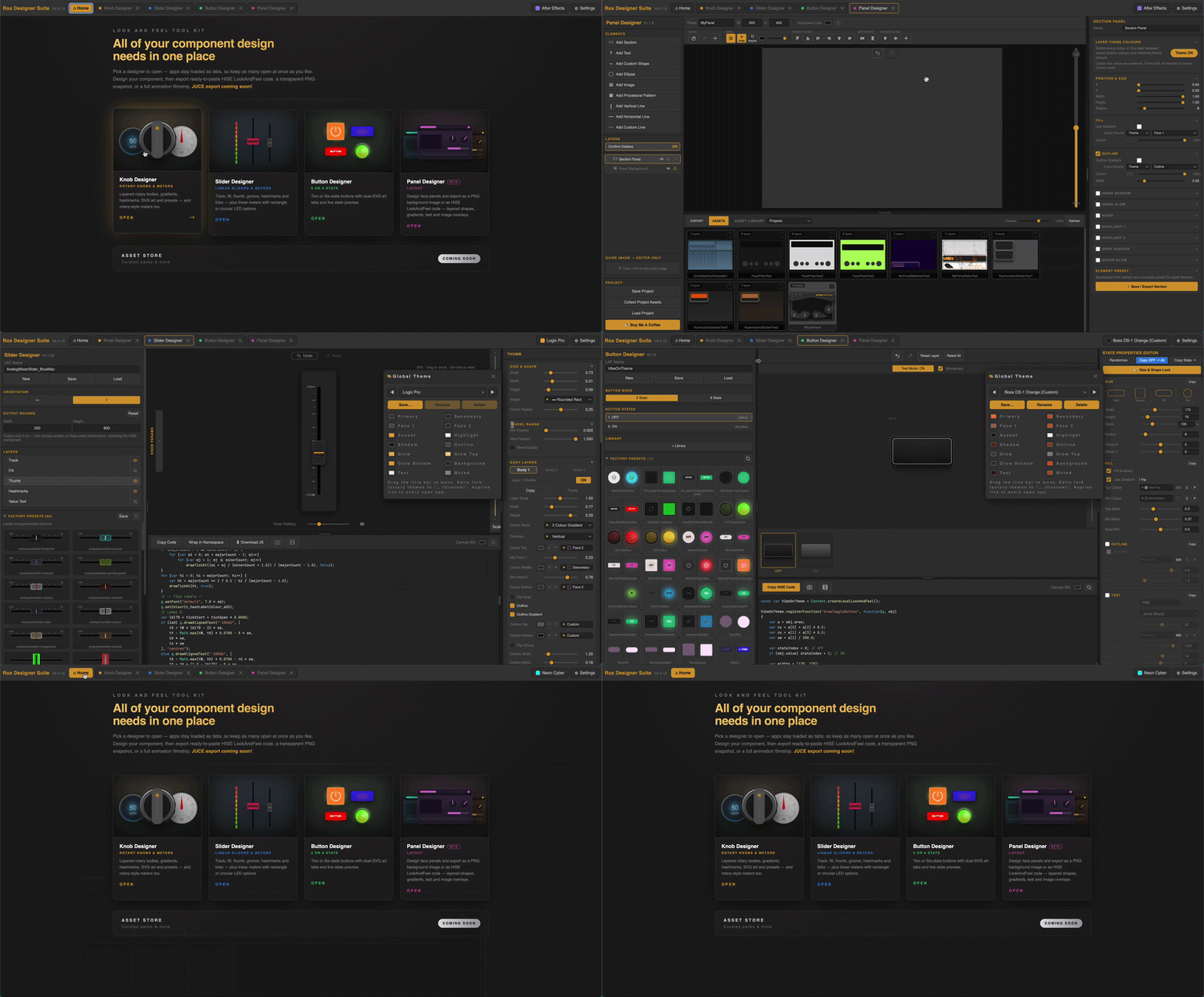
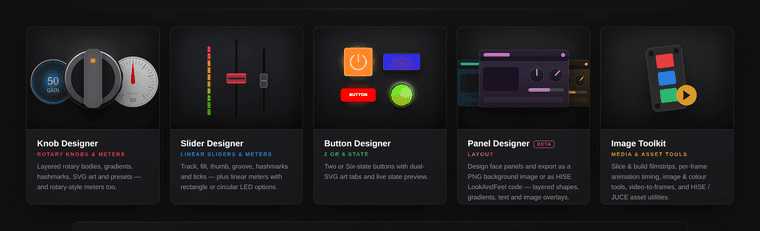
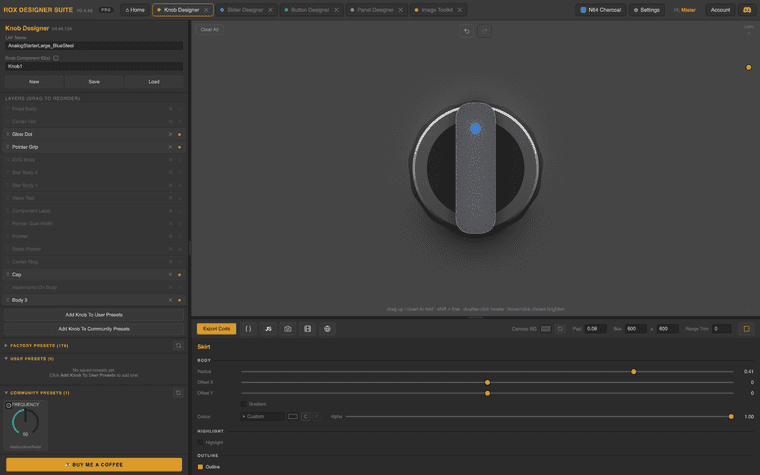
      Inspired by a huge project that needs a bunch on different knobs, I created an online knob editor that is specific to HISE users. My app lets you design a knob online and export a fully written LAF function.
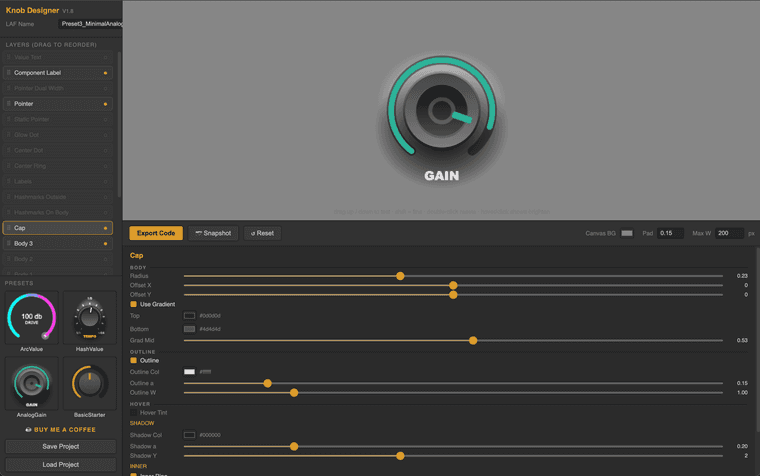
      Screenshot 2026-06-24 at 2.51.05 PM.png

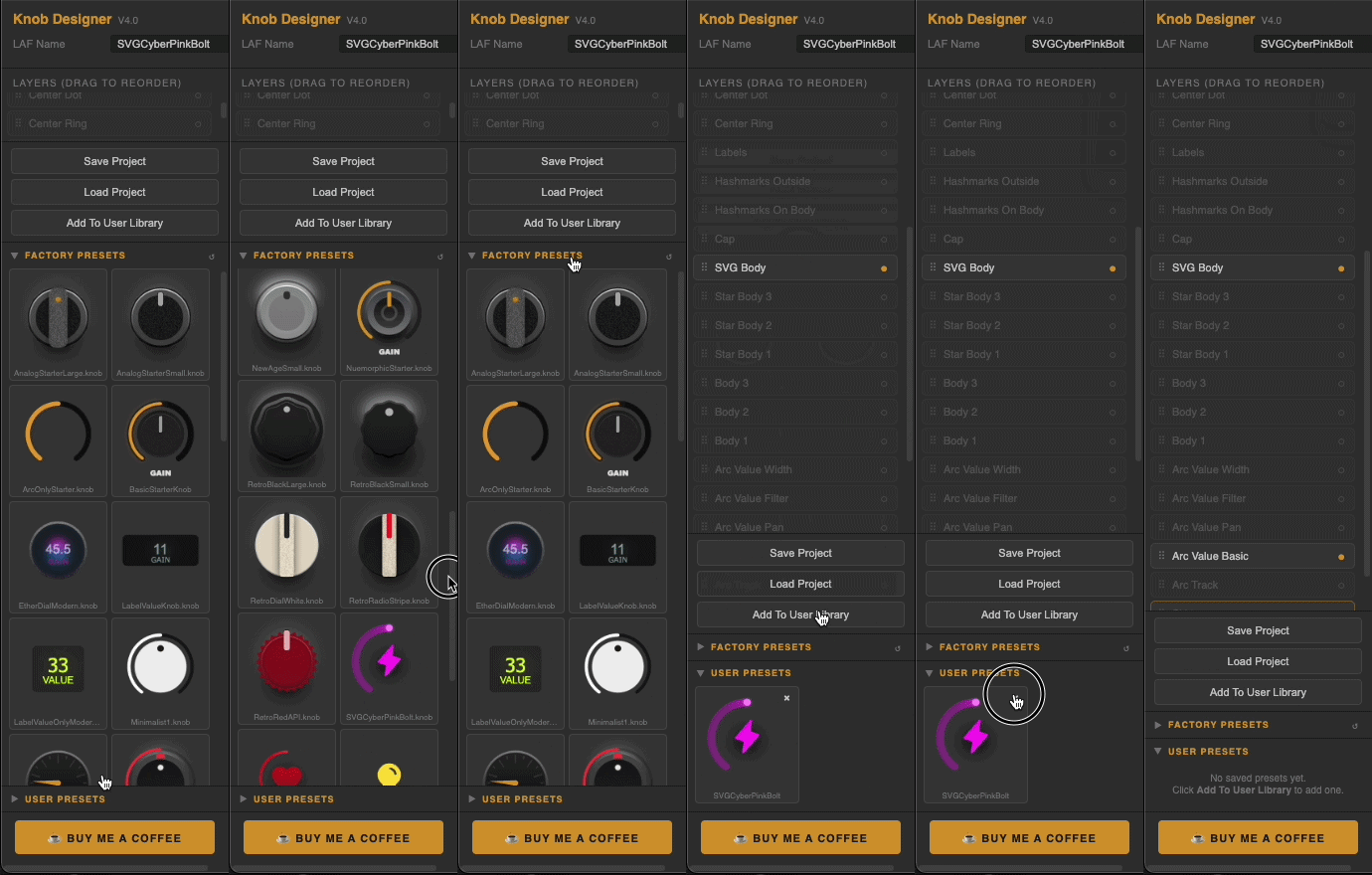
      I've provided 4 Presets to get you started.
      At the bottom, you can 'Save' your project and 'Load' previous works at a later time.
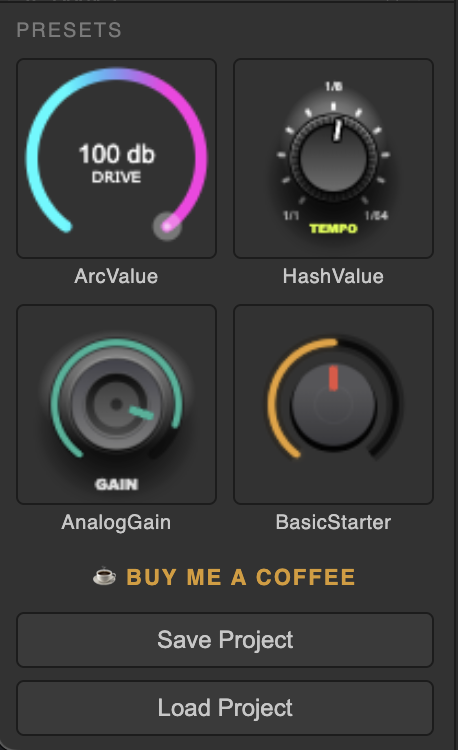
      Screenshot 2026-06-24 at 2.51.15 PM.png

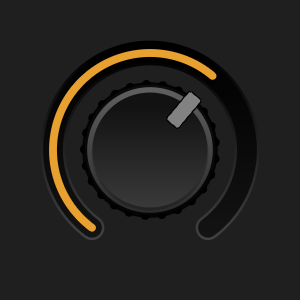
      With all these options you can make some pretty cool looking knobs!
      (not showing: Value Text, Component Label, Pointer Dual, Pointer)
      Easily activate/deactivate and drag to re-order the layers to achieve different visual effects.
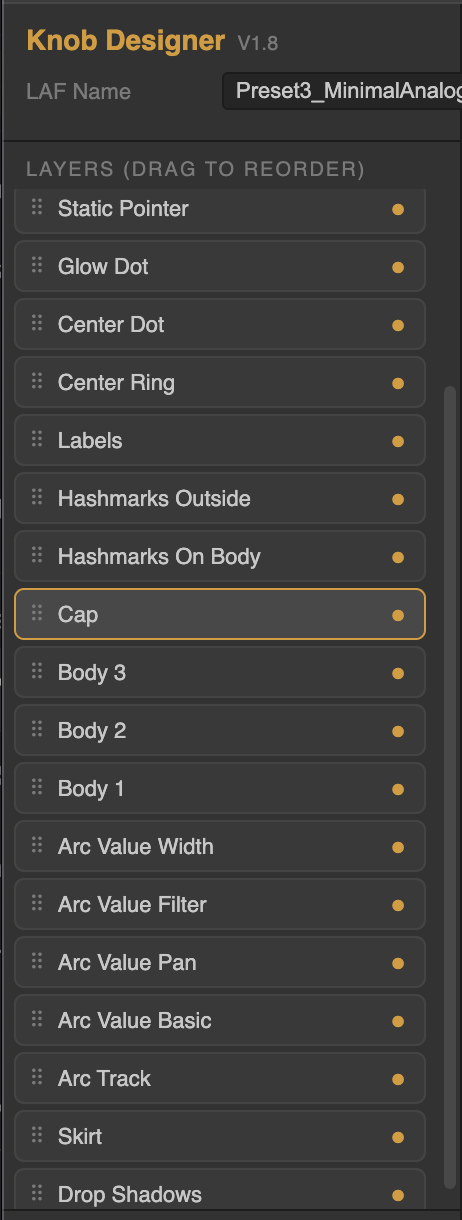
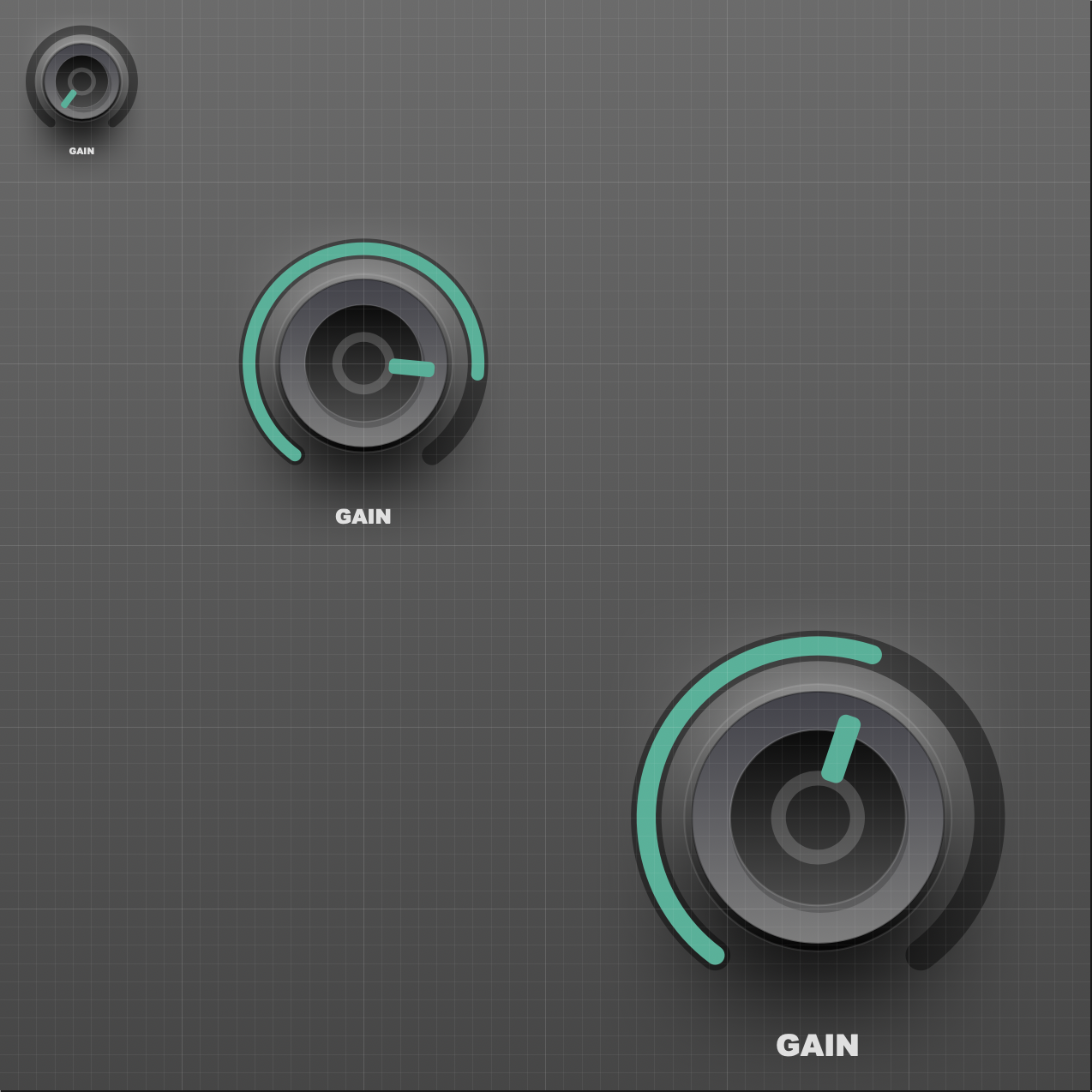
      Screenshot 2026-06-24 at 2.51.52 PM.png

      All knobs are fully scalable within HISE.
      Screenshot 2026-06-24 at 2.20.02 PM.png

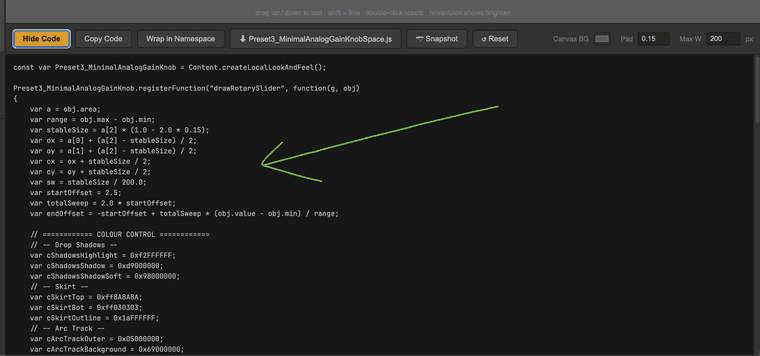
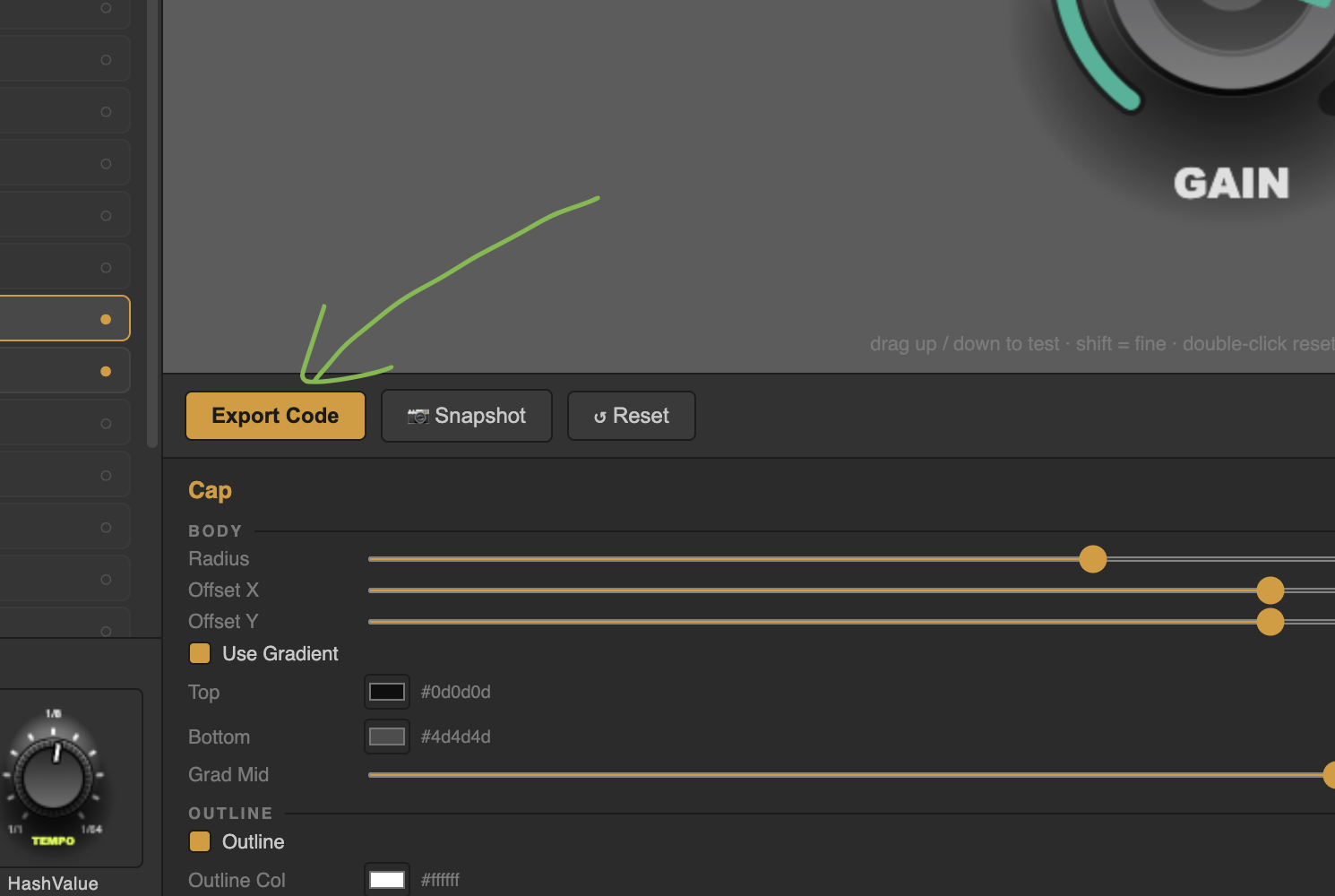
      Fully written LAF function. Just click Export code. There is a convenient 'Copy' button as well. Simply paste the script into your code editor and apply to your knobs.
      Screenshot 2026-06-24 at 2.58.30 PM.png

      Screenshot 2026-06-24 at 2.58.49 PM.png

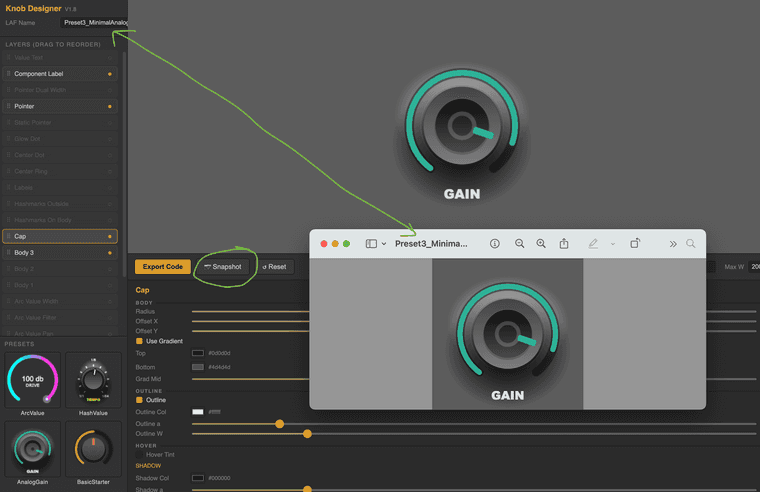
      Easy screenshot button to save an image of your knob for future reference or to send to a client for review.
      Screenshot 2026-06-24 at 3.01.53 PM.png

      Full List of editable paramters/elements:

      ROX KNOB DESIGNER — LAYERS & PARAMETERS
      
      DROP SHADOWS
      - Highlight: Y center, width, height, glow, alpha, colour
      - Shadow: Y center, width, height, glow, alpha, colour
      
      SKIRT (outer ring under the knob)
      - Radius, Offset X/Y
      - Gradient toggle, Top colour, Bottom colour, Gradient midpoint
      - Flat colour (when gradient off)
      - Outline toggle, colour, alpha, width
      - Highlight arc toggle, colour, alpha, width, distance
      - Hover Tint toggle, colour, alpha
      
      ARC TRACK (background ring behind the value arc)
      - Thickness, Distance from center, Offset Y
      - Background colour + alpha
      - Outer ring colour + alpha + extra width
      - Outer gradient toggle, top/bottom colour, midpoint
      - End cap (flat / round)
      
      ARC VALUE BASIC (the main value arc)
      - Thickness, Distance, Offset Y
      - Colour
      - End cap (flat / round)
      - Glow toggle, colour, size, alpha
      - Gradient (thermometer) toggle, low colour, high colour
      
      ARC VALUE PAN (centered, sweeps both ways from 12 o'clock)
      - Thickness, Distance, Offset Y, Colour, End cap
      - Glow toggle, colour, size, alpha
      
      ARC VALUE FILTER (LPF/HPF style)
      - Thickness, Distance, Offset Y, Colour, End cap
      - LPF mode toggle (reverses direction)
      - Glow toggle, colour, size, alpha
      - Gradient toggle, low/high colour
      
      ARC VALUE WIDTH (centered spreader)
      - Thickness, Distance, Offset Y, Colour
      - Reveal colour (fades in as value increases)
      - End cap
      
      BODY 1 / BODY 2 / BODY 3 (stacked knob bodies)
      - Radius, Offset X/Y
      - Gradient toggle, top colour, bottom colour, midpoint
      - Flat colour
      - Outline toggle, colour, alpha, width
      - Highlight arc toggle, colour, alpha, width, distance
      - Hover Tint toggle, colour, alpha
      
      CAP (top circle of the knob)
      - Radius, Offset X/Y
      - Gradient toggle, top/bottom colour, midpoint
      - Flat colour
      - Outline toggle, colour, alpha, width
      - Drop shadow alpha, colour, Y offset
      - Inner ring toggle, ratio, alpha, colour, width
      - Hover Tint toggle, colour, alpha
      
      HASHMARKS OUTSIDE (ticks around the outer edge)
      - Major count, start distance, end distance, thickness, colour, alpha
      - Minor per gap, start, end, thickness, colour, alpha
      - Round caps toggle
      - Offset Y
      
      HASHMARKS ON BODY (ticks on the knob body)
      - Count, start, end, thickness, colour, alpha
      - Round caps toggle
      - Full circle toggle (full 360 vs arc-only)
      - Rotate with cap toggle (spins with value)
      - Offset Y
      
      LABELS (text around the knob)
      - Names (comma separated)
      - Radius, Size, Colour, Alpha
      - Offset X/Y
      
      POINTER (the value indicator)
      - Style (line / rect / circle / triangle)
      - Start, End, Thickness, Width, Rounding, Offset Y
      - Colour
      - Outline toggle, colour, width
      - Hover Tint toggle, hover colour, hover alpha
      
      STATIC POINTER (a fixed indicator at a chosen angle)
      - Style (line / rect / circle / triangle)
      - Angle, Start, End, Thickness, Width, Rounding, Offset Y
      - Colour, Outline toggle, outline colour, width
      
      POINTER DUAL WIDTH (spreads outward as value increases)
      - Start, End, Width, Thickness, Rounding, Offset Y
      - Colour
      
      CENTER DOT
      - Radius, Offset X/Y
      - Gradient toggle, top/bottom colour, midpoint
      - Flat colour, alpha
      - Outline toggle, gradient toggle, colour(s), alpha, width
      - Hover Tint toggle, colour, alpha
      
      CENTER RING
      - Radius, Offset X/Y, Thickness
      - Gradient toggle, top/bottom colour, midpoint
      - Solid colour, alpha
      
      GLOW DOT (small dot that follows the value)
      - Radius, Distance, Colour, Alpha
      - Halo size, halo alpha
      - Follows value toggle
      
      COMPONENT LABEL (text label like "GAIN")
      - Text, Placement (top/bottom)
      - Offset X/Y, Size, Colour, Alpha
      - Font (9 cross-platform fonts)
      
      VALUE TEXT (live numeric readout)
      - Offset X/Y, Size, Colour, Alpha
      - Decimals, Suffix
      - Font (9 cross-platform fonts)
      
      GLOBAL
      - LAF Name (used for variable name + downloaded filename)
      - Canvas BG colour
      - Padding (resize margin)
      - Max width
      - 4 starter presets: ArcValue, HashValue, AnalogGain, BasicStarter
      - Save / Load project (.knob.json)
      - Snapshot to PNG
      - Export Code / Copy / Wrap in Namespace toggle
      - Reset to defaults
      - Drag-to-reorder layer list with show/hide toggles
      

      There are a ton of options ready to edit!

      Im currently trying to find a place to host this app but I want to release this beta version for you guys to start testing.

      Im open to suggestions! This is for us! ⚡

      Here's the link!:
      https://rox-knob-builder-for-hise.netlify.app/

      Enjoy!

      All Feedback is welcomed and appreciated! 🙏

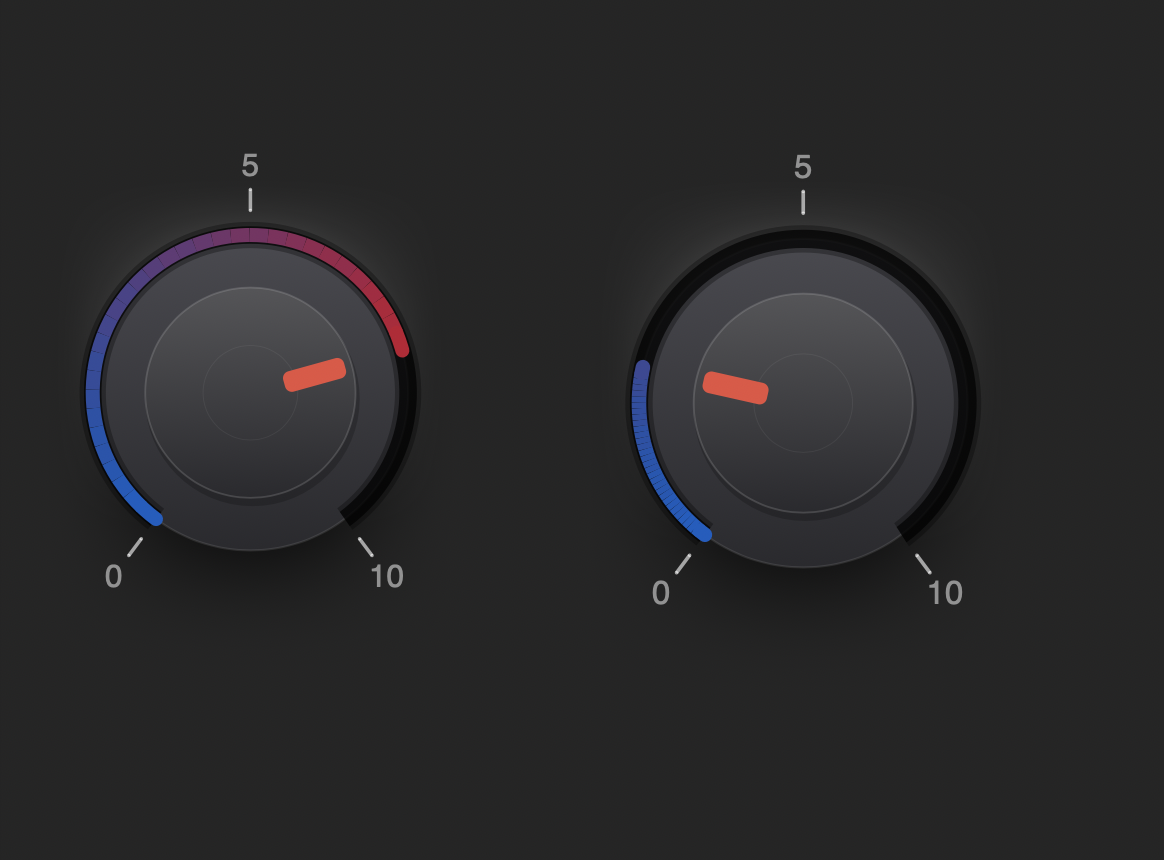
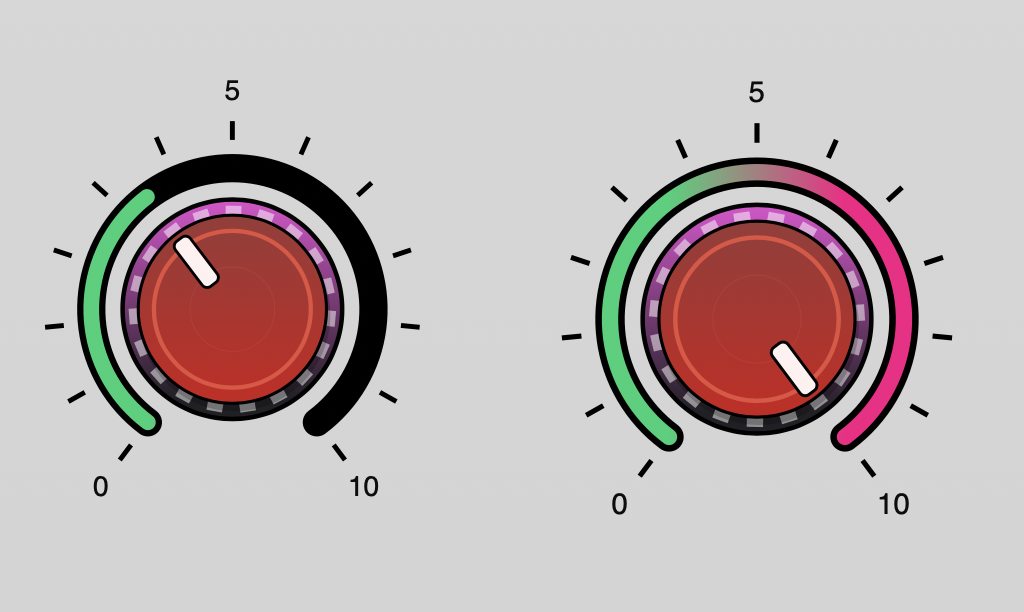
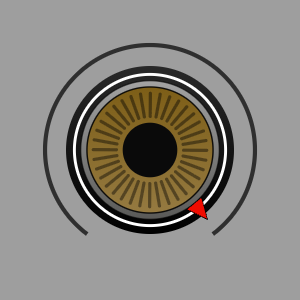
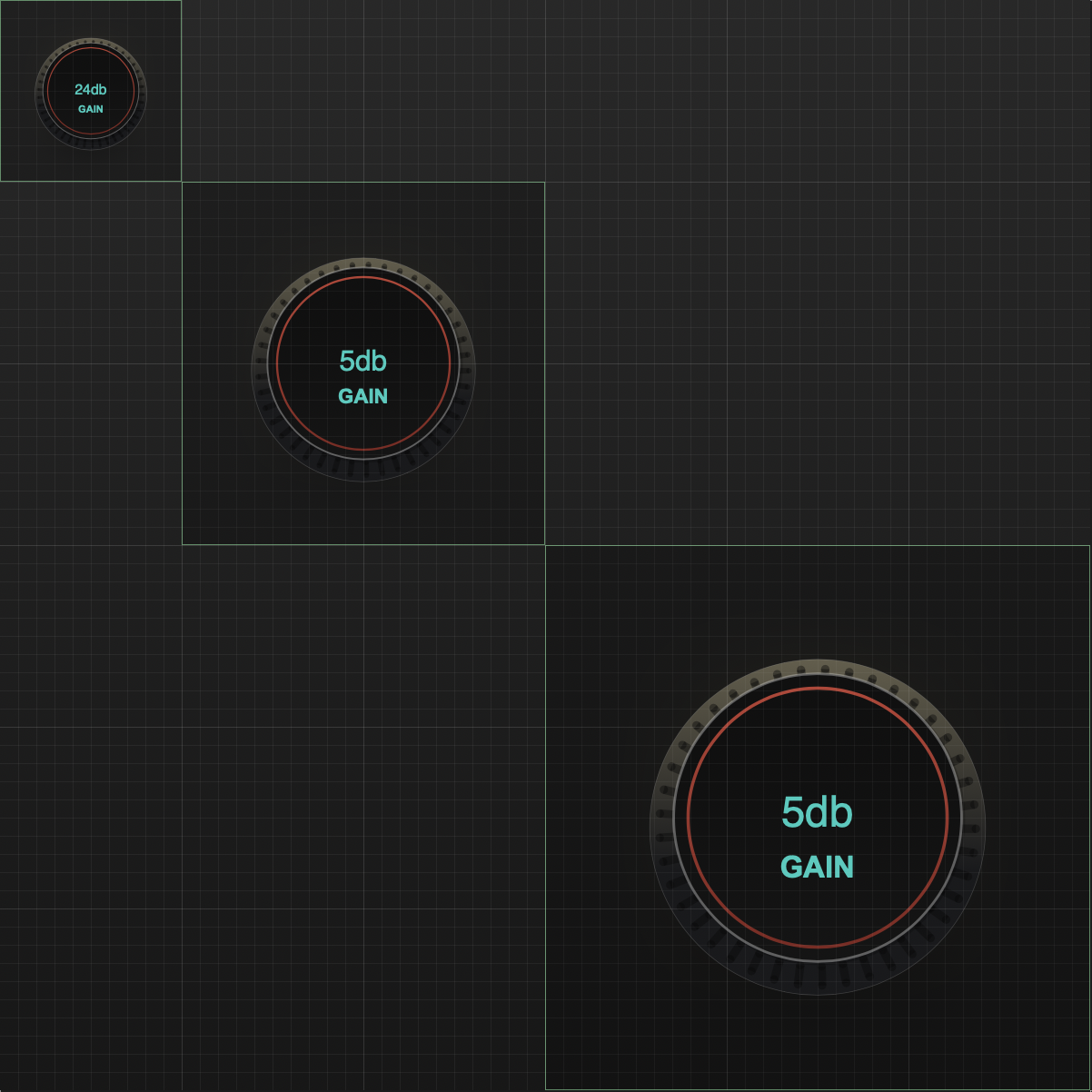
      Here are a few extra examples of what it can do:
      Very basic examples to show different elements available.
      Screenshot 2026-06-24 at 2.08.41 AM.png Screenshot 2026-06-23 at 4.43.35 PM.png

      Screenshot 2026-06-23 at 5.54.53 PM.png

      MyKnobLaf_snapshot (9).png

      MyKnobLaf_snapshot (8).png

      posted in Scripting laf knobs knob designer scalable knob online editor
      ChazroxC
      Chazrox
    • RE: More Positive Posts?

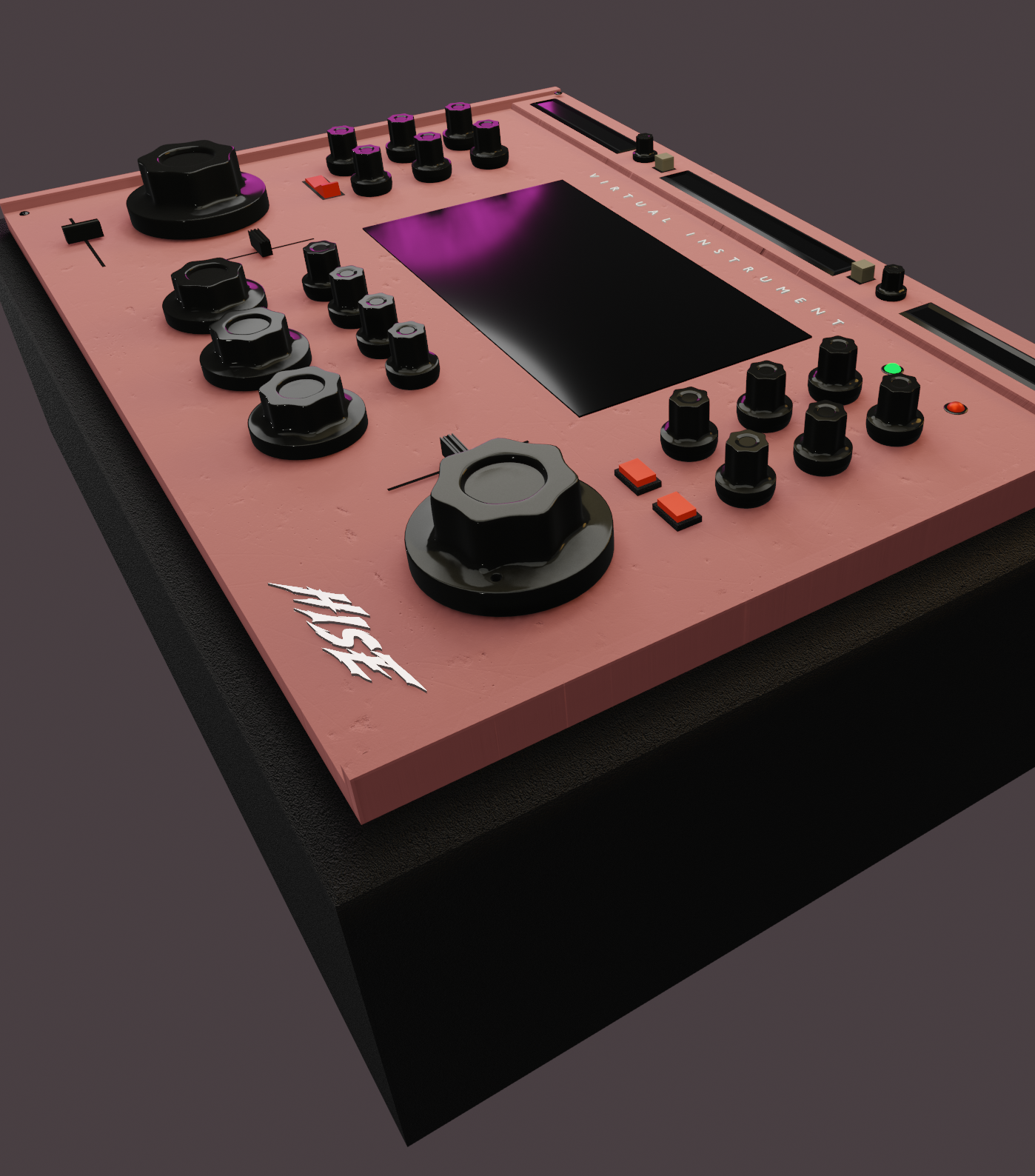
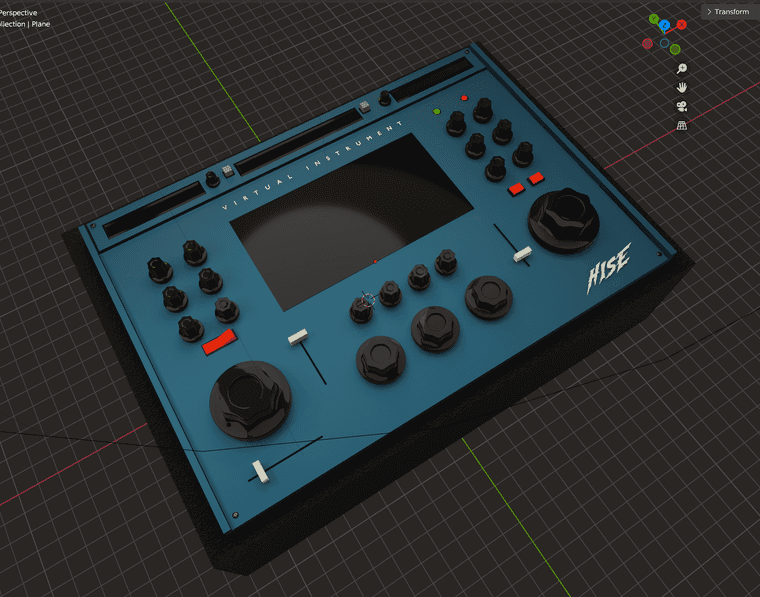
      Good Morning! I agree. Here's something I've been doing. Aside from working on my personal plugins, I've been wanting to show my appreciation to the community by designing a set of 3d assets / filmstrips that people can use on their projects.

      There are quite a few regulars in here that always get me going when im stuck. I Love it here!

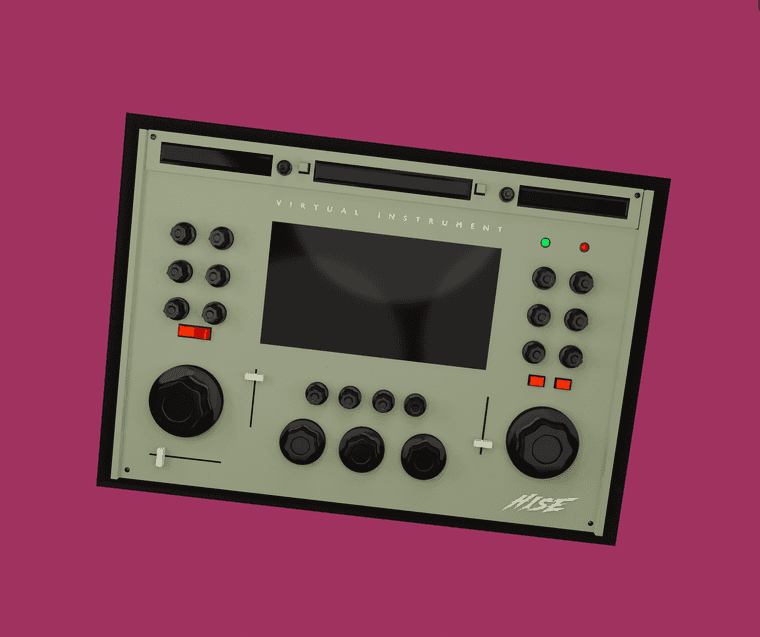
      This is just a mockup of one of the kits im working on. All of these assets should be available for anyone to use soon. Dont quote me on "soon". Im sure everyone in here has 10 things going at once lol.

      Screenshot 2025-02-02 at 9.14.44 AM.png

      Screenshot 2025-02-02 at 6.44.25 AM.png

      Im still messing around with the faceplate so the actual release might not be exact.

      Much Love to the community!
      Special Thanks to @Christoph-Hart
      and honorable mention to Mr. @d-healey who got me going on all this in the first place!
      Im soaking it all in!

      posted in General Questions
      ChazroxC
      Chazrox
    • HAVE A GREAT DAY! ⚡ ⚡ ⚡

      Just thought I'd hop on and wish everyone a great day! If you see this, I hope you're doing great! ⚡ ⚡ ⚡

      posted in General Questions
      ChazroxC
      Chazrox
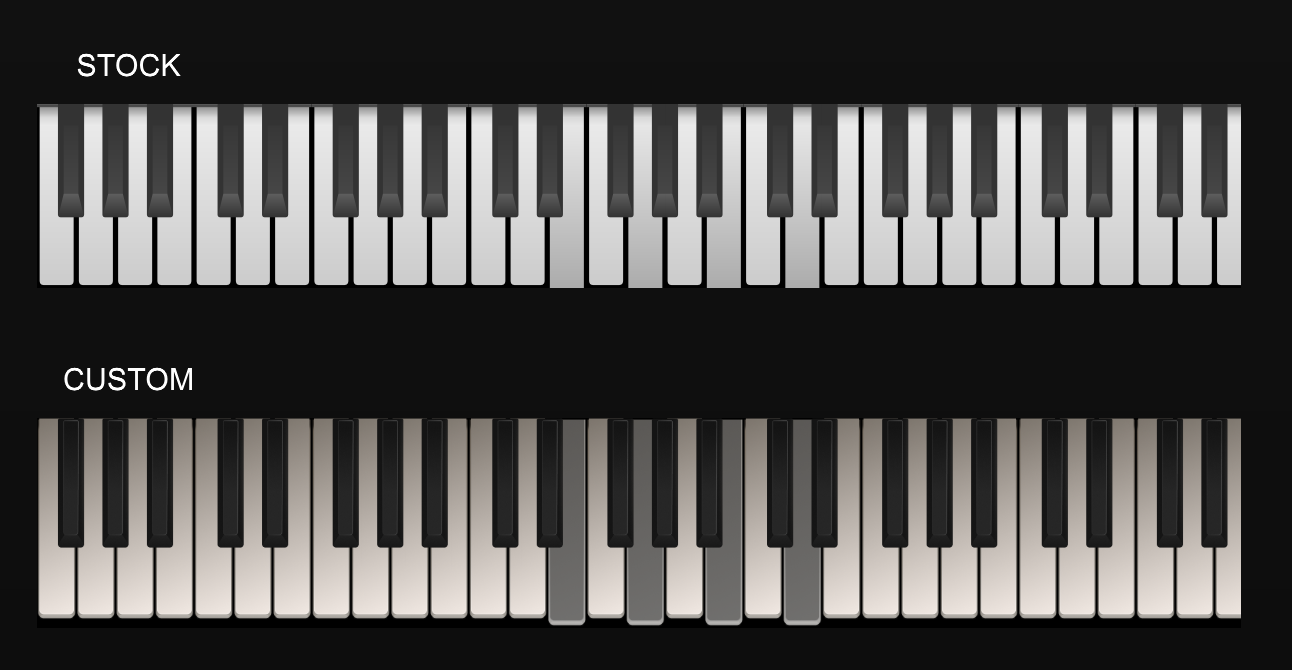
    • FREE DESIGN || Upgrade Your Keyboard!

      Freebie for the community.
      Screenshot 2025-05-11 at 2.08.43 AM.png

      Here's the script:

      namespace LafRealKeyboard
      {
      	const var FloatingTile1 = Content.getComponent("FloatingTile1");
      	const var Laf_RealKeys = Content.createLocalLookAndFeel();
      	
      	//! DRAW WHITE NOTE
      	Laf_RealKeys.registerFunction("drawWhiteNote", function(g,obj)
      	{
      		var a = obj.area;
      		var WhiteUp = Laf_RealKeys.loadImage("{PROJECT_FOLDER}WHITE KEY - UP 11.png", "WHITE KEY - UP 11.png");
      		var WhiteDown = Laf_RealKeys.loadImage("{PROJECT_FOLDER}WHITE KEY - DOWN 11.png", "WHITE KEY - DOWN 11.png");
      		
      		if (obj.down)
      		{
      			g.drawImage("WHITE KEY - DOWN 11.png", a, 0, 0);
      			g.setColour(Colours.red);			
      		}
      		if (!obj.down)
      		{
      			g.drawImage("WHITE KEY - UP 11.png", a, 0, 0);	
      		}	
      	});
      	Content.getComponent("FloatingTile1").setLocalLookAndFeel(Laf_RealKeys);
      	
      	//! DRAW BLACK NOTE
      	Laf_RealKeys.registerFunction("drawBlackNote", function(g,obj)
      	{
      		var a = obj.area;
      		var BlackUp = Laf_RealKeys.loadImage("{PROJECT_FOLDER}BLACK KEY - UP 11.png", "BLACK KEY - UP 11.png");
      		var BlackDown = Laf_RealKeys.loadImage("{PROJECT_FOLDER}BLACK KEY - DOWN 11.png", "BLACK KEY - DOWN 11.png");
      		
      		if (!obj.down)
      		{
      			g.drawImage("BLACK KEY - UP 11.png", a ,0, 0);	
      		}
      		if (obj.down)
      		{	
      			g.drawImage("BLACK KEY - DOWN 11.png", [a[0], a[1], a[2], a[3] + 10] ,0, 0);
      		}
      	});
      	Content.getComponent("FloatingTile1").setLocalLookAndFeel(Laf_RealKeys);
      }
      

      Download these images and add them to your projects 'Images' folder. F5. Enjoy.
      FILES---> CUSTOM KEYBOARD IMAGES

      posted in General Questions
      ChazroxC
      Chazrox
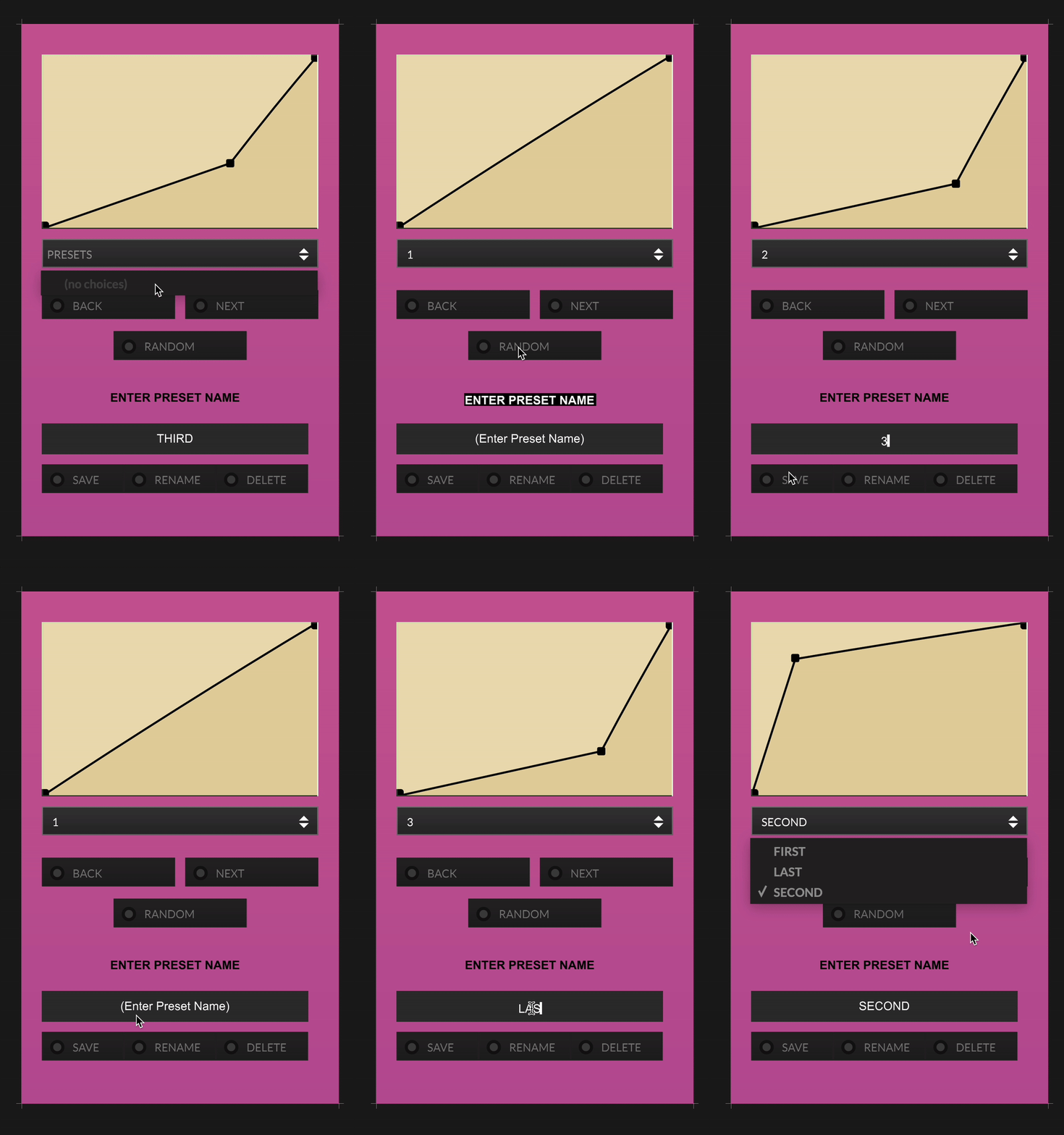
    • CUSTOM TABLE PRESETS Sub-Menu Template || Ready-to-run!

      I've been struggling with this one for a while and finally got a solid working script! I just wanted to share with the community an easy working template.
      Table Preset Browser Working.gif

      Functions:
      Save
      Delete
      Rename
      Back
      Next
      Random
      Combobox presets with custom name save

      Hope this helps someone down the line!

      const var PresetList = Content.getComponent("PresetList"); 
      const var PresetNameToSave = Content.getComponent("PresetNameToSave");    
      const var SaveOk = Content.getComponent("SaveOk");
      const var TableEnvelope1Pro = Synth.getTableProcessor("Table Envelope1");
      
      // File path for saving/loading
      const var presetFile = FileSystem.getFolder(FileSystem.Desktop).getChildFile("myFile.json");
      
      // Declare object to hold presets
      var AttackTablePresets = {};
      var lastRandomPresetName = "";
      
      //------------------------ LOAD existing presets on init ------------------------//
      
      if (presetFile.isFile())
      {
      	AttackTablePresets = presetFile.loadAsObject();
      
      	// Manually extract keys
      	var keyList = [];
      	for (k in AttackTablePresets)
      		keyList.push(k);
      
      	PresetList.set("items", keyList.join("\n"));
      }
      
      
      //------------------------ SAVE PRESET ------------------------//
      
      inline function onSaveOkControl(component, value)
      {		
      	if (!value)
      		return;
      
      	local presetNameNOW = PresetNameToSave.get("text").trim();
      	if (presetNameNOW == "")
      		return;
      
      	local tableData0 = TableEnvelope1Pro.exportAsBase64(0);
      
      	// Add to object
      	AttackTablePresets[presetNameNOW] = tableData0;
      
      	// Save to file
      	presetFile.writeObject(AttackTablePresets);
      
      	// Update ComboBox
      	local keyList = [];
      	for (k in AttackTablePresets)
      		keyList.push(k);
      
      	PresetList.set("items", keyList.join("\n"));
      	PresetList.setValue(keyList.indexOf(presetNameNOW) + 1);
      	PresetNameToSave.set("text", "(Enter Preset Name)");
      };
      
      SaveOk.setControlCallback(onSaveOkControl);
      
      //--------------------------COMBOBOX RESTORE TABLE CONTROLS --------------------------//
      inline function onPresetListControl(component, value)
      {
          if (value <= 0)
              return;
      
          // Get the selected preset name from the ComboBox using the selected index
          local selectedPresetName = PresetList.getItemText();
      
          // Look up the table data in the preset object
          local presetData = AttackTablePresets[selectedPresetName];
      
          // Restore the table if data exists
          if (presetData)
              TableEnvelope1Pro.restoreFromBase64(0, presetData);
      };
      PresetList.setControlCallback(onPresetListControl);
      
      // ---------------------------DELETE CURRENT PRESET CONTROLS -------------------------------//
      const var DeletePresetButton = Content.getComponent("DeletePresetButton");
      
      inline function onDeletePresetButtonControl(component, value)
      {
          if (!value)
              return;
      
          local selectedIndex = PresetList.getValue();
          if (selectedIndex <= 0)
              return;
      
          // Get preset name
          reg presetNameToDelete = PresetList.getItemText();
      
          if (!isDefined(AttackTablePresets[presetNameToDelete]))
              return;
      
          Engine.showYesNoWindow("Delete Preset",
              "Are you sure you want to delete \"" + presetNameToDelete + "\"?",
              function(result) // nested callback
              {
                  if (result)  // IF 'YES' 
                  {
                      var newPresets = {};
                      for (k in AttackTablePresets)
                      {
                          if (k != presetNameToDelete) 
                              newPresets[k] = AttackTablePresets[k];
                      }
      
                      AttackTablePresets = newPresets;
      
                      presetFile.writeObject(AttackTablePresets);
      
                      var keyList = [];
                      for (k in AttackTablePresets)
                          keyList.push(k);
      
                      PresetList.set("items", keyList.join("\n"));
                      PresetList.setValue(PresetList.getValue() - 1); // Clear selection
                  }
              });
      };
      
      DeletePresetButton.setControlCallback(onDeletePresetButtonControl);
      
      //------------------------------------RANDOMIZER BUTTON CONTROLS ------------------------//
      const var RandomizePresetButton = Content.getComponent("RandomizePresetButton");
      
      inline function onRandomizePresetButtonControl(component, value)
      {
      	if (!value)
      		return;
      
      	// Collect preset names
      	local presetNames = [];
      	for (k in AttackTablePresets)
      		presetNames.push(k);
      
      	local total = presetNames.length;
      	if (total == 0)
      		return;
      
      	local randomPresetName = "";
      	local tries = 10; // safety cap to avoid infinite loop
      
      	while (tries > 0)
      	{
      		local i = Math.floor(Math.random() * total);
      		randomPresetName = presetNames[i];
      
      		// Stop if the new name is different, or only one preset exists
      		if (randomPresetName != lastRandomPresetName || total == 1)
      			break;
      
      		tries--;
      	}
      
      	// Find index of selected name in ComboBox
      	local comboIndex = 0;
      	for (i = 0; i < presetNames.length; i++)
      	{
      		if (presetNames[i] == randomPresetName)
      		{
      			comboIndex = i + 1;
      			break;
      		}
      	}
      
      	if (comboIndex > 0)
      		PresetList.setValue(comboIndex);
      
      	// Load the new preset
      	local presetData = AttackTablePresets[randomPresetName];
      	if (presetData)
      		TableEnvelope1Pro.restoreFromBase64(0, presetData);
      
      	// Store the name to avoid repetition next time
      	lastRandomPresetName = randomPresetName;
      };
      
      RandomizePresetButton.setControlCallback(onRandomizePresetButtonControl);
      
      
      //--------------------------BACK BUTTON CONTROLS -------------
      const var BackPresetButton = Content.getComponent("BackPresetButton");
      
      inline function onBackPresetButtonControl(component, value)
      {
      	if (!value)
      		return;
      
      	local currentIndex = PresetList.getValue();
      	local totalItems = 0;
      
      	for (k in AttackTablePresets)
      		totalItems++;
      
      	// Wrap to last if we're at the first
      	if (currentIndex <= 1)
      		currentIndex = totalItems + 1;
      
      	local newIndex = currentIndex - 1;
      	PresetList.setValue(newIndex);
      
      	local presetName = PresetList.getItemText();
      	local presetData = AttackTablePresets[presetName];
      
      	if (presetData)
      		TableEnvelope1Pro.restoreFromBase64(0, presetData);
      };
      BackPresetButton.setControlCallback(onBackPresetButtonControl);
      
      
      //-------------------------------NEXT BUTTON CONTROLS ---------------
      
      const var NextPresetButton = Content.getComponent("NextPresetButton");
      
      inline function onNextPresetButtonControl(component, value)
      {
      	if (!value)
      		return;
      
      	local currentIndex = PresetList.getValue();
      	local totalItems = 0;
      
      	for (k in AttackTablePresets)
      		totalItems++;
      
      	// Wrap to first if we're at the last
      	if (currentIndex >= totalItems)
      		currentIndex = 0;
      
      	local newIndex = currentIndex + 1;
      	PresetList.setValue(newIndex);
      
      	local presetName = PresetList.getItemText();
      	local presetData = AttackTablePresets[presetName];
      
      	if (presetData)
      		TableEnvelope1Pro.restoreFromBase64(0, presetData);
      };
      NextPresetButton.setControlCallback(onNextPresetButtonControl);
      
      // -------------------------RENAME PRESET BUTTON CONTROLS-----------------------
      const var RenamePresetButton = Content.getComponent("RenamePresetButton");
      
      inline function onRenamePresetButtonControl(component, value)
      {
      	if (!value)
      		return;
      
      	local selectedIndex = PresetList.getValue();
      	if (selectedIndex <= 0)
      		return;
      
      	local oldName = PresetList.getItemText();
      	local newName = PresetNameToSave.get("text").trim();
      
      	if (newName == "" || newName == oldName)
      		return;
      
      	// If new name already exists, do nothing (or optionally warn)
      	if (isDefined(AttackTablePresets[newName]))
      	{
      		Console.print("A preset with that name already exists.");
      		return;
      	}
      
      	// Copy data to new name
      	AttackTablePresets[newName] = AttackTablePresets[oldName];
      
      	// Rebuild the object without the old key
      	local newPresets = {};
      	for (k in AttackTablePresets)
      	{
      		if (k != oldName)
      			newPresets[k] = AttackTablePresets[k];
      	}
      
      	AttackTablePresets = newPresets;
      
      	// Save updated object to file
      	presetFile.writeObject(AttackTablePresets);
      
      	// Update ComboBox
      	local keyList = [];
      	for (k in AttackTablePresets)
      		keyList.push(k);
      
      	PresetList.set("items", keyList.join("\n"));
      
      	// Select the renamed preset
      	PresetList.setValue(keyList.indexOf(newName) + 1);
      };
      RenamePresetButton.setControlCallback(onRenamePresetButtonControl);


      I had the help of @d-healey and @Lindon with making this and a few extra helps from gpt.

      Bless! 🙏

      • ROX

      PS> if anybody wants to make improvements and toss it back, have at it! Together we can make the ULtimate Table preset menu. haha.

      posted in Scripting
      ChazroxC
      Chazrox
    • RE: Software for Animation Sprites....

      @rglides SAMPLE:

      *HISE Logo for fun. Dont sue me. lol

      Screenshot 2025-02-02 at 4.42.00 AM.png

      posted in General Questions
      ChazroxC
      Chazrox
    • RE: Software for Animation Sprites....

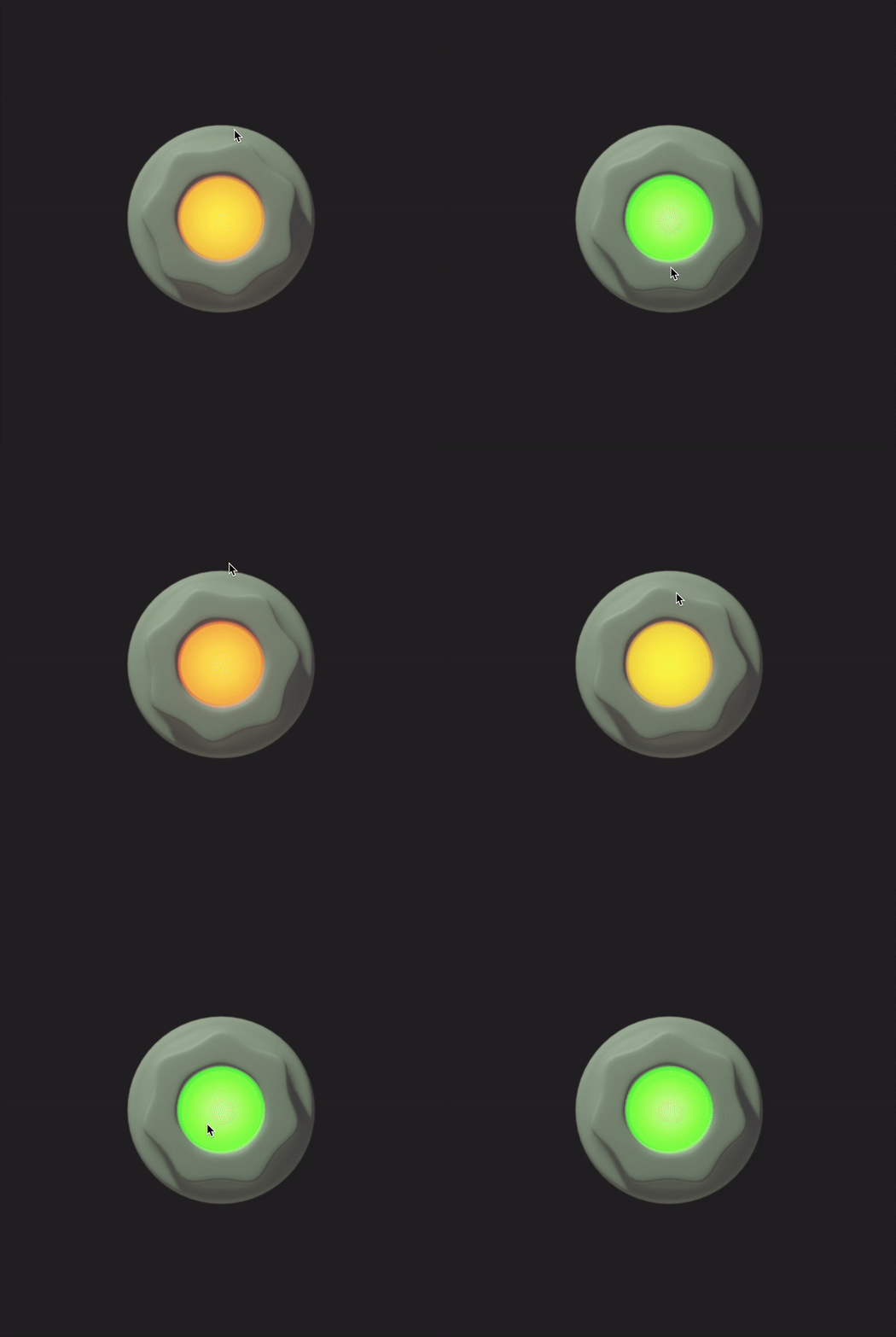
      Ok just sharing my first 3d Knob that I made! This is gonna be fun.

      @lalalandsynth how do you get your shadows to show up in the animation? I can seem to get mine to show up on the transparent areas.

      ezgif-4668e059bd8e4.gif

      posted in General Questions
      ChazroxC
      Chazrox
    • RE: Guitar Pedal GUI Kit in the making.

      Screenshot 2025-02-11 at 12.11.02 AM.png

      posted in Presets / Scripts / Ideas
      ChazroxC
      Chazrox
    • RE: Help. Project wont open. Instant crash.

      @Chazrox man I really figured this one out on my own and im proud of myself. lol

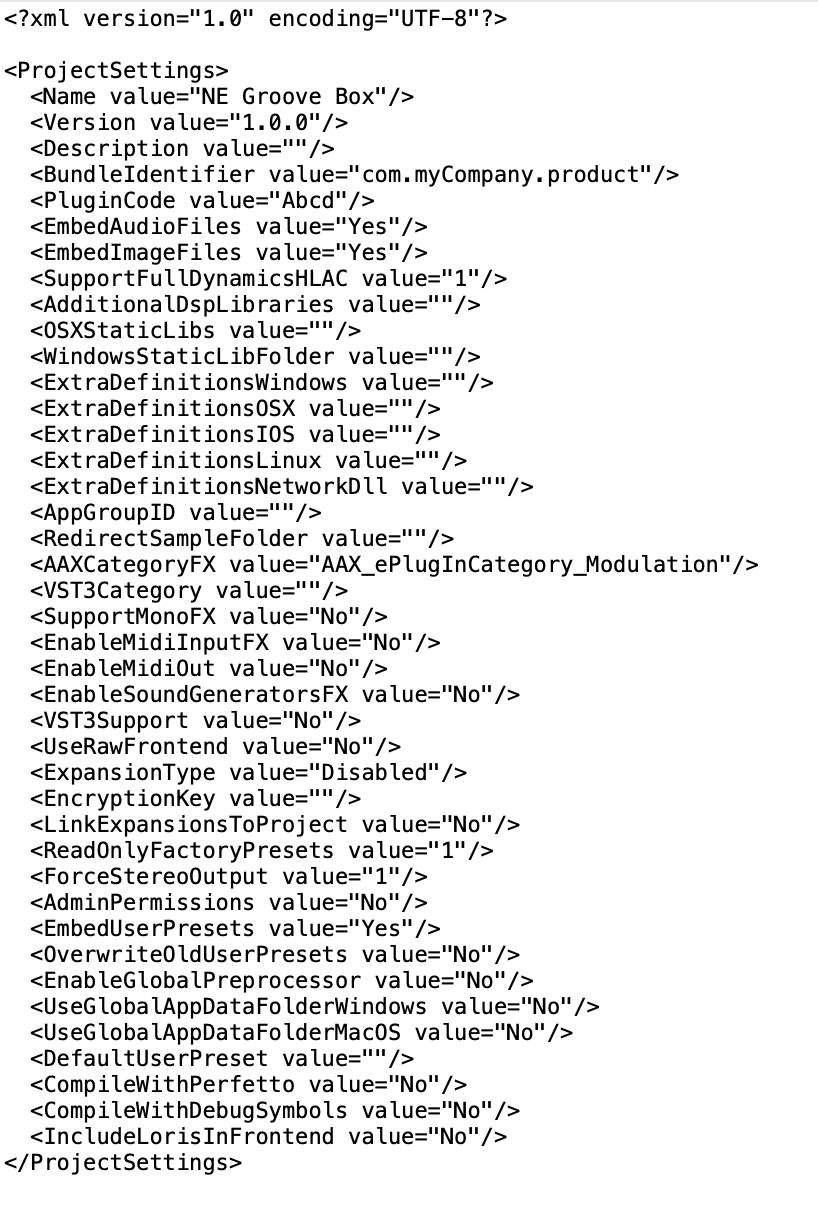
      I started digging around and I opened the corresponding .xml file for the project and noticed in one of the lines that it was pointing to a default preset that no longer existed in the expected folder it was supposed to be in. Turns out I DID do something, which was move that folder that the preset was supposed to be in. I deleted that line and everything opened up as normal. fweeww! Sweats! haha.

      this thing...

      Screenshot 2025-03-08 at 9.55.41 AM.png

      posted in Scripting
      ChazroxC
      Chazrox
    • // NEW : Online Button Builder for HISE! // LAF & PNG Filmstrip Exports // Feedback Welcome!

      I hope some of you have been finding the 'Knob Designer' app I made useful. 🤞
      By popular request! (me and a few people haha).....

      Presenting...

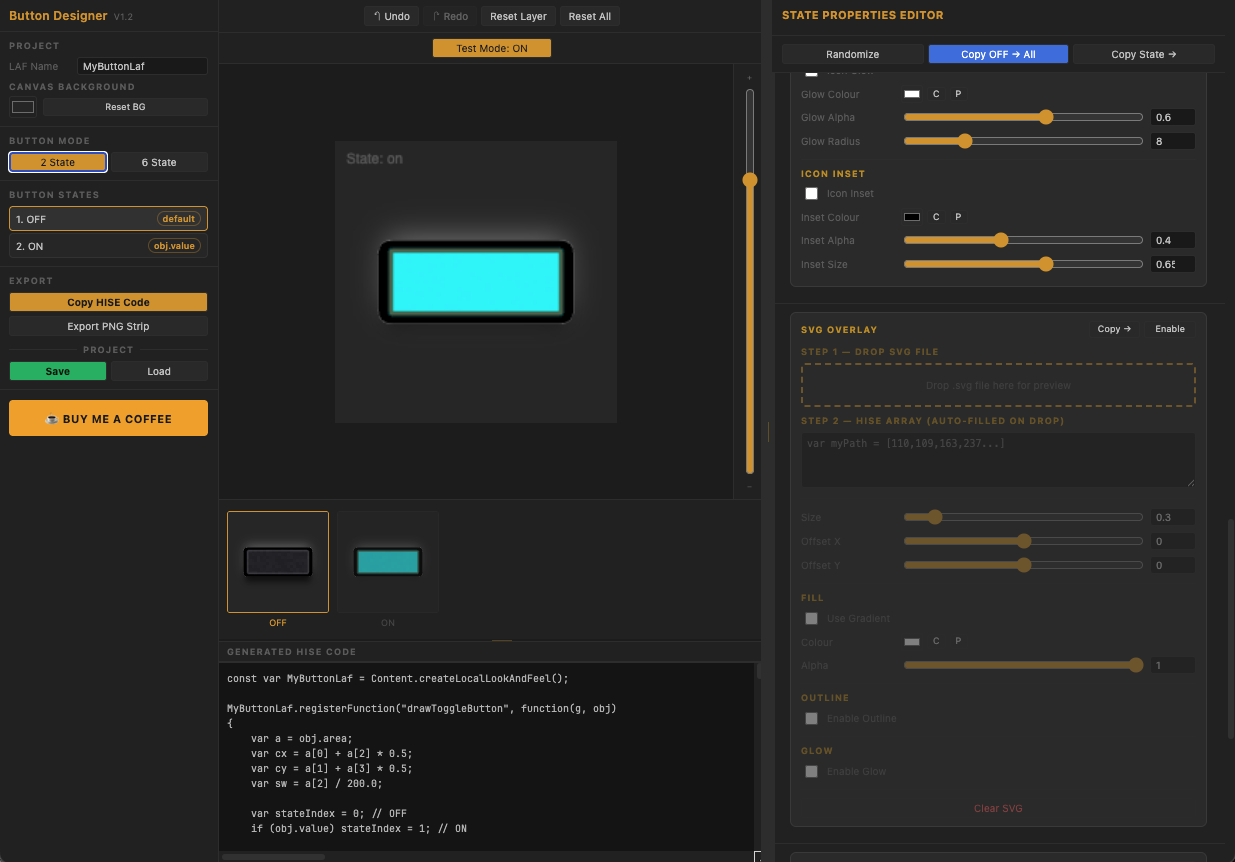
      Rox Button Designer For HISE!!

      Screenshot 2026-07-02 at 12.56.06 PM.png

      Exports LAF functions and PNG Filmstrips

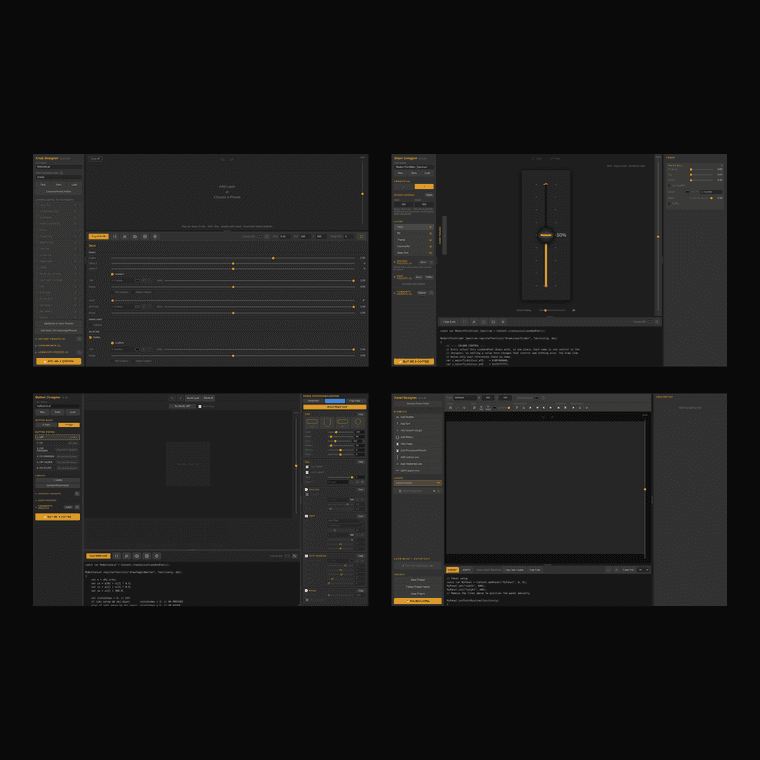
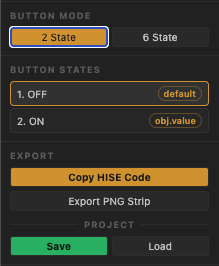
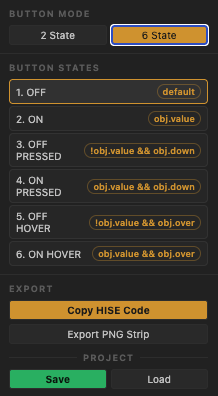
      2 separate modes for 2-state and 6-state button projects.

      Screenshot 2026-07-02 at 12.54.39 PM.png

      Screenshot 2026-07-02 at 12.54.49 PM.png

      My Favorite Feature!

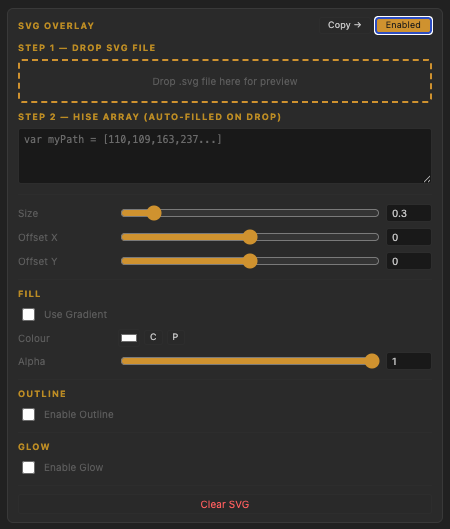
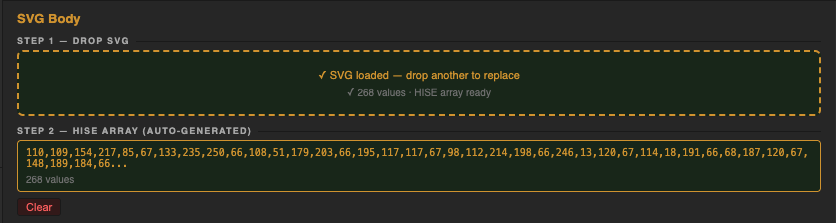
      When using SVG's the app automatically parses a hise number path without you having to touch the built in converter at all.
      Screenshot 2026-07-02 at 12.54.11 PM.png

      If you've tried the knob builder app, you can expect this one to be just as feature packed.
      I wont bore you with verbage.

      Check it out!
      https://rox-button-designer-for-hise.netlify.app/

      **Im currently working on a preset library so i'll link that in an update soon.

      posted in Scripting laf svg nuemorphic button designer online editor
      ChazroxC
      Chazrox
    • RE: Sliders not responding to "Consumed" MIDI CCs

      @CyberGen I had some wierd bug regarding midi and I found on the forum somewhere that if your buffer settings in your DAW are 1024 or higher it would break the midi in some way...I thought that it sounded bogus until I tried it and it fixed my problem. Just throwing that out there because it seems your out in the deep like I was so it wont hurt to try!

      posted in Scripting
      ChazroxC
      Chazrox
    • GRID HELPER || Free Script

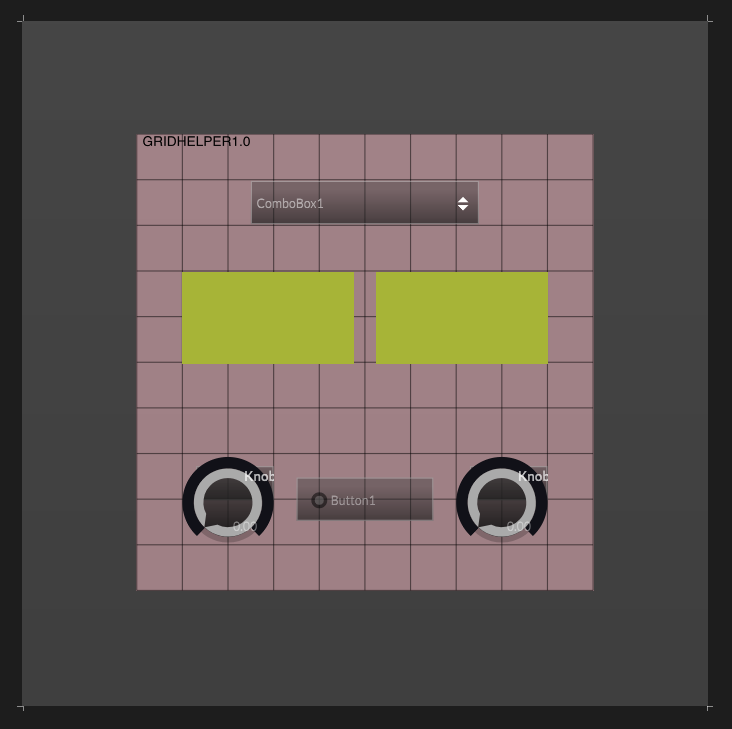
      If you're like me and just need an extra visual helper, you might find this useful.

      Screenshot 2025-05-31 at 4.19.37 PM.png

      Drop a panel in your project and name it "Grid1".

      namespace GridHelper
      {
      	const var Grid1 = Content.getComponent("Grid1");
      	
      	Grid1.setPaintRoutine(function(g) 
      	{
      		drawPandelGrid();
      	});
      	
      	inline function drawPandelGrid()
      	{
      		local a = this.getLocalBounds(0);
      		
      		// Size Controls
      		local NumBarsX = 10; // Number of Vertical Lines
      		local NumBarsY = 10; // Number of Horizontal Lines
      		local BarHeight = 1; // Horizontal Bar Size
      		local BarWidth = 1; // Vertical Bar Size
      		
      		// Colour Controls
      		local BarColour = Colours.withAlpha(Colours.black, 0.5); // Bar Colour
      		local BackgroundColour = Colours.withAlpha(Colours.pink, 0.5); // Optional Background Colour
      		
      		// Spacer Logic
      		local spacerY = a[3]/NumBarsY; // Horizontal Line Spacing
      		local spacerX = a[2]/NumBarsX; // Vertical Line Spacing
      		
      		// Paint Background		
      		g.fillAll(BackgroundColour); // Optional Background Colour
      		g.setFont("ArialBOLD", 12);
      		g.drawAlignedText("GRIDHELPER1.0", [5,5,100,5], "left");
      	
      		// Paint Lines
      		for (i=0;i<=NumBarsX;i++) // Vertical Lines
      		{					
      			local x = i * spacerX - (BarWidth/2); // Center Line ON grid
      			
      			g.setColour(BarColour);
      			g.fillRect([x,0,BarWidth,a[3]]);	
      		}
      		for (i=0;i<=NumBarsY;i++) // Horizontal Lines
      		{			
      			local y = i * spacerY - (BarHeight/2); // Center Line ON grid
      					
      			g.setColour(BarColour);
      			g.fillRect([0,y,a[2],BarHeight]);
      		}
      	}
      }
      

      Its a snippet from @Morphoice that I modified to have both horizontal and vertical lines, made it modular with the all the controls variables and customizable so you can set a different amount of x or y bars/lines. Comes in handy sometimes when I just want to visualize a certain part of my plugin and make sure its equally spaced to my desired paramaters.

      (idk if something like this exists already but I thought it was good excercise regardless). Bless! 🙏

      posted in Scripting
      ChazroxC
      Chazrox
    • RE: Player - I'm going crazy

      @clevername27 agreed. Just resubscribed for my second month and the amount that i've learned so far is insane.

      posted in ScriptNode
      ChazroxC
      Chazrox
    • RE: Software for Animation Sprites....

      @d-healey Woah! That changed the game for me! Now I can use my Blender skills to make my own assets! Cheee! Thank You Sir! Dont mind this crappy design, I just did it for testing. ezgif-65a5dac64db1b.gif

      posted in General Questions
      ChazroxC
      Chazrox
    • RE: FX plugin Dev needed

      via GIPHY

      posted in General Questions
      ChazroxC
      Chazrox
    • RE: Quick F5 tip for Mac users

      System Prefs > Keyboard > Keyboard Shortcuts > Function Keys..

      Screenshot 2025-08-08 at 3.43.49 AM.png

      👍

      posted in General Questions
      ChazroxC
      Chazrox
    • RE: The big bug tier list

      chanting Lets go Christoph! Lets GO!

      Im sure all my bugs are covered here so im just sending some good energy! haha
      @Christoph-Hart 👐

      posted in Bug Reports
      ChazroxC
      Chazrox
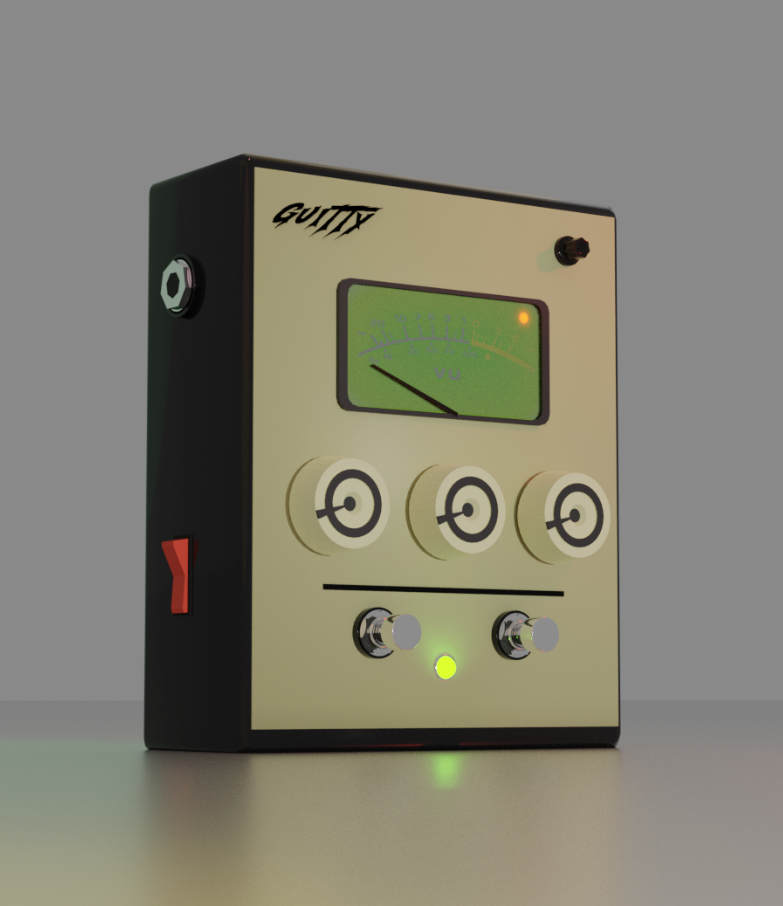
    • Guitar Pedal GUI Kit in the making.

      Besides my console models, I decided to start making some pedal kits for everyone too! Lmk if you guys have any requests.

      const var screenshot = ! Render;
      so dont judge my lighting so hard. lol

      Screenshot 2025-02-10 at 2.39.06 PM.png

      Screenshot 2025-02-10 at 2.23.46 PM.png

      posted in Presets / Scripts / Ideas
      ChazroxC
      Chazrox
    • RE: Easy fix for a Pro! Help a noob.

      @d-healey Thank you for all your videos. Im literally learning everything I know from you! Thank You!

      posted in Scripting
      ChazroxC
      Chazrox