Forum
    • Categories
    • Register
    • Login

    Stock Table Upgrade?

    Scheduled Pinned Locked Moved General Questions
    45 Posts 10 Posters 2.0k Views
    Loading More Posts
    • Oldest to Newest
    • Newest to Oldest
    • Most Votes
    Reply
    • Reply as topic
    Log in to reply
    This topic has been deleted. Only users with topic management privileges can see it.
    • Christoph HartC
      Christoph Hart @DanH
      last edited by Christoph Hart

      Alright, I've played around with the table component a bit. There was already a function that allowed you to customize the drag behaviour to a certain extend, but I thought it would be super funny to not add any documentation to that thing whatsoever.

      https://docs.hise.audio/scripting/scripting-api/scripttable/index.html#setmousehandlingproperties
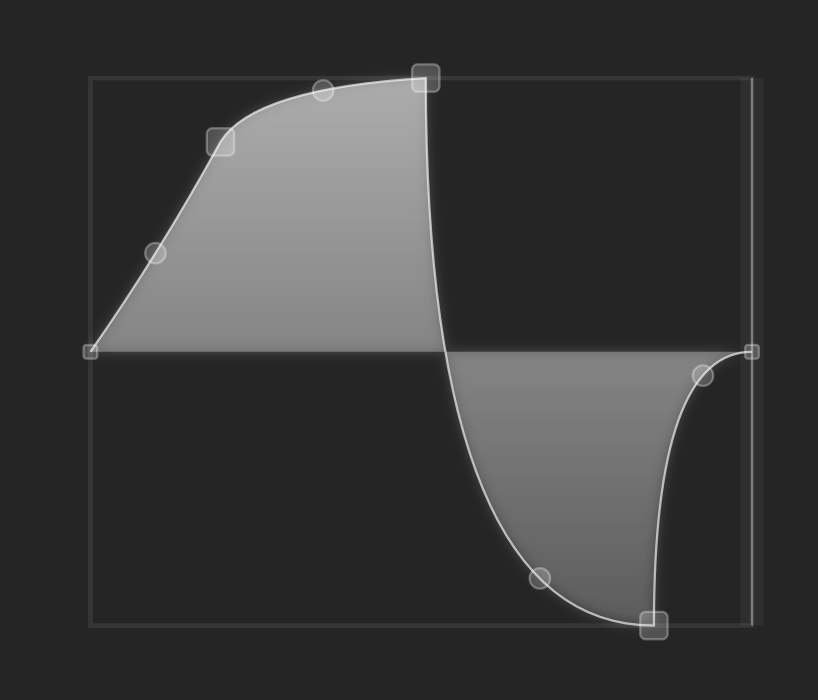
      5a142fb0-b8cc-4497-be1e-e313c1dbb748-image.png

      This can be extended to allow pretty detailed customizations, so any input for more stuff is welcome. Here are the currently supported properties (I'll hold off with the docs for this method until we included all popular requests):

      Table1.setMouseHandlingProperties({
      	margin: 10, // adds a margin around the table so that points at the edges are not cut off
      	fixLeftEdge: 0.5, // sets a normalized fixed y-position for the left edge
      	fixRightEdge: 0.5, // sets a normalized fixed y-position for the right edge
          syncStartEnd: false, // if true, then the start and end y value will always be in sync
      	endPointSize: 12, // changes the size of the points at the edges
      	dragPointSize: 18, // changes the size of the draggable points
          midPointSize: 12, // changes the size of the curve node points (default = 0)
          allowSwap: true, // if true, then points can swap their position when dragged
          numSteps: 12, // this will enable a grid for snapping to the x-axis
          snapWidth: 10, // if numSteps > 0 is on, this will define the tolerance for the snapping in pixels
          useMouseWheelForCurve: false, // if true, it will use the mouse wheel for setting the curve. 
      	closePath: false, // if false, it will not create a boxed and filled version of the path (like above)
      });
      

      I've also made a few minor changes (remove that nasty green outline, why???) Note that the useMouseWheelForCurve property replaces the compile time constant HISE_USE_MOUSE_WHEEL_FOR_TABLE_CURVE but it's not a breaking change because the default value for this property will be picked up by the constant.

      Any ideas for more customizations are welcome now. Let's do this once right and then not think about that component for another 5 years...

      Oh and it's not pushed yet, so you can't try it out yourself yet.

      HISEnbergH DanHD David HealeyD griffinboyG It_UsedI 5 Replies Last reply Reply Quote 8
      • HISEnbergH
        HISEnberg @Christoph Hart
        last edited by

        @Christoph-Hart syncStartEnd is missing the boolean in your example!

        Sonic Architect && Software Mercenary

        Christoph HartC 1 Reply Last reply Reply Quote 0
        • Christoph HartC
          Christoph Hart @HISEnberg
          last edited by

          @HISEnberg true.

          DanHD HISEnbergH 2 Replies Last reply Reply Quote 0
          • DanHD
            DanH @Christoph Hart
            last edited by

            @Christoph-Hart are those curve nodes in the example image?

            DHPlugins / DC Breaks | Artist / Producer / DJ / Developer
            https://dhplugins.com/ | https://dcbreaks.com/
            London, UK

            Christoph HartC 1 Reply Last reply Reply Quote 0
            • Christoph HartC
              Christoph Hart @DanH
              last edited by

              @DanH the circle ones, yes, just like with the flex envelope. You can enable them by setting the midPointSize property to anything > 0.

              DanHD ustkU 2 Replies Last reply Reply Quote 0
              • DanHD
                DanH @Christoph Hart
                last edited by

                @Christoph-Hart ah cool, sorry I missed that on my phone!

                DHPlugins / DC Breaks | Artist / Producer / DJ / Developer
                https://dhplugins.com/ | https://dcbreaks.com/
                London, UK

                1 Reply Last reply Reply Quote 0
                • ustkU
                  ustk @Christoph Hart
                  last edited by

                  @Christoph-Hart is there a way to reset a curve to exactly 0.5?

                  Hise made me an F5 dude, browser just suffers...

                  Christoph HartC 1 Reply Last reply Reply Quote 0
                  • DanHD
                    DanH @Christoph Hart
                    last edited by

                    @Christoph-Hart any extra dragging resolution?! 😀

                    And can the ruler move more smoothly too?

                    DHPlugins / DC Breaks | Artist / Producer / DJ / Developer
                    https://dhplugins.com/ | https://dcbreaks.com/
                    London, UK

                    1 Reply Last reply Reply Quote 0
                    • HISEnbergH
                      HISEnberg @Christoph Hart
                      last edited by

                      @Christoph-Hart My only comment is regarding beat/grid-syncing. It seems rather common that you can adjust and create a (wave)shape based on a fixed grid/timeline.

                      I imagine Shaper Box by Cableguys is the best example of this but there are plenty of plugins that have a similar feature.

                      Half of this can be done in HiseScript I am sure, but I am picturing the best system for sending the data in this scenario (multiple Tables with a menu of fixed shapes or just one table with fixed shapes to select from)?

                      Personally I would need to brush up on the Table API because I've always hated it (except that disgusting green box) and haven't used it in ages. Last I remember is it saves the coordinates in a huge array (presumably JSON) and recalls that?

                      ... As I wrote this I realize I am an idiot since you already included a numSteps and snapWidth , features which should cover the basics of this. The rest about "stored shapes" can be handled on the HISE side.

                      Sonic Architect && Software Mercenary

                      1 Reply Last reply Reply Quote 0
                      • David HealeyD
                        David Healey @Christoph Hart
                        last edited by David Healey

                        This post is deleted!
                        1 Reply Last reply Reply Quote 0
                        • Christoph HartC
                          Christoph Hart @ustk
                          last edited by

                          @ustk said in Stock Table Upgrade?:

                          is there a way to reset a curve to exactly 0.5?

                          double click on the mid point node resets it to 0.5

                          And can the ruler move more smoothly too?

                          the ruler is already a float position, but the update rate might be only 30Hz, need to check.

                          any extra dragging resolution?!

                          nope.

                          ustkU 1 Reply Last reply Reply Quote 0
                          • griffinboyG
                            griffinboy @Christoph Hart
                            last edited by

                            @Christoph-Hart

                            Nice work

                            1 Reply Last reply Reply Quote 0
                            • ustkU
                              ustk
                              last edited by

                              Next, being able to choose the spline function among 20 different... per section! 🚀

                              alt text

                              Hise made me an F5 dude, browser just suffers...

                              H 1 Reply Last reply Reply Quote 0
                              • H
                                HaizalD3 @ustk
                                last edited by

                                Totally agree that the stock table is really showing its age! The clunky right-click curve control and that annoying single-pixel movement resolution are definitely the biggest pain points.
                                I think the suggestion to introduce a "Flex Table"—just like the Flex Envelope—is the perfect path forward. It keeps the workflow consistent and, most importantly, avoids breaking backward compatibility for existing projects, which would be a nightmare.

                                A curve node system would make this component feel instantly modern. Great ideas everyone!

                                1 Reply Last reply Reply Quote 0
                                • It_UsedI
                                  It_Used @Christoph Hart
                                  last edited by

                                  @Christoph-Hart I searched for as long as I could, but I couldn't find how to reset the points, their position, and/or the tension between them. It would be nice to be able to set a modifier key if this is not the case.

                                  Oli UllmannO 1 Reply Last reply Reply Quote 0
                                  • Oli UllmannO
                                    Oli Ullmann @It_Used
                                    last edited by

                                    @It_Used
                                    I am not in front of my computer but there is a .reset() function.

                                    It_UsedI 1 Reply Last reply Reply Quote 0
                                    • It_UsedI
                                      It_Used @Oli Ullmann
                                      last edited by

                                      @Oli-Ullmann Thanks

                                      1 Reply Last reply Reply Quote 0
                                      • ustkU
                                        ustk @Christoph Hart
                                        last edited by ustk

                                        @Christoph-Hart The tables really, really need an update

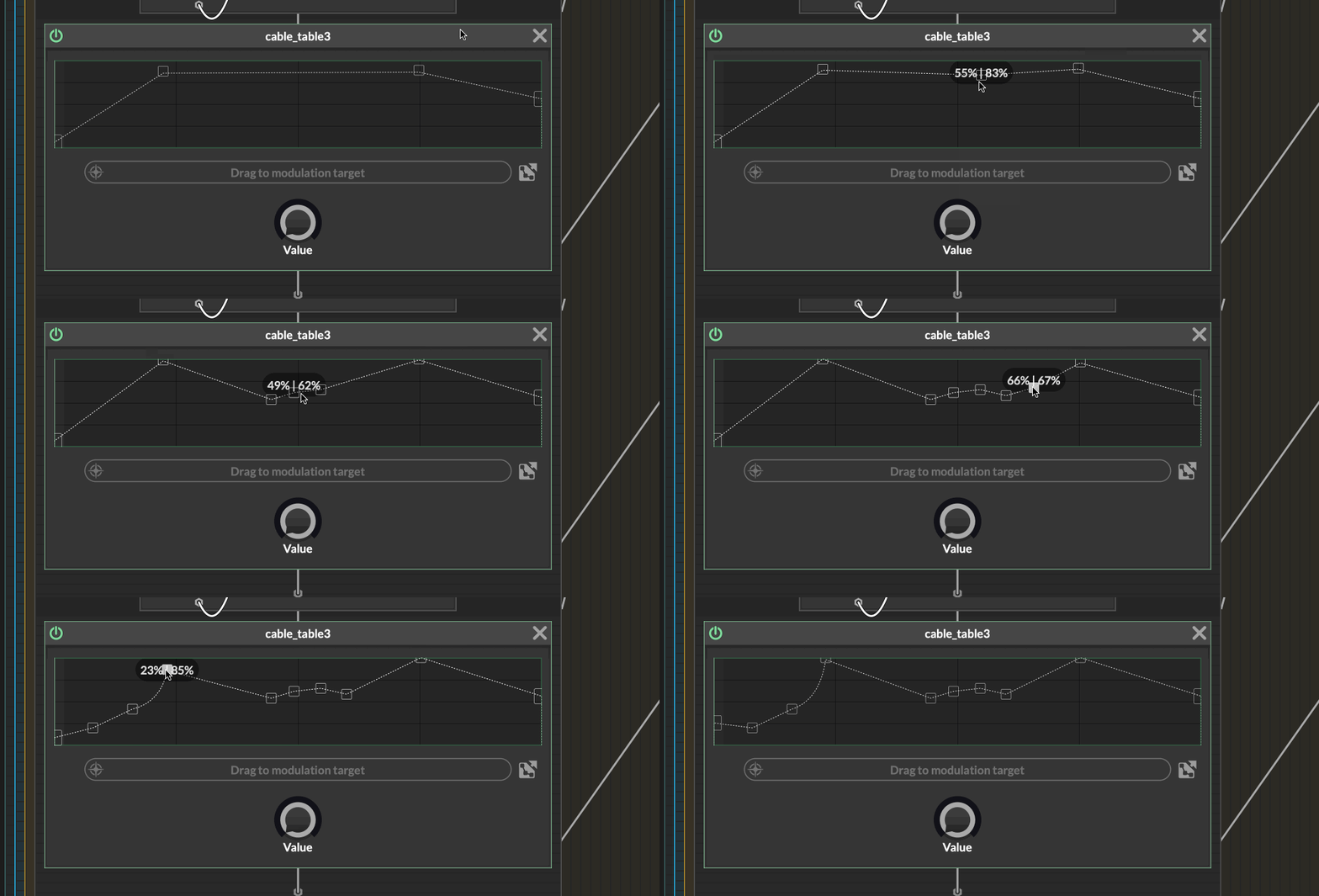
                                        All value currently set above 85% are shifting up at each mouse click ! 😱

                                        zrg.gif

                                        And setting the value is so rough, often jumping by 2% with no possibilities to get more precision.

                                        This is making me think

                                        1. What about the possibility of opening all current point in an array/table like popup so we can edit the point numerically?

                                        2. Or expand the area for more precision?

                                        3. would there be possible to show the values with a custom range (even if 0-1 behind the scene) so we would be able for instance to set frequencies or gains precisely?

                                        A table for the real guys 💪

                                        Of course all of that can be made from the UI, but when you design a network, you might not have/need a connection. And I can't imagine making a connection, dropping the table because you make another design choice, put back a table because, well, wasn't so bad... In short network design is no time for creating a UI connection + script just for testing things...

                                        Hise made me an F5 dude, browser just suffers...

                                        1 Reply Last reply Reply Quote 1
                                        • First post
                                          Last post

                                        25

                                        Online

                                        2.1k

                                        Users

                                        13.0k

                                        Topics

                                        112.5k

                                        Posts