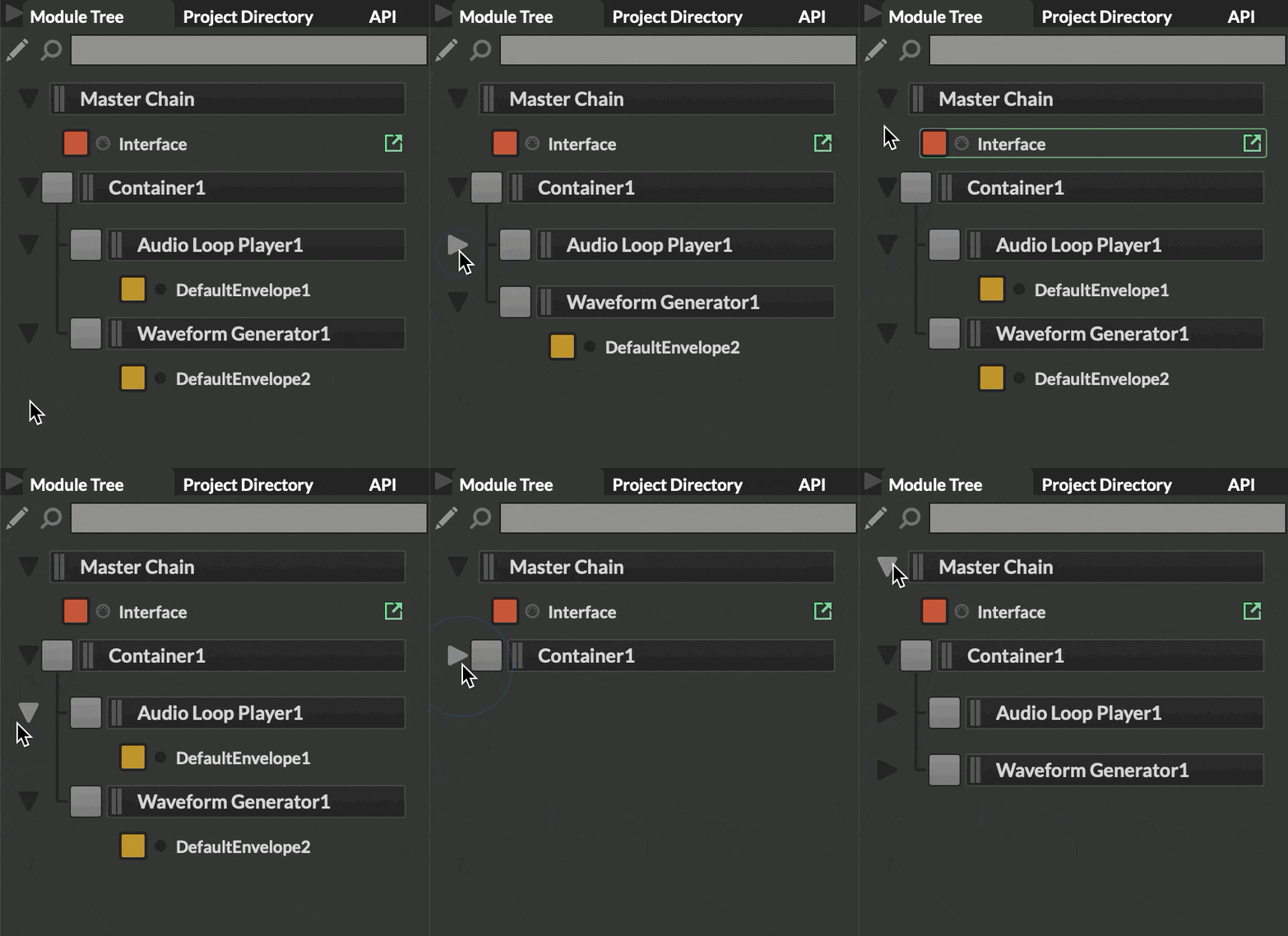
Module tree container UI/UX
-
Anyone else think closing up a container should hide the sound generators it contains?
Free HISE Bootcamp Full Course for beginners.
YouTube Channel - HISE tutorials
My Patreon - More HISE tutorials -
@David-Healey I guess you mean hide them? If so, then yes, agreed.
So if you close Container, all child modules are hidden. When you open the Container, child modules are show, and in the state they were in before closing Container.
HISE dev latest / herdr + Claude Code / Figma + Affinity
Meat Beats: https://meatbeats.com
Klippr Video: https://klippr.video -
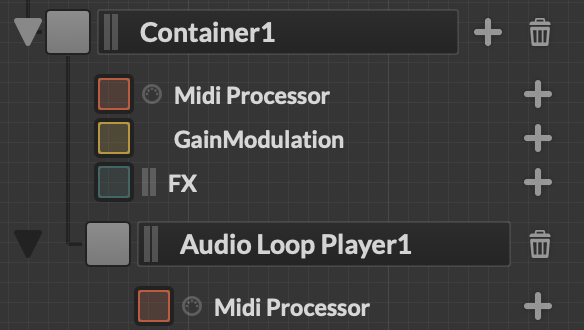
There is a slight conundrum with this. In edit mode, that arrow does close and open possible items of that container to add. If none are set then outside of edit mode this arrow then does nothing.
This means the arrow is a signifier in UX terms, but in some cases, looses it's purpose and further to your question now looks like another feature.
So solution? If the processor (Container1 in this case) has no children, do not show the arrow. The Arrow itself implies there is something inside - if there is nothing inside then the arrow should be removed.
TL;DR - Remove button when container is empty
-
@dannytaurus ha yes hide, autocorrect thinks i type HISE too much
Free HISE Bootcamp Full Course for beginners.
YouTube Channel - HISE tutorials
My Patreon - More HISE tutorials -
@WannaBeGUD I agree with that in principle, but I'm not sure which is more confusing for the user:
In non-edit mode:
- Hide the arrow if module has no children, or
- Keep the arrow but it does nothing
Hiding the arrow will make the UI look inconsistent and might cause "why doesn't Container have an arrow?! Bug report!!!".
-
@David-Healey I personally feel the module tree could use a bit of a UI/UX makeover…
-
@David-Healey Oh yes!
-
@dannytaurus Yes the ongoing issue with things appearing and disappearing. I believe removing it with no children is a more accurate quick fix, as having a button that does nothing and looks like something else is much worse.
Realistically there is probably a even better solution but that will need more time and deep diving.
-
-
@dannytaurus What if that container has many items just for it, this would mean if I wanted to see the "Audio Loop Player" in this case, I have no way to minimise just container 1, and keep that one open. Or we could just make the "Container" just that and do exactly what you have in the loop you made. Just containers do that function, others still work the other way around. - Seems odd to have a processor called 'Container' but it's more than that.
I agree with the 'disappearing' arrow, so you could add a 'placeholder' such as (No processors) or even a cta for "+ Add processor", sorry if I'm getting processors and modules the whole way round.
-
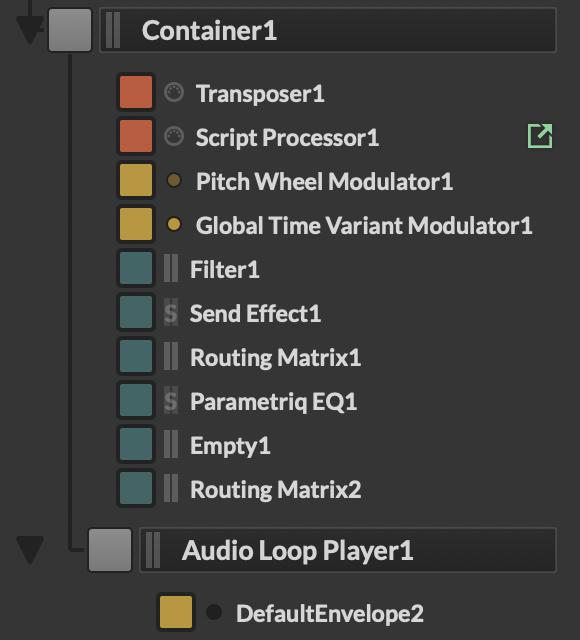
@WannaBeGUD I'd say that's all stuff for a good overhaul of the overall Module Tree UI/UX, as @HISEnberg says.
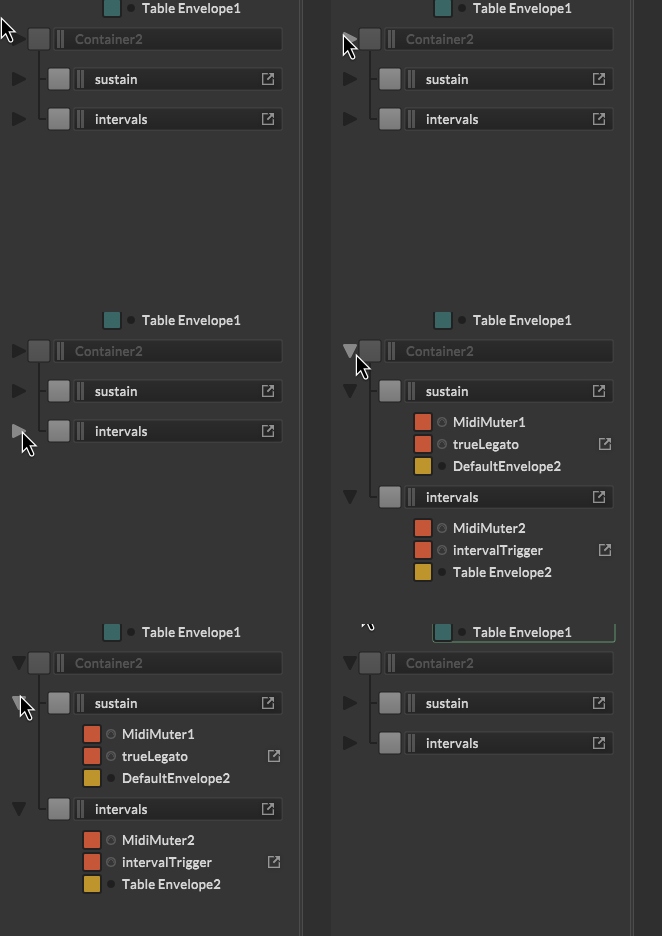
For now, folding child modules is a fairly easy win for UX.
-
@David-Healey I'll post a PR for your perusal. This one's a bit out of my comfort zone.
-
@David-Healey See what you think of this PR: https://github.com/christophhart/HISE/pull/839
HISE dev latest / herdr + Claude Code / Figma + Affinity
Meat Beats: https://meatbeats.com
Klippr Video: https://klippr.video -
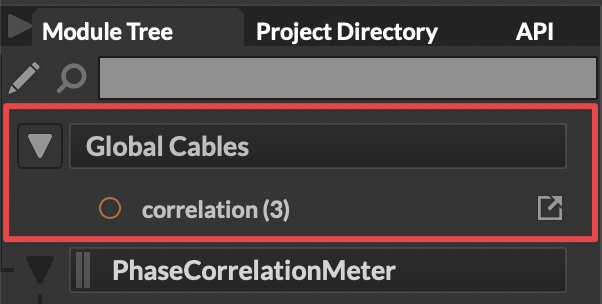
@dannytaurus One thing that always bugs me is that the global cables list, which sits at the top, will always reopen after compile. Don't suppose you could fix that too
 ?!
?!Will feedback on this pull when I can
DHPlugins / DC Breaks | Artist / Producer / DJ / Developer
https://dhplugins.com/ | https://dcbreaks.com/
London, UK -
@DanH This section at the top?
Weird, it stays closed for me when I recompile. Whether I recompile from the script editor, the Interface Designer, or from Tools > Recompile all scripts.
HISE dev latest / herdr + Claude Code / Figma + Affinity
Meat Beats: https://meatbeats.com
Klippr Video: https://klippr.video -
@dannytaurus yeah that's odd! I'm on OSX, you?
DHPlugins / DC Breaks | Artist / Producer / DJ / Developer
https://dhplugins.com/ | https://dcbreaks.com/
London, UK -
@DanH Yep, Sequoia 15.6 with the latest develop build.
-
@dannytaurus That was quick. Looks like a clean implementation to me. Thanks!
Free HISE Bootcamp Full Course for beginners.
YouTube Channel - HISE tutorials
My Patreon - More HISE tutorials -
@David-Healey @dannytaurus works well, thanks! (still have Global Cable issue but def an improvement!)
DHPlugins / DC Breaks | Artist / Producer / DJ / Developer
https://dhplugins.com/ | https://dcbreaks.com/
London, UK -
@DanH Which commit are you on?
HISE dev latest / herdr + Claude Code / Figma + Affinity
Meat Beats: https://meatbeats.com
Klippr Video: https://klippr.video