Forum
    • Categories
    • Register
    • Login

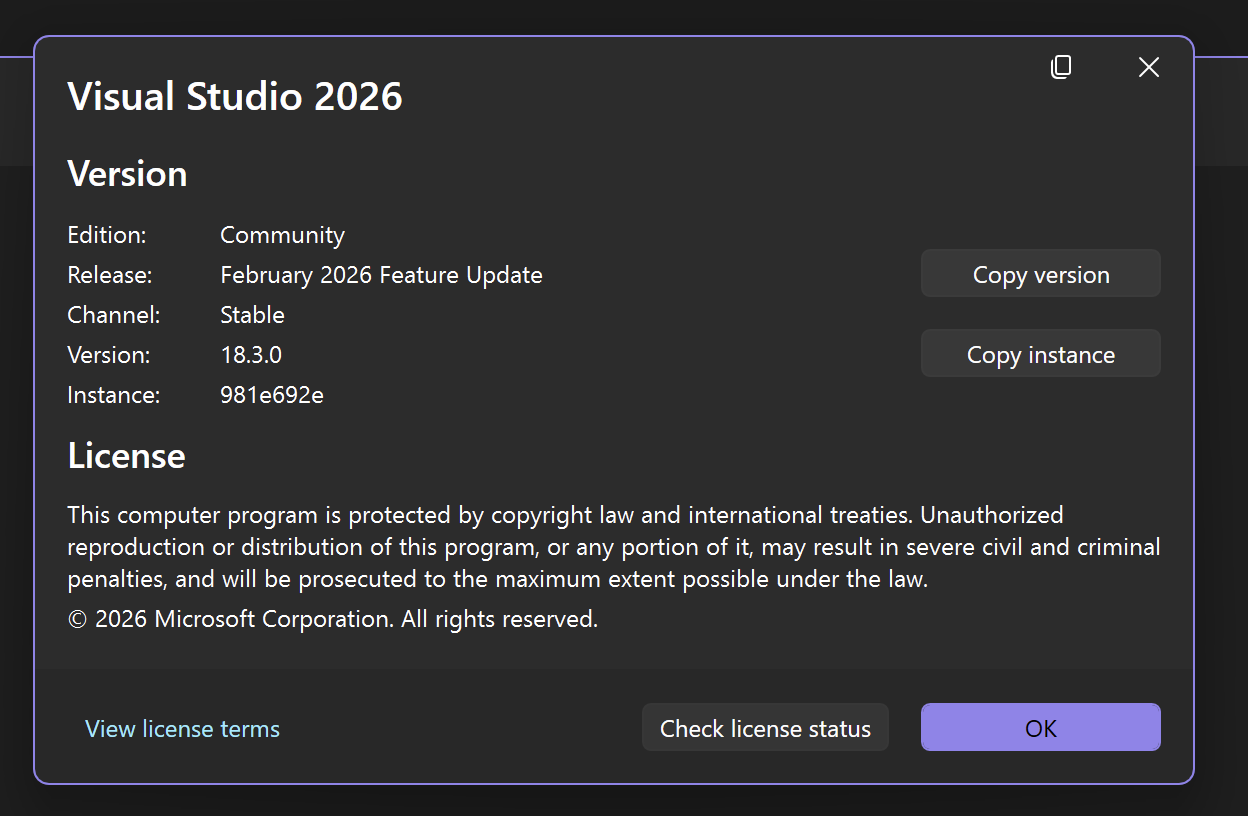
    VS 2026

    Scheduled Pinned Locked Moved General Questions
    21 Posts 4 Posters 474 Views
    Loading More Posts
    • Oldest to Newest
    • Newest to Oldest
    • Most Votes
    Reply
    • Reply as topic
    Log in to reply
    This topic has been deleted. Only users with topic management privileges can see it.
    • DanHD
      DanH @DanH
      last edited by

      @DanH Managed to export a standalone using the AutoGen projucer file rather than in Hise itself.

      DHPlugins / DC Breaks | Artist / Producer / DJ / Developer
      https://dhplugins.com/ | https://dcbreaks.com/
      London, UK

      DanHD 1 Reply Last reply Reply Quote 0
      • DanHD
        DanH @DanH
        last edited by

        @DanH Only snag is IPP (isn't it always!)....

        When installing the Standalone OneApi IPP installer it said it couldn't find an IDE even though VS 2026 was installed and working. Spo that's odd - perhaps the OneAPI installers need updating.

        And HISE says it hasn't been built with IPP when I try to export with it checked so it's obviusly not finding the library.

        DHPlugins / DC Breaks | Artist / Producer / DJ / Developer
        https://dhplugins.com/ | https://dcbreaks.com/
        London, UK

        DanHD 1 Reply Last reply Reply Quote 0
        • DanHD
          DanH @DanH
          last edited by

          @David-Healey Did you make a VS 2026 with IPP video? Or am I imagining things?

          DHPlugins / DC Breaks | Artist / Producer / DJ / Developer
          https://dhplugins.com/ | https://dcbreaks.com/
          London, UK

          David HealeyD 1 Reply Last reply Reply Quote 0
          • David HealeyD
            David Healey @DanH
            last edited by

            @DanH said in VS 2026:

            @David-Healey Did you make a VS 2026 with IPP video? Or am I imagining things?

            Yep, check the latest bootcamp videos. It works exactly the same as with VS22 since IPP was updated last month.

            DanHD 1 Reply Last reply Reply Quote 1
            • DanHD
              DanH @David Healey
              last edited by

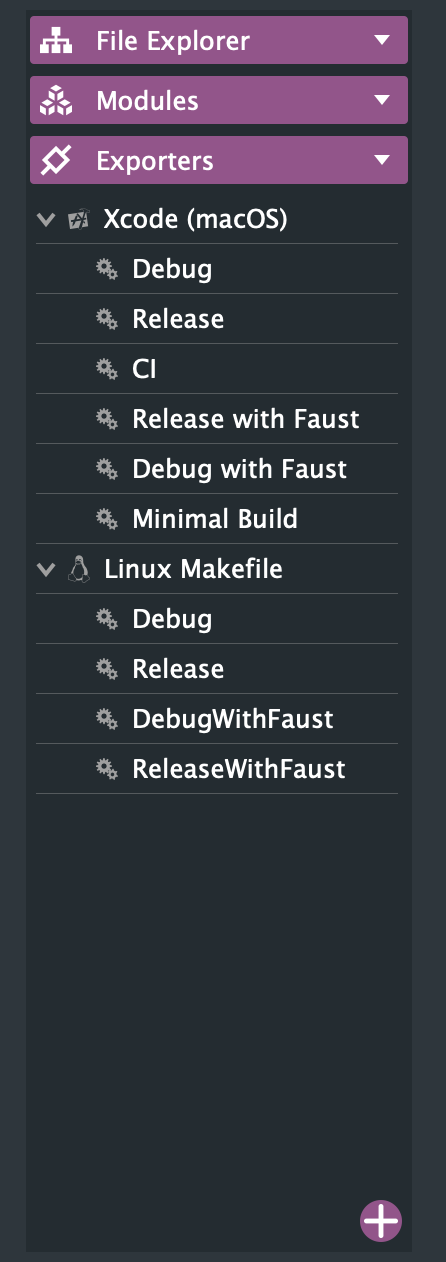
              @David-Healey Thanks, trying to build and the standalone projucer files only lists XCode (maxOS) and Linux Makefile as exporter options. Any ideas why VS doesn't appear? I only have VS 2026 installed

              DHPlugins / DC Breaks | Artist / Producer / DJ / Developer
              https://dhplugins.com/ | https://dcbreaks.com/
              London, UK

              David HealeyD 1 Reply Last reply Reply Quote 0
              • David HealeyD
                David Healey @DanH
                last edited by

                @DanH are you using the latest develop branch with the sub module?

                DanHD 1 Reply Last reply Reply Quote 0
                • DanHD
                  DanH @David Healey
                  last edited by DanH

                  @David-Healey yup, followed your instructions and link via Git

                  I have an older version of Hise on the pc that does include VS 2022 as an exporter. Just not this new one

                  Also it's the same on OSX I just never noticed. Maybe been omitted by error @Christoph-Hart ?

                  Faust options also missing on Windows πŸ€”

                  DHPlugins / DC Breaks | Artist / Producer / DJ / Developer
                  https://dhplugins.com/ | https://dcbreaks.com/
                  London, UK

                  DanHD David HealeyD 2 Replies Last reply Reply Quote 0
                  • DanHD
                    DanH @DanH
                    last edited by

                    @David-Healey just trying to export an plugin from Hise but I don't think it can find VS - even when I had 2022 installed. The wizard says ms build not installed...

                    DHPlugins / DC Breaks | Artist / Producer / DJ / Developer
                    https://dhplugins.com/ | https://dcbreaks.com/
                    London, UK

                    David HealeyD dannytaurusD 2 Replies Last reply Reply Quote 0
                    • David HealeyD
                      David Healey @DanH
                      last edited by

                      @DanH The wizard doesn't work so don't use it πŸ˜€

                      1 Reply Last reply Reply Quote 0
                      • dannytaurusD
                        dannytaurus @DanH
                        last edited by

                        @DanH Possibly not related but I had to add MSBuild to PATH because HISE doesn't detect it properly for VS2026.

                        Meat Beats: https://meatbeats.com
                        Klippr Video: https://klippr.video

                        DanHD 1 Reply Last reply Reply Quote 1
                        • David HealeyD
                          David Healey @DanH
                          last edited by David Healey

                          @DanH said in VS 2026:

                          Just not this new one

                          It's there in the develop branch: https://github.com/christophhart/HISE/blob/develop/projects/standalone/HISE Standalone.jucer#L102

                          DanHD 1 Reply Last reply Reply Quote 0
                          • DanHD
                            DanH @dannytaurus
                            last edited by

                            @dannytaurus where exactly?

                            DHPlugins / DC Breaks | Artist / Producer / DJ / Developer
                            https://dhplugins.com/ | https://dcbreaks.com/
                            London, UK

                            1 Reply Last reply Reply Quote 0
                            • DanHD
                              DanH @David Healey
                              last edited by

                              @David-Healey well it aint here πŸ˜†

                              Screenshot 2026-02-25 at 12.25.04.png

                              DHPlugins / DC Breaks | Artist / Producer / DJ / Developer
                              https://dhplugins.com/ | https://dcbreaks.com/
                              London, UK

                              David HealeyD 1 Reply Last reply Reply Quote 0
                              • David HealeyD
                                David Healey @DanH
                                last edited by

                                @DanH said in VS 2026:

                                @David-Healey well it aint here πŸ˜†

                                Open the file in a text editor, do you see it there? If not you have a different file.

                                DanHD 1 Reply Last reply Reply Quote 0
                                • DanHD
                                  DanH @David Healey
                                  last edited by

                                  @David-Healey

                                  <VS2026 targetFolder="Builds/VisualStudio2026"
                                  

                                  So I dunno....

                                  DHPlugins / DC Breaks | Artist / Producer / DJ / Developer
                                  https://dhplugins.com/ | https://dcbreaks.com/
                                  London, UK

                                  Christoph HartC 1 Reply Last reply Reply Quote 0
                                  • Christoph HartC
                                    Christoph Hart @DanH
                                    last edited by

                                    @DanH youβ€˜re using an outdated projucer build - it canβ€˜t parse the vs2026 config. Make sure you use the latest one from the repo

                                    DanHD 1 Reply Last reply Reply Quote 0
                                    • DanHD
                                      DanH @Christoph Hart
                                      last edited by DanH

                                      @Christoph-Hart where is it? I thought it was in tools/projucer ?

                                      Oh readme lol πŸ˜†

                                      Still can't find it!

                                      Found it πŸ˜†

                                      DHPlugins / DC Breaks | Artist / Producer / DJ / Developer
                                      https://dhplugins.com/ | https://dcbreaks.com/
                                      London, UK

                                      David HealeyD 1 Reply Last reply Reply Quote 0
                                      • David HealeyD
                                        David Healey @DanH
                                        last edited by

                                        This post is deleted!
                                        1 Reply Last reply Reply Quote 0
                                        • First post
                                          Last post

                                        8

                                        Online

                                        2.2k

                                        Users

                                        13.4k

                                        Topics

                                        117.0k

                                        Posts