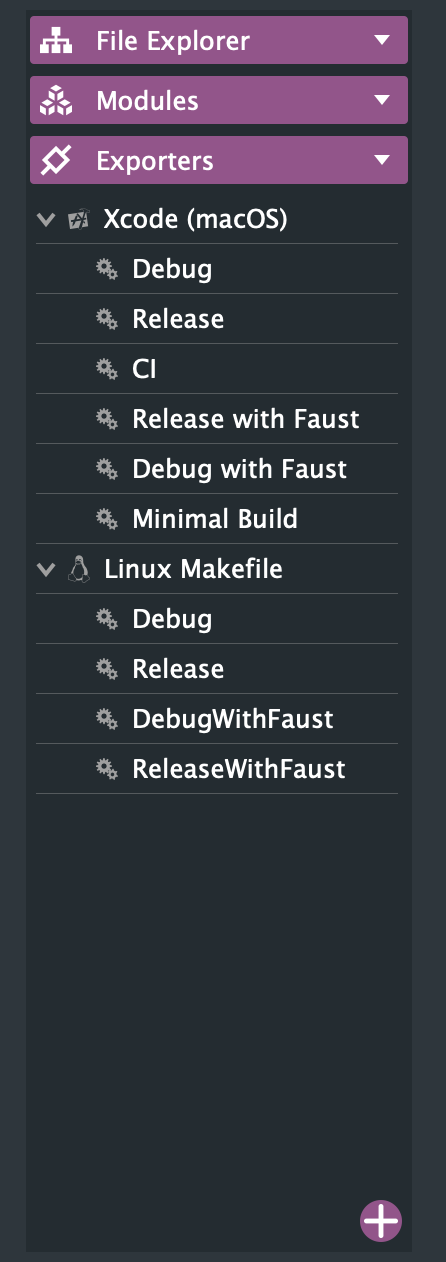
VS 2026
-
Just not this new one
It's there in the develop branch: https://github.com/christophhart/HISE/blob/develop/projects/standalone/HISE Standalone.jucer#L102
-
@dannytaurus where exactly?
-
@David-Healey well it aint here

DHPlugins / DC Breaks | Artist / Producer / DJ / Developer
https://dhplugins.com/ | https://dcbreaks.com/
London, UK -
@David-Healey well it aint here
Open the file in a text editor, do you see it there? If not you have a different file.
-
DHPlugins / DC Breaks | Artist / Producer / DJ / Developer
https://dhplugins.com/ | https://dcbreaks.com/
London, UK -
@DanH you‘re using an outdated projucer build - it can‘t parse the vs2026 config. Make sure you use the latest one from the repo
-
@Christoph-Hart where is it? I thought it was in tools/projucer ?
Oh readme lol
Still can't find it!
Found it
DHPlugins / DC Breaks | Artist / Producer / DJ / Developer
https://dhplugins.com/ | https://dcbreaks.com/
London, UK -
This post is deleted! -
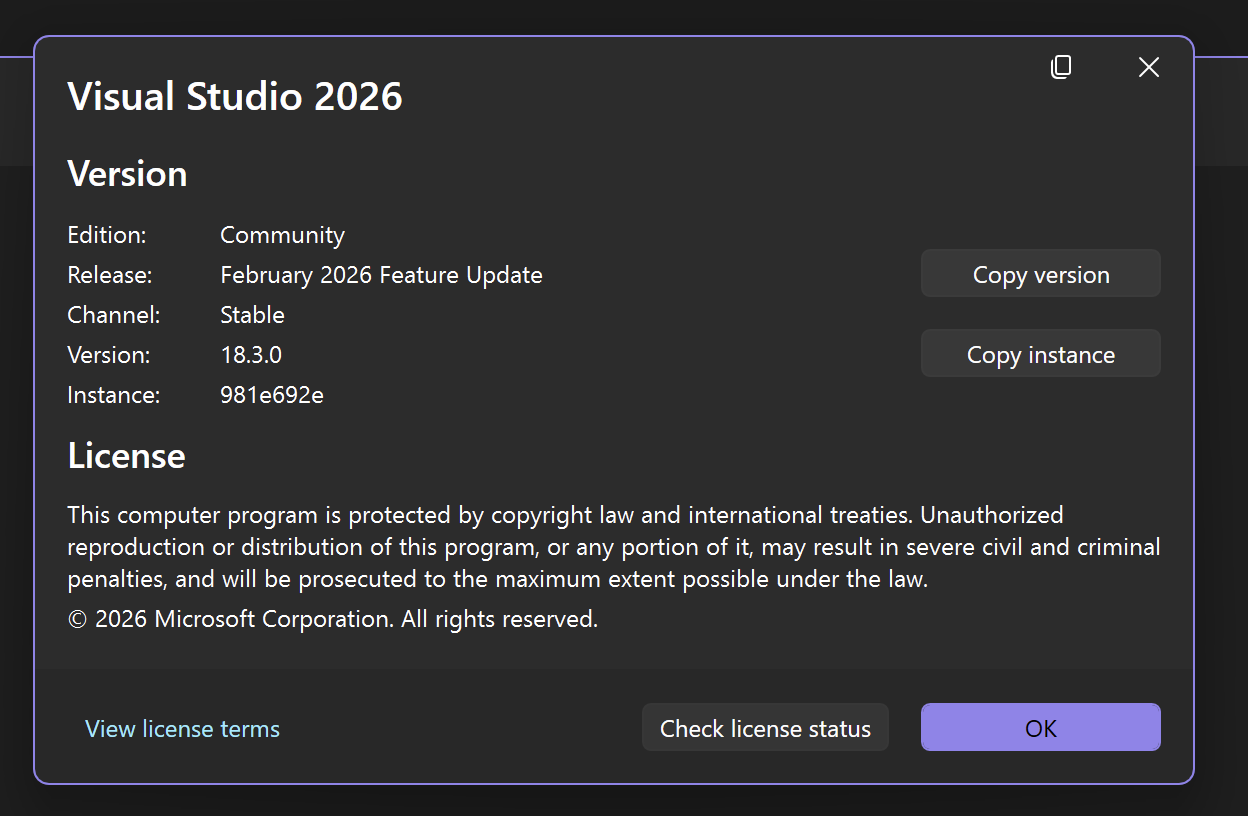
@dannytaurus Are you on the Insider version of VS 2026? I had that problem too for the C++ effects, I uninstalled the insider and switch to the normal VS2026 and now it works so not sure what was the problem with the MSBuild Path
-
@Gab I'm on the Community version.
HISE dev latest / herdr + Claude Code / Figma + Affinity
Meat Beats: https://meatbeats.com
Klippr Video: https://klippr.video -
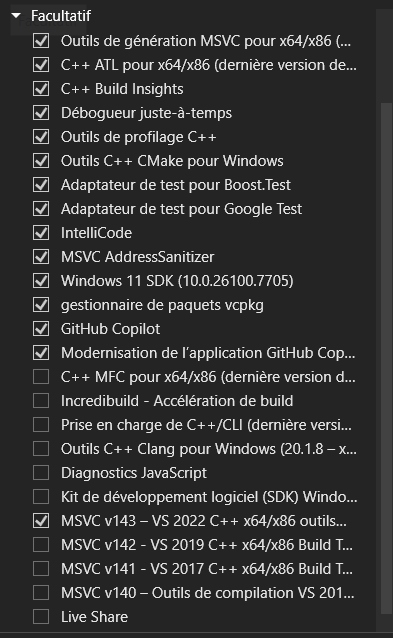
@dannytaurus weird then, I'm not sure why it happens. I'll leave my setup, I added MSVC V143 in the list compared to the default settings.