Agentic coding workflows
-
@JulesV said in Agentic coding workflows:
isn't this technically vibe coding?
Vibe coding is where you prompt the AI and accept the output. When it doesn't work you give it the error message and accept the new output. You don't look at the code, you don't understand the code, and you don't care about its quality.
What we're doing it prompting the AI with a problem. We're examining and understanding its output. We ask for considered changes, or we make the changes manually (although I find I'm doing less of that). Then we test thoroughly and go back to the AI if it needs further changes. The code quality is maintained.
@JulesV said in Agentic coding workflows:
Saying that AI can't produce good plugins while simultaneously training it to do so is, in my opinion, wrong
AI can already produce good plugins, that ship has sailed. But they are not necessarily interesting plugins or widely useful. They are more specific and tailor made for individuals. Although there is no reason why you couldn't use AI to generate a saleable product - I'm sure lots of people already are.
But we are not using AI to create an entire HISE project (yet). We're using it as a tool to help our development process. It's like if you hire a developer and you tell them what you want, you don't write the code yourself, you just steer the developer in the direction you want to take the project and they do the actual grunt work.
@JulesV said in Agentic coding workflows:
Wouldn't it be much better to focus on analytics and DSP topics, as I mentioned above?
DSP and Look and Feel is probably what I will mostly use it for within my HISE projects. But I'm using it a lot for adding features I want in HISE itself, or fixing bugs. I'm sure Christoph is going to be overwhelmed with all my pull requests :) We'll need to train a Christoph AI to manage them.
Free HISE Bootcamp Full Course for beginners.
YouTube Channel - HISE tutorials
My Patreon - More HISE tutorials -
Nobody is expecting that AI will produce interesting plugins on its own - the same as it will never produce interesting music with any artistic value ever.
It‘s the middle layer that handles the transformation from a human having an idea and vision to a plugin that is completely being revolutionized at the moment - this is where HISE sits and ignoring this paradigm shift would be suicidal for a framework like HISE which is why I‘m pulling 14 hour days since about 3-4 weeks to figure out the best way going forward. The way Opus 4.6 interacts with the current toolset I‘m developing is uncanny though and goes far beyomd simple LAF stuff - it eg. oneshotted the transformation of a fairly complex user preset model to the custom automation handler then Ralphed it‘s way to find out that setting processorIds will make the control callback not fire - with proper guidance and planning, which ties back to daves distinction between vibecoding and AI assisted development.
-
@Christoph-Hart said in Agentic coding workflows:
It‘s the middle layer that handles the transformation from a human having an idea and vision to a plugin
MCP integration so awesome!
Please allow it to add modules to the module tree

-
-
@Bart I haven't tried it but looks like that may be in the works: https://github.com/christoph-hart/hise_cpp_raw_template/blob/main/AGENTS.md
-
@HISEnberg said in Agentic coding workflows:
@Bart I haven't tried it but looks like that may be in the works: https://github.com/christoph-hart/hise_cpp_raw_template/blob/main/AGENTS.md
Thanks HISEnberg.
It does appear like its on the menu

Testing last week I found it can add Hise modules within one of the projects files, but couldn't directly add the modules to the current Hise project it's interacting with.
Also found it gets in to a loop of shutting down and re-opening Hise when the AI needs to create a new project. It seems not able to create new Hise projects, nor load xml's yet.
These few limitations almost make it useable for me atm, but will test again soon

-
@Bart FYI I'm working on a TUI app at the moment that allows you to remote control HISE and perform all kinds of actions - the same command set is also exposed as an CLI interface for the LLM to use (and you can use the TUI app as a "log viewer" to trace back what the LLM did).
This will include a feature complete builder mode with full undo support where you can add / remove modules and change parameters from the command line:
-
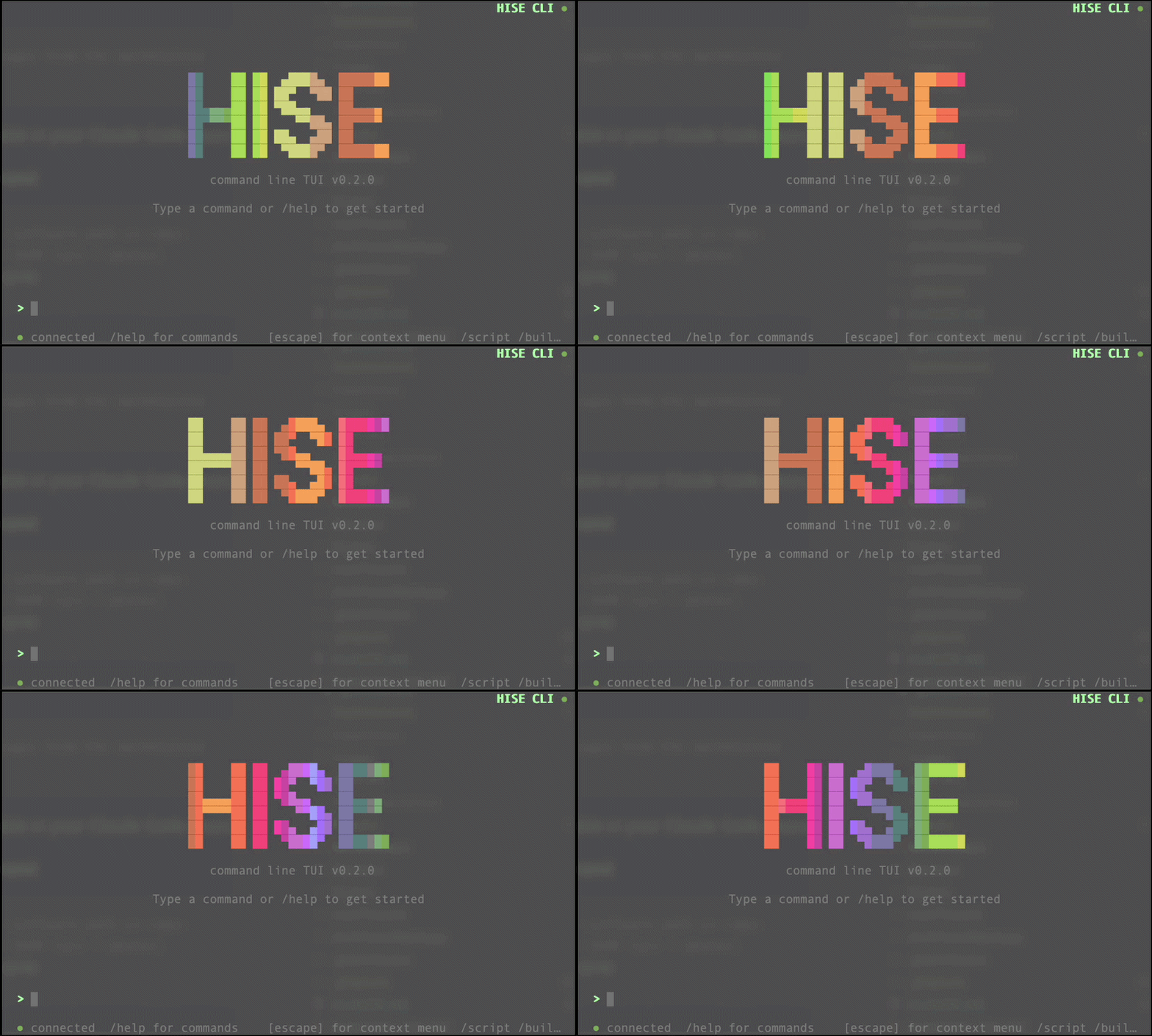
@Christoph-Hart excited to see what is in the works here!

-
@HISEnberg haha yes that is some funky stuff, my favorite part is how I replicated the module tree in ASCII art:
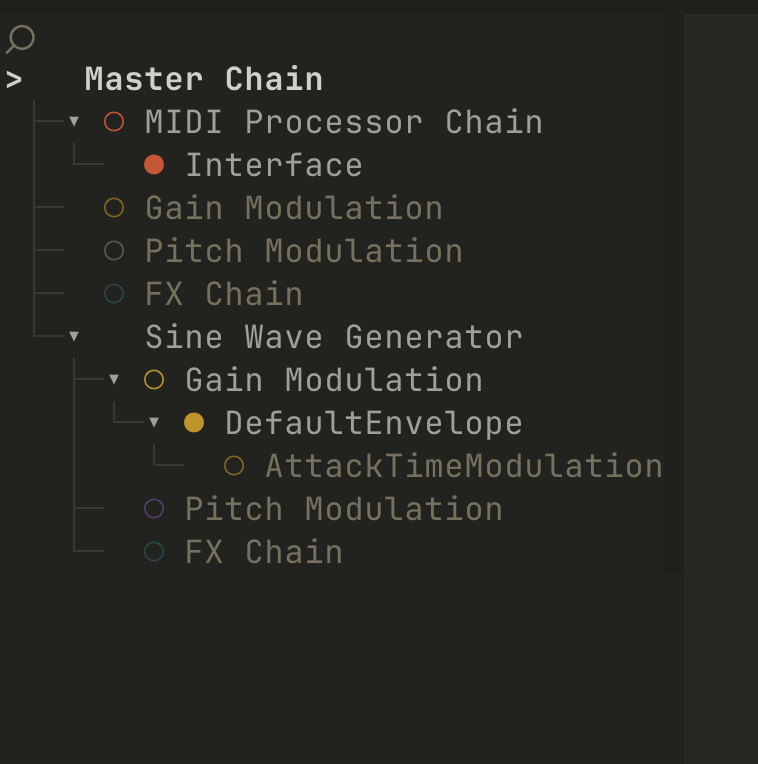
I've also pulled in the entire setup.hise.dev stuff into this app - this bypasses some of the quirks of the website approach - now people just have to download this self-contained binary TUI app and type in
/setupand it will perform all the steps from the setup workflow.It also acts as logger for monitoring what the LLM does - if you have the TUI open and the LLM calls
hise-cli -builder add Samplerthen this shows up in the chat history with an "LLM" tag.
I'm probably moving all the runtime functionality out of the MCP server as soon as the hise_cli is ready so the MCP becomes a read-only documentation / explorer tool that sits on the HISE doc server - currently it needs to be run locally so it can connect to the HISE Rest server, but since the Hise-cli is doing the same thing too it's easier to separate these tasks.
The MCP server also integrates with the new doc website and uses a small embedding model and a vector database for looking up docs & code examples - I evaluated different approaches, but that gives me the advantage of checking the quality of the MCP search.
-
Are these Hise settings working?
Recompile On File Change
Auto Start Rest ServerNot working here with Windows, on a month old develop build.
-
@Bart Recompile On File Change does work here on mac, the other things I don’t know…
-
on a month old develop build.
A month old develop build is ancient material when you want to work with the AI tooling.
Recompile On File Change is disabled if the rest server is running - the rationale is that the LLM will make multiple edits and then send a recompile message when it's done - a recompilation after every filesave might interfere with this.
-
@Christoph-Hart clever move…
-
@Christoph-Hart said in Agentic coding workflows:
Recompile On File Change is disabled if the rest server is running
That makes perfect sense!
Sort of assumed most of the agentic workflow updates might be automatically accessible via the MCP server.
Updated Hise today, but the Auto Start Rest Server is still not working.
Enabling the Toggle Rest API Server option in the tools menu wouldnt be so bad * but random Hise crashes and the agent randomly closing Hise makes it annoying, then forgetting to toggle the rest server makes the agent opens a new Hise instance - uggh
If the agent launches Hise itself - I can see it ping the console with incoming requests, so the REST server seems to be connected in that circumstance, but then the agent isn't able to do anything, it gets stuck at the Hise welcome screen.
Relatively confident (not really) I've got CLI / REST / MCP / LSP working to some degree.
Made the agent modify the module tree - eeeeeeekkk AMAZING!Is there a shortlist of what agentic workflows can do so far..
-
@Bart explore the hise-cli tool, that's where the bulk of my current time is being spend on. The goal is to enable automation of every UI interaction that an agent might perform:
- load / switch projects
- set project settings / preprocessors
- compile DLL / networks
- start / quit HISE
- compile scripts
- modify the module tree
- modify the UI tree
- edit script callbacks
- edit DSP networks.
hise-cli --helpgives you and your robot the entry point. for a context based help, use
hise-cli -builder --helpgives you all commands for the builder mode.
it gets stuck at the Hise welcome screen.
Yeah you might want to deactivate that one (it's a setting that you can toggle off).
-
@Christoph-Hart So practically everything


Wow it's really nice.. Being able to modify the module tree and the interface components without scripting them, marvelous.. Enough to get me started - keep at it!
-
@Christoph-Hart Is it possible to tell the AI not to do some of those tasks? I'm thinking tokens are expensive and I don't want to waste them on starting and quitting HISE :p
Free HISE Bootcamp Full Course for beginners.
YouTube Channel - HISE tutorials
My Patreon - More HISE tutorials -
@David-Healey That's probably not the level at which you want to be optimising token usage.

I feel like my token usage is mostly around regenerating context. That's the main battle I'm trying o win. How do we have a central 'brain' of everything related to a project? How do agents read/write to it?
HISE dev latest / herdr + Claude Code / Figma + Affinity
Meat Beats: https://meatbeats.com
Klippr Video: https://klippr.video -
Is it possible to tell the AI not to do some of those tasks?
sure. I mean you have to tell it to use these tools in the first place, so if you keep it a secret from your robot, it will never call hise-cli. Once the dust settles I'll try setting up system prompts / agents.md file templates that teach the AI the optimal usage of this tool.
The ROI on it letting it compile the project for you is pretty narrow, so that particular set of commands might not be the most thrilling thing to teach the agent - however the hise-cli offers a script runner that can perform build steps for you.
/hise launch   # open HISE
/builder reset # clear the module tree
/project       # Enter project mode
export dll     # compile the DSP network dll
load MyProject.xml # load your XML preset backup
export project # VST3 as default
export project with format=Standalone # export App
/exit          # leave project mode
/hise shutdown # good bye
is basically the full cross-platform build script that automates the export for you. you then just need to call
hise-cli --run "build.hsc"(or even register hise-cli as shell script runner, then the script file itself becomes executable).





