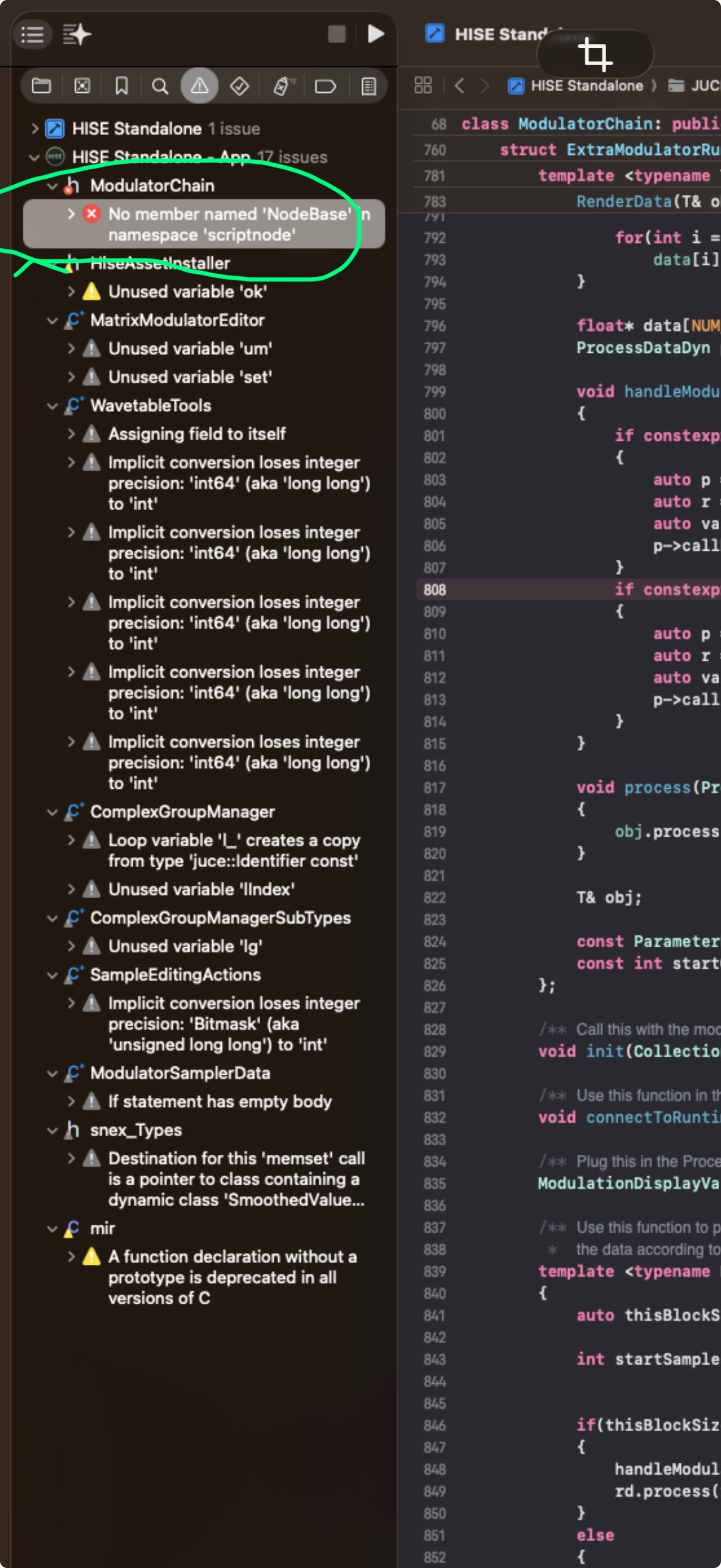
Build Failed on Mac: last develop commit (3e1718f)
-
@Oli-Ullmann If you are using Faust to compile Hise use Faust 2.81.10
-
@dannytaurus
Yes, checking pass/fail status on GitHub is a good ideal! :-) -
@DJJD12345 These compile failures don't require reinstalling, nor are they related to Faust. They're simply failing commits from Christoph.
It's always a good idea to check the pass/fail status of the latest commit on GitHub before fetching and compiling it.
HISE dev latest / herdr + Claude Code / Figma + Affinity
Meat Beats: https://meatbeats.com
Klippr Video: https://klippr.video -
@dannytaurus Faust just has smoother compiling
-
@DJJD12345 Faust is an optional external dependency. It's not required unless you're actually using Faust code in your project.
HISE dev latest / herdr + Claude Code / Figma + Affinity
Meat Beats: https://meatbeats.com
Klippr Video: https://klippr.video -
 D dannytaurus referenced this topic on
-
getting this again in today's commit
DHPlugins / DC Breaks | Artist / Producer / DJ / Developer
https://dhplugins.com/ | https://dcbreaks.com/
London, UK -
Free HISE Bootcamp Full Course for beginners.
YouTube Channel - HISE tutorials
My Patreon - More HISE tutorials -
yeah I trashed some stuff with the latest rewrite I‘ll
sort it out later today. -
Have you solved the problem?)
-
it's fixed now.
-
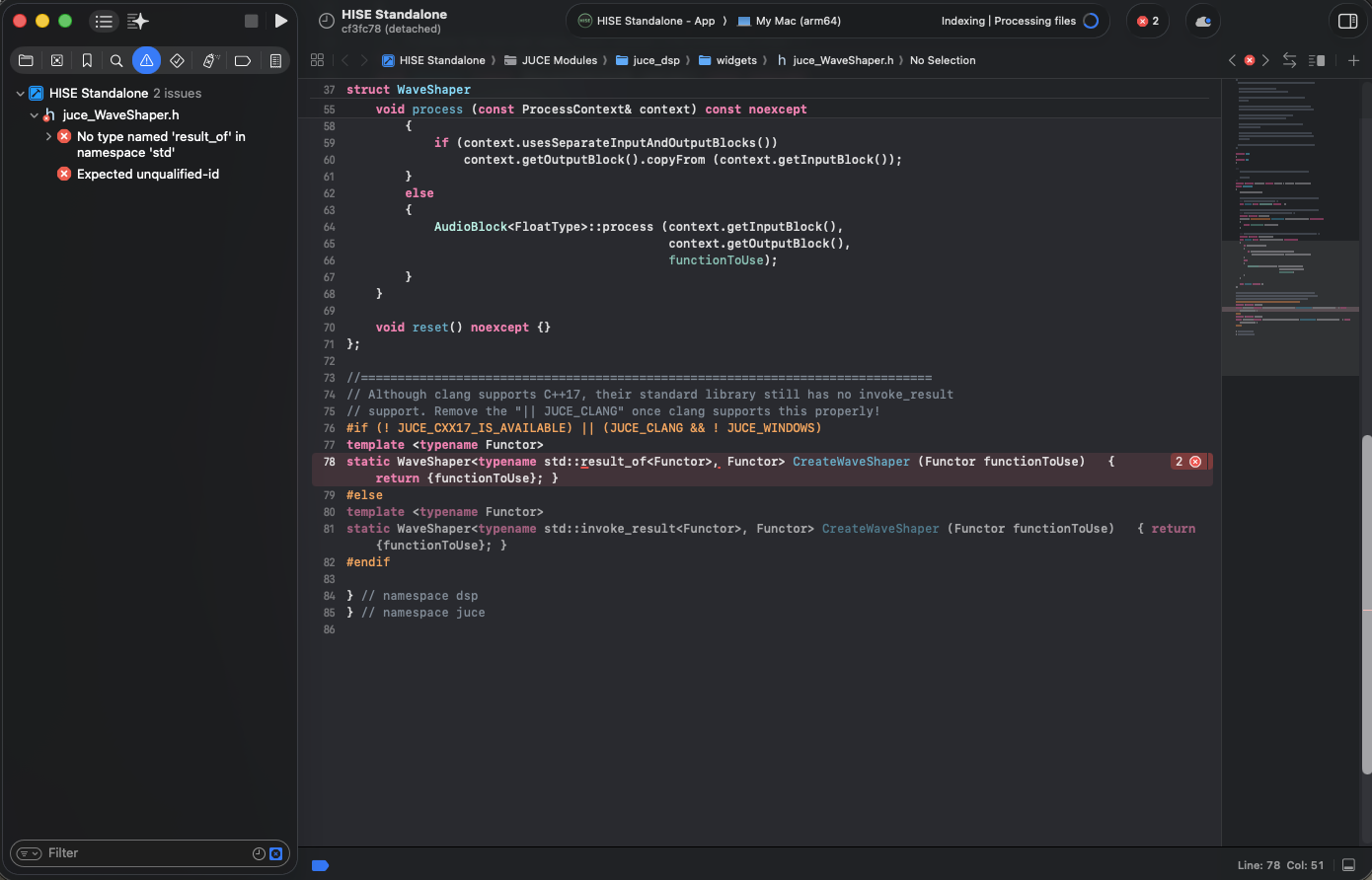
@Christoph-Hart no its not I get the same error on mac using hise source code commit 6ba56cc
-
@DJJD12345 Why are you using a detached commit?

Try
git checkout developclean the build, and recompile. Do it without faust first.Free HISE Bootcamp Full Course for beginners.
YouTube Channel - HISE tutorials
My Patreon - More HISE tutorials -
@David-Healey already did that, and the error pops up again so cleaning the build folder again removes the error but the errors come back when you compile again
-
@DJJD12345 said in Build Failed on Mac: last develop commit (3e1718f):
cleaning the build folder again removes the error
What do you mean by this?
Free HISE Bootcamp Full Course for beginners.
YouTube Channel - HISE tutorials
My Patreon - More HISE tutorials -
@David-Healey I have to do it twice to clean the build folder and remove the error
-
@DJJD12345 said in Build Failed on Mac: last develop commit (3e1718f):
I have to do it twice to clean the build folder and remove the error
What do you mean by "remove the error"? Do you mean that you are able to compile successfully?
Free HISE Bootcamp Full Course for beginners.
YouTube Channel - HISE tutorials
My Patreon - More HISE tutorials -
@David-Healey after recleaning the the builds folder twice, the error goes away but comes back when I recompile again
-
@DJJD12345 don't recompile

Free HISE Bootcamp Full Course for beginners.
YouTube Channel - HISE tutorials
My Patreon - More HISE tutorials -
-
@David-Healey So what do I do then?