Export Setup Wizard Issue
-
Hello
I’m having an issue with the Export Setup Wizard. Some of the steps appear blank, and it just keeps cycling without doing anything.
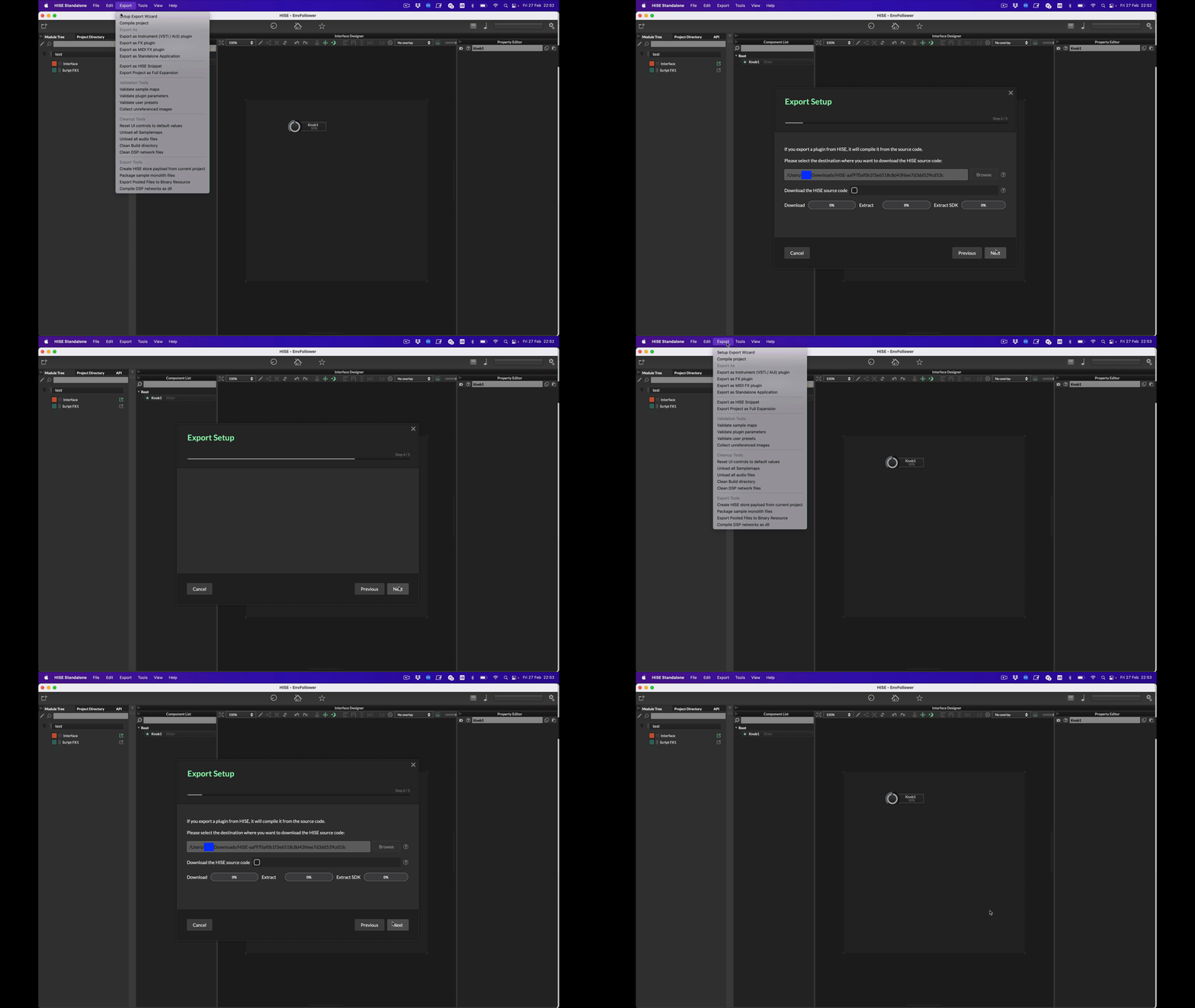
I'm using quite fresh build, git commit hash - 535630df
Monterey 12.7.6
Any help would be highly appreciated :)
-
Don't use it, it's bad and will be gone very soon.
-
@Christoph-Hart Ok, thanks. What version or commit would you recommend?
-
@DanSound See this very helpful post from David https://forum.hise.audio/post/118353
-
@dannytaurus Thank you! But I guess I need to compile another version since Christoph said it's bad. Just not sure what commit I should use.
-
@DanSound You can use the latest develop branch.
-
@David-Healey So just click on "< > Code" button and download zip file?
I'm quite new to Github, this message is not related to develop branch, right?

-
@DanSound said in Export Setup Wizard Issue:
So just click on "< > Code" button and download zip file?
You need to use git to clone (download) it.
Christoph's created a new tool to automate some of the process: https://setup.hise.dev/ - it's very new so might be a bit experimental still.
If you want to do it manually then check out the instructions in my free Bootcamp Course: https://audiodevschool.com/courses/hise-bootcamp/
-
@David-Healey Thanks! I've used that tool and it worked well, but Export Setup Wizard works exactly the same as before - blank steps and that's it.
Then I enabled Export using @dannytaurus recommendation and it worked once for 100% but didn't export anything. And now it just crashing Hise:
Crashed Thread: 0 JUCE Message Thread Dispatch queue: com.apple.main-thread Exception Type: EXC_BAD_ACCESS (SIGSEGV) Exception Codes: KERN_PROTECTION_FAILURE at 0x000000016a677fc0 Exception Codes: 0x0000000000000002, 0x000000016a677fc0 Exception Note: EXC_CORPSE_NOTIFY Termination Reason: Namespace SIGNAL, Code 11 Segmentation fault: 11 Terminating Process: exc handler [21685] VM Region Info: 0x16a677fc0 is in 0x166e74000-0x16a678000; bytes after start: 58736576 bytes before end: 63 REGION TYPE START - END [ VSIZE] PRT/MAX SHRMOD REGION DETAIL MALLOC_TINY 166d00000-166e00000 [ 1024K] rw-/rwx SM=PRV GAP OF 0x74000 BYTES ---> STACK GUARD 166e74000-16a678000 [ 56.0M] ---/rwx SM=NUL ... for thread 0 Stack 16a678000-16ae74000 [ 8176K] rw-/rwx SM=PRV thread 0 Thread 0 Crashed:: JUCE Message Thread Dispatch queue: com.apple.main-thread 0 libsystem_malloc.dylib 0x1911b6994 nanov2_allocate_from_block + 8 1 libsystem_malloc.dylib 0x1911b61e0 nanov2_allocate + 128 2 libsystem_malloc.dylib 0x1911b60fc nanov2_malloc + 64 3 libsystem_malloc.dylib 0x1911d3748 _malloc_zone_malloc + 156 4 libc++abi.dylib 0x1913648b0 operator new(unsigned long) + 32 5 HISE 0x10691cb10 juce::String::upToFirstOccurrenceOf(juce::StringRef, bool, bool) const + 888 6 HISE 0x105d91684 scriptnode::DspNetwork::createFromValueTree(bool, juce::ValueTree, bool) + 1532 7 HISE 0x105d9126c scriptnode::DspNetwork::createFromValueTree(bool, juce::ValueTree, bool) + 484 8 HISE 0x105d90ff8 scriptnode::DspNetwork::getNodeForValueTree(juce::ValueTree const&, bool) + 312 9 HISE 0x105d90944 scriptnode::NodeBase::getParentNode() const + 384 10 HISE 0x105f8a894 scriptnode::ScriptnodeExceptionHandler::validateMidiProcessingContext(scriptnode::NodeBase*) + 40 11 HISE 0x105de7888 scriptnode::InterpretedModNode::prepare(snex::Types::PrepareSpecs) + 172 12 HISE 0x105d91ad4 scriptnode::DspNetwork::createFromValueTree(bool, juce::ValueTree, bool) + 2636 13 HISE 0x105d9126c scriptnode::DspNetwork::createFromValueTree(bool, juce::ValueTree, bool) + 484 14 HISE 0x105d90ff8 scriptnode::DspNetwork::getNodeForValueTree(juce::ValueTree const&, bool) + 312 15 HISE 0x105d90944 scriptnode::NodeBase::getParentNode() const + 384 -
@DanSound said in Export Setup Wizard Issue:
Then I enabled Export using @dannytaurus recommendation and it worked once for 100% but didn't export anything. And now it just crashing Hise:
Explain what you did here
-
@David-Healey I added ExportSetup value="Yes"/ below the EnableLoris entry in compilerSettings.xml
-
@DanSound Ok and then what did you do that caused HISE to crash?
-
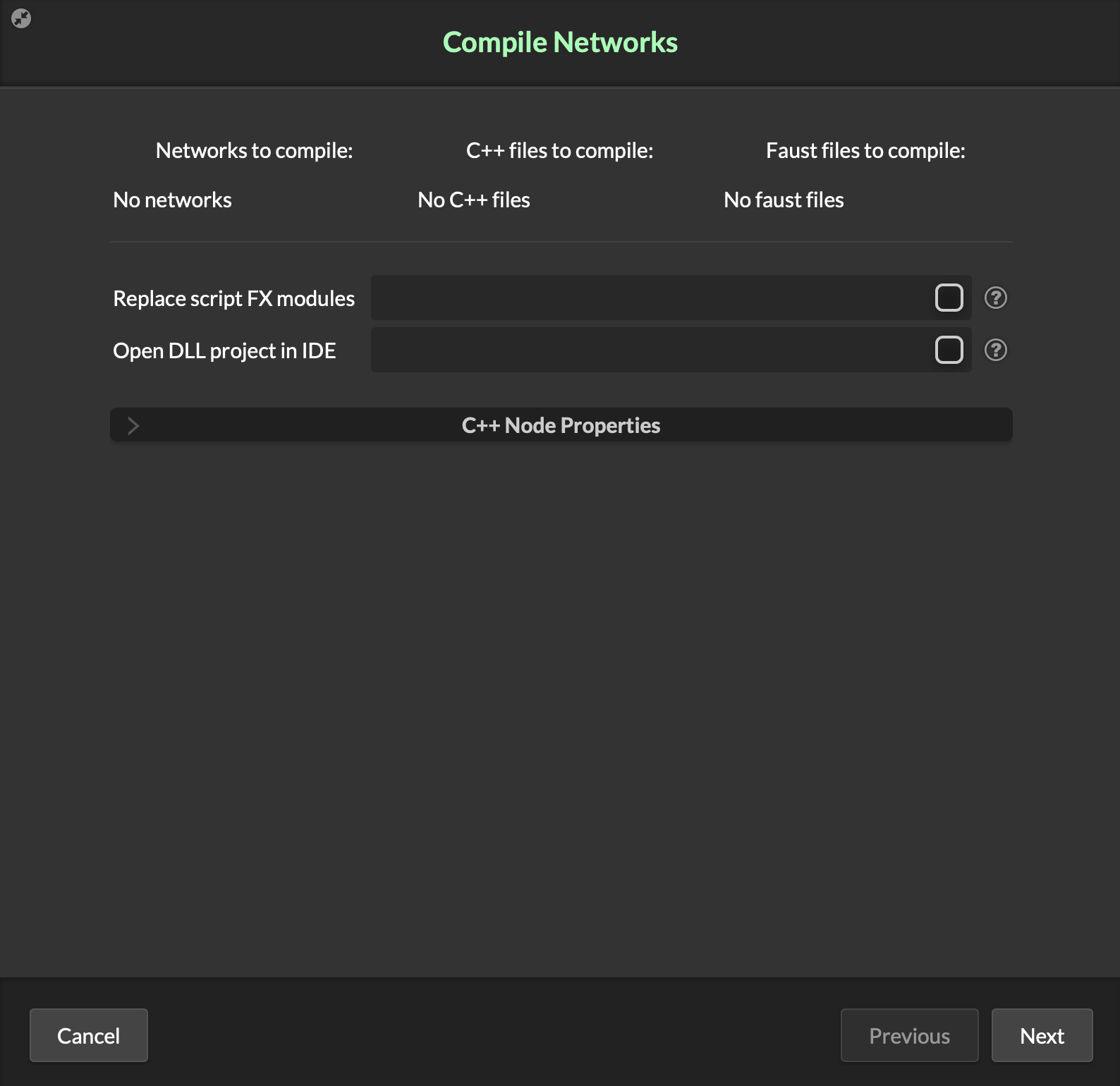
@David-Healey Clicked Next button on Compile Networks popup.
-
@DanSound Using
Export > Compile Networks as DLL? -
@David-Healey Yes, on this popup
-
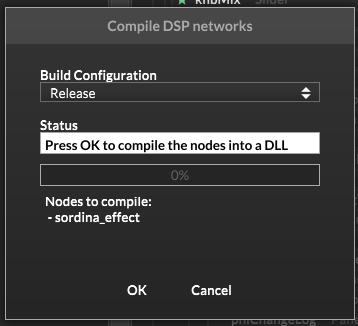
@DanSound What button/option do you click to get that window to appear? I only see this one
-
@David-Healey I see it once I click Compile Networks as DLL
-
@DanSound Might be a Mac/Windows thing
-
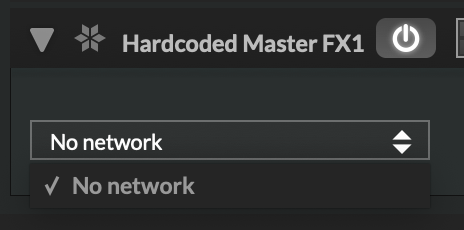
@David-Healey Somehow it works again but when I click Finish there is nothing to choose
-
@David-Healey Maybe Monterey is outdated?


