Export Setup Wizard Issue
-
Don't use it, it's bad and will be gone very soon.
-
@Christoph-Hart Ok, thanks. What version or commit would you recommend?
-
@DanSound See this very helpful post from David https://forum.hise.audio/post/118353
-
@dannytaurus Thank you! But I guess I need to compile another version since Christoph said it's bad. Just not sure what commit I should use.
-
@DanSound You can use the latest develop branch.
-
@David-Healey So just click on "< > Code" button and download zip file?
I'm quite new to Github, this message is not related to develop branch, right?

-
@DanSound said in Export Setup Wizard Issue:
So just click on "< > Code" button and download zip file?
You need to use git to clone (download) it.
Christoph's created a new tool to automate some of the process: https://setup.hise.dev/ - it's very new so might be a bit experimental still.
If you want to do it manually then check out the instructions in my free Bootcamp Course: https://audiodevschool.com/courses/hise-bootcamp/
-
@David-Healey Thanks! I've used that tool and it worked well, but Export Setup Wizard works exactly the same as before - blank steps and that's it.
Then I enabled Export using @dannytaurus recommendation and it worked once for 100% but didn't export anything. And now it just crashing Hise:
Crashed Thread: 0 JUCE Message Thread Dispatch queue: com.apple.main-thread Exception Type: EXC_BAD_ACCESS (SIGSEGV) Exception Codes: KERN_PROTECTION_FAILURE at 0x000000016a677fc0 Exception Codes: 0x0000000000000002, 0x000000016a677fc0 Exception Note: EXC_CORPSE_NOTIFY Termination Reason: Namespace SIGNAL, Code 11 Segmentation fault: 11 Terminating Process: exc handler [21685] VM Region Info: 0x16a677fc0 is in 0x166e74000-0x16a678000; bytes after start: 58736576 bytes before end: 63 REGION TYPE START - END [ VSIZE] PRT/MAX SHRMOD REGION DETAIL MALLOC_TINY 166d00000-166e00000 [ 1024K] rw-/rwx SM=PRV GAP OF 0x74000 BYTES ---> STACK GUARD 166e74000-16a678000 [ 56.0M] ---/rwx SM=NUL ... for thread 0 Stack 16a678000-16ae74000 [ 8176K] rw-/rwx SM=PRV thread 0 Thread 0 Crashed:: JUCE Message Thread Dispatch queue: com.apple.main-thread 0 libsystem_malloc.dylib 0x1911b6994 nanov2_allocate_from_block + 8 1 libsystem_malloc.dylib 0x1911b61e0 nanov2_allocate + 128 2 libsystem_malloc.dylib 0x1911b60fc nanov2_malloc + 64 3 libsystem_malloc.dylib 0x1911d3748 _malloc_zone_malloc + 156 4 libc++abi.dylib 0x1913648b0 operator new(unsigned long) + 32 5 HISE 0x10691cb10 juce::String::upToFirstOccurrenceOf(juce::StringRef, bool, bool) const + 888 6 HISE 0x105d91684 scriptnode::DspNetwork::createFromValueTree(bool, juce::ValueTree, bool) + 1532 7 HISE 0x105d9126c scriptnode::DspNetwork::createFromValueTree(bool, juce::ValueTree, bool) + 484 8 HISE 0x105d90ff8 scriptnode::DspNetwork::getNodeForValueTree(juce::ValueTree const&, bool) + 312 9 HISE 0x105d90944 scriptnode::NodeBase::getParentNode() const + 384 10 HISE 0x105f8a894 scriptnode::ScriptnodeExceptionHandler::validateMidiProcessingContext(scriptnode::NodeBase*) + 40 11 HISE 0x105de7888 scriptnode::InterpretedModNode::prepare(snex::Types::PrepareSpecs) + 172 12 HISE 0x105d91ad4 scriptnode::DspNetwork::createFromValueTree(bool, juce::ValueTree, bool) + 2636 13 HISE 0x105d9126c scriptnode::DspNetwork::createFromValueTree(bool, juce::ValueTree, bool) + 484 14 HISE 0x105d90ff8 scriptnode::DspNetwork::getNodeForValueTree(juce::ValueTree const&, bool) + 312 15 HISE 0x105d90944 scriptnode::NodeBase::getParentNode() const + 384 -
@DanSound said in Export Setup Wizard Issue:
Then I enabled Export using @dannytaurus recommendation and it worked once for 100% but didn't export anything. And now it just crashing Hise:
Explain what you did here
-
@David-Healey I added ExportSetup value="Yes"/ below the EnableLoris entry in compilerSettings.xml
-
@DanSound Ok and then what did you do that caused HISE to crash?
-
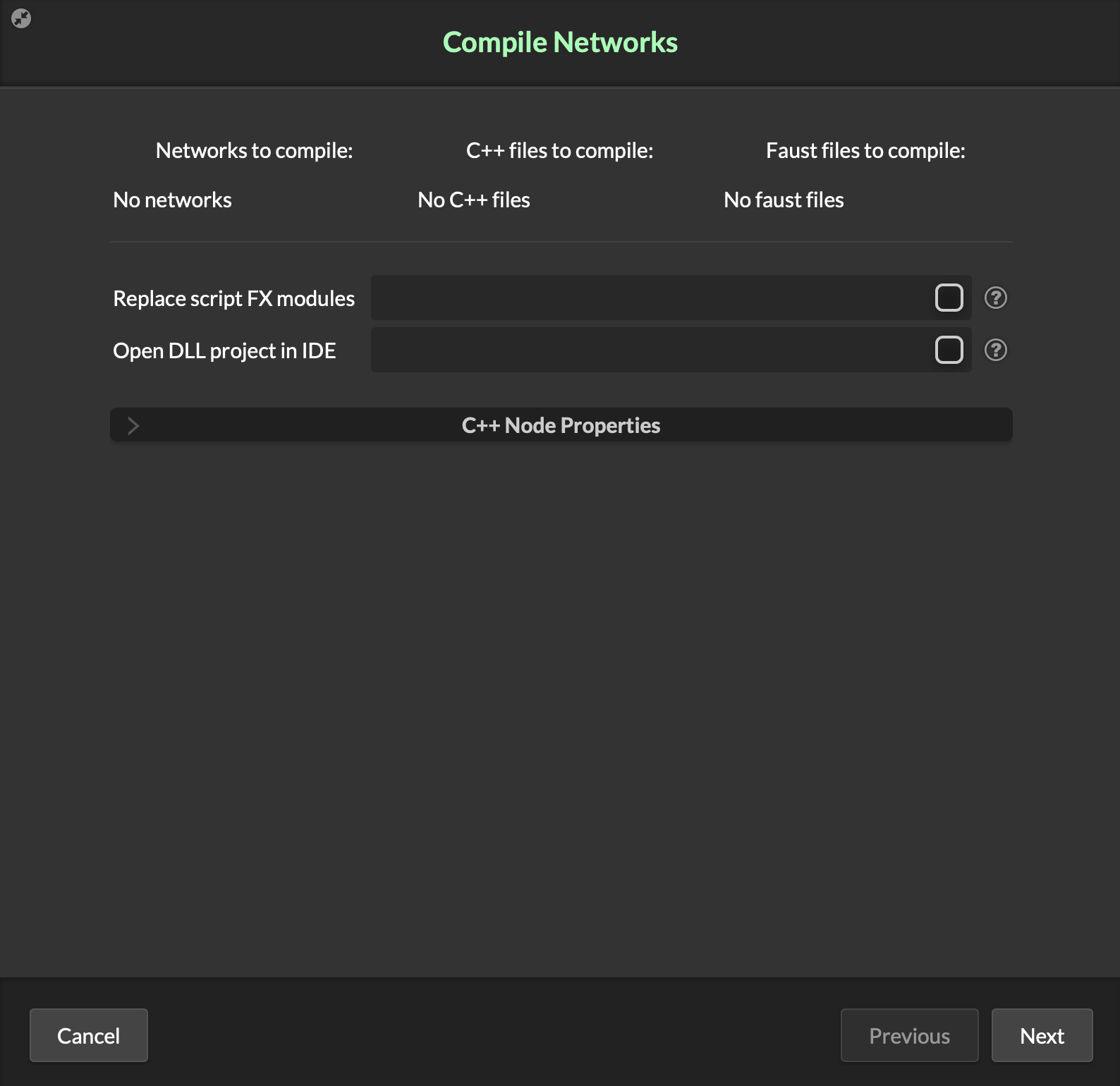
@David-Healey Clicked Next button on Compile Networks popup.
-
@DanSound Using
Export > Compile Networks as DLL? -
@David-Healey Yes, on this popup
-
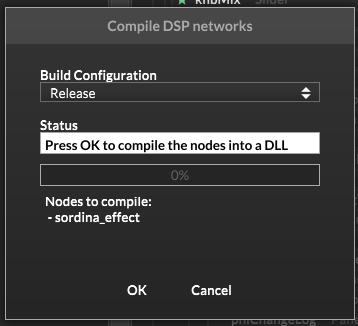
@DanSound What button/option do you click to get that window to appear? I only see this one
-
@David-Healey I see it once I click Compile Networks as DLL
-
@DanSound Might be a Mac/Windows thing
-
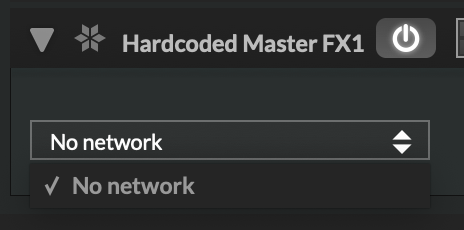
@David-Healey Somehow it works again but when I click Finish there is nothing to choose
-
@David-Healey Maybe Monterey is outdated?
-
So I installed the latest macOS Tahoe and the new Xcode, and decided to try a different route. I downloaded the develop branch from GitHub as recommended. It compiled smoothly, but it works exactly like the previous version. Nothing changed.



