Check Latency broken on latest develop build?
-
@Christoph-Hart Standalone, both times - now and 15 days ago in the other topic.
-
@dannytaurus Thanks for confirming + looking over it! I did see that thread when checking for relevant posts and have been trying to revert through the last 2 weeks of commits, but the JUCE subfolder changes are a bit of a curveball.
@Christoph-Hart Seeing this in standalone and plugin builds
-
Just a little bump to this topic. I believe test begins to run, but the impulse doesn't pass through and the Alert Window fails to show up reporting the latency samples.
-
 D dannytaurus referenced this topic on
-
@Christoph-Hart adding to the chorus of "can we fix this please.."
HISE Development for hire.
www.channelrobot.com -
@Lindon pretty sure it was fixed a few weeks ago, there was an issue with the external audio tools in HiSE that also affected the latency checker.
-
@Christoph-Hart This commit mentions latency fix:
https://github.com/christophhart/HISE/commit/a6c5d9dd7028f16a68983fd8425e9d580e4702db
Is the check supposed to work for all plunges types, meaning instruments?
I just tried in an instrument plugin and it shows the instruction window:
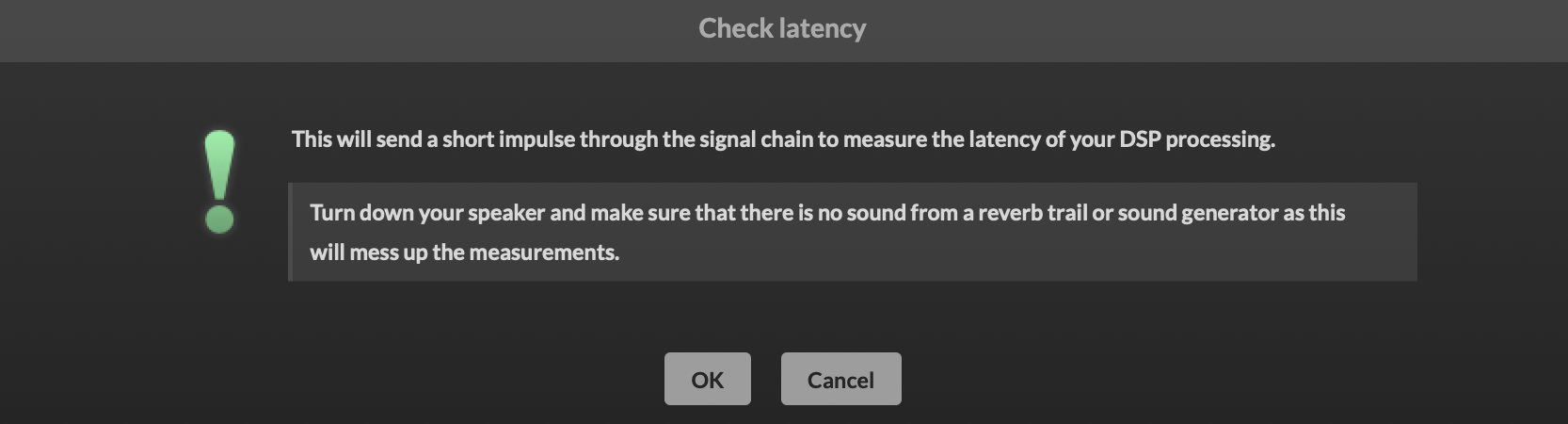
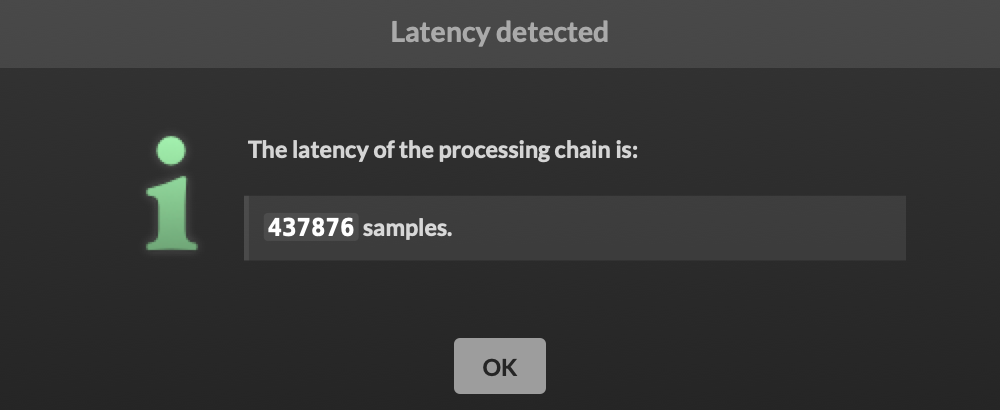
and when I hit OK it doesn't do anything else until I hit a key. Then it shows me what seems to be the number of samples since I hit OK (I waited about 10 seconds to press a note)
HISE dev latest / herdr + Claude Code / Figma + Affinity
Meat Beats: https://meatbeats.com
Klippr Video: https://klippr.video -
@dannytaurus Isn't this the sort of thing that could be "embedded" in the plugin automatically at export so we don't have to do it manually - or is there some other benefit to doing it manually?
Free HISE Bootcamp Full Course for beginners.
YouTube Channel - HISE tutorials
My Patreon - More HISE tutorials -
@David-Healey The latency can vary depending on what the plugin is doing at runtime.
Someone did some experiments where they measured several different latency times from different script nodes (or modes of one node, I don't recall exactly) and set the host latency to the largest measurement, then added fixed delay compensation to the other modes. That way, the latency was ALWAYS the same, highest number.
If you could do all that at runtime, that would be cool.
HISE dev latest / herdr + Claude Code / Figma + Affinity
Meat Beats: https://meatbeats.com
Klippr Video: https://klippr.video -
@dannytaurus said in Check Latency broken on latest develop build?:
If you could do all that at runtime, that would be coo
Was that person doing it at run time or before export?
Free HISE Bootcamp Full Course for beginners.
YouTube Channel - HISE tutorials
My Patreon - More HISE tutorials -
@David-Healey Before export, in HISE.
HISE dev latest / herdr + Claude Code / Figma + Affinity
Meat Beats: https://meatbeats.com
Klippr Video: https://klippr.video -
@David-Healey Pretty sure this was the post:
https://forum.hise.audio/topic/14160/latency-compensation-not-being-triggered-in-daw?_=1783073938002
It was a pitch shift node, which has larger latency the more you shift.
-
@dannytaurus said in Check Latency broken on latest develop build?:
@David-Healey Before export, in HISE.
So it doesn't need to be realtime?
When you click export HISE could run through all of the latencies, find the highest and embed the
setLatencySamplescall into on init. Would this achieve the same thing?Free HISE Bootcamp Full Course for beginners.
YouTube Channel - HISE tutorials
My Patreon - More HISE tutorials -
Don't rely on a single-sample impulse unless you're dealing with a very basic processing chain, especially if there's a non-minimum-phase EQ involved. An impulse measures both the plugin's algorithmic latency and the filter's frequency-dependent group delay. The latter isn't processing latency, it's just how the filter behaves.
A more reliable approach is to record a sine wave (or another suitable signal, noise, etc...) and compute the cross-correlation between the bypassed and processed signals (that's what my app Align-IT is all about). It could be implemented in Hise as this would be much more reliable with noise (but not random because it obviously needs to be the same fro dry/wet buffers for a correlation to exist)
Every time I tested the latency check in HISE (which is actually how I measured it before the feature was implemented), it failed as soon as a non-minimum-phase EQ was in the chain.
You can reproduce this in any DAW: send both an impulse and a sine through the plugin, record the outputs, and compare the measured delay. You'll see the difference.
Also keep in mind that with non-minimum-phase EQs, the apparent delay depends on frequency. There's no single latency value that applies to every signal. But noise is the closest we can get (in fact it would be even better with a weighted noise but that's going too far)
-
@David-Healey Keep in mind that algorithm delay changes with samplerate (so if you have adjustable oversampling nodes or fix buffer nodes it multiplies the number of different latencies by the same factor). All those cases needs to be computed and stored in the script.
-
With an error of 3 samples at 48khz and you are already comb filtering at 16khz. Using an impulse to measure some signal chain can easily throw a result that is off by 20-30 samples, so as low as 1-2khz... that is more than a muffled sound

Hise made me an F5 dude, any other app just suffers...
-
hmm, bummer I think...
I have a very big multiFX (over 50 different FX) product that can have up to any of the 50 in 6 different slots in a chain, I need to assess the latency for each FX - yes there's a fair few EQ's in there too...
I was hoping(ha ha ha) for a simple(ish)way to assess the latency -
-
@ustk said in Check Latency broken on latest develop build?:
With an error of 3 samples at 48khz and you are already comb filtering at 16khz.
Wow, I never thought of it like that!

-
@David-Healey I defer to @ustk's vastly more detailed knowledge here

HISE dev latest / herdr + Claude Code / Figma + Affinity
Meat Beats: https://meatbeats.com
Klippr Video: https://klippr.video -
@dannytaurus That being said, it only matters in a parallel track mixing context (but nowadays it's still very frequent, we parallel this and that everywhere...), but you don't mind such a small latency for instruments...
-
@ustk Dug into this and found the root cause. Two PRs are up that fix it:
What broke: since
e429f19d1(Jan 11) the IDE builds with a 16-channel configuration, which disablesFORCE_INPUT_CHANNELS- and with it, the path that carries the input buffer into the signal chain. The latency check injects its test impulse into that buffer, so the impulse never came back: no result popup until you play a note, and then the number is just the elapsed time.a6c5d9dd7fixed an include-order problem in the same area but the input path is still compiled out in the stock build, which is why the tool stayed broken. PR #1013 keeps the input alive during a measurement (no-op the rest of the time, backend only).Second problem: even with the signal path restored, the old single-sample impulse can't survive effects that smear transients. Something like
pitch_shiftspreads those two samples over its whole analysis window and the output peak lands ~50x below the detection threshold, so the check hangs forever. Following @ustk's suggestion, PR #1014 swaps the impulse for a 20ms sine burst at 1kHz and reports the onset (first threshold crossing) instead of the peak. It also adds a 2 second timeout with an explicit "no signal detected" error instead of waiting indefinitely.Test results with both fixes (48kHz, stock standalone build):
- fully wet 333ms delay: 16000 samples, exact and repeatable
- convolution reverb: deterministic result that measures the onset of your IR (the convolver head itself is zero latency, so silence at the start of the IR file is what you're seeing)
- pitch_shift: now reports (~4200 samples); the remaining +-250 sample spread between runs is the stretcher's own timing indeterminacy, not the measurement
One side discovery while testing: wrapping pitch_shift in an oversample4 node cuts its real-world latency roughly 4x (~88ms down to ~23ms), because the stretcher window is sized in samples, not milliseconds. Costs you the CPU of running it at 4x rate, but useful if the latency matters.
HISE dev latest / herdr + Claude Code / Figma + Affinity
Meat Beats: https://meatbeats.com
Klippr Video: https://klippr.video