Check Latency broken on latest develop build?
-
@Goodflow Confirmed here with latest
developcommit cb60872.I know this was working 15 days ago because I used it myself during this discussion.
Had a quick poke around for the cause with Claude but shouldn't see anything obvious.
Add a GitHub issue, or I can if you don't deal with GitHub?
HISE dev latest / herdr + Claude Code / Figma + Affinity
Meat Beats: https://meatbeats.com
Klippr Video: https://klippr.video -
@dannytaurus Are you using the plugin build of HISE or standalone?
-
@Christoph-Hart Standalone, both times - now and 15 days ago in the other topic.
-
@dannytaurus Thanks for confirming + looking over it! I did see that thread when checking for relevant posts and have been trying to revert through the last 2 weeks of commits, but the JUCE subfolder changes are a bit of a curveball.
@Christoph-Hart Seeing this in standalone and plugin builds
-
Just a little bump to this topic. I believe test begins to run, but the impulse doesn't pass through and the Alert Window fails to show up reporting the latency samples.
-
 D dannytaurus referenced this topic on
-
@Christoph-Hart adding to the chorus of "can we fix this please.."
HISE Development for hire.
www.channelrobot.com -
@Lindon pretty sure it was fixed a few weeks ago, there was an issue with the external audio tools in HiSE that also affected the latency checker.
-
@Christoph-Hart This commit mentions latency fix:
https://github.com/christophhart/HISE/commit/a6c5d9dd7028f16a68983fd8425e9d580e4702db
Is the check supposed to work for all plunges types, meaning instruments?
I just tried in an instrument plugin and it shows the instruction window:
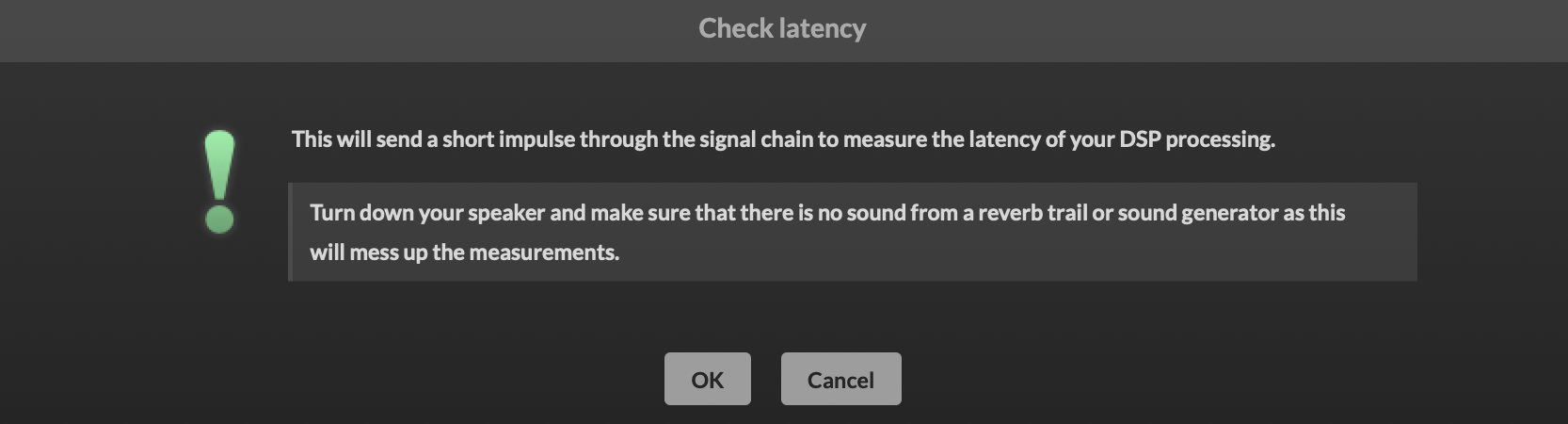
and when I hit OK it doesn't do anything else until I hit a key. Then it shows me what seems to be the number of samples since I hit OK (I waited about 10 seconds to press a note)
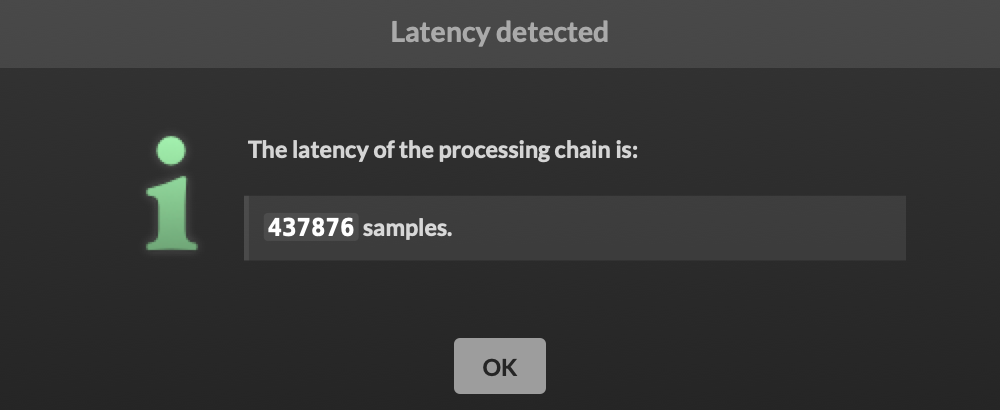
HISE dev latest / herdr + Claude Code / Figma + Affinity
Meat Beats: https://meatbeats.com
Klippr Video: https://klippr.video -
@dannytaurus Isn't this the sort of thing that could be "embedded" in the plugin automatically at export so we don't have to do it manually - or is there some other benefit to doing it manually?
Free HISE Bootcamp Full Course for beginners.
YouTube Channel - HISE tutorials
My Patreon - More HISE tutorials -
@David-Healey The latency can vary depending on what the plugin is doing at runtime.
Someone did some experiments where they measured several different latency times from different script nodes (or modes of one node, I don't recall exactly) and set the host latency to the largest measurement, then added fixed delay compensation to the other modes. That way, the latency was ALWAYS the same, highest number.
If you could do all that at runtime, that would be cool.
HISE dev latest / herdr + Claude Code / Figma + Affinity
Meat Beats: https://meatbeats.com
Klippr Video: https://klippr.video -
@dannytaurus said in Check Latency broken on latest develop build?:
If you could do all that at runtime, that would be coo
Was that person doing it at run time or before export?
Free HISE Bootcamp Full Course for beginners.
YouTube Channel - HISE tutorials
My Patreon - More HISE tutorials -
@David-Healey Before export, in HISE.
HISE dev latest / herdr + Claude Code / Figma + Affinity
Meat Beats: https://meatbeats.com
Klippr Video: https://klippr.video -
@David-Healey Pretty sure this was the post:
https://forum.hise.audio/topic/14160/latency-compensation-not-being-triggered-in-daw?_=1783073938002
It was a pitch shift node, which has larger latency the more you shift.
-
@dannytaurus said in Check Latency broken on latest develop build?:
@David-Healey Before export, in HISE.
So it doesn't need to be realtime?
When you click export HISE could run through all of the latencies, find the highest and embed the
setLatencySamplescall into on init. Would this achieve the same thing?Free HISE Bootcamp Full Course for beginners.
YouTube Channel - HISE tutorials
My Patreon - More HISE tutorials -
Don't rely on a single-sample impulse unless you're dealing with a very basic processing chain, especially if there's a non-minimum-phase EQ involved. An impulse measures both the plugin's algorithmic latency and the filter's frequency-dependent group delay. The latter isn't processing latency, it's just how the filter behaves.
A more reliable approach is to record a sine wave (or another suitable signal, noise, etc...) and compute the cross-correlation between the bypassed and processed signals (that's what my app Align-IT is all about). It could be implemented in Hise as this would be much more reliable with noise (but not random because it obviously needs to be the same fro dry/wet buffers for a correlation to exist)
Every time I tested the latency check in HISE (which is actually how I measured it before the feature was implemented), it failed as soon as a non-minimum-phase EQ was in the chain.
You can reproduce this in any DAW: send both an impulse and a sine through the plugin, record the outputs, and compare the measured delay. You'll see the difference.
Also keep in mind that with non-minimum-phase EQs, the apparent delay depends on frequency. There's no single latency value that applies to every signal. But noise is the closest we can get (in fact it would be even better with a weighted noise but that's going too far)
-
@David-Healey Keep in mind that algorithm delay changes with samplerate (so if you have adjustable oversampling nodes or fix buffer nodes it multiplies the number of different latencies by the same factor). All those cases needs to be computed and stored in the script.
-
With an error of 3 samples at 48khz and you are already comb filtering at 16khz. Using an impulse to measure some signal chain can easily throw a result that is off by 20-30 samples, so as low as 1-2khz... that is more than a muffled sound

Hise made me an F5 dude, any other app just suffers...
-
hmm, bummer I think...
I have a very big multiFX (over 50 different FX) product that can have up to any of the 50 in 6 different slots in a chain, I need to assess the latency for each FX - yes there's a fair few EQ's in there too...
I was hoping(ha ha ha) for a simple(ish)way to assess the latency -
-
@ustk said in Check Latency broken on latest develop build?:
With an error of 3 samples at 48khz and you are already comb filtering at 16khz.
Wow, I never thought of it like that!

-
@David-Healey I defer to @ustk's vastly more detailed knowledge here

HISE dev latest / herdr + Claude Code / Figma + Affinity
Meat Beats: https://meatbeats.com
Klippr Video: https://klippr.video





