Soundsync: HISE Ecosystem | UPDATE: WE ARE LIVE!
-
Hey Gang,
I wanted to start a cleaner updated thread for SoundSync and keep this one focused specifically on the HISE ecosystem/workflow we’ve been building around it.
SoundSync started as a platform to help audio/plugin developers handle the pieces around releasing a product: licensing, customer accounts, serial activation, product delivery, storefronts, checkout, and customer libraries.
The HISE side has now grown into a much bigger part of the platform, so I want to use this thread to share walkthroughs, updates, screenshots, and short examples of how the HISE workflow is coming together.
The goal is not to replace anything inside HISE.
The goal is to help with everything around releasing, selling, activating, supporting, and managing a HISE-built product.
Some of the HISE-focused pieces currently being tested or polished:
Product setup and delivery files
Storefront and checkout testing
Customer library / download access
Serial generation and activation
Plugin-side validation
Offline grace handling
Suspend / deactivate / reactivate flows
Reseller, imported, and unassigned serial activation workflows
Branded activation UI
WebView-based in-plugin storefront
“My Products” customer view inside the plugin
Developer support links/pages
Customer/product ownership checks
Basic customer and purchase managementRight now the platform is still in test/beta mode. Stripe checkout is in test mode, so no real payments are processed.
For checkout testing, Stripe’s test card is:
4242 4242 4242 4242
Any future expiration date and any CVC should work.
What I’m mainly looking for from HISE developers:
Does the setup flow make sense?
Is the HISE package/drop-in workflow clear enough?
Does the activation/licensing flow feel reliable?
Does the WebView storefront/customer area feel useful inside a plugin?
Are the customer/product/storefront tools helpful or too much?
What would make this safer, clearer, or easier before real launch?
What support/docs/walkthroughs would make the HISE side easier to trust?This is still not meant to be a polished public launch thread. I’m mostly looking for a few HISE developers willing to test the workflow, create a demo product, run a fake checkout, generate/activate a serial, and give blunt feedback.
If you’re actively building or selling HISE plugins and want to test it, you can sign up here: https://soundsyncsolutions.biz/developer
You can also schedule a meeting with me here for any questions, walk-throughs, etc: https://www.soundsyncsolutions.biz/demo
I’ll keep posting HISE-specific walkthroughs and updates in this thread as the package gets cleaned up.
Best,
Aaron -
This post is deleted! -
This post is deleted! -
UPDATE: Serial Validation + Storefront Package and Security.
During the Beta testing, it was brought to my attention that the HISE Validation and the HISE Storefront packages should just be a single package.
I have updated this and also added another secure way to obtain customer products.
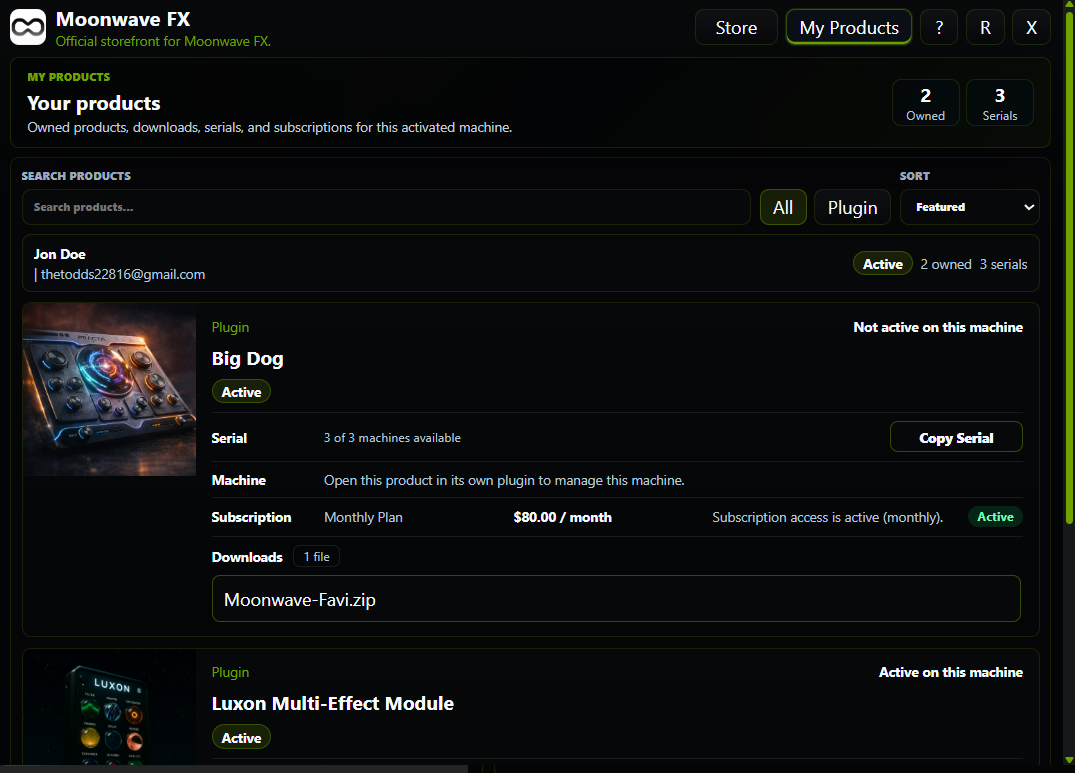
Now customers can log in directly to their account via the plugin to view, manage and download products/licenses.
They can also verify via serial code + email verification.
The process is still very straight forward.
-
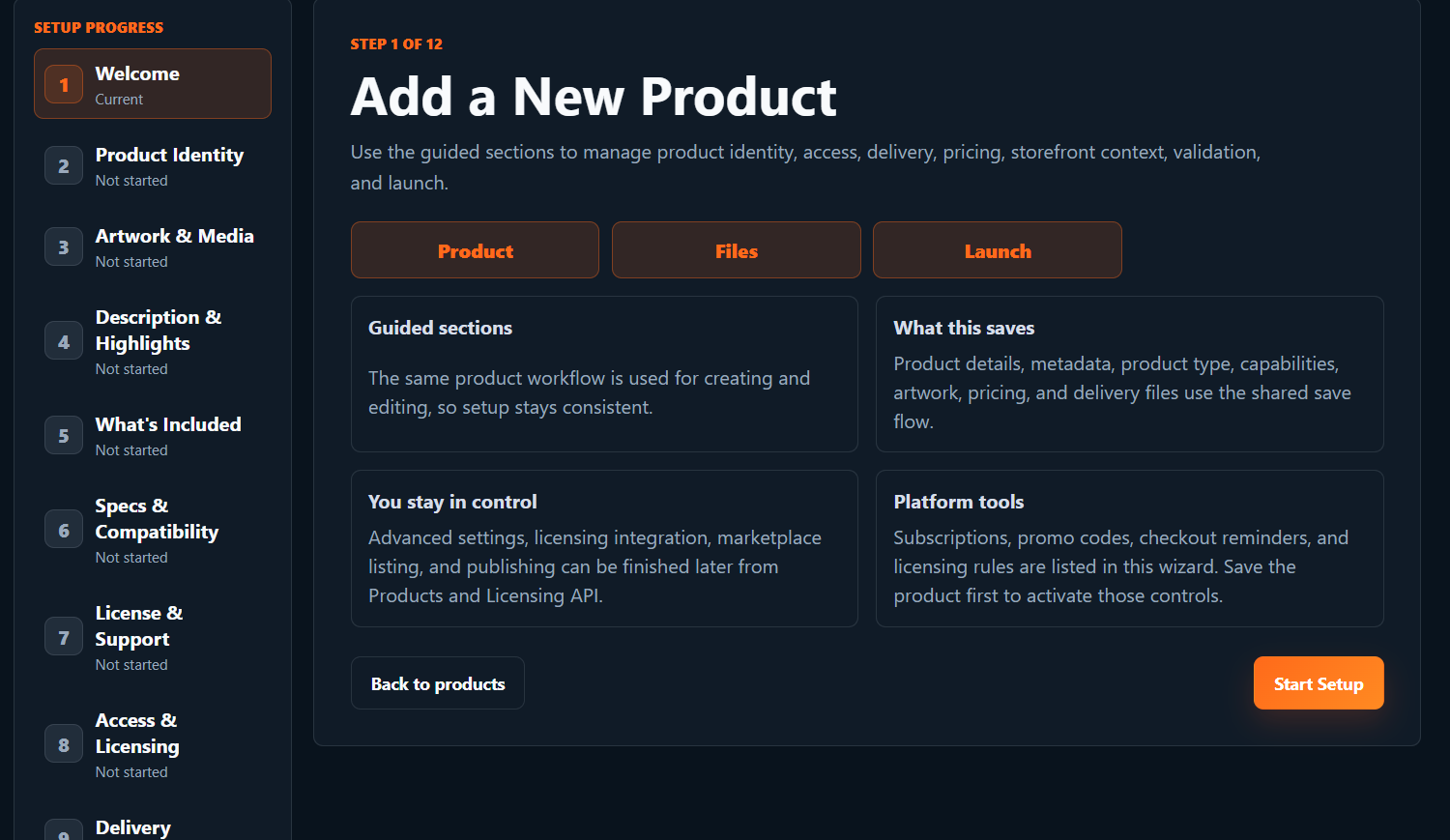
First and foremost, use the Product Wizard to create a product. It will walk you through step by step.
-
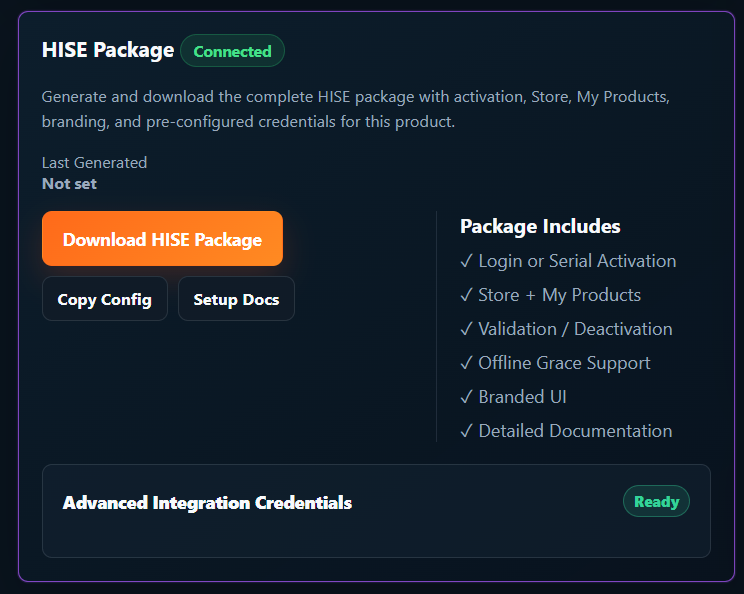
Once that is complete, you can generate a HISE package directly in the developer product view page. Project size is now automatically detected. Unzip and place the SoundSync folder in your HISE projects "Scripts" folder.
-
Open your project and use 1 simple include line to generate the entire package in your project.
include("SoundSync/Runtime/SoundSyncRuntime.js");4 Then your branded validation window will be present. It will pull your logo, brand colors, store name, etc all from your Store/Brand page in the developer profile.
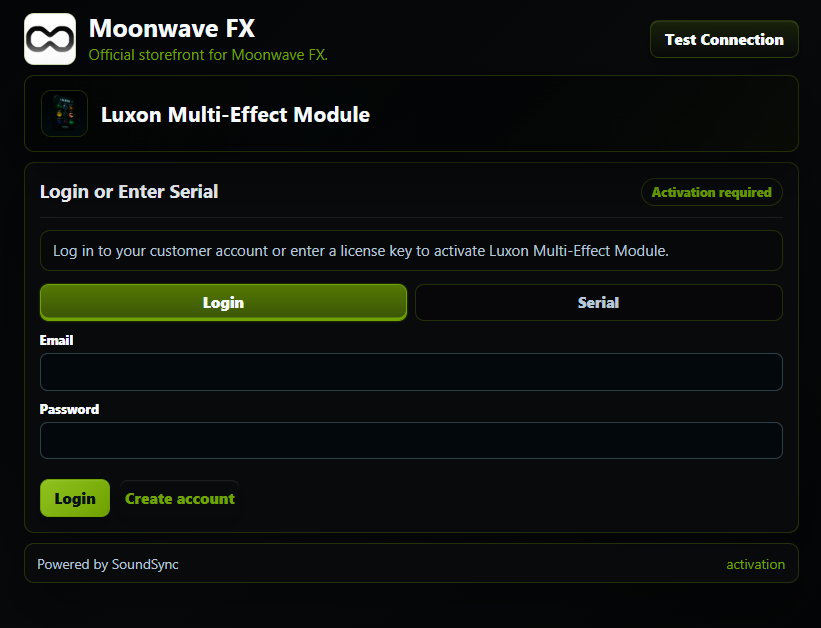
- Use the "Test Connection" button (when connected to the internet) to confirm your connection with SoundSync and to tell the server you have successfully put the package in your project. In your product view (where you downloaded the HISE package) you will see connection status.
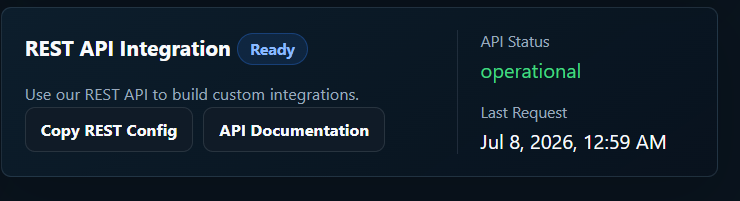
Once server connection is verified, simply hide the Test Connection button on your UI. This would complete your setup for live export/compilation.
Now lets test it.
Enter email and password OR serial number and email address. If you sign into your account, the plugin is automatically activated and good to go. If you validate via serial, you will need to verify your email before unlocking the product.
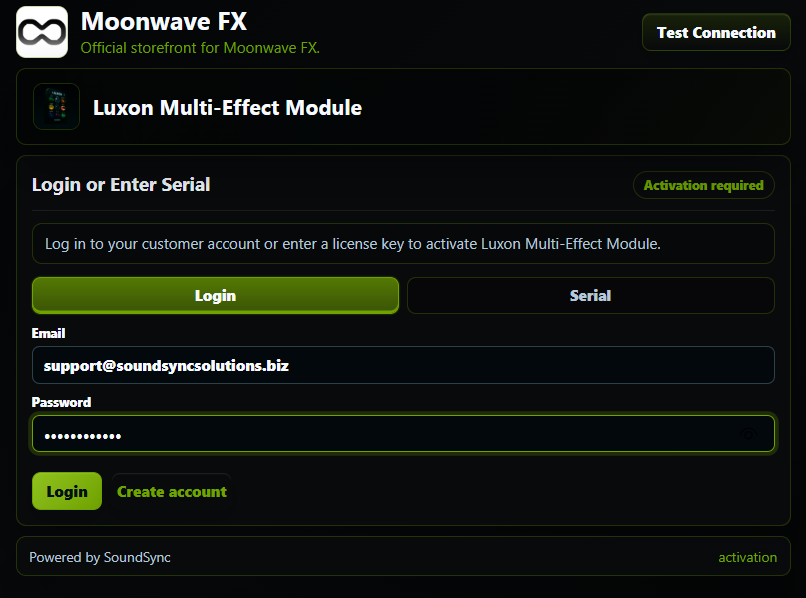
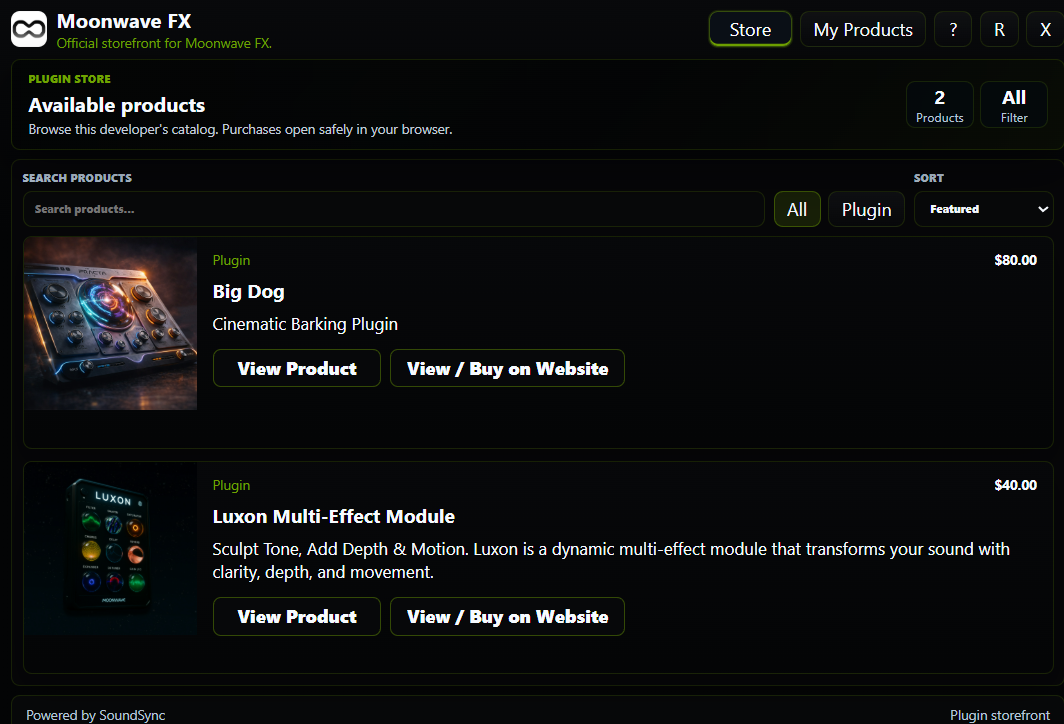
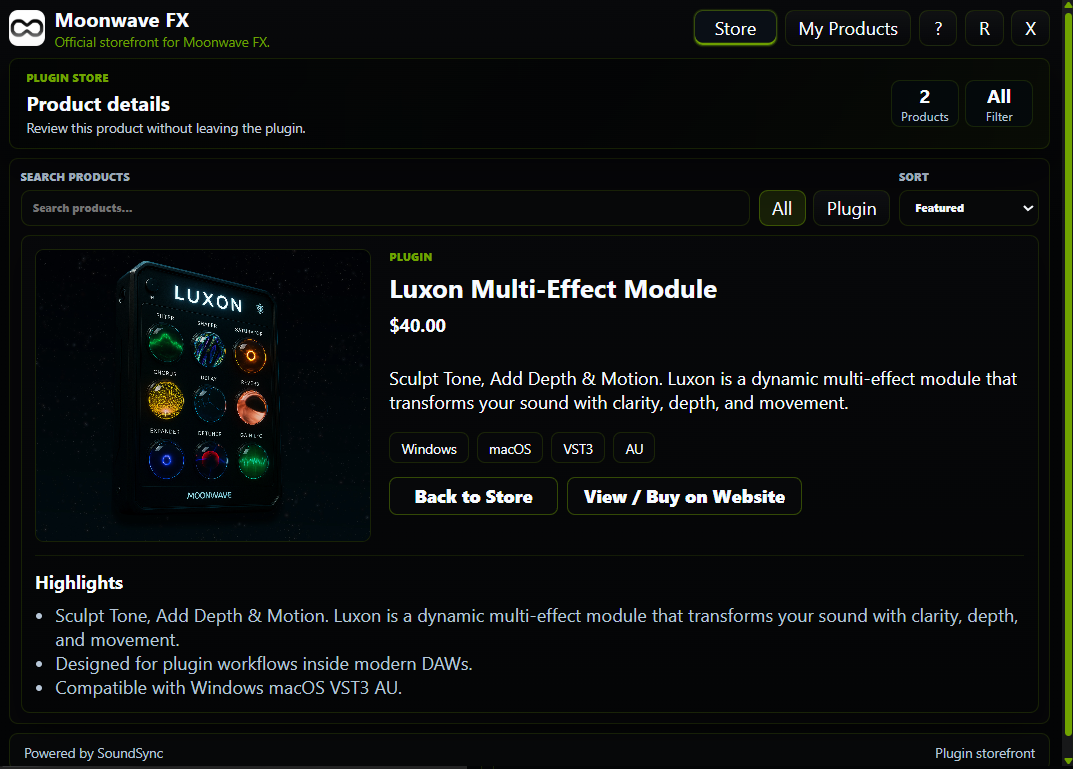
If you had an account and logged in, you will be all set. You can view, manage and download products as well as browse the developer catalog.
User Product Page:
Developer Catalog Page:
Developer Product Page:
If verification was done by serial and email:
The verification will either pass (if serial is already link to customer) or will tell customer to check their email for confirmation. All customer support, verification, etc emails are also branded. If you have set up your custom braded website and domains, they will be used here as well for your from and reply to emails. Soundsync is created to live completely in the background.
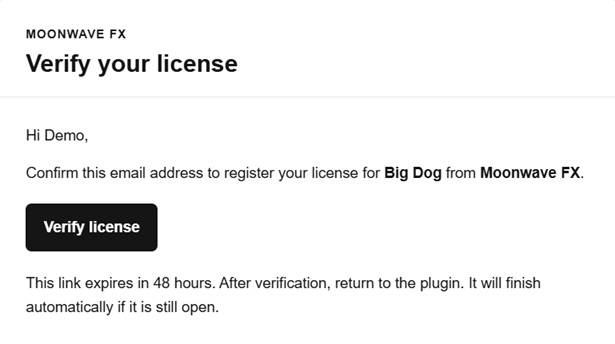
Once the customer verifies the license, they will be directed to a confirmation page and the plugin will automatically validate in the background.
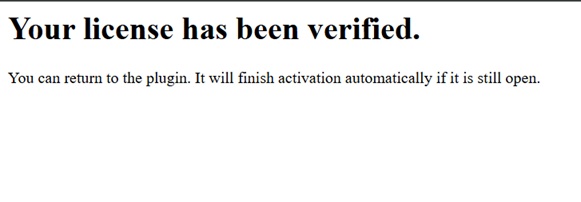
Hopefully some of you can find this helpful.
Looking forward to the feedback and thanks to everyone who already signed up!
All the best,
Aaron
-
-
Appreciate the hard work and this should be usefull for the sample bank guys, because of the interface direct expansion shopping. You do have some competition in what is already a pretty limited space (HISE development) with Moonbase (which, at the moment requires some source hacking), Chrisophs own licensing server and Inlay. Then you also have a bunch of devs who are already on their own licensing system. Just wanted to put it out there so you dont get bummed by limited interest.
Your work does look pretty thorough though. Are you also a MoR on the storefront side?

-
@Sifres Thanks for the words!
Yes, for sure, the competition is building. I love it! The motivation is real.
MoR is on the list as well as a couple more big updates that will be implemented in the coming weeks.
Im open to adding anything that developers will find useful! Just let me know and I'll get it taken care of.
Thanks again.
Aaron
-
@soundsync said in Soundsync Beta: HISE Ecosystem | UPDATE: Serial Validation + Storefront Package and Security.:
Simply enter your project UI size and generate the package.
You might be able to remove this step if you can make use of
Content.getInterfaceSize()in your package.Free HISE Bootcamp Full Course for beginners.
YouTube Channel - HISE tutorials
My Patreon - More HISE tutorials -
@David-Healey How did this get missed? Updating it now!
-
@soundsync It should also support dynamic sizes. Some plugins have keyboards you can show/hide, which change the plugin height.
HISE dev latest / herdr + Claude Code / Figma + Affinity
Meat Beats: https://meatbeats.com
Klippr Video: https://klippr.video -
@soundsync said in Soundsync Beta: HISE Ecosystem | UPDATE: Serial Validation + Storefront Package and Security.:
How did this get missed?
You were using the wrong AI, you need DaveGPT :p
Free HISE Bootcamp Full Course for beginners.
YouTube Channel - HISE tutorials
My Patreon - More HISE tutorials -
@David-Healey I have a position open when you're available lol
-
@David-Healey In a conversation with ChatGPT today, it said to me
Your mockup surprised me—I expected to dislike it. I don't.
AI is getting cheekier!

-
@dannytaurus YES! Im adding this now as well. Didnt even cross my mind.
-
UPDATE: Auto-Detect + Dynamic GUI Sizing
When you download the HISE package, you will not be required to enter the GUI size anymore as it is auto-detected directly in your project. Thanks @David-Healey
Also, the complete HISE package is dynamic and will change dimension based on changing GUI elements (like an expandable keyboard or effect section). Thanks @dannytaurus
For example: Customer didn't pay for their subscription, grace period ends, they are using plugin now with the keyboard extended. The plugin will pause, popup the activation webview, and the webview overlay will still block the entire plugin, not just the original size.
-
UPDATE: Native-Authoritative C++ Licensing Bridge
SoundSync HISE package is rebuilt so the UI stays in WebView/HiseScript, but the licensing authority is now native C++. The WebView only collects user actions and renders safe public state. C++ handles activation, validation, restore, protected storage, device identity, offline grace, deactivation, and the final mayOpenProduct access result. HISE copy protection then reads that native result.
It’s not a pure C++ UI replacement. It’s a hybrid: WebView for branded UX, C++ for licensing authority. That seems to fit HISE better because WebView is still the easiest way to keep product branding, storefront, My Products, and login flows flexible, while C++ owns the trusted licensing path.
@Lindon thanks for the suggestion.
-
@soundsync Sounds like a useful workflow for HISE developers, especially having licensing, delivery, and customer management tied together. I’d be interested to see how the activation flow handles offline use in practice.
-
@Edwards said in Soundsync Beta: HISE Ecosystem | UPDATE: Native-Authoritative C++ Licensing Bridge:
Sounds like a useful workflow for HISE developers, especially having licensing, delivery, and customer management tied together. I’d be interested to see how the activation flow handles offline use in practice.
Good question! The current flow is online for first activation because the plugin needs to verify the license/serial/customer account against SoundSync and bind that activation to the user’s machine.
After that, the plugin keeps a local activation state so the product can continue opening without calling home every launch. If the server is unavailable, the plugin can enter an offline grace state instead of immediately locking the user out.
The intended behavior is:- First activation requires internet.
- Normal launches restore from local activation data.
- Periodic validation refreshes the license state when online.
- If offline, the plugin can continue working during the configured grace window.
- If the license is refunded, revoked, deactivated, expired, or outside grace, the plugin returns to the activation screen.
- Developers can choose how strict the grace period should be for their product.
So the goal is not “phone home every time or fail,” but also not “activate once and trust forever.” It sits in the middle: friendly to real users who are offline, but still gives developers control over revocations, device limits, offline grace and subscription/license state.
-
@soundsync You might consider a challenge/response system for offline activation.
Some users genuinely do have air gapped studio computers.
HISE dev latest / herdr + Claude Code / Figma + Affinity
Meat Beats: https://meatbeats.com
Klippr Video: https://klippr.video -
@dannytaurus Great idea. I'll add this to the HISE/JUCE package updates.
Thanks!
-
Hey Gang,
Quick update on SoundSync & the HISE integration I've been working on.
SoundSync is now LIVE!
This means you have two integration paths available from the developer dashboard:
1. HISE Script Package
This is the simpler drop-in version for developers who want the fastest setup inside a regular HISE project.The include is intentionally simple:
include("SoundSync/Runtime/SoundSyncRuntime.js");This package handles the branded activation UI, login activation, serial activation, machine validation, deactivation, Store, My Products, and customer product access using HISE Script + WebView.
2. Native C++ HISE Package
This version is for developers who are comfortable building HISE from source. It moves the more sensitive licensing/runtime layer into native C++ and keeps the HISE Script side as small as possible.The HISE Script side is only a lightweight gate:
include("SoundSync/Scripts/SoundSyncNativeGate.js");
ssSoundSyncNativeGateStart();
The Native package includes the C++ source, HISE source patch/tools, setup instructions, and the same product/developer branding flow as the HISE Script package.
The goal with the C++ version is to make the licensing layer harder to inspect or tamper with than a script-only package, while still keeping the HISE-side integration simple.
Current package features include:
- Activation by customer login or serial + email
- Product-specific machine activation, validation, and deactivation
- Server-side activation counts and serial status updates
- Offline grace period and cached local license state
- Branded activation UI with developer logo, product image, Brand Manager colors, and light/dark logo background handling
- In-plugin Store with catalog browsing and single product pages
- My Products panel with current product serial, activation info, copy serial, deactivate this machine, and owned-product access
- Branded storefront/account link handoff with SoundSync fallback links
- Test Connection flow for checking package/API setup
- Product-scoped generated config for each developer/product
- HISE Script package and Native C++ source-build package options
Both versions are generated from the SoundSync developer dashboard and are product-scoped, so developers can export a package with their own product info, branding, activation settings, storefront links, customer product access, and machine/license behavior already configured. They both include simple instructions for integration as well.
The HISE Script version is the fastest route for most developers.
The Native C++ version is the better option if you are already maintaining a custom HISE source build and want a stronger licensing boundary.SoundSync for HISE is live now, and both package options are available from the developer product dashboard.
If you are building commercial HISE instruments or effects, you can now generate a product-scoped HISE package with activation, validation, Store, My Products, branding, and customer access already wired in.
JUCE packages are also offered for direct JUCE connection.
Feedback from the HISE community is always welcome as we keep improving the developer & customer experience.
Best,
Aaron