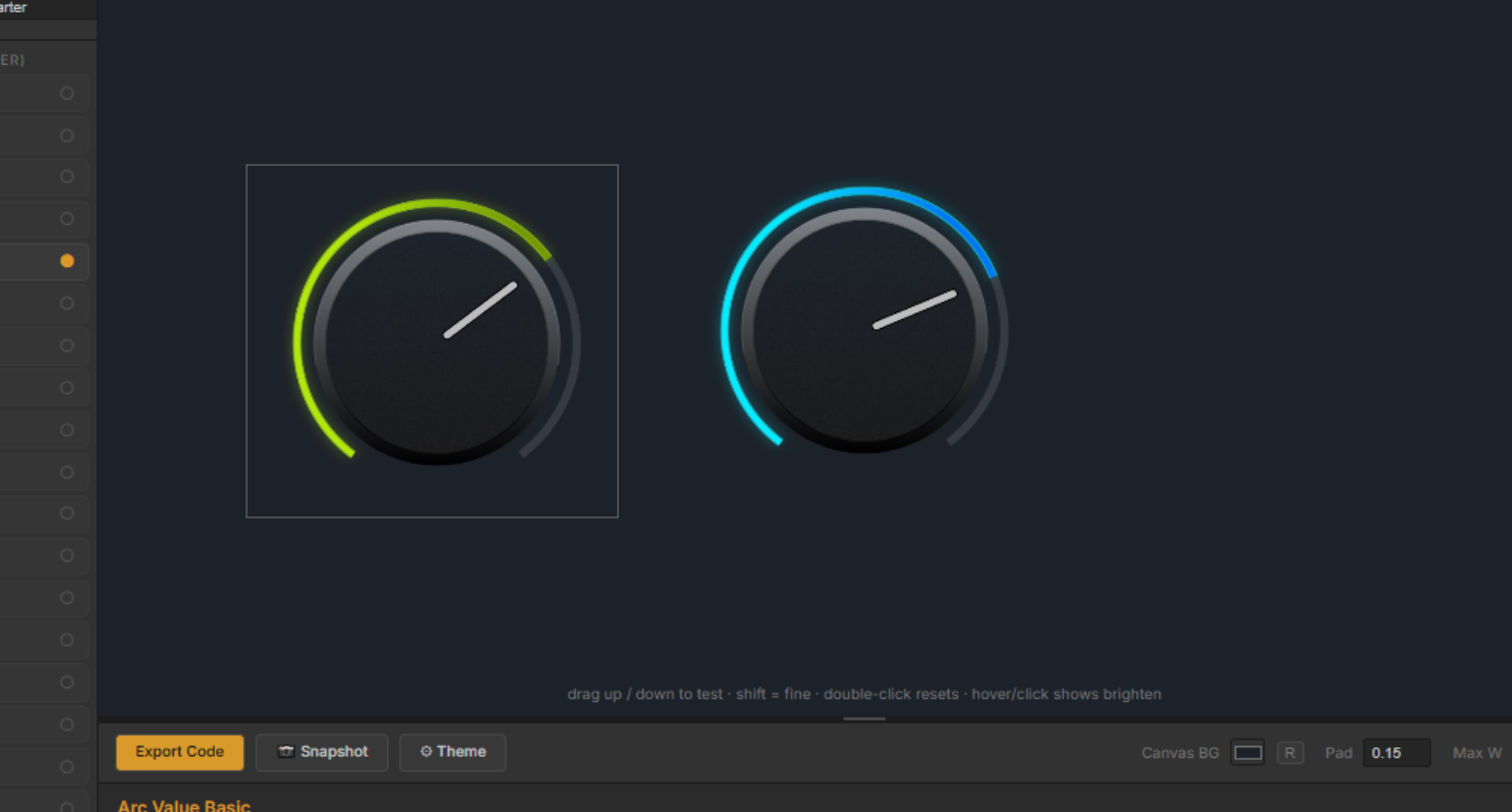
FREE PRO LICENSE! // NEW: Online KNOB BUILDER for HISE!! // Filmstrips, Radial Gradients, Render Bounds
-
@digi I AM working on a preset gallery.... but it'll take a while to get as many as knobman has.
 haha
haha -
@Chazrox said in UPDATE // NEW: Online Knob Builder for HISE!! // Added: InnerShadows, Angled DropShadows, GradientOutlines.:
@Lindon Thanks!
@Lindon said in UPDATE // NEW: Online Knob Builder for HISE!! // Added: InnerShadows, Angled DropShadows, GradientOutlines.:
truck load more examples....
Presets?
yes presets
-
Is it possible to somehow do stepped knobs?
-
@digi You should be able to adjust step size in script. I cant set step size in LAF script. Hise handles this with the component property editor by default, other than that you can script the stepSize parameter. The knob should follow the step size you set.
If you want a knob with 10 steps, set your knob min/max to 0-9 then set your knobs step size to 1.0. That will give you 10 equal stops across the knobs full range.
-
@Chazrox Thanks.
Any chance we could change the angle of the gradient on the body & skirt layers?
Eg. For the inner circle here, I'd like the gradient to run from dark at 10 o'clock to light at 4 o'clock.
Right now I can only do top to bottom. Thanks.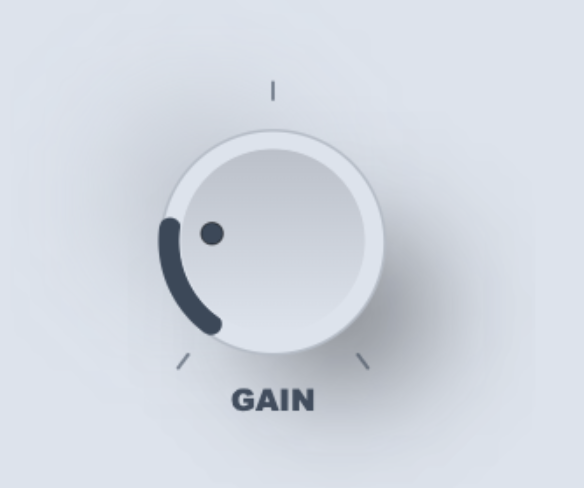
-
@Chazrox You're doing a great job with this, thanks a lot for sharing it!
Hise Develop branch
MacOs 15.6.1, Xcode 16.2
http://musikboden.se -
@ulrik
 Appreciate that brotha! Im actually having a lot of fun making this and im so happy that its actually useful!
 -
@digi I can add this. 'Gradient Rotation offset'. I'll push this when I get home tonight.
-
Been playing around with it a little bit this evening.
I noticed you have this for the knob value (I'm using the first preset design)
g.drawAlignedText(vtVal + " db", vtArea, "centred");It might be better to use
obj.valueAsTextthen it will be rounded correctly and have the correct suffix.Free HISE Bootcamp Full Course for beginners.
YouTube Channel - HISE tutorials
My Patreon - More HISE tutorials -
@David-Healey Ahh. Thats a good one. I have NEVER used that one before. lol smh.
Thanks! -
I just pushed a major update!
26 New Presets!
We now have 'Factory Presets' and 'User Presets' drop down menus.The 'Factory Presets' menu is populated by a github folder that I will be adding more knobs to as time goes on. Hopefully I can offer a good variety of knobs to start you off with some cool looks.
The 'User Preset' saves .json files of your knobs locally and recalls them on app launch.
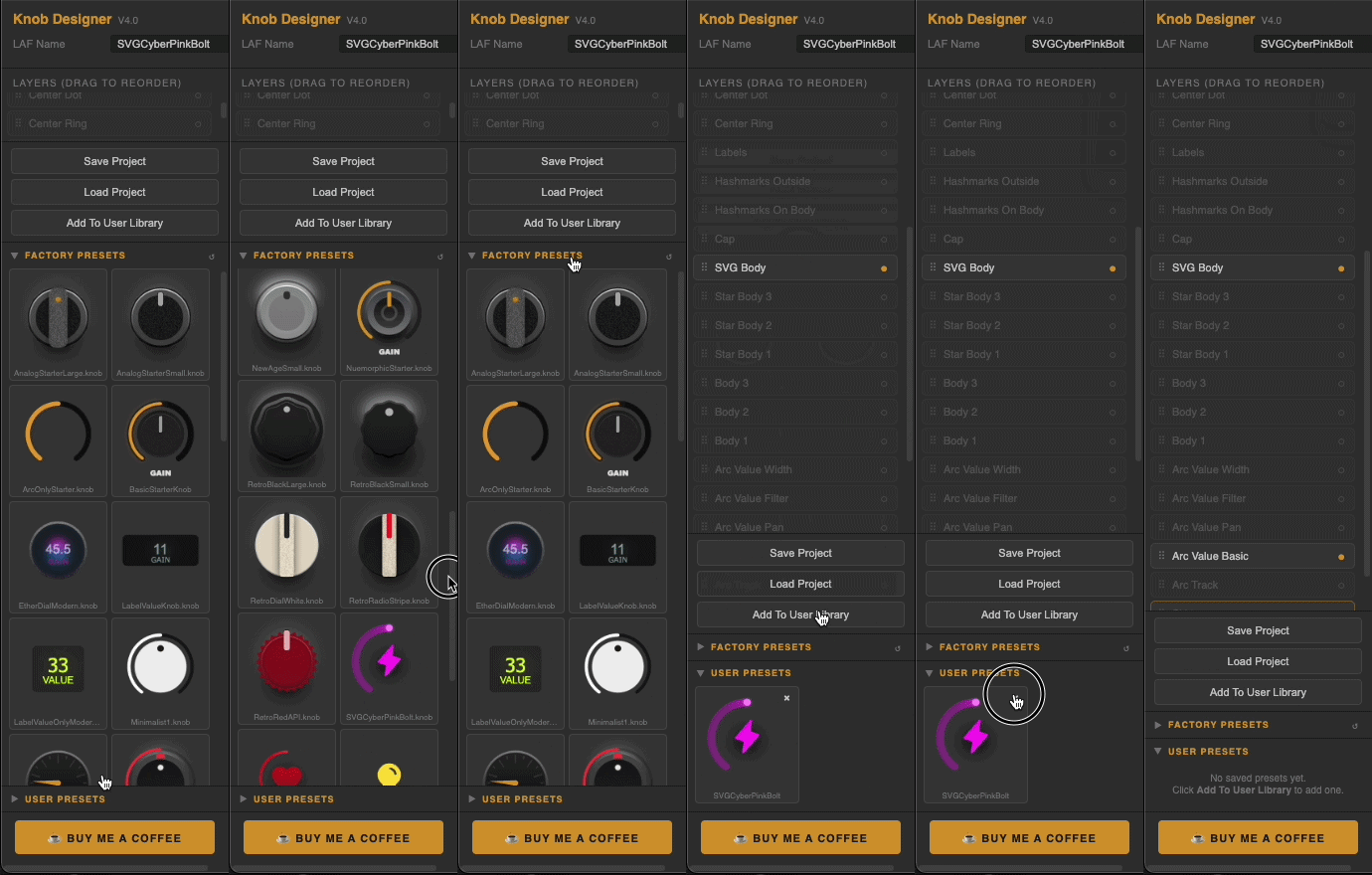
Here's a short list of other updates:
Preset Library
Factory preset browser with live knob thumbnails
Personal user preset library — save, browse and load your own designs
One-click preset loadingSVG Icon Integration
Drop any SVG file directly onto the knob — auto-converts to HISE instantly
No manual copy-pasting of path arrays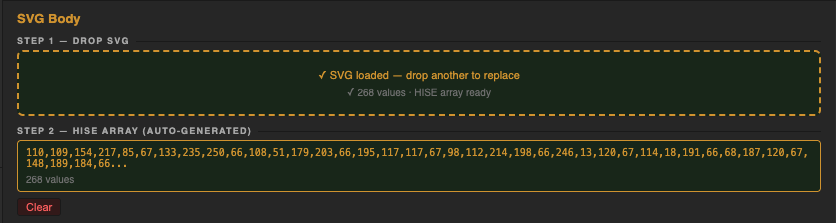
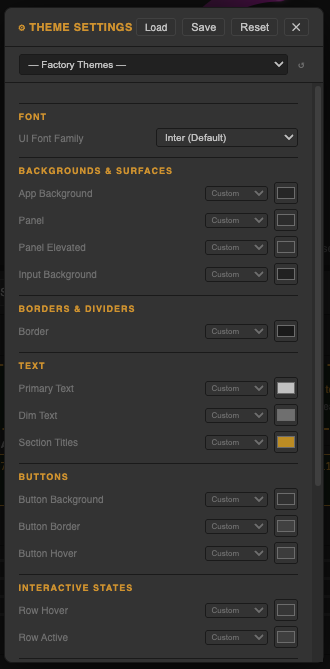
Theme System
Full UI theme editor — customise every colour, font and control size
Load factory themes from the cloud
Save and share your own themes

Colour Workflow
Copy/paste colours between any pickers across the entire design
HISE colour slot assignment on every colour (bgColour, itemColour1, itemColour2, textColour)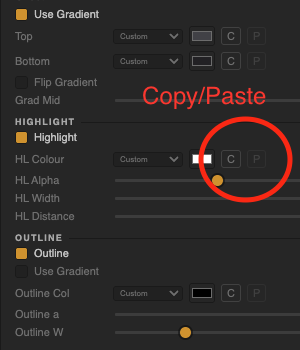
-
Not sure if this has been mentioned but the dropshadow gets cropped.
-
@lalalandsynth You have to adjust the size of the knob so that the shadow has space not to be clipped. You can make the component any size you want once your in HISE. If its clipping in the designer for sure it will clip in HISE. Just a small caveat aswell, because of the different ways that webbrowsers and HISE handles shadows is a little bit different so that part is as accurate as I can get it but the glow radius is actually a bit stronger when compiled. But like I said, the way to do this is resize the knob shape.
-
@Chazrox cool.
Another suggestion for the skirt it would be useful to be able to do a circular gradient , if that is the right term ? SO not up dwn , but from center.
Also snapshot would be more useful for me at least with transparent background.
Or if that is tough maybe to be able to set the background for the knob in the theme.Or just a simple background color setting so you are making the knob on the same background color as your UI. EDIT: Found the BG color, perfect !
OR ...hehe, being able to import a screenshot into the background so you design the knob in situ as such.
.. When setting colors I mostly use hex but always have to flip though the other color options , maybe it could remember last used color selection method ?
Also, unless I am missing it, the arcs need a pan setting/ center .
-
@lalalandsynth ngl I totally overlooked 'radial' gradients. Im adding that in both the knob and button builder.
@lalalandsynth said in MAJOR UPDATE // NEW: Online KNOB BUILDER for HISE!! // Factory/User Preset System:
snapshot would be more useful for me at least with transparent background.
easy.
@lalalandsynth said in MAJOR UPDATE // NEW: Online KNOB BUILDER for HISE!! // Factory/User Preset System:
import a screenshot into the background
Is this just for colour matching purposes?
@lalalandsynth said in MAJOR UPDATE // NEW: Online KNOB BUILDER for HISE!! // Factory/User Preset System:
the arcs need a pan setting/ center .
What do you mean by this? Setting middlePoint value? There are other 'Arc' layers. Are any of those what you're asking for?
-
@Chazrox Sorry I was commenting off the cuff, I can see it now , i can do a pan style arc , thought it would be an option in the arc , all good!
For the snap shot transparent is great but does it maintain its borders * coordinates* as when exported as laf ?
Yes, for color matching and just seeing it in situ although this might be inconvenient to implement. Just an idea.
Also, if i am not being annoying, exporting as svg ?
Also I cant seem to control the resolution of the snapshot , i tired setting the max px but it has no effect. -
@Chazrox Amazing! Thank you for your hard work and for sharing it with us!
-
@lalalandsynth said in MAJOR UPDATE // NEW: Online KNOB BUILDER for HISE!! // Factory/User Preset System:
snap shot transparent
It should be the same if im not mistake, the only dif in the render output is removing the background. Dimensions should stay the same. If you test and find out that its off lmk.
@lalalandsynth said in MAJOR UPDATE // NEW: Online KNOB BUILDER for HISE!! // Factory/User Preset System:
Also, if i am not being annoying, exporting as svg ?
Export all layers as svg? You can explain a little on this, I might be able to help.
@lalalandsynth said in MAJOR UPDATE // NEW: Online KNOB BUILDER for HISE!! // Factory/User Preset System:
Yes, for color matching
I'll add this in the next update for sure.

Thanks for the input. How are you liking the app overall?
-
-
@Chazrox Love the app but you are going to have to put up with my crazy ideas.
Feel free to ignore my thoughts as I am just spitballing here and I will try to keep my suggestions to this post and just edit it as i use the app.
- So I often make multiple knobs, so it would be nice in the canvas to just lock/frame a design, and its now in a little frame, move it to the side and start another design, or duplicate initial design and work on another version while seeing the other one. then when you click the previous knob you can edit that.
2 For the glow gradient it would ne nice to be able to set a transition point,maybe just set the knob position and derive the transition point from that?