FREE PRO LICENSE! // NEW: Online KNOB BUILDER for HISE!! // Filmstrips, Radial Gradients, Render Bounds
-
I just pushed a major update!
26 New Presets!
We now have 'Factory Presets' and 'User Presets' drop down menus.The 'Factory Presets' menu is populated by a github folder that I will be adding more knobs to as time goes on. Hopefully I can offer a good variety of knobs to start you off with some cool looks.
The 'User Preset' saves .json files of your knobs locally and recalls them on app launch.
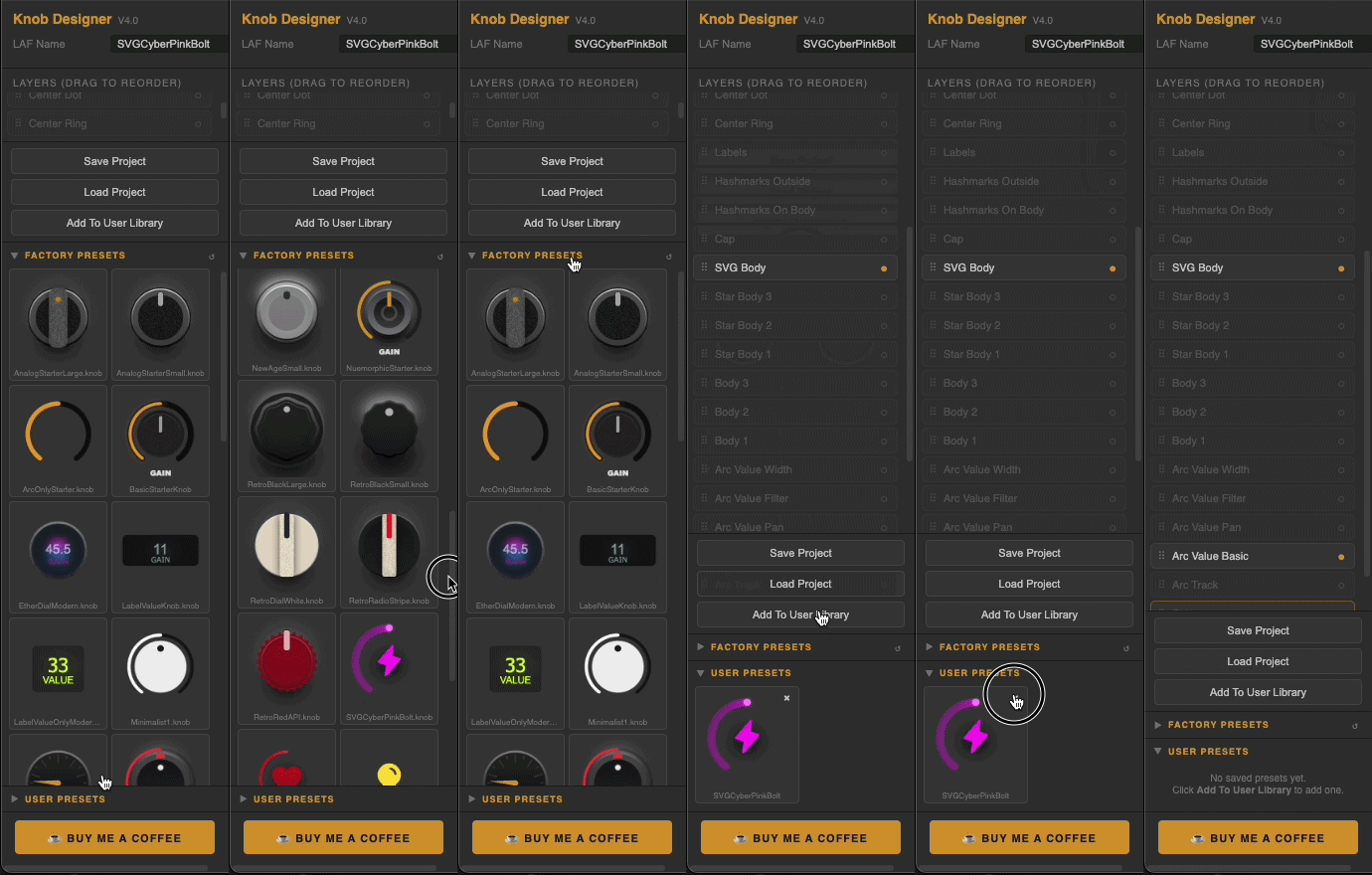
Here's a short list of other updates:
Preset Library
Factory preset browser with live knob thumbnails
Personal user preset library — save, browse and load your own designs
One-click preset loadingSVG Icon Integration
Drop any SVG file directly onto the knob — auto-converts to HISE instantly
No manual copy-pasting of path arrays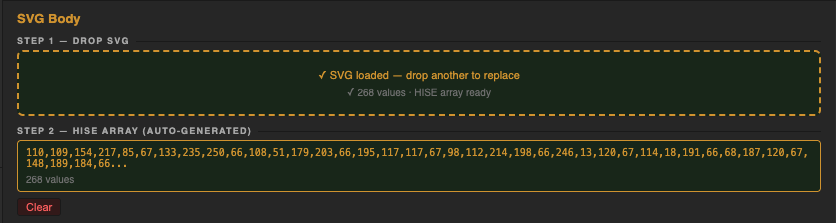
Theme System
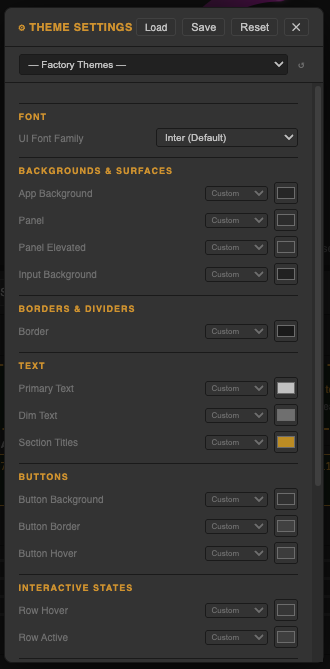
Full UI theme editor — customise every colour, font and control size
Load factory themes from the cloud
Save and share your own themes

Colour Workflow
Copy/paste colours between any pickers across the entire design
HISE colour slot assignment on every colour (bgColour, itemColour1, itemColour2, textColour)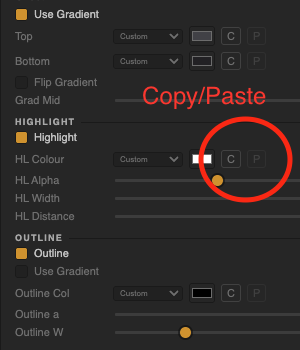
-
Not sure if this has been mentioned but the dropshadow gets cropped.
-
@lalalandsynth You have to adjust the size of the knob so that the shadow has space not to be clipped. You can make the component any size you want once your in HISE. If its clipping in the designer for sure it will clip in HISE. Just a small caveat aswell, because of the different ways that webbrowsers and HISE handles shadows is a little bit different so that part is as accurate as I can get it but the glow radius is actually a bit stronger when compiled. But like I said, the way to do this is resize the knob shape.
-
@Chazrox cool.
Another suggestion for the skirt it would be useful to be able to do a circular gradient , if that is the right term ? SO not up dwn , but from center.
Also snapshot would be more useful for me at least with transparent background.
Or if that is tough maybe to be able to set the background for the knob in the theme.Or just a simple background color setting so you are making the knob on the same background color as your UI. EDIT: Found the BG color, perfect !
OR ...hehe, being able to import a screenshot into the background so you design the knob in situ as such.
.. When setting colors I mostly use hex but always have to flip though the other color options , maybe it could remember last used color selection method ?
Also, unless I am missing it, the arcs need a pan setting/ center .
-
@lalalandsynth ngl I totally overlooked 'radial' gradients. Im adding that in both the knob and button builder.
@lalalandsynth said in MAJOR UPDATE // NEW: Online KNOB BUILDER for HISE!! // Factory/User Preset System:
snapshot would be more useful for me at least with transparent background.
easy.
@lalalandsynth said in MAJOR UPDATE // NEW: Online KNOB BUILDER for HISE!! // Factory/User Preset System:
import a screenshot into the background
Is this just for colour matching purposes?
@lalalandsynth said in MAJOR UPDATE // NEW: Online KNOB BUILDER for HISE!! // Factory/User Preset System:
the arcs need a pan setting/ center .
What do you mean by this? Setting middlePoint value? There are other 'Arc' layers. Are any of those what you're asking for?
-
@Chazrox Sorry I was commenting off the cuff, I can see it now , i can do a pan style arc , thought it would be an option in the arc , all good!
For the snap shot transparent is great but does it maintain its borders * coordinates* as when exported as laf ?
Yes, for color matching and just seeing it in situ although this might be inconvenient to implement. Just an idea.
Also, if i am not being annoying, exporting as svg ?
Also I cant seem to control the resolution of the snapshot , i tired setting the max px but it has no effect. -
@Chazrox Amazing! Thank you for your hard work and for sharing it with us!
-
@lalalandsynth said in MAJOR UPDATE // NEW: Online KNOB BUILDER for HISE!! // Factory/User Preset System:
snap shot transparent
It should be the same if im not mistake, the only dif in the render output is removing the background. Dimensions should stay the same. If you test and find out that its off lmk.

@lalalandsynth said in MAJOR UPDATE // NEW: Online KNOB BUILDER for HISE!! // Factory/User Preset System:
Also, if i am not being annoying, exporting as svg ?
Export all layers as svg? You can explain a little on this, I might be able to help.
@lalalandsynth said in MAJOR UPDATE // NEW: Online KNOB BUILDER for HISE!! // Factory/User Preset System:
Yes, for color matching
I'll add this in the next update for sure.

Thanks for the input. How are you liking the app overall?
-
-
@Chazrox Love the app but you are going to have to put up with my crazy ideas.
Feel free to ignore my thoughts as I am just spitballing here and I will try to keep my suggestions to this post and just edit it as i use the app.
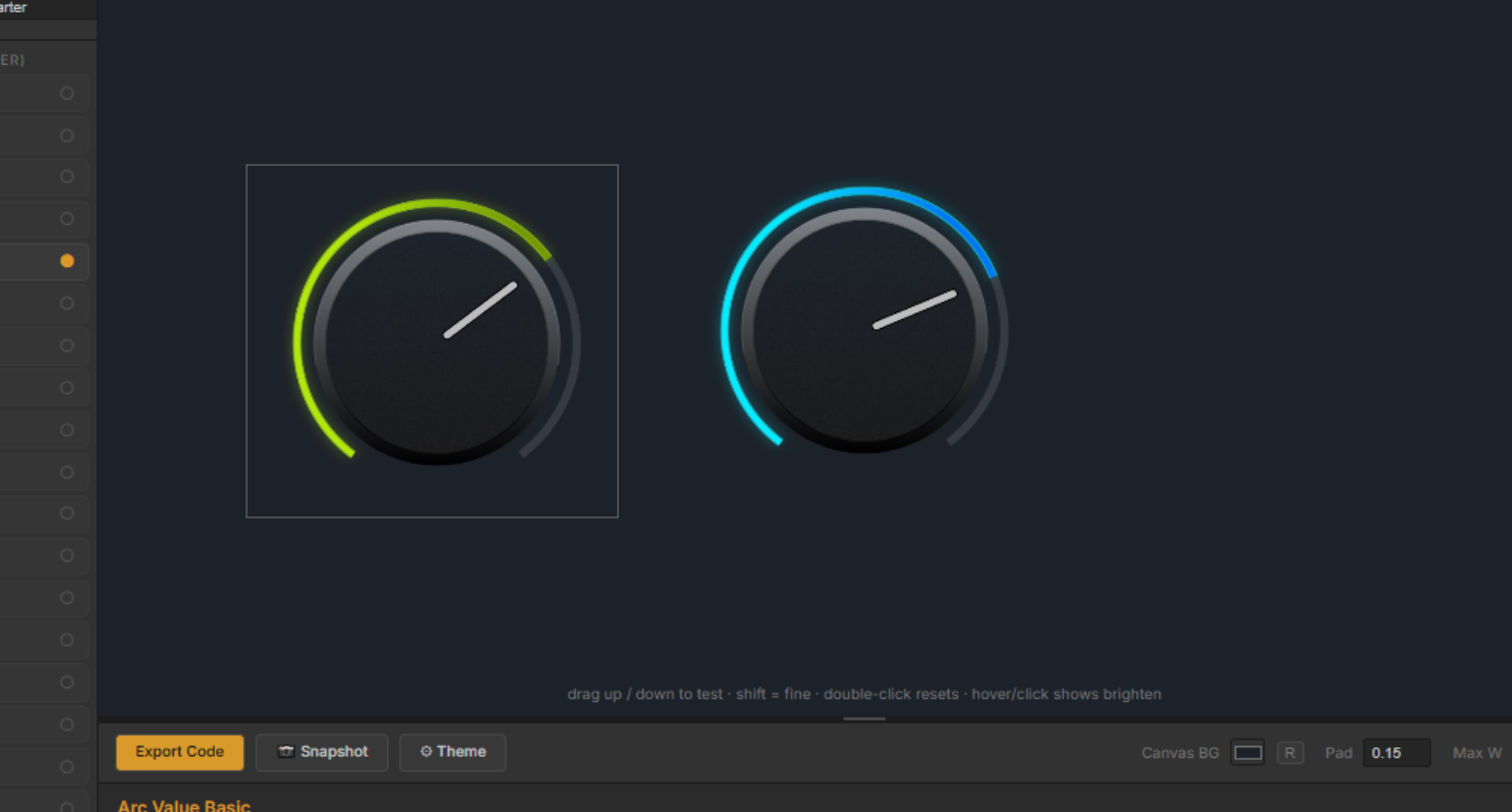
- So I often make multiple knobs, so it would be nice in the canvas to just lock/frame a design, and its now in a little frame, move it to the side and start another design, or duplicate initial design and work on another version while seeing the other one. then when you click the previous knob you can edit that.
2 For the glow gradient it would ne nice to be able to set a transition point,maybe just set the knob position and derive the transition point from that?
-
@lalalandsynth said in MAJOR UPDATE // NEW: Online KNOB BUILDER for HISE!! // Factory/User Preset System:
with my crazy ideas.
I must be crazy because I love this idea. lol. Im starting on something for this soon. I've been sketching out an idea but its gonna take a couple days to nail down. Just waiting for a good window to work on it. Pretty much similar to multiple artboard setup like photoshop or illustrator. The refactor on this might be a little crazy so like I said, when I get a couple days to nail this down, I got you. Coming soon!
-
@Chazrox Ok so I've spent a little time with this now, well done its great. One thing I think would add to its utility is the ability to set the alpha value of colours, maybe you can but I cant see it...
HISE Development for hire.
www.channelrobot.com -
@Lindon Thank You!
@Lindon said in MAJOR UPDATE // NEW: Online KNOB BUILDER for HISE!! // Factory/User Preset System:
maybe you can
No you're right, I didnt add alpha sliders to the flat colour selections. I'll def add that in the next update. I appreciate the feedback.
-
@Chazrox said in MAJOR UPDATE // NEW: Online KNOB BUILDER for HISE!! // Factory/User Preset System:
@Lindon Thank You!
@Lindon said in MAJOR UPDATE // NEW: Online KNOB BUILDER for HISE!! // Factory/User Preset System:
maybe you can
No you're right, I didnt add alpha sliders to the flat colour selections. I'll def add that in the next update. I appreciate the feedback.
Actually it was alpha applied to the gradient colours that I was after...
HISE Development for hire.
www.channelrobot.com -
@Lindon I gotchu on both.
-
Great stuff - I see you've made some awesome improvements and implemented some of my suggestions & ideas - thank you! Can I suggest more features? 1. Gradient direction. 2. Textures other than just noise with some more control over them too? That'd be great for scuff marks etc.
Might be cool to explore adding 3d & lighting (multiple light sources) as a Pro feature or something - three.js would be a good bet and would definitly take this to the next level.
-
@Chazrox It might be useful to have something that can reduce the size of all, I keep getting caught out with the dropshadow since its mostly done last and then i have to resize everything.
I could of course clean up my workflow, just saying :)
-
This is supposed to help with that but I guess its not that helpful without visual feedback of some sort on the canvas. I'll add this in the next update so its actually useful. Thank You

-
@Lindon
@digi @lalalandsynth
Alright, finally got to get through your update requests.Here we go:
"Render Bounds" button on the toolbar.
Shows red box for clear boundaries.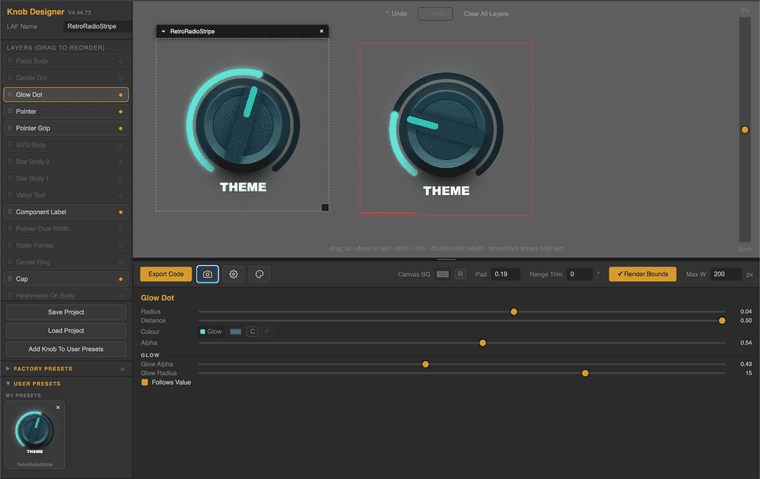
Right-click any thumbnail of a 'User Preset' to show it on the designer canvas as a "reference image".
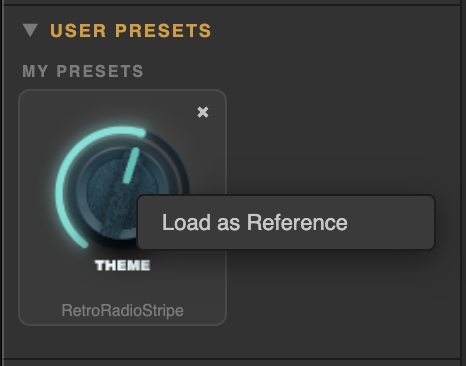
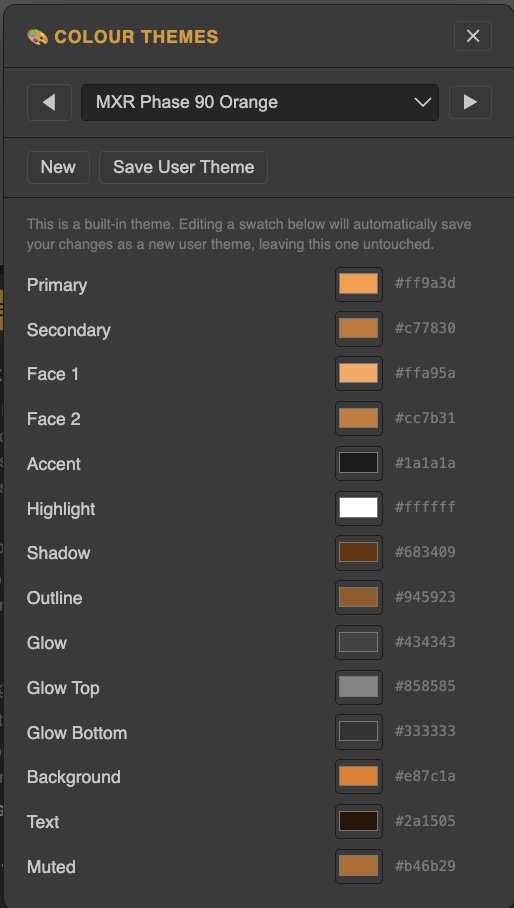
Colour Theme Editor:
Colour Token selector near every colour picker:
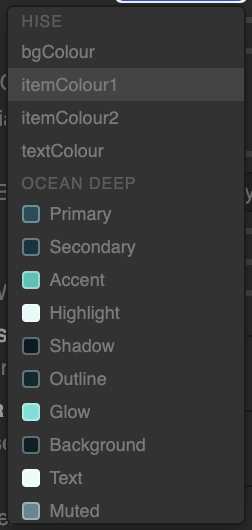
Theme editor. (100 Factory Themes)
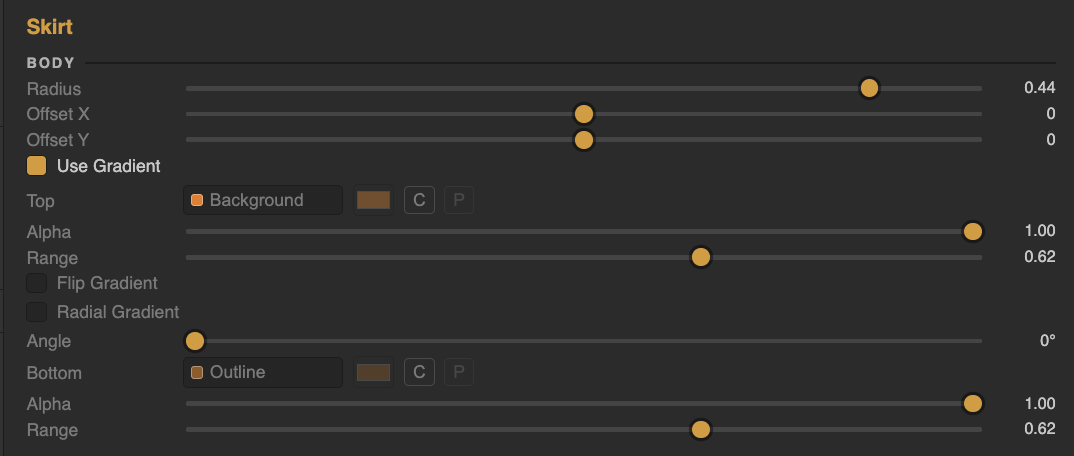
Colour Alpha param for every colour option including range params for gradient transition values:
(Also shown: Newly added RADIAL GRADIENT option)
Enjoy!
Thanks for all the input everyones been sending here including the enthusiastic pm's! I'll have alot more for you guys soon.

PS> There were a few other little things added but i'll leave it to you to find.
Fresh Link:
https://rox-knob-builder-for-hise.netlify.app/ -
@Chazrox You are amazing , loving this update !!!
Radial gradient ;)
I would love to see BG as transparent, especially when using as placeholder in design as I might have gradient background or in fact change the background color and then I have to change bg in app and re-export. if possible ?