HISE Transformation to the new age
-
@Christoph-Hart I get this message whenever I add a prompt

I'll check their github see if there is an issue there.
Free HISE Bootcamp Full Course for beginners.
YouTube Channel - HISE tutorials
My Patreon - More HISE tutorials -
@David-Healey have you authorized opencode? Type
opencode auth login, then select anthropic (there are two options, one for regular API usage and one for the plans), pick the one for the plan, paste the link in the browser, authorize it with your Claude subscription account, then paste back the stuff back into the terminal. -
@Christoph-Hart Yeah I've done that, I did it through the GUI interface.
Free HISE Bootcamp Full Course for beginners.
YouTube Channel - HISE tutorials
My Patreon - More HISE tutorials -
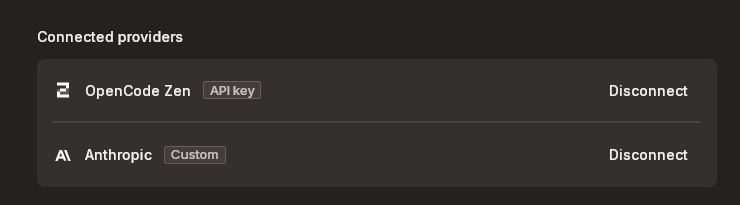
@David-Healey have you selected the right model? The claude models show up both through the Zen and Claude provider so if you picked the Zen one it tries to spend non-existent API token money.
-
@Christoph-Hart Aha you're totally correct, I didn't notice the little Z icon next to the model. All working now, thanks!
-
This is slightly addictive. I'm getting Claude to allow us to style the MIDI Learn panel using LAF which is something I've wanted for ages.
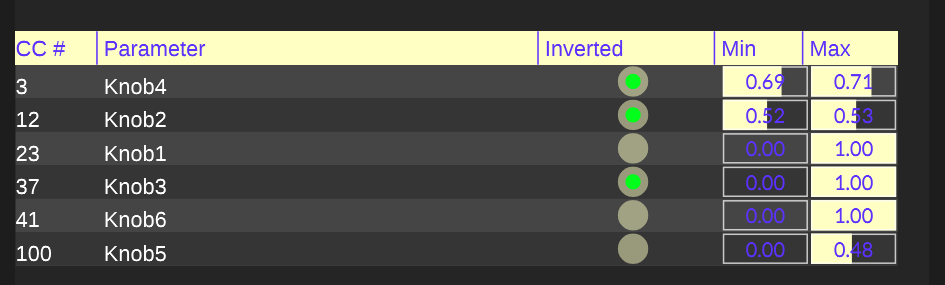
-- Yes this design is hideous, I'm just testing itFree HISE Bootcamp Full Course for beginners.
YouTube Channel - HISE tutorials
My Patreon - More HISE tutorials -
@David-Healey I've set up OpenCode on my mac but the CLI version. Was advised that the Hise codebase is so massive that the desktop app would struggle to load the files. Simple tasks are taking a while via terminal / gpt 4. Can I check what your setup is pls?
DHPlugins / DC Breaks | Artist / Producer / DJ / Developer
https://dhplugins.com/ | https://dcbreaks.com/
London, UK -
HISE dev latest / herdr + Claude Code / Figma + Affinity
Meat Beats: https://meatbeats.com
Klippr Video: https://klippr.video -
@dannytaurus said in HISE Transformation to the new age:

damn it - there goes my T-shirt monopoly....
-
@DanH said in HISE Transformation to the new age:
Can I check what your setup is pls?
I'm using Claude Code in the web, I have also set it up in Open Code but haven't had time to investigate the workflow there yet.
In the browser I just point Claude to my HISE github repo and select the branch I'm using. Then I tell it what I want and it creates a new branch for its changes.
-
@DanH I use Claude Opus and Sonnet in the Cursor IDE (desktop app) with he whole HISE repo and it work great.
Cursor is good about sending the right amount of context and caching where it can.
HISE dev latest / herdr + Claude Code / Figma + Affinity
Meat Beats: https://meatbeats.com
Klippr Video: https://klippr.video -
Alright guys, I've been working on the automated workflow for handling issues. The idea is to give you a fixed set of guidelines that can classify issues / PRs into "contributor fixable" and "requires maintainer review".
Here's a nice summary of the proposed event flow:
https://gist.github.com/christoph-hart/394f9db01f97864e4c6ecd886c5e18ca
This will become part of the MCP server so if you're running a AI agent, you can simply launch the
/contributetool and it will guide you through the process. On the other side of the process it's me sitting around getting a nicely formatted PR that I can review quick and merge or reject with a comment or close altoghether.I've tested this with a few real issues / PRs:
- one that I created myself, let the agent analyse and fix and then automerge: https://github.com/christophhart/HISE/pull/880 - the entire process from bug analysis to merge is handled by the MCP tool
- one that Dave created yesterday which went through the analysis without flagging concerns and thus got merged after a quick glance over the AI assessment: https://github.com/christophhart/HISE/pull/879
- one from David that the analysis (correctly) flagged as big fat no because it does affect the handling of script files in general: https://github.com/christophhart/HISE/pull/871
The response for the last one feels super icky because the AI starts talking to David like as if it would be a human, but I think if we iterate on this process it should streamline this entire procedure and vastly increase my PR merge speed.
-
@Christoph-Hart does AGENTS.md exist yet?
DHPlugins / DC Breaks | Artist / Producer / DJ / Developer
https://dhplugins.com/ | https://dcbreaks.com/
London, UK -
@DanH I need to check, not sure if it's on develop too - it might be possible that it's only on my private feature/ai_tooling branch, but I'll probably make that public soon anyways.
I've got a set of guideline files that teach the AI agent how to write code that matches the codebase and it works pretty well.
-
@Christoph-Hart I've never told Cursor/Claude to match existing code styles and it seems to do a pretty good job.
Except it litters whitespace all over every empty line

But your guidance files will be valuable because I won't have to pretend I know what good C++ looks like!
-
@Christoph-Hart Style rules to follow strictly:
- Tabs for indentation
- Allman braces
- 120 character line limit
- PascalCase for classes
- camelCase for methods. ???
-
@Christoph-Hart I'm trying to setup the mcp server in a proxmox container. I'm following the instructions but I don't see
Tools > Enable REST Serverin HISE. Is this not available yet? -
Someone just sent me a link to this free AI course from Anthropic https://anthropic.skilljar.com/
-
This post is deleted!




