@David-Healey Quick update - Gemini helped me get me through Git and I replaced the files with those fixes. Filter works properly now.
Thank you again David, you're the support blessing. I wish all the best to you!
@David-Healey Quick update - Gemini helped me get me through Git and I replaced the files with those fixes. Filter works properly now.
Thank you again David, you're the support blessing. I wish all the best to you!
You have to be AVID signed developer to be able to compile your plugins on AAX (and run it). It's not so easy. Imho not worth it, since there is a way to open vst3 and au on ProTools. Most of the PT users know how to do this and don't bother finding the exact AAX format. So if you'll be selling/developing the plugin, VST3 & AU should be enough
@blush I updated HISE after that thread and I had the same problem, previously it was like in the topic, now it’s been reversed.
Getting the latest fix on GitHub solved this. Check out if your filters on Mac are working, if not - you may need an update that dropped like two weeks ago or so.
@HISEnberg Yeah, I built it without checking this box and effect was silent, now I checked it and compiling. The "Signal Input" plays a very short loop and follows the audio, it's a very nice way to build effects.
Edit:
It worked! One knob has harder tickles, other one is warmer with some high cut. I'm impressed by the effect.
Thanks for the help!
Yes, it process the incoming audio. The plotted loop can react to input's volume, that's even better.
I'll try with ScriptNode, but I think there are no ready-to-plot modules, so needs some coding apparently. I wish there was an effect like Convolution, but without the room effect. That would be perfect.
Edit:
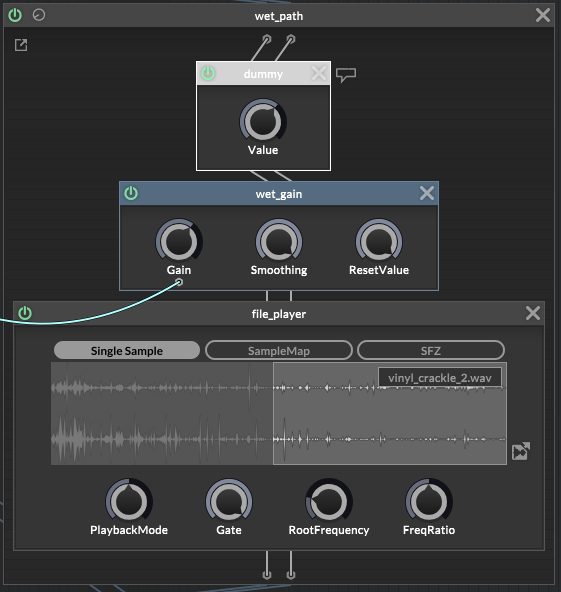
Oh, there's a "file player" in a scriptnode 
that makes things easier
A little update.
I plotted 16 VSTs with all 23 (46) knobs, with automation on every channel, playing like 50+ sounds at the same time, and nothing happened - for three hours of work I didn't even have a single RAM glitch, which is sometimes happening on a single channel with Serum, for example...
HISE is wonderful and perfectly optimized, so my way on displaying values is doing great. Editing knob's value is also very comfortable, you don't need to try hard to twist on the exact number you want.
Thanks for your help David!
@David-Healey today I learned how to edit knobs in knobman. knob jumping through actual values is much better looking than a normal 0-10 scale like in the original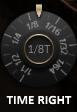
I'm addicted to it right now