Forum
    • Categories
    • Register
    • Login
    1. Home
    2. paper_lung
    3. Posts
    P
    • Profile
    • Following 0
    • Followers 0
    • Topics 92
    • Posts 283
    • Groups 0

    Posts

    Recent Best Controversial
    • Disable frontend Macros on right click

      Hey all, I'm using the frontend macro system. When right-clicking any knob or button, the right click menu shows "Assign Macro / Connect to 1/2/3", which is great for most controls.

      However, I'd like to suppress this menu on specific controls, particularly the macro knobs themselves I have on my UI. Showing "Connect to 1/2/3" on a control that is already a dedicated macro control feels confusing from a UX perspective.

      I also need MIDI learn on these controls, so disabling that isn't an option.

      Is there a per-control property to disable the macro assignment menu? If not, would this be feasible as a feature request?

      posted in General Questions
      P
      paper_lung
    • RE: Bug: Wavetable only imports to left channel

      @dannytaurus Sorry, not sure what happened there - I'm on commit 80bc493.

      posted in Bug Reports
      P
      paper_lung
    • RE: Bug: Wavetable only imports to left channel

      @dannytaurus

      I'm on commit 08581208. It happens when you drop any audio file. I've not found any correlation between files, it's completely random (sometimes files will work, sometimes not).

      Here's a file that panned one side (can't reproduce)

      test audio.wav

      posted in Bug Reports
      P
      paper_lung
    • RE: Bug: Wavetable only imports to left channel

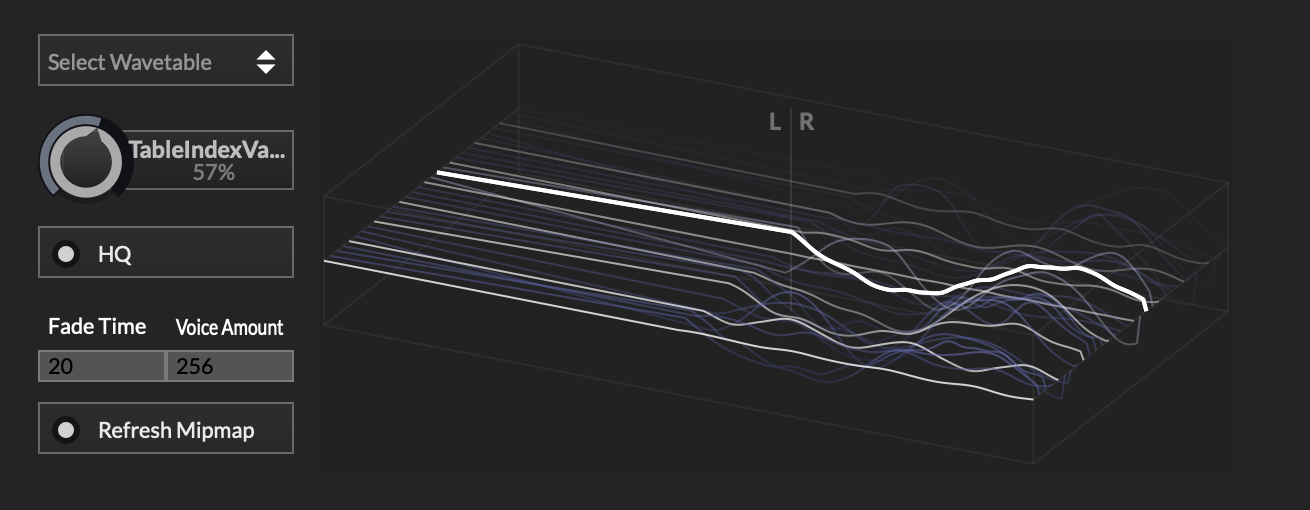
      Update: also happens the other way around, so essentially only one channel gets converted sometimes (left or right)

      Screenshot 2026-06-16 at 16.08.55.png

      posted in Bug Reports
      P
      paper_lung
    • RE: Bug: Wavetable only imports to left channel

      Also sometimes import fails and this is displayed on the wavetable synth:

      Screenshot 2026-06-16 at 15.59.53.png

      posted in Bug Reports
      P
      paper_lung
    • Bug: Wavetable only imports to left channel

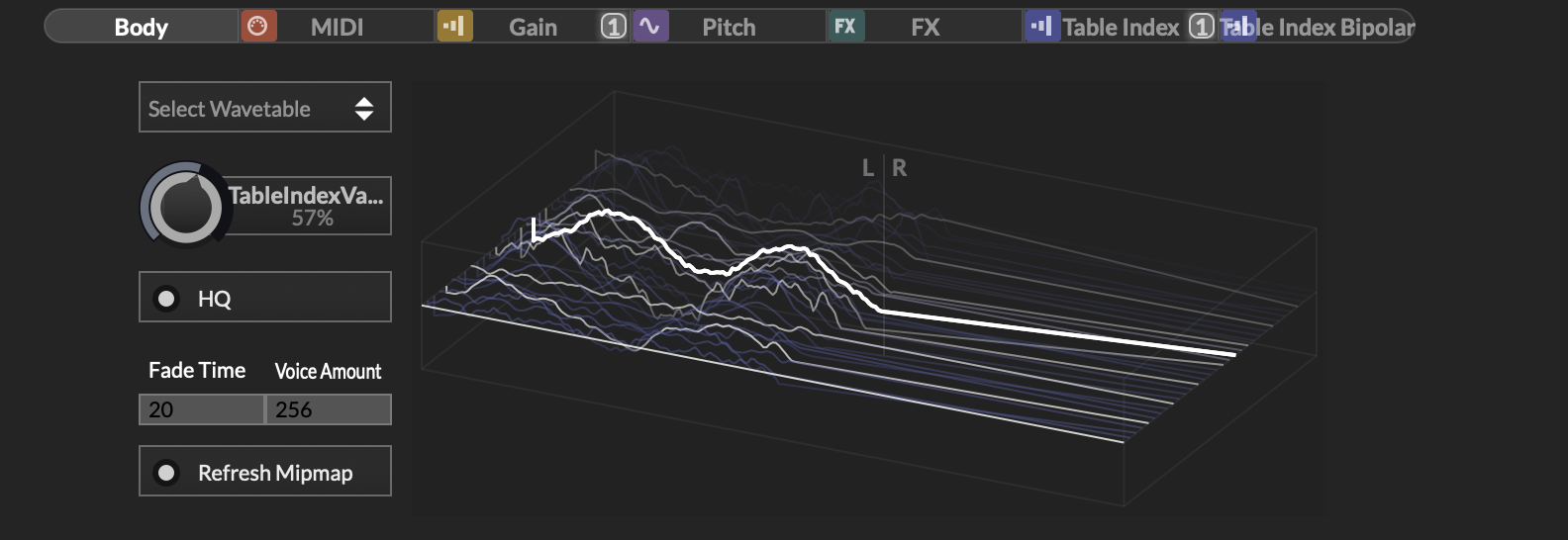
      I'm on the dev build of Hise and there's a bug where if you drag and drop a sample into the wavetable waterfall (floating tile) component or via the wavetable synth module, sometimes the wavetable will be hard panned to the left, and the right channel doesn't get converted. I can't find any real correlation with the sample type, length etc - seems to be random. I think this has been a bug for a while.

      Screenshot 2026-06-16 at 15.54.04.png

      posted in Bug Reports
      P
      paper_lung
    • waveform: draw loop position/crossfade

      Hi all,

      does anyone know if it's possible to draw the Sampler crossfade (LoopXFade) on an AudioWaveform component, and the loop positions? I know we can change some stuff with LAF, not sure if this is possible though.

      posted in General Questions
      P
      paper_lung
    • RE: JUCE submodule PSA

      @JulesV which files are you copying into the Juce folder?

      posted in General Questions
      P
      paper_lung
    • RE: .hxi file encoding

      @David-Healey Ah yes I've got it. So encode to .hxi > export HR1, then I need to use installExpansionFromPackage that's accessible from a button or something in the UI that'll unpack the HXI and samples. thanks!

      posted in General Questions
      P
      paper_lung
    • .hxi file encoding

      Hi all, I'm currently exploring expansions (never really explored it before) and I'm a little confused on HXI files and how they should work. In the docs when describing HXI, it mentions: 'the entire expansion is included in one file which makes it much more convenient to distribute.'

      So, after encoding an expansion, do I then only ship the .hxi file? After encoding one of my expansions into an HXI, it's incredibly small (only a few kilobytes) so I'm not sure if I'm missing something or misunderstanding the above statement from the docs.

      posted in General Questions
      P
      paper_lung
    • RE: Exported plugin fails to load (Windows ARM)

      @paper_lung Hmm I've just re-compiled both hise and the plugin and it's worked this time, so I'm going to keep testing to see if this now works

      posted in General Questions
      P
      paper_lung
    • RE: Exported plugin fails to load (Windows ARM)

      @d-healey here's where I'm removing arch in the autogenerated Projucer. then I build solution in visual studio as normal. https://drive.google.com/file/d/1yqu2D1OLFPgXUt_V6JVTu_aAY5-MEqnz/view?usp=sharing

      posted in General Questions
      P
      paper_lung
    • RE: Exported plugin fails to load (Windows ARM)

      @d-healey I'll send one over tomorrow - thanks for your help so far, appreciate it.

      posted in General Questions
      P
      paper_lung
    • RE: Exported plugin fails to load (Windows ARM)

      that's not worked either...

      posted in General Questions
      P
      paper_lung
    • RE: Exported plugin fails to load (Windows ARM)

      @d-healey Ok thanks, I'll give that a go and let you know if that's the issue (likely is!)

      posted in General Questions
      P
      paper_lung
    • RE: Exported plugin fails to load (Windows ARM)

      @d-healey Right ok, is that the autogenerated file that gets output when I compile? so I have to compile > edit the autogenerated Projucer file to remove the arch flag > recompile? Hopefully this is what I've been missing - when you mentioned Project Projucer, I thought you meant the Hise Project Projucer file, not a plugin project Projucer file.

      posted in General Questions
      P
      paper_lung