HISE image directory not found (macOS)
-
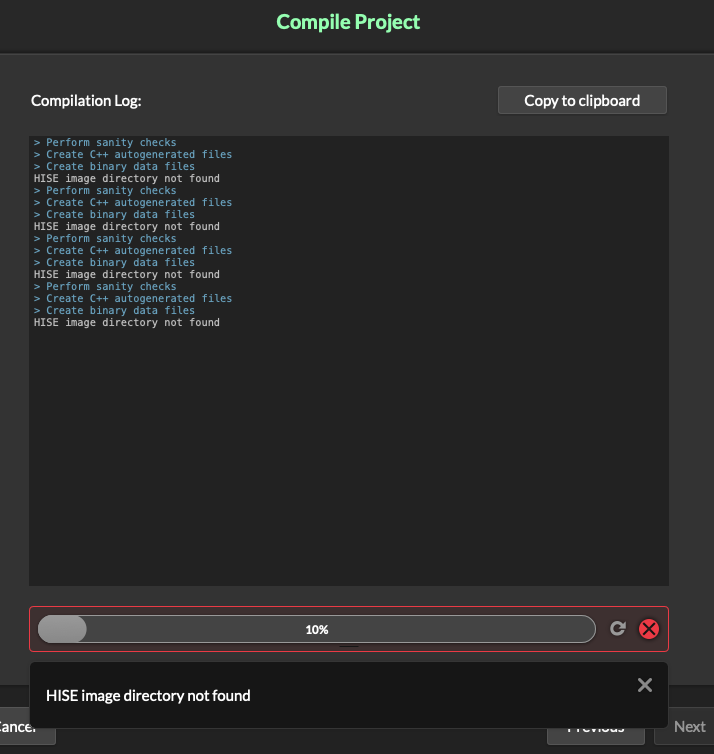
Compiling project: standalone or vst3 = same issue...
-
@Avián
Did you use Export->Compile Project?
As far as I know, that doesn't work. You have to use the direct selection. Export as VSTi, as Standalone, etc... -
@Oli-Ullmann yes, I did! Oh thank you, I will try that if I‘m back home.
-
@Oli-Ullmann @David-Healey Okay, unfortunately that didn't solve the problem.
-
@Avián
Can you make a screenshot of the error message? -
@Oli-Ullmann look at my first post: HISE image directory not found
-
@David-Healey @Christoph-Hart please help me out with this issue! I still can‘t compile…
-
@Avián There's a problem with your copy of the HISE source code. HISE can't find this folder
hi_core/hi_images/Have you built HISE from source?
-
@David-Healey I exactly followed your instructions:

-
@Avián Is the HISE source on an external drive?
-
@David-Healey no, it's in /Documents/HISE/
-
@Avián Does that folder exist?
-
@David-Healey yes of course.
-
@Avián said in HISE image directory not found (macOS):
@David-Healey yes of course.
I meant the hi_images folder
Free HISE Bootcamp Full Course for beginners.
YouTube Channel - HISE tutorials
My Patreon - More HISE tutorials -
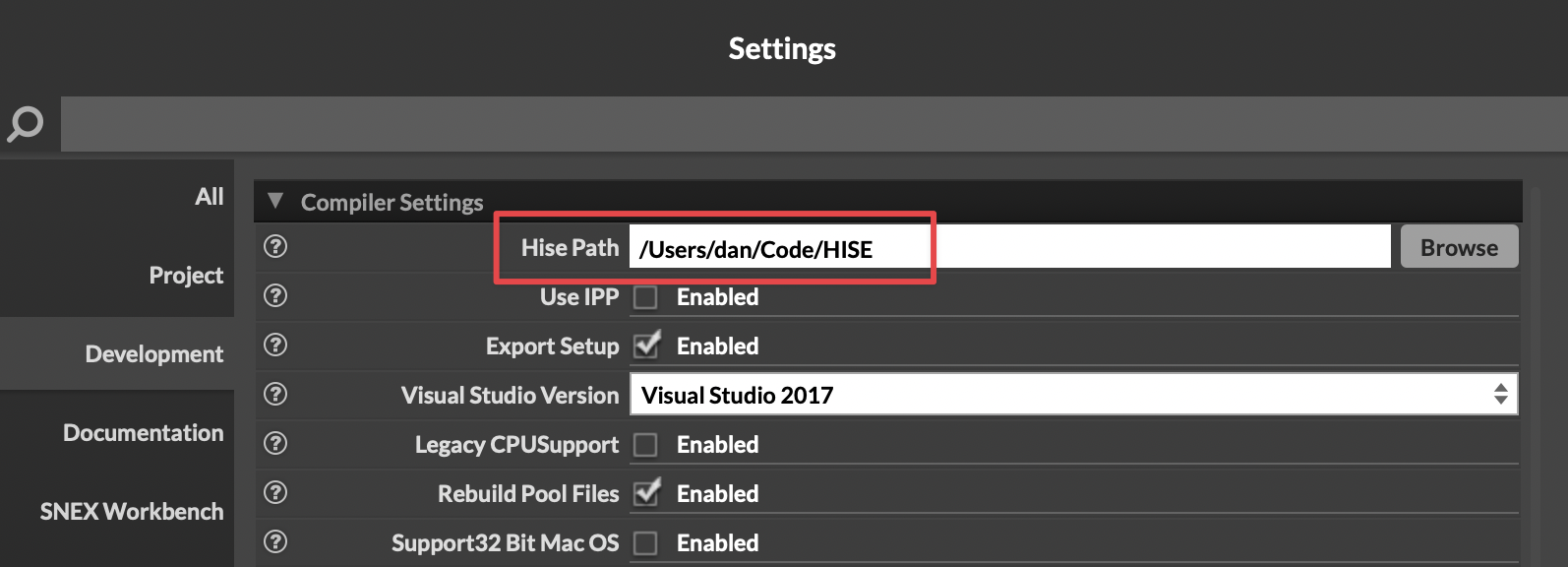
@David-Healey Have you set the HISE path in Settings?
Yours will be different, of course, but it does need to be set here for compiling to work.
-
@dannytaurus yes! Exactly like you set it: /Users/username/Documents/Hise
-
This post is deleted! -
@David-Healey yes, the folder exists in the right path.
-
@Avián Delete the contents of the binaries folder and recompile.
-
@Avián And just to confirm, you're using Export as Instrument, and not Compile Project?
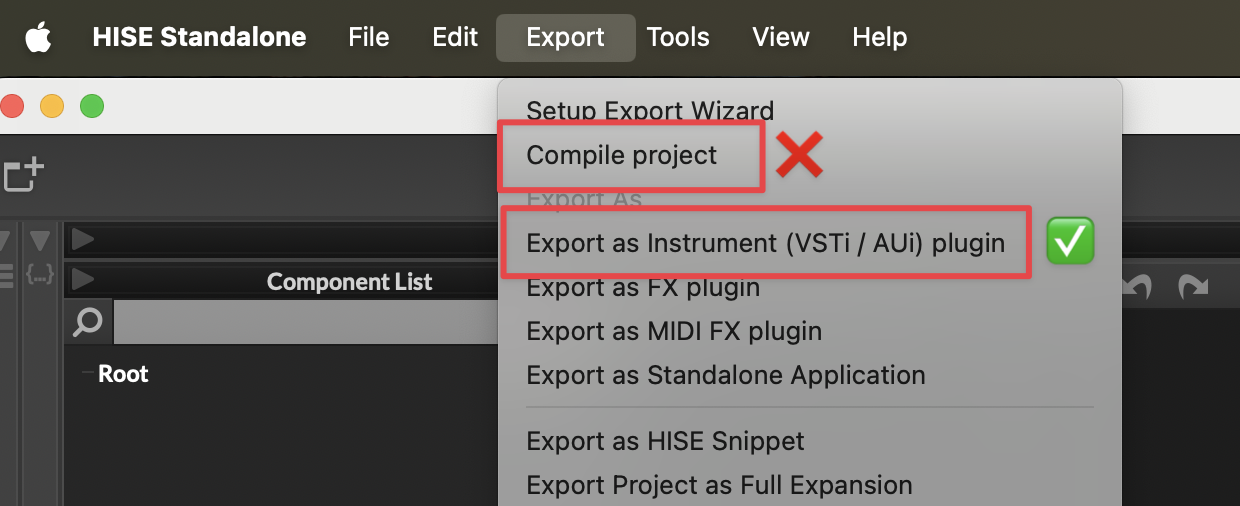
If you're still seeing an error, please post a screenshot of what you see. Don't refer us back to your first image because that's from Compile Project, which does not work.