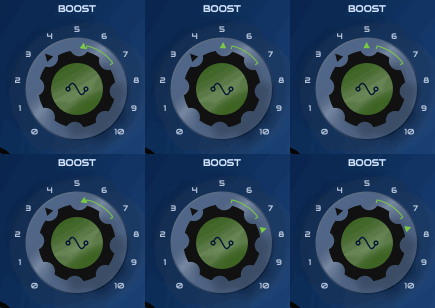
Modulation range not absolute?
-
lastModValueis smoothed so it might not be cancelled out perfectly.- can you make a minimal example where the knob stops working when modulated?
and this would be great for painting the different modulation ranges with different colours
Yes I thought about that, but in the end it's too complicated to get it to work as it's pretty complex to calculate the ranges with the different modulation modes as it is already.
But those min/max values are reached before the 0% and 100% of the intensity slider
Yes, with bipolar mode an intensity of 50% will already cover the entire range if the knob position is in the middle. 100% intensity will modulate the double range so that if the knob is all the way to the left it will still go full to the right.
-
Yes, with bipolar mode an intensity of 50% will already cover the entire range if the knob position is in the middle. 100% intensity will modulate the double range so that if the knob is all the way to the left it will still go full to the right.
IMO this is incorrect, it should only go up to the midway point. This is how other devs do it and seems the most intuitive way.
-
@Christoph-Hart said in Modulation range not absolute?:
lastModValueis smoothed so it might not be cancelled out perfectly.
That is not the problem, in fact it seems to be at the right position, it's the
modMinandmodMaxthat are cancelling each other, giving the wrong modulation range to be displayed (see first gif)- can you make a minimal example where the knob stops working when modulated?
When I reopened the snippet everything was fine... dunno what happened

and this would be great for painting the different modulation ranges with different colours
Yes I thought about that, but in the end it's too complicated to get it to work as it's pretty complex to calculate the ranges with the different modulation modes as it is already.
But (as explained above), having them combined returns a wrong displayed range (as it can even be totally cancelled visually while still hearable)
But those min/max values are reached before the 0% and 100% of the intensity slider
Yes, with bipolar mode an intensity of 50% will already cover the entire range if the knob position is in the middle. 100% intensity will modulate the double range so that if the knob is all the way to the left it will still go full to the right.
I understand that. I agree with @DanH though, even if both visions are defendable...
-
IMO this is incorrect, it should only go up to the midway point.
Now is the time to change that before people have projects with this out there - at least with the matrix modulator, the behaviour of the intensity of the modulation system is carved in stone by now.
I have to check this with all target types (I vaguely remember there was something that didn't work with 50% intensity, maybe something related to pitch modulation), but if the majority of users prefer it this way I'm happy to follow suit.
-
This post is deleted! -
@Christoph-Hart Thanks. I also remember something strange about bi-polar and pitch modulation, but perhaps it was the range thing we just discussed. I'll check again...
-
Could we hold a vote on this in the forum?

I must admit that I find the current implementation logical and intuitive... -
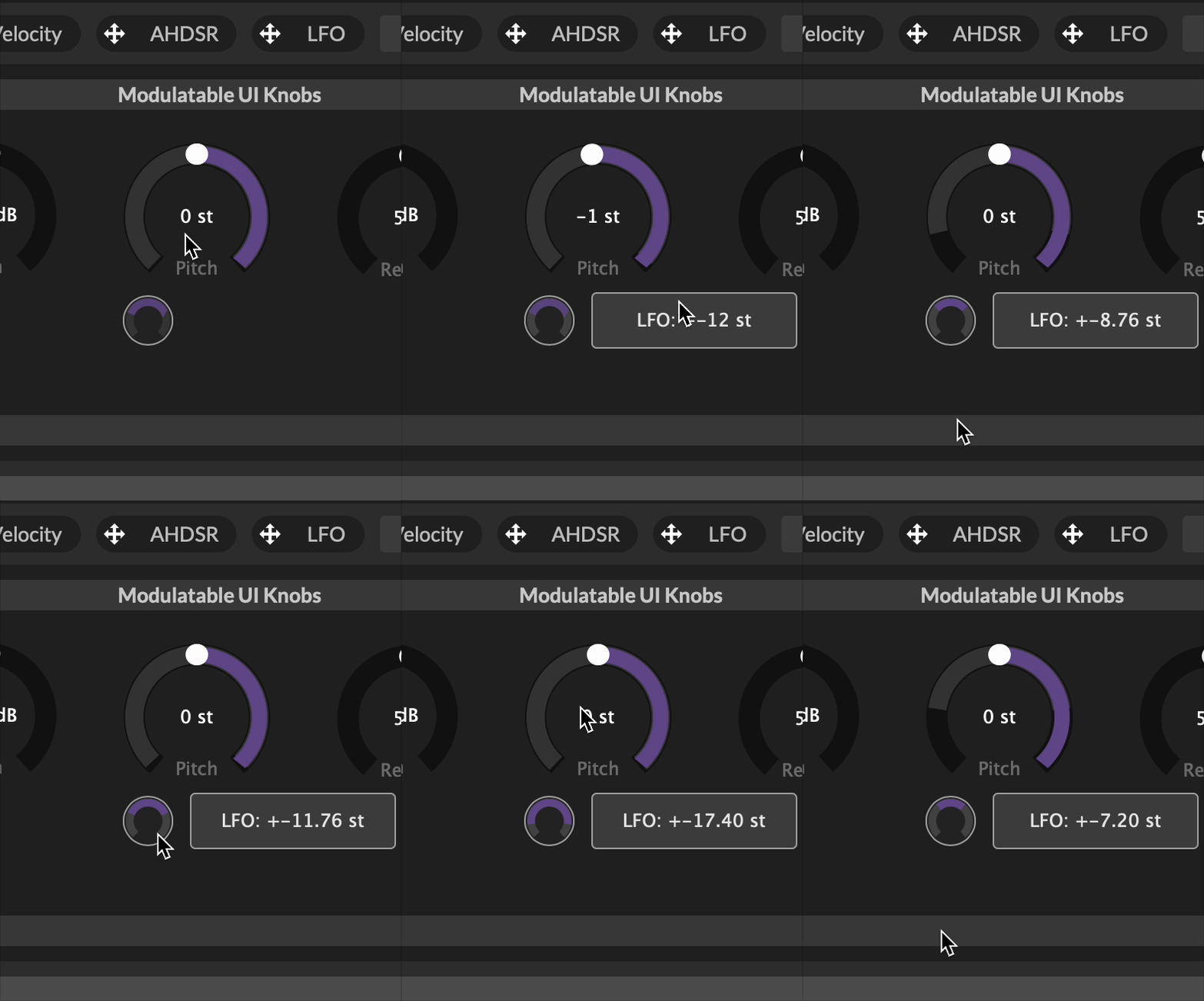
@Oli-Ullmann let's take the below example on a pitch knob. The knob's range is +/- 24. The modulation range is already set to 50%. Visually the modulation range is drawn and covers the whole knob's range. But remember this is only 50%, so the modulation is between -12 and + 12 semitones, not -24 and +24 semitones (as IMO it looks like).
To get the maximum range (and the range that it looks like it's already doing) you have to increase the modulation slider to 100%, whilst receiving no visual clues as to what you're modulating other than the text box. Since the text box only appears when you move the modulation range slider you can't simply look at the knob and know what it's modulation range is. It could be anywhere between +/- 12 and +/- 24.
If you need 100% modulation on one half of the bi-polar modulation then you should be using scaled / unipolar modes.
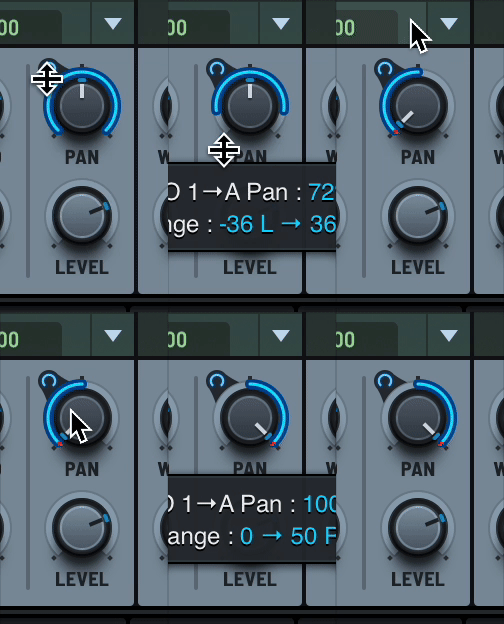
Also I think it's better to stick to 'popular', tried and tested methods (see further example below)
DHPlugins / DC Breaks | Artist / Producer / DJ / Developer
https://dhplugins.com/ | https://dcbreaks.com/
London, UK -
@DanH
Okay, I totally understand what you mean! -
 D DanH referenced this topic on
-
I thought at one point the "full mod range representation" has been made available so it covers the full range of
lastModValue(like in the above post)Was I dreaming?