Dsp network wont compile: // <--Changed to more relevant title :)
-
I didnt wanna tag you @Christoph-Hart but it seems its getting a little weird on this one.
 Any insight?
I've mentioned above but just wanted to reiterate that i've been trying to solve this for about a year now and have no clue what it can be. I've tried fresh installs and everything else suggested to me so far. I suspect its something specific to my system, not your fault, but Im not experienced enough to hunt this down.
-
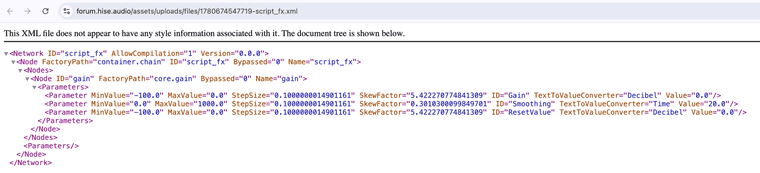
@Chazrox Yes, maybe just double check. I'm not sure this is the case or if because I am launching the file you sent from the web.
-
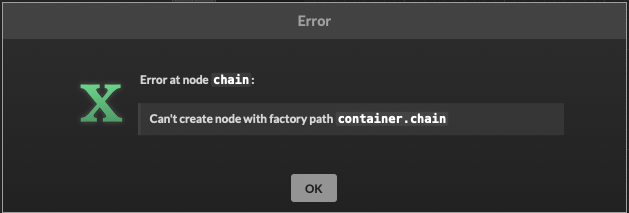
@HISEnberg So thats why I keep getting the "cant compile: chain" as if its an empty node?....hmmm.
-
@Chazrox Quite possibly. You could launch the xml in a code editor. Copy and paste the version I sent then try to compile again.
-
@HISEnberg just tried that. Still this error.
-
I really appreciate all the help on this from you guys because Im out of my league at this point.
-
@Chazrox Yea sorry I couldn't be more helpful, it seems like my initial suspicions were wrong here.
Another thing to try, I notice your main folder is called "HISE Projects". Sometimes a space like that can throw the compiler off (a better name is just HISEProjects, no space). This probably isn't the issue but worth trying.
When you hit that compile to dll button in HISE, there is a bash script that runs which sets up projucer and creates an xcode project, then compiles the dll. It's in
DspNetworks/Binaries/batchCompileOSX.shFor me it looks like this:
#!/bin/bash
PATH="/usr/local/bin:$PATH"
chmod +x "/Users/ernest/Github/HISE/JUCE/Projucer/Projucer.app/Contents/MacOS/Projucer"
cd "`dirname "$0"`"
"/Users/ernest/Github/HISE/JUCE/Projucer/Projucer.app/Contents/MacOS/Projucer" --resave AutogeneratedProject.jucer

set -o pipefail
echo Compiling  DeleteMe ...
xcodebuild -project "Builds/MacOSX/DeleteMe.xcodeproj" -configuration "Release" -jobs "8" | "/Users/ernest/Github/HISE/tools/Projucer/xcbeautify"
But it sounds like whatever issue you are having fails before this key file is ever even generated.
Sonic Architect && Software Mercenary
-
@HISEnberg No worries I really appreciate it. Im down to try that. If I just change the name of the folder will that mess up any of my projects in it? Is this also the case for naming conventions in general? Project names and node names?
-
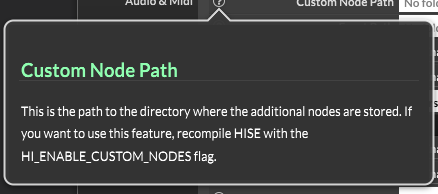
Do I need to set this?
-
update from Claude reading latest crash report:
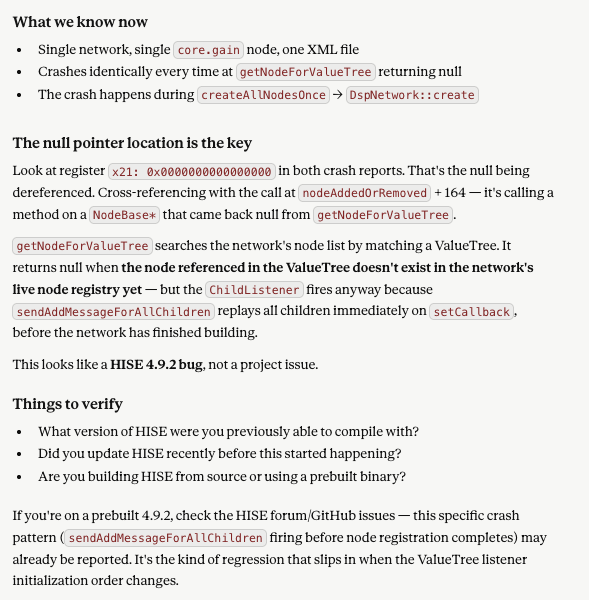
I dont think its a HISE bug but maybe something here is telling of something else?
-
@HISEnberg Just letting you know, I tried changing the name to my folder and still get the error/crash.
-
@David-Healey In my new hise build, I cant find the setup wizard that lets me extract the sdk's and I noticed in settings "Setup Wizard = 1" . Does that mean its already setup by default?
-
@Chazrox Yea that won't resolve it. The no-space rule in naming files is somewhat ancient at this point, most of the time the compiler will resolve it.
You also don't need the Custom Node Path set.
The Export or Setup Wizard I believe has been abandoned which is why it's no longer there.
-
@HISEnberg I just found Davids updated video regarding sdk's. Im going to continue trying. Thank you.
***UPDATE:
My test project will compile and export as an FX plugin but still its just not compiling my networks to dll.
-
Is there any difference in creating a node with these two options?
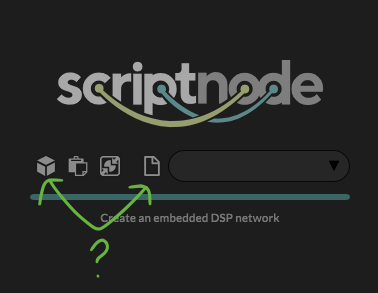
Im trying both to see what works but still same result.
-
I just tried a to fix with Claude and this is its response:
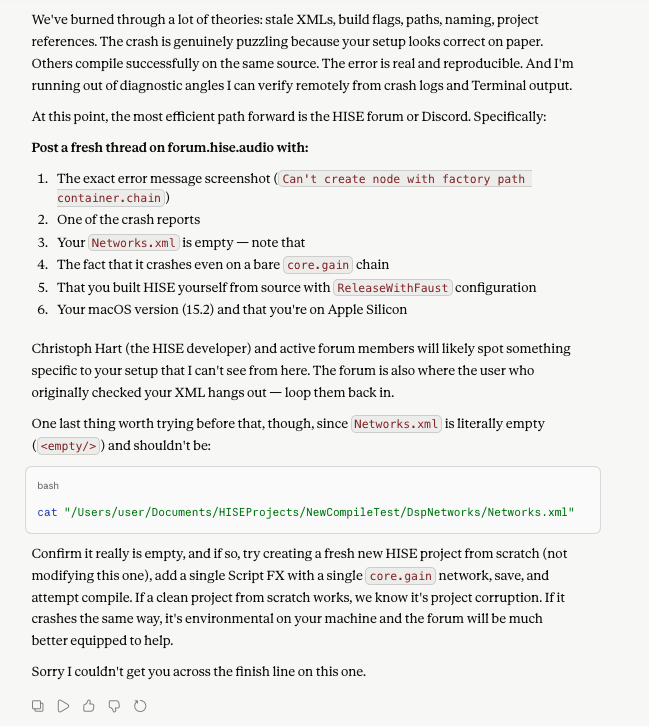
Does that mean im screwed? lol
The new HISE build is working great aside from not being able to compile networks still...Something is really screwed up over here.
-
Claude has completely given up on me. lol I've tried everything a few times over. Claude keeps telling me to wait for Christoph to save me
 .
. -
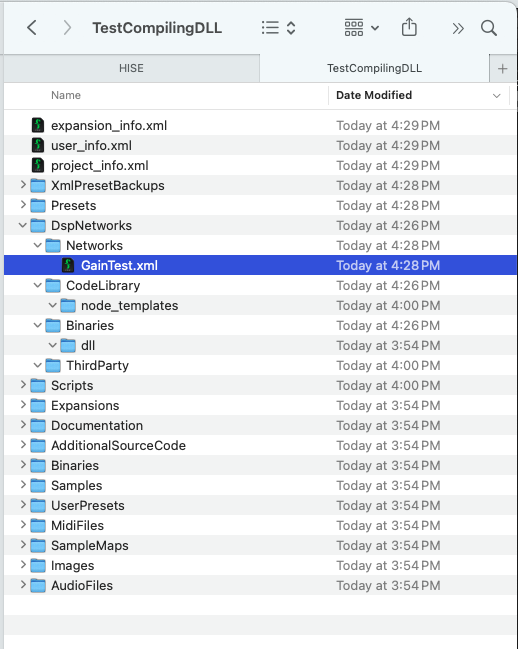
Is this the expected folder structure for having just created a new dsp network file? Is there anything missing here?
-
@Chazrox Are you using Claude Chat or Claude Code?
I get good results when I use Claude Code in my project repo and also point it to the HISE repo.
I found using Claude Chat, and just pointing it to the docs website, was pretty useless.
HISE dev latest / herdr + Claude Code / Figma + Affinity
Meat Beats: https://meatbeats.com
Klippr Video: https://klippr.video -
@dannytaurus I havent tried that yet! Im not sure how to use it honestly. Im gonna watch a video and see whats up. Thanks!


