Mac installer for audio sample libraries best practices?
-
@David-Healey said in Mac installer for audio sample libraries best practices?:
What does this mean?
I don't know. I'm repeating what I read in other posts here. Hence the 'apparently'

I do know it has an Audio Plugin option when you create a new package project.
And given that installing different files to different locations, including to both user and system directories, is a very common requirement for audio plugins, I assume it will handle it.
Haven't tried it myself yet though.
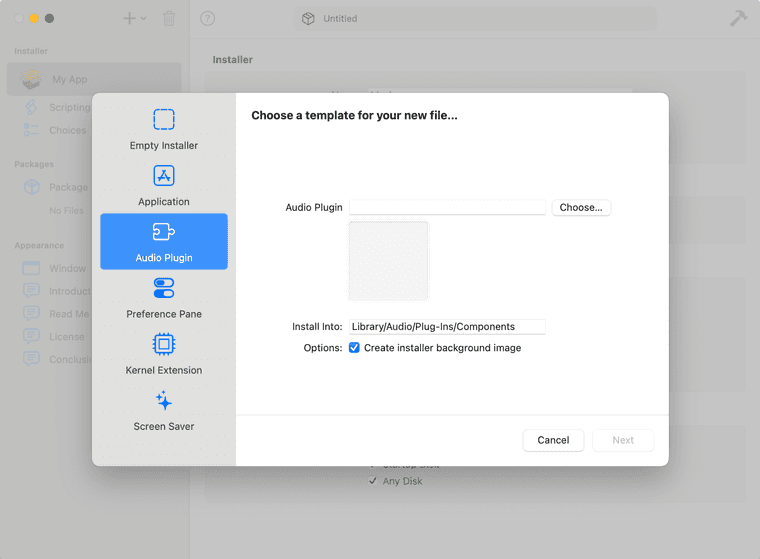
EDIT: looks like the Audio Plugin option might be purely a visual element, and it doesn't actually do anything special.
-
@David-Healey You get the Destinations settings below. I'm not 100% clear if that means User folder and System Disk though.
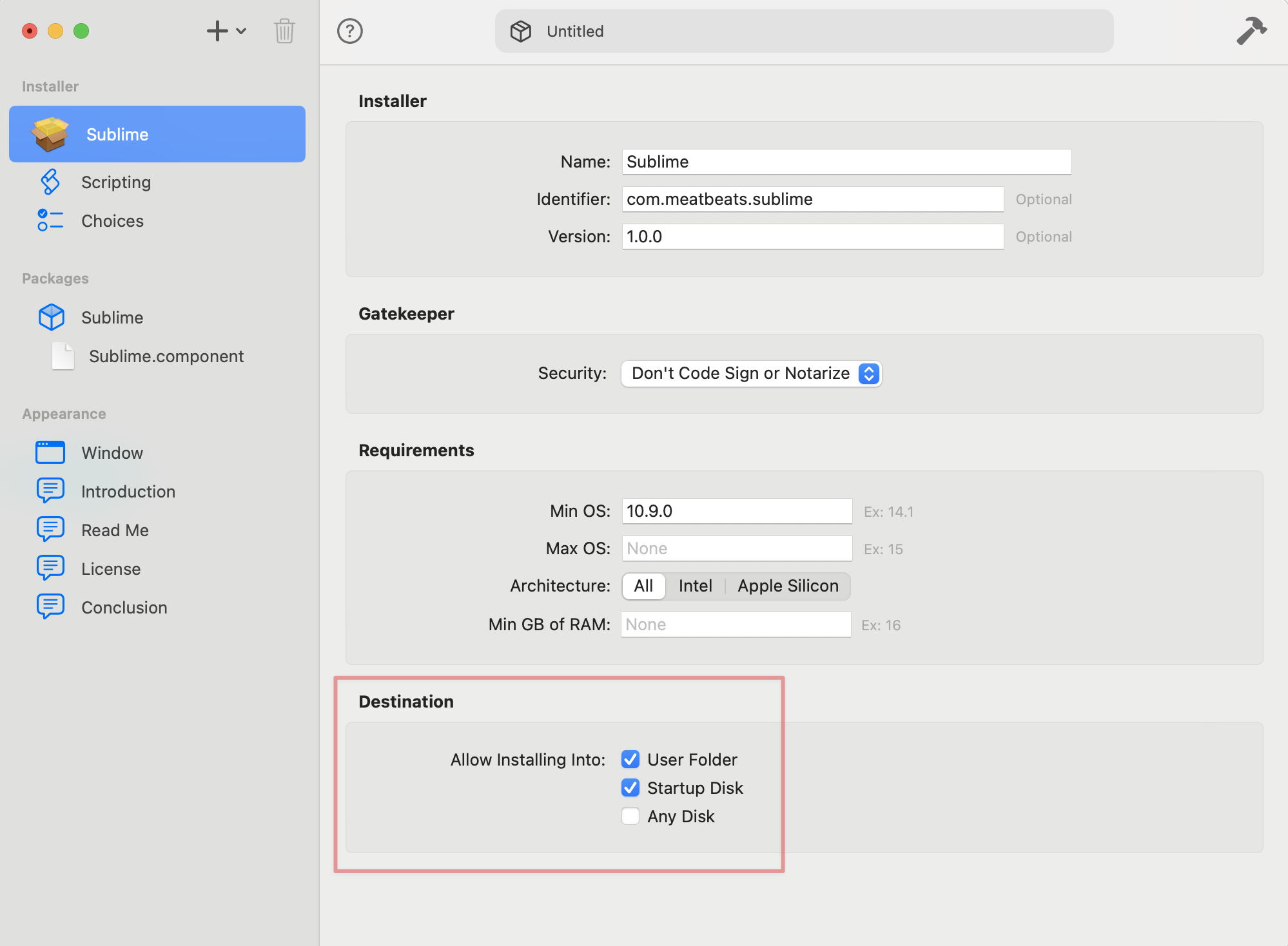
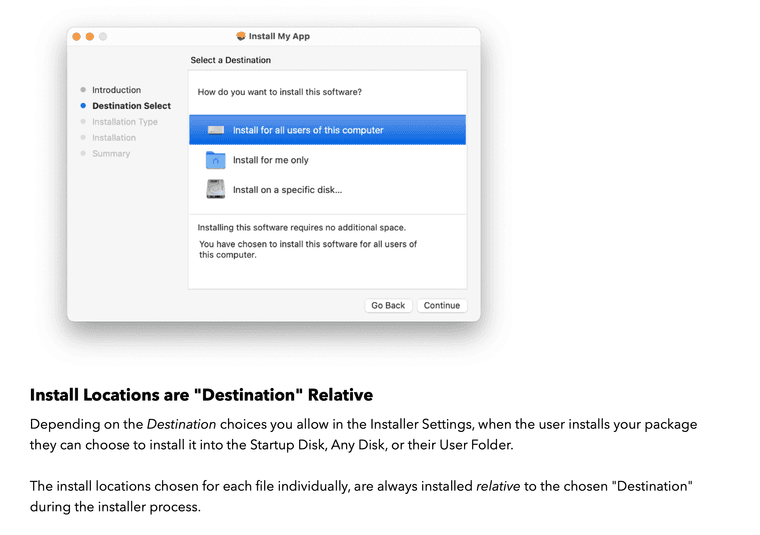
EDIT: actually, that Destinations section just dictates what the user sees on this page of the installer:
I think just back away quietly. I'm just making things worse here

HISE dev latest / herdr + Claude Code / Figma + Affinity
Meat Beats: https://meatbeats.com
Klippr Video: https://klippr.video -
@dannytaurus said in Mac installer for audio sample libraries best practices?:
You get the Destinations settings below. I'm not 100% clear if that means User folder and System Disk though.
Those are also in Packages, I think this is just a different UI for the same thing. Behind the scenes they're both using pkgbuild and productbuild.
-
Is there a way to get packages to prompt the user for a location to install a specific component such as samples?
@Casey-Kolb I seem to recall you were doing something like this?
Free HISE Bootcamp Full Course for beginners.
YouTube Channel - HISE tutorials
My Patreon - More HISE tutorials -
@David-Healey It was so finicky we ended up just installing them to a default location on the hard drive. If the user wants to move them, they just move them to an external drive and relocate them in CUBE.
Casey Kolb
Founder & CEO of Lunacy Audio
Composer | Producer | Software Developer -
@Casey-Kolb said in Mac installer for audio sample libraries best practices?:
@David-Healey It was so finicky we ended up just installing them to a default location on the hard drive. If the user wants to move them, they just move them to an external drive and relocate them in CUBE.
shudder.... this is exactly why we went with an in-plugin set up for samples, meta data, presets and images etc.
So the "installer" only has to actually install the plugin itself...
-
@Casey-Kolb What default location did you use?
-
This post is deleted! -
@David-Healey Yea it can be done. I think @Lindon's suggestion is much better but a little more work. It looks like Packages may be updated, but I recall having an issue with the version available at the time. You need a version which actually let's you edit the Presentation of the Installer.
Note too, if you go down this route you also need to autogenerate the LinkFile which points to the sample directory. This is usually autogenerated in the Application Support Folder when a user installs the sample.
David if you are looking to further explore the benefits of vibe coding a solution this is a good candidate....
Sonic Architect && Software Mercenary
-
@HISEnberg said in Mac installer for audio sample libraries best practices?:
You need a version which actually let's you edit the Presentation of the Installer.
I have that version. I don't see a way to prompt the user to select a location though. I emailed the dev about it but no response as yet.
Free HISE Bootcamp Full Course for beginners.
YouTube Channel - HISE tutorials
My Patreon - More HISE tutorials -
What was your approach to making an in plugin setup for samples?
Any advice or suggestions would be helpful, since I'm exploring a similar route.
-
@HISEnberg Doing this on windows is pretty easy with inno setup. In the main plugin installer, you can prompt the user to choose a location to install the audio samples, and then use a wildcard to generate a linkwindows file based on the location they chose. When the user opens the plugin for the first time it works as expected, without having to locate samples, be reloaded or fussed with.
Trying to do something similar on mac has been kind of a nightmare so far. The seemingly fundamental inability to install files to both /library and ~/library makes me think there's no single-installer solution.
Until I figure out an in plugin solution, I'm currently exploring the idea of having two installers. One for the samples (and linkOSX file), and one for the plugin.
-
@WillowWolf said in Mac installer for audio sample libraries best practices?:
What was your approach to making an in plugin setup for samples?
HISE has a built in sample installer.
@WillowWolf said in Mac installer for audio sample libraries best practices?:
The seemingly fundamental inability to install files to both /library and ~/library makes me think there's no single-installer solution.
This is entirely possible (as I mentioned earlier in this thread). I have a video about it on my Patreon page, the instructions are also included in the Whitebox Packages documentation.
The problem with Packages is that as far as I can tell there is no method to prompt the user for an install location. You have to install the files to a predefined location. But I've emailed the Packaged dev about this and he's looking into it for me.
-
For anyone reading this thread in the future, I've been having success using araelium package builder. So far I've had no issue installing to the users ~/library folder. There's a fully featured free trial (with a watermark), and the scripting language is javascript, so pretty familiar to anyone who uses hisescript during plugin development!
https://www.araelium.com/packagebuilder
Thanks to everyone who has replied to the thread and given helpful info!
-
@WillowWolf With Araelium Package Builder, are you able to install to both /Library and ~/Library in a single installer?
Plugin installed in
/Library/Audio/Plug-Ins
Samples installed in~/Library/Application Support(aka/Users/[USER]/Library/Application Support)Or are you installing the plugin and the samples to
~/Library? -
@WillowWolf said in Mac installer for audio sample libraries best practices?:
I've been having success using araelium package builder.
Does it have a way to prompt the user to select a folder?
Free HISE Bootcamp Full Course for beginners.
YouTube Channel - HISE tutorials
My Patreon - More HISE tutorials -
@David-Healey I'm still not 100% sure why the need to install to both system and user spaces on Mac. Can you explain?
As far as I understand, it's to install the plugin to the system /Library folder (for all users) and the samples to the user ~/Library folder (for the current user only).
What's the point of installing the plugin to the system folder for all users if the samples are sandboxed to a specific user? Other users on the machine won't be able to use the plugin without the samples.
The only reason I can think of is that DAWs have the system plugin folders set as default (/Library/Audio/Plug-Ins) but not the user plugin folders (~/Library/Audio/Plug-Ins).
Meaning some DAWs might miss plugins installed to the user Plug-Ins folder unless the user updates the search paths.
I don't know for sure what plugin paths DAWs use by default. Would be a good one to look up.
HISE dev latest / herdr + Claude Code / Figma + Affinity
Meat Beats: https://meatbeats.com
Klippr Video: https://klippr.video -
@dannytaurus said in Mac installer for audio sample libraries best practices?:
I'm still not 100% sure why the need to install to both system and user spaces on Mac. Can you explain?
The standard location for plugins is the system wide folder - although you can install in the user folder if you prefer.
Data files (like AudioResources.dat) needs to go in the user's Application Support folder. But if you don't have any data files then you don't need to install anything in the user locations...
Unless your installer also includes samples in which case you'll want to create the LinkOSX file in the user location - but you should only be doing this if you've prompted the user to choose a location to install the samples since there is no standard samples location, but as far as I can tell there is no method for prompting the user on macOS.
Free HISE Bootcamp Full Course for beginners.
YouTube Channel - HISE tutorials
My Patreon - More HISE tutorials -
@David-Healey said in Mac installer for audio sample libraries best practices?:
Data files (like AudioResources.dat) needs to go in the user's Application Support folder.
Why not the system Application Support folder? /Library/Application Support
HISE dev latest / herdr + Claude Code / Figma + Affinity
Meat Beats: https://meatbeats.com
Klippr Video: https://klippr.video -
@dannytaurus said in Mac installer for audio sample libraries best practices?:
Why not the system Application Support folder? /Library/Application Support
You can if you enable the Global App Data Folder option in HISE preferences - although I find it causes weird issues for me. But I think the idea is in a multi-user setup different users will have different presets and preferences so those settings are per-user.
Free HISE Bootcamp Full Course for beginners.
YouTube Channel - HISE tutorials
My Patreon - More HISE tutorials