Documentation online issue
-
@David-Healey Chrome for me (macOS)
-
@ustk Working for me in both Chrome and Firefox on Linux, haven't tried MacOS
Free HISE Bootcamp Full Course for beginners.
YouTube Channel - HISE tutorials
My Patreon - More HISE tutorials -
@David-Healey I tried to delete the cache in Chrome and restarted, same issue...
It's working on Safari -
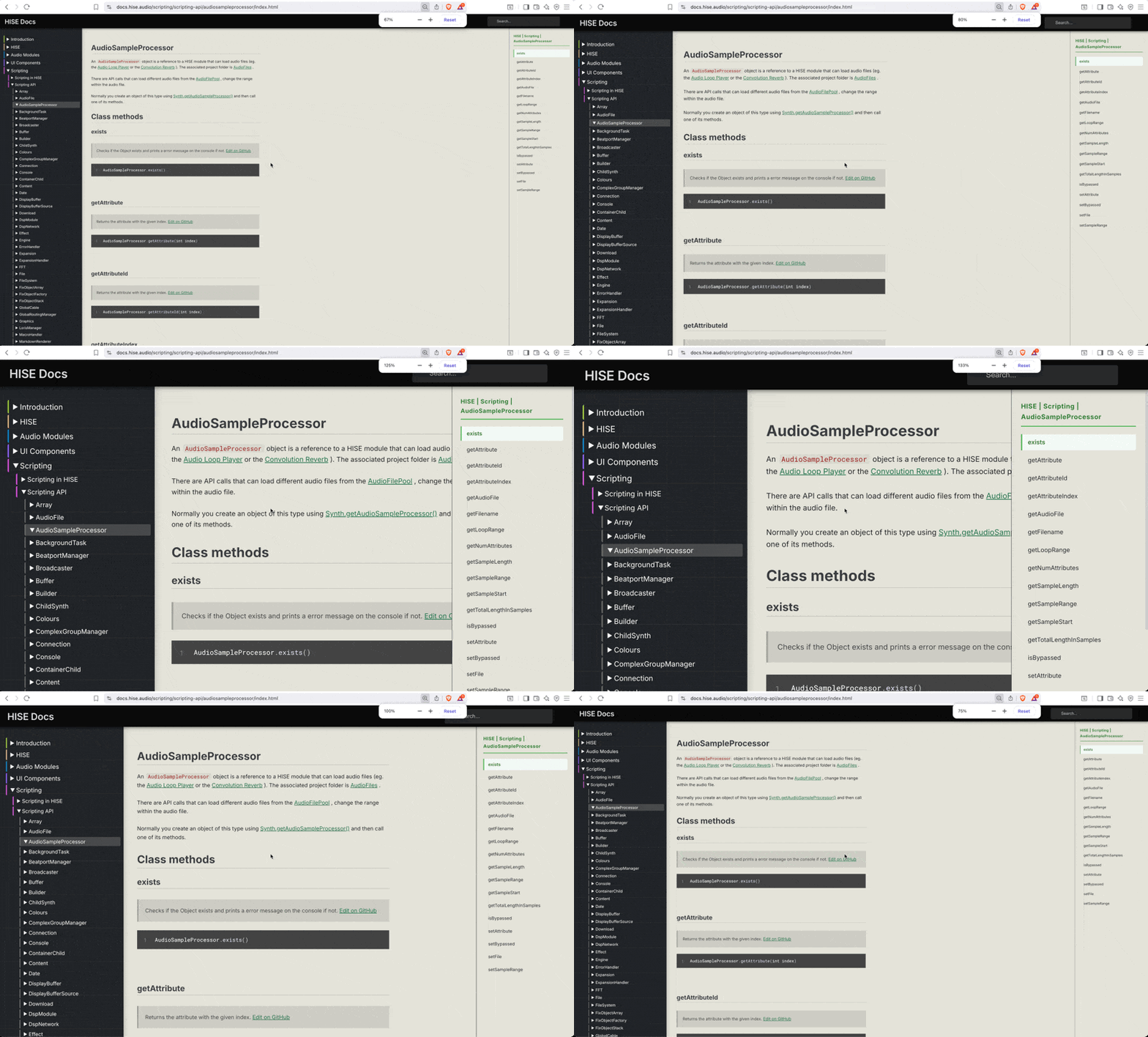
@ulrik Same here on macOS. I see the right sidebar in Brave (Chrome-based but less creepy) but not in Safari.
I assume the sidebar is meant to be seen, so maybe it's actually broken in Safari? Or it could be an experimental feature not yet finished but crept out into the light?

Quick fix to read the page is to reduce the text size in Chrome with ⌘+minus.
HISE dev latest / herdr + Claude Code / Figma + Affinity
Meat Beats: https://meatbeats.com
Klippr Video: https://klippr.video -
@dannytaurus Strange, I see it on Safari (17.6), but not on Chrome

-
@ulrik I also noticed that the Examples section doesn't work. I get 404 errors when I click on the sections within it. Does this happen to anyone else? I am using Chrome.
-
@pgroslou Working here... It appears we have a different error per user and per browser...
Hise made me an F5 dude, any other app just suffers...
-
@ustk Christoph is definitely working on the docs so helpfully this will all work out.
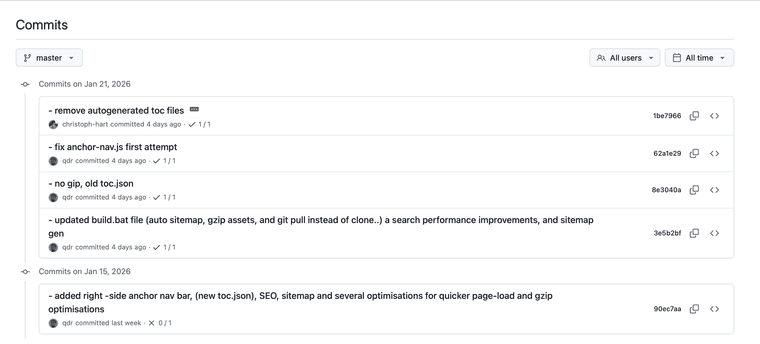
In the meantime, should we submit our specific issues to the docs GitHub, just so he can see what works and where?
Or just pile a load of screenshots in this thread?
HISE dev latest / herdr + Claude Code / Figma + Affinity
Meat Beats: https://meatbeats.com
Klippr Video: https://klippr.video -
@dannytaurus yes please make an issue in the doc repo. We've been redesigning the doc template and tried to split up the TOC so that it doesn't create this huge list on the left, but apparently web design is hard.
-
@ustk K the Examples are working now.

-
@David-Healey both chrome and safari for me
-
 D dannytaurus referenced this topic on



