@DanH said in Can't Add Positive Gain in HISE – Am I Missing Something?:
dsp network xml file
thank you  ,
,

@DanH said in Can't Add Positive Gain in HISE – Am I Missing Something?:
dsp network xml file
thank you ,
Hi everyone,
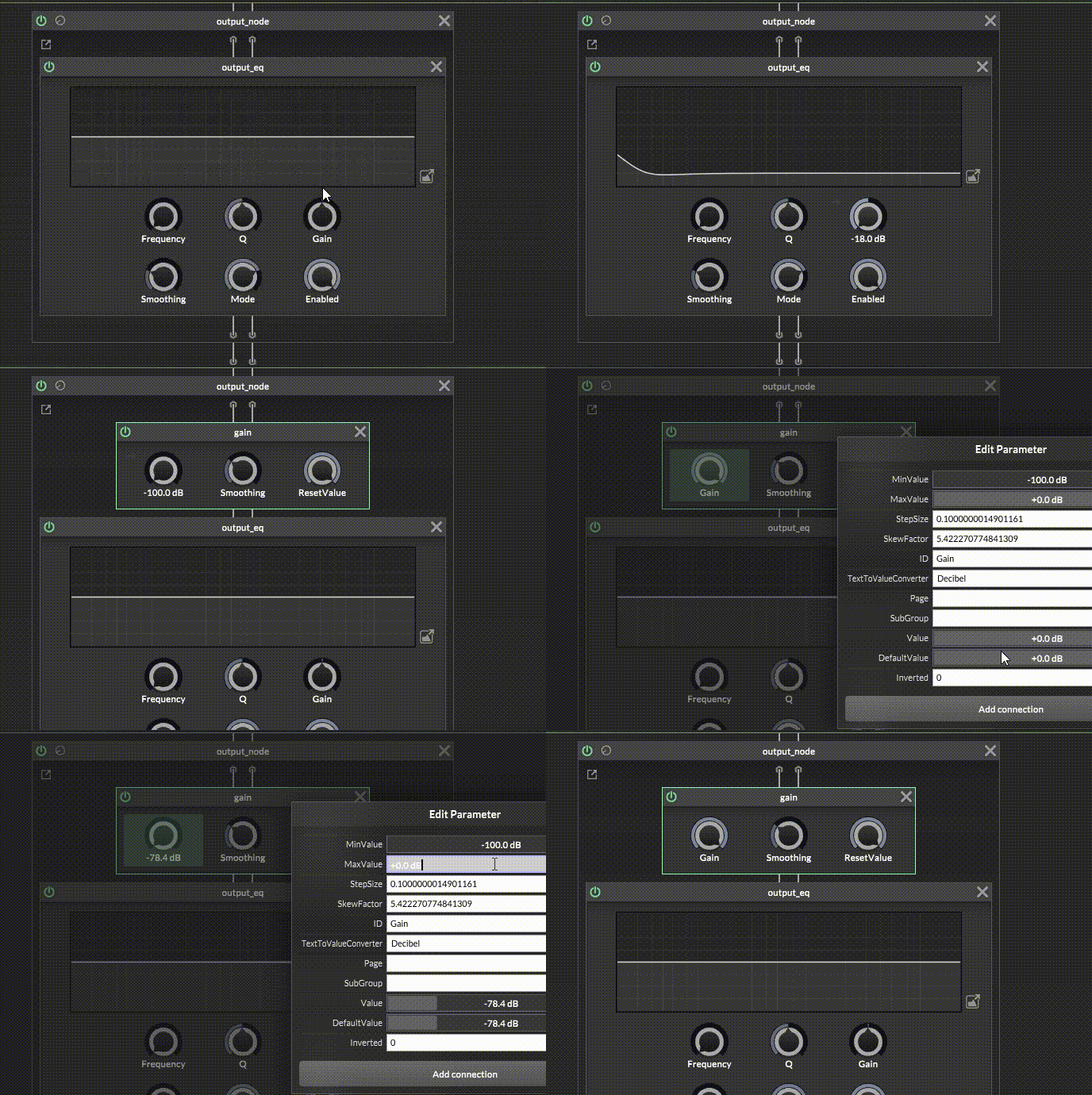
I'm working on a project and I wanted to ask if there is a proper or alternative way to implement an input gain node.
Currently, I'm using an SVF EQ with a low shelf from 5Hz to 20kHz just to control the gain, but it feels more like a workaround than a clean solution.
I also tried using a Gain core node, but I noticed that the range is limited from -100 dB to 0 dB, so I can't boost the signal (for example +24 dB).
Is there any dedicated node, method, or better approach to achieve proper input gain control (including positive gain) without relying on an EQ?
Thanks in advance!
@David-Healey Haha, I made a silly mistake  . I had an old version of the VST in Program Files and a new version as a .dll in my DAW FL Studio. FL Studio was detecting both of them, and that’s what caused the problem. Now everything is fine. Thanks for the time you gave me!
@David-Healey Can you give me the solution or advice?
@David-Healey I changed the code in ZoomHandler.js to allowZoom(ZoomPanel, !IS_PLUGIN). Is this correct?
// Author: Christoph Hart
// License: Public Domain
namespace ZoomHandler
{
	const var MIN_ZOOM = 0.65;
	const var MAX_ZOOM = 2.0;
	const var ZOOM_STEP = 0.10;
	const var INTERFACE_WIDTH = 918;
	const var INTERFACE_HEIGHT = 581;
	const var ZoomPanel = Content.getComponent("pnlZoom");
	const var IS_PLUGIN = Engine.isPlugin();

	const var draggerData = [110,109,143,130,218,67,147,216,145,66,108,147,216,145,66,143,130,218,67,108,0,0,0,0,143,130,218,67,108,143,130,218,67,0,0,0,0,108,143,130,218,67,147,216,145,66,99,109,143,130,218,67,139,140,96,67,108,139,140,96,67,143,130,218,67,108,66,160,23,67,143,
	130,218,67,108,143,130,218,67,66,160,23,67,108,143,130,218,67,139,140,96,67,99,109,143,130,218,67,102,22,188,67,108,102,22,188,67,143,130,218,67,108,66,160,151,67,143,130,218,67,108,143,130,218,67,66,160,151,67,108,143,130,218,67,102,22,188,67,99,101,
	0,0];

	const var draggerPath = Content.createPath();

	draggerPath.loadFromData(draggerData);

	ZoomPanel.setPaintRoutine(function(g)
	{
		g.setColour(Colours.withAlpha(Colours.white, (this.data.hover && this.data.allowDrag) ? 0.8 : 0.2));
		g.fillPath(draggerPath, [0, 0, 10, 10]);
	});

	inline function allowZoom(panel, on)
	{
		panel.data.allowDrag = on;
		panel.setMouseCursor(on ?"BottomRightCornerResizeCursor" : "NormalCursor", Colours.white, [0, 0]);
		panel.repaint();
	}

	allowZoom(ZoomPanel, !IS_PLUGIN);

	ZoomPanel.setMouseCallback(function(event)
	{
		this.data.hover = event.hover;

		if(event.clicked)
		{
			this.data.zoomStart = Settings.getZoomLevel();
		}
		if(event.mouseUp)
		{
			return;
		}

		if(event.drag)
		{
			if(!this.data.allowDrag)
				return;

			var diagonal = Math.sqrt(INTERFACE_WIDTH*INTERFACE_WIDTH + INTERFACE_HEIGHT*INTERFACE_HEIGHT);
			var currentZoom = Settings.getZoomLevel();
			var dragPixel = 0;

			if(event.dragX > event.dragY)
				dragPixel = (event.dragX * currentZoom) / INTERFACE_WIDTH;
			else
				dragPixel = (event.dragY * currentZoom) / INTERFACE_HEIGHT;

			var maxScaleFactor = Content.getScreenBounds(false)[3] / INTERFACE_HEIGHT;
			var diagonalDrag = this.data.zoomStart + dragPixel;

			diagonalDrag += (ZOOM_STEP / 2);

			diagonalDrag = Math.min(diagonalDrag, maxScaleFactor);

			diagonalDrag -= Math.fmod(diagonalDrag, ZOOM_STEP);
			diagonalDrag = Math.range(diagonalDrag, MIN_ZOOM, MAX_ZOOM);

			var zoomToUse = diagonalDrag;
			if (currentZoom != zoomToUse)
				Settings.setZoomLevel(zoomToUse);
		}

		this.repaint();
	});
}
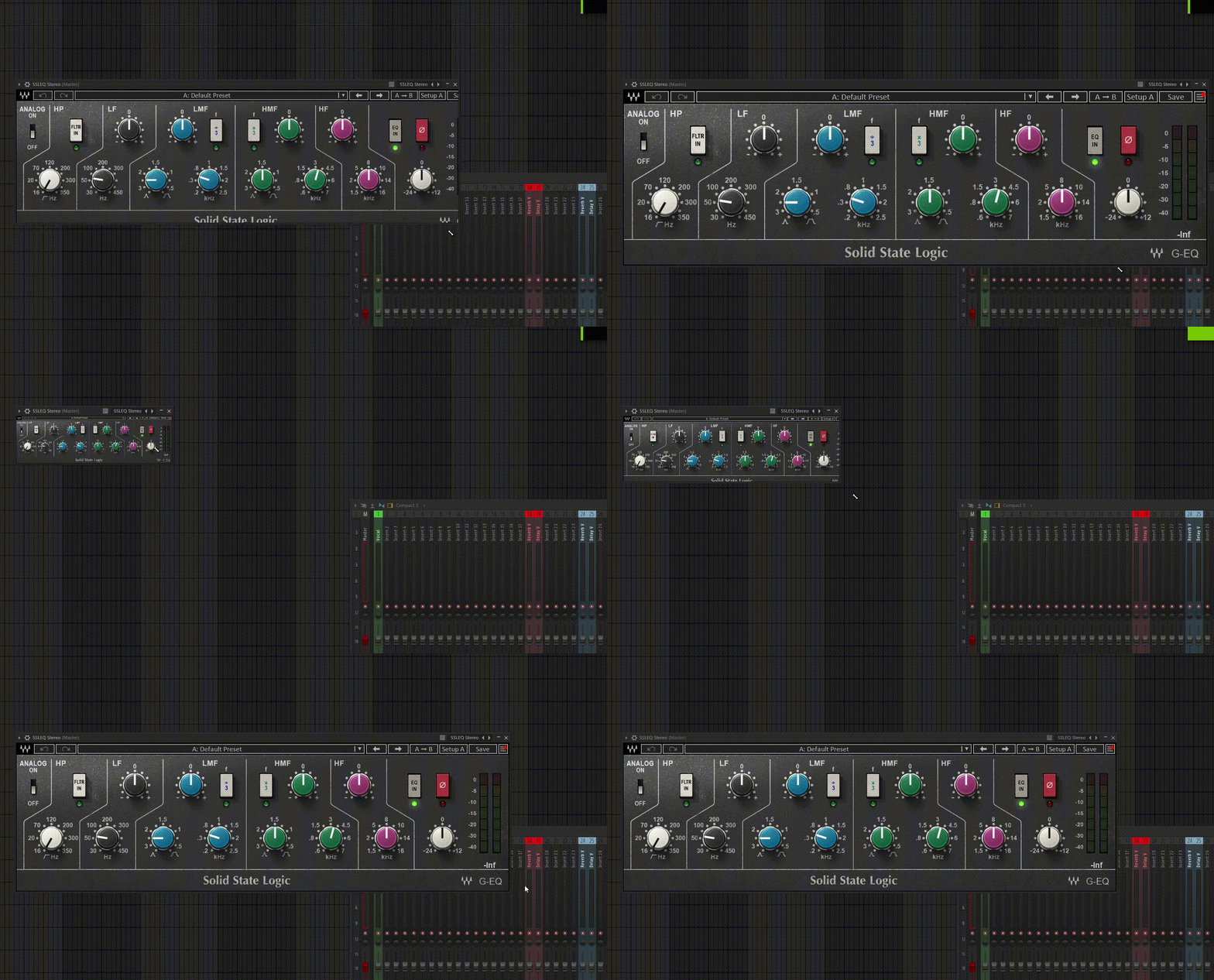
@David-Healey I followed everything in the video and the zoom works inside the app after compiling, but in FL Studio it doesn’t work and the GUI becomes very small.
@David-Healey Thanks a lot! I always watch your videos, can’t believe I missed this haha 
Hey everyone,
I’m currently developing a plugin and I’d like to implement GUI scaling (resize/zoom feature), similar to what some commercial plugins offer (like 75%, 100%, 150%, etc.).
Right now, my interface has a fixed size, and I want to give users the ability to resize it depending on their screen.
What would be the best approach to achieve this in HISE?
Is there a built-in way to scale the entire interface?
Any recommended workflow or examples?
Thanks a lot 
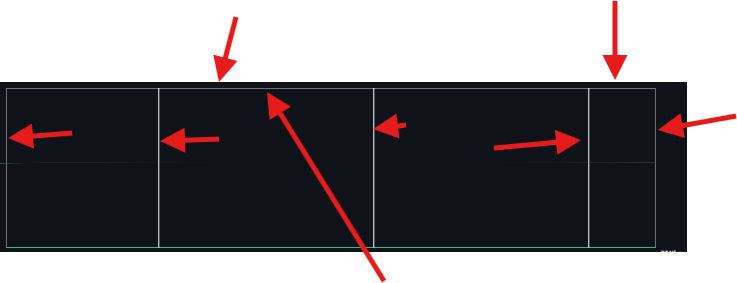
@the-red_1Thank you, I used AI to help me with the LookAndFeel code for AudioAnalyser and it worked great — transparent background and custom spectrum colour. But the white grid lines won't disappear no matter what I try.
Do you know the correct LAF function name to hide or customize the grid lines in AudioAnalyser?
And Thank you!
Content.makeFrontInterface(918, 581);

const var dsb = Synth.getDisplayBufferSource("Script FX1");
Console.print("✅ DSB OK");

inline function setEqProperties()
{
    local props = {
        "BufferLength": 4096,
        "WindowType": "Blackman Harris",
        "DecibelRange": [-90.0, 18.0],
        "UsePeakDecay": false,
        "UseDecibelScale": true,
        "YGamma": 0.2,
        "Decay": 0.6,
        "UseLogarithmicFreqAxis": true
    };

    local dp = dsb.getDisplayBuffer(1);
    dp.setRingBufferProperties(props);
}

setEqProperties();

// ===== LOOK AND FEEL =====
const var laf = Content.createLocalLookAndFeel();

laf.registerFunction("drawAnalyserBackground", function(g, obj)
{
    g.fillAll(0x00000000);
});

laf.registerFunction("drawAnalyserPath", function(g, obj)
{
    g.setColour(0xFF798ca2);
    g.drawPath(obj.path, obj.area, 1.0);
});

const var waves = Content.getComponent("waves");
waves.setLocalLookAndFeel(laf);
@David-Healey Thank you, I managed to get the AudioAnalyser working!
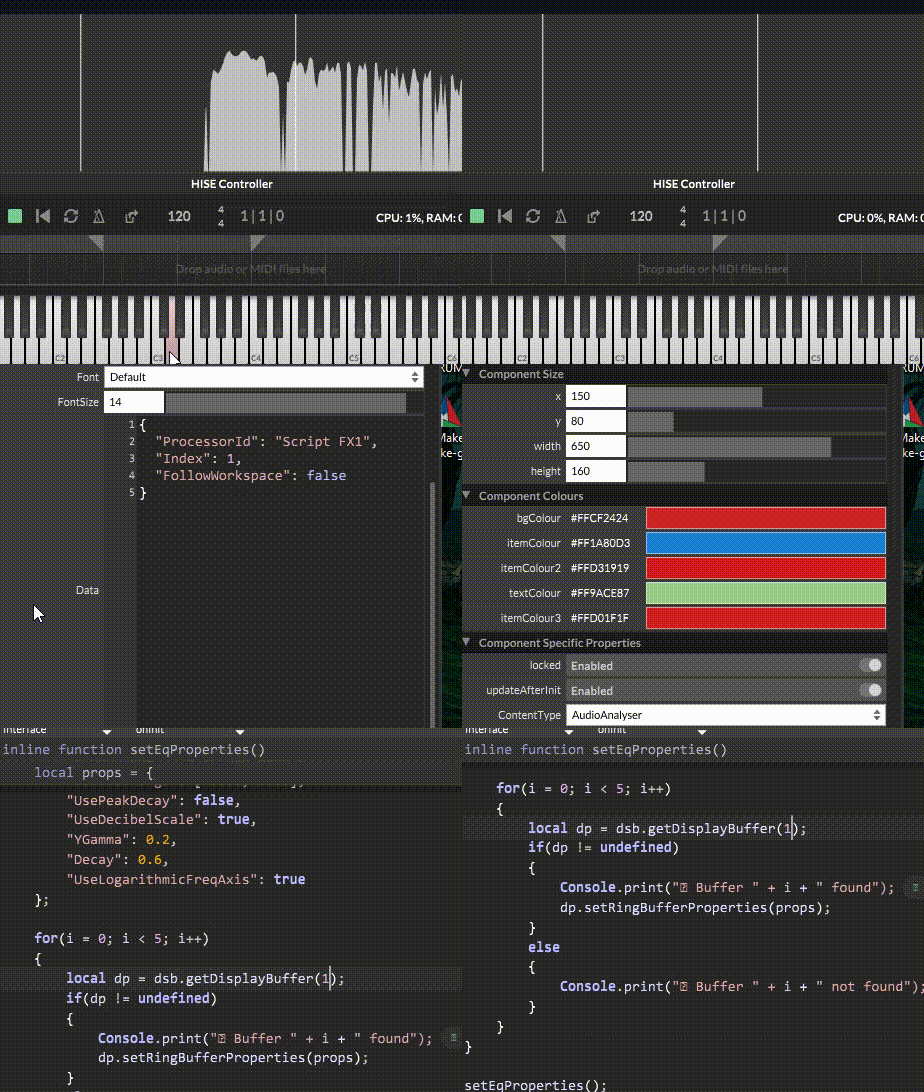
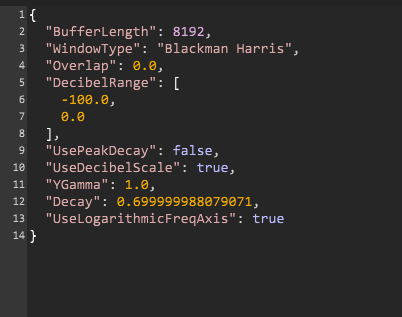
I couldn't find "Enable Spectrum Analyser" from right-clicking the EQ (probably because I'm using SVF EQ nodes in scriptnode, not a built-in Parametric EQ). Instead I used this code:
javascriptconst var dsb = Synth.getDisplayBufferSource("Script FX1");

inline function setEqProperties()
{
    local props = {
        "BufferLength": 4096,
        "WindowType": "Blackman Harris",
        "DecibelRange": [-90.0, 18.0],
        "UsePeakDecay": false,
        "UseDecibelScale": true,
        "YGamma": 0.2,
        "Decay": 0.6,
        "UseLogarithmicFreqAxis": true
    };

    local dp = dsb.getDisplayBuffer(1);
    dp.setRingBufferProperties(props);
}

setEqProperties();
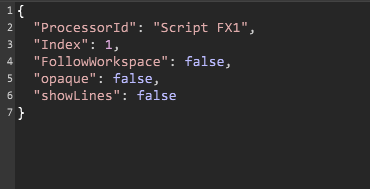
And FloatingTile JSON:
json{
  "ProcessorId": "Script FX1",
  "Index": 1,
  "FollowWorkspace": false
}
But now I have a new problem:
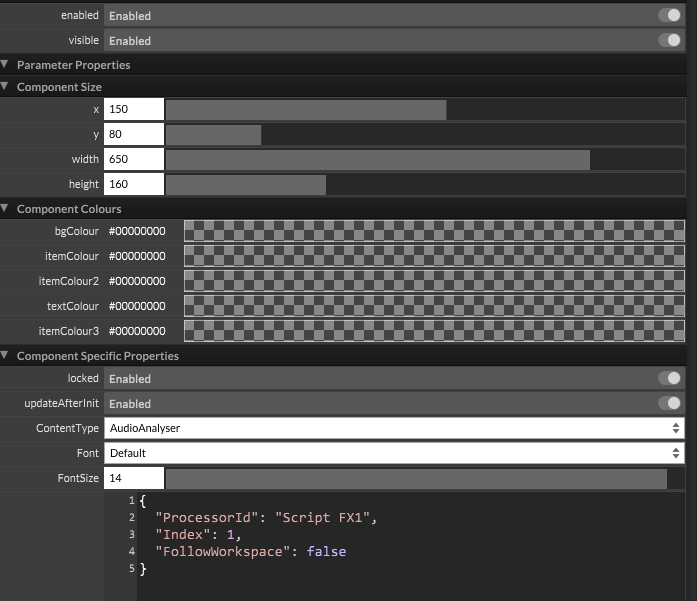
The AudioAnalyser background is stuck grey and I can't change it:
Setting all colours to #00000000 in property editor → no effect
Tried JSON properties (BGColour, LineColour) → no effect
I want to make the background transparent so it overlays on top of my EQ curve display
Is there any way to customize the AudioAnalyser colours / make it transparent?
Hi everyone,
I'm building an EQ plugin in HISE 4.1.0 and I want to add a real-time FFT spectrum analyzer behind the EQ curve (like FabFilter Q3).
My setup:
EQ curve working perfectly with FilterDisplay FloatingTile
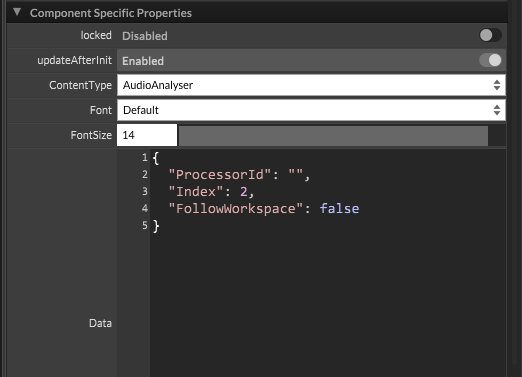
Added a new FloatingTile with ContentType = AudioAnalyser
Both FloatingTiles stacked on top of each other
The problem:
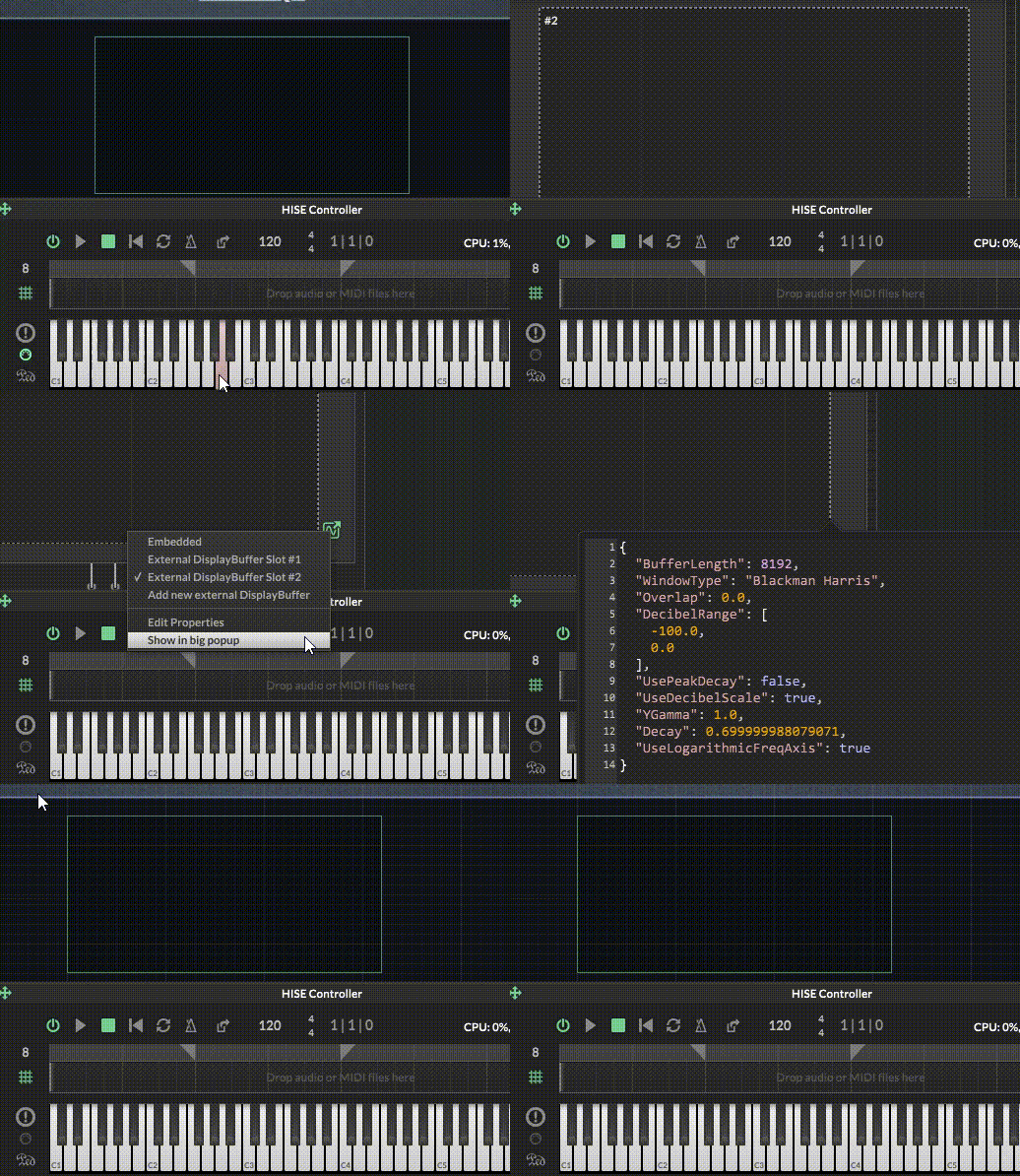
AudioAnalyser FloatingTile shows nothing — I tried different ProcessorId values (Script FX1, instrument name, empty) but nothing works.
My questions:
@ustk Hey, thank you so much for your help , I was stuck on this problem for a whole day and your solution worked perfectly , Really appreciate your help,
Hi everyone,
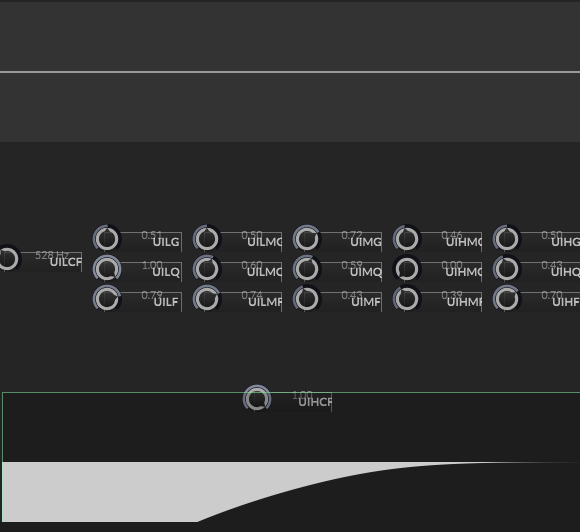
I'm building a 7-band EQ plugin in HISE 4.1.0 and I can't figure out how to get the FilterDisplay to update visually when controlling it from script.
My setup:
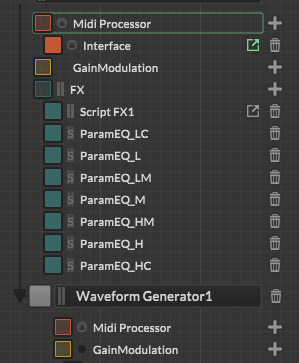
7 SVF EQ nodes inside a Script FX1 (DSP Network/scriptnode)
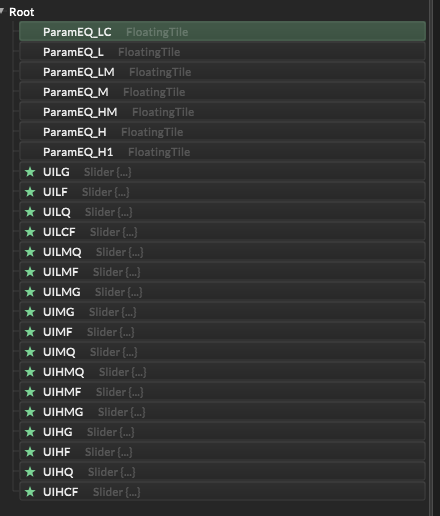
7 Parametric EQ effects in the FX chain (ParamEQ_LC, ParamEQ_L, ParamEQ_LM, ParamEQ_M, ParamEQ_HM, ParamEQ_H, ParamEQ_HC)
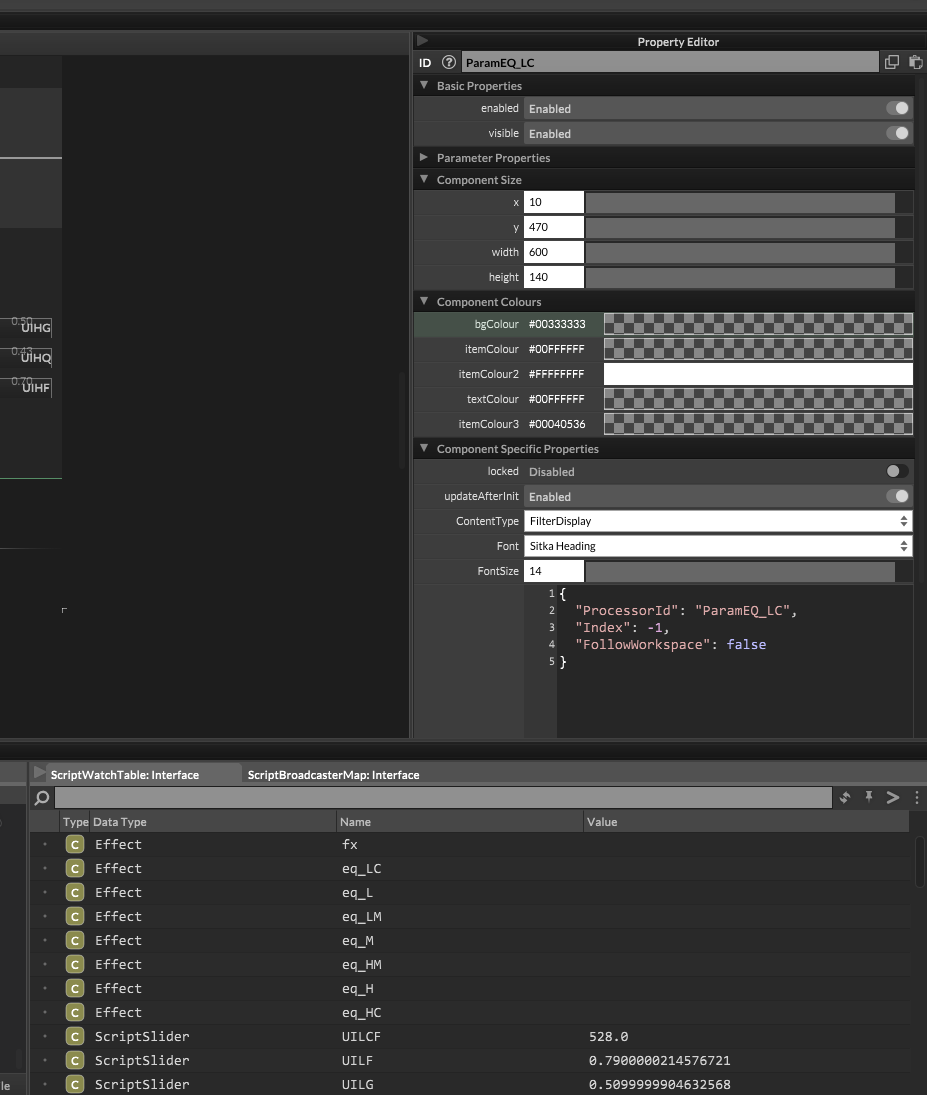
7 FloatingTiles with ContentType = FilterDisplay, each pointing to one ParamEQ effect
Knobs connected to Script FX1 parameters via property editor (processorId = Script FX1, parameterId = LCF/LF/LG etc.)
The problem:
When I call eq_LC.setAttribute(1, 500) from script, the value changes correctly (confirmed with getAttribute), but the FilterDisplay FloatingTile does NOT update visually at all.
What I tried:
Synth.getEffect("ParamEQ_LC").setAttribute(1, freq) → value changes but display doesn't refresh
Connecting FloatingTile directly to svf_eq_1 via ProcessorId → curve disappears completely
Engine.repaintFront() → no effect
My questions:
Is there a way to force FilterDisplay to repaint from script?
Can FilterDisplay work directly with scriptnode (svf_eq)?
Should I use ScriptPanel with setDraggableFilterData()? If yes, how to connect it to scriptnode parameters?
Would it be better to replace SVF EQ nodes with regular Parametric EQ effects and control everything directly from the property editor?
Thank you so much!
HiseSnippet :
HiseSnippet 3987.3oc6cs7ababFmqkor053l3D2lbpfUnGVEqnrjbelTUsVOVMBwTZWux1Imbn3NqDg3RtljqrTRMp5Kfbn.8XQ.ZQys1SoW5g1aA8TN1hfBDihBTjh1fhdn8+.2YFRt7wRRw8gT7icMf7xY99l427886a144t0z0jfFFZ5ToRu8QcfTodN5FGoZt2J6IJqRswpnzoWVQSa06V+PpkOpingArIUpTSsNN+TybdJxq+2RKKpHpJAcShh51ZxRvaH2V1zM0ZUdKYEkphMgaK21iz4prgjl5JZJZcQXYJ5rTcDk1WbW3lhXwNGMEPzXOpTuJsTybR4jJrSNVQwVEY2o.bmRrEYgkjx2rrjjnT9cjX44EoRM8ZMkM0zaXJZBMnRc9k0ZdTi8ztupUEbaYC4cTf3GXoZfpYqjqpozD2DwoRsxdxJMq4XjLnnRQWy0jMkkI6pzBxMk6ktqo6EHYv3pgWCXpy4GdS4CdrdgWVOvKDHkxCjNuEjtBcCIc4Nlt4fwykn2P0Dp2RD4m7BEKYoN2u5pzqngjP0bg1h6CqpidnmFYJjM67Ln+L2ad4zWNMxaYXxbfnNSqCYVjgPZVXWn4ZsZAkLyLqUYxT8sYmEqfq3v6c2arRXZTSTWr8Z0Q4hzHcZDRLzTfKzQWVEk6hKtHiqDLhll5x6zEY4XP4fUnkldFYT4l8MYjY9NLr3++ZWatzueZFzq.k1FpMgGxLKy0PxdMz+uH48Dnggz0cJ8LxygJ5GjN8q+5Ln5x7MX97eym+ae3Ol4g+HzejIkxC+fO+28vO3g+.llxFcTDOJsUwX3sXPVN14dSDNPkyZphH+5RgIF67L4wFXrXU0g2KTg3Pk0B1BUOTI3Q9IGIvwoKEz9yDq8ODGlPrJHzuFBwVEgn.H1p.DlFwVEfPTHVZGXkYsX1xsxfozKxzE4daIqBaNWP5yW7K+oHlMylasMS0st0lqRzDpX.6SvewOAK3VukcYGHahu6MHbuL1wEdpVlkXv0zrLHIPEzrygKi9KAfmR.jfR.0BUUP4xzpqpjorlJSawNX1VlClmosrJ5OhGN2kS+9WlD4nCM6pqhyf4UYDDQFuNZ2OCRjWmH6A3h7AgVlXpWlC5qjxb.pfxUZNlWigKWjJWODMytPNb6Dqe1EJYWwWFGatH9EyM15NLqbqssdxqy+VabiUphb9N8tgb+qn0tilJDaCI4RbPAwglJIuLRy6ALJZRhJLsPFLTI5wzwgCxs5dDKVqC8GThdFUTySTzQlv6BvQBTiiT8XAvHWWSYEQEkcPevXFajY4O8Y.Z.V6FUC0DDqEnZf3ETRqGm7q2u70iS95yFN2izPRnElGag4h0BGhANN6annY8vPytHxrEZro0w.h0mmHdzff2Ufn.Q8v.gs8nd7Ue84Yhw.vYmqE6JZxEgagsFQJw51RTORIpGB+TXiUCkcJDK8THD9oPrDTgPXnBwRQEhkiJjPRJKtefbw2OfPHzTgAlmJLxDUgPXpBCLUUXD3pBAIqBwwVEhltJ3vWEhlvJ3vXEhlxJDjyFAeMV5ZHr0XIqgvUikpFKSMoD0b3wyykMVlZHD0AlmNxzzPXoCLIcD3nAonwwPilf5vOild5vNilb1G2Drw5fnHnfXYnfPnnfX4nfPHofXYofXoo.gDOtJ6IdFGQEDBSELvTUvHyUAgPVACLaELBzUPP9JHNBKHZFKvgxBhlyBbHsfnYsfvosQNNUPr71PnswxZCgzFKmMVJaBYrEHLV1SnuUPHL1AlvNx70PnqCLacDHqA4pwQUilo5PTilm5PSilkFJIMhYSBhc1jfXlMIXkjOLRmOeNVRTHSoDbBSoDD8TJA3oT5AvapYB2RMCdUzlI8CRyDLqVsBMO6hVApGZ13k9UONEyn1s8NP84QlaktvdBRk579WyT5nWyTuKoqjkixifZpanJatUGnZTKzKks2khJ0UrQERTSxpq90rWc0FJxMg5TxMoRMMMdBQTD7Zup1G+ep+2WhJo5V0mtLe75+6jqace5RVN9jn6EnIqgP.kO93JIVYA+0bEd9+QxqYA+07wW8i+xAP40C1lStsNftGuX5uL455Gzu668Y+0jqa.+z67oeQhav.g9bx1bzDob.T+stzCGfZNfo9WW7uk3lLXDbSf.f9SW9ekbcqObtIRCtuPBb7zs1XUQSQ7tsX2w.pyhNPcSYb+PoVEdfrDzZuWlgdUnw9lZcnR8J89bATsYZuYQVUZUEMQSY0c2VF0eEtpeNZ2s2f5P259aW4ndO7tOnx8kaZtWuD9jeXk8fx6tm6NrcrXkc10YezlYZdddRxxlv1to9nG8n.oxiSt.84CjLmszDwqpgaGOOcCYy8EY.PwlH76zOoUa+4oqJqXB0W0ZqPnH1rTaRi2DlY6085FMm8MX7teOyiylrmLnLdMVxiUQe9g18uil99FcDkfnLZIpX.S+.JS3gl82Vn7Xqu7IXqujqsFapoSg0+H7apgdyfaheTnl3GEtI9QgahOdjLwBwahGPK7fXK8vaEdJwXdB7UgSQqoKyTvam.DCpyCaW4oOFpvYBCE7zlQMdlJ3rgoBdlhoBNaXprOawTWYDrpW7jlUlGK463YzTehd.K4w2Nnkj56VoiKhImNpdmqEpNXvCQsTbNmmFUQC.ppFEpN9fwKppNHnpdTn5iLGunpdXwEwLG0nBFFFX4Yb19f0zz3Eegps2C1VtJsEcq6O3ypXXB6zP987M4.itsZIiG5CMC38P52roBrllgLdQMvxMEVrN+7JIyQ3LyZOMY4SKOAMMtlFDbUMJbMV4sXbUcfv05QgqwZTNFWCRXtOXgPxoVmOCFppFEpFyc9HLHc93ix6CUi4NeFHFOvej3QmdQhfADWUiBWi4HQv.EIB7GIdzoWjHXf37.uvpx2+zKRDLPnpZTnZLGIBFjHQP8nP0XNRDLPLdeCCnhlWW32a7xrP0DU+Gp5WfVPqYWEQS+mwa7drYmA9y68dvpwGdZUz3.Nx6nEFaG76jBwqPWS1TZuvw34BAiTTmJXz93xeYZqidqK.OOc029T5rwew9sQocl80aSpbeDgPNU7o9.Z2cnpiNDwUfaqUCMylLFhs6n.uIBiyyrihlz93AF1+1ZYy6VFKQFo8DUUgJFCyteMchsJrw6TtoVW77NEDM0IiacytsaflomDbEazgW8tygWSUqmy5rrdMfpMIOfm8nclr3mSYmIqSlt6eF0lPy6imBGdwyseOxwXY6MHF4615PD7g5FjALeA5rKf9G00wS9C28frMskzvHoVSS4nN6ooJKg8TVx3.9q2VqKt2DqVfKqeYGOjSiAHZrsnrBNHnQWiNHzukZCT4PtFKXR3lZMQu6BUEkPV8ipIh6f4Jz3cSDwbg5KH0iA6qg3RhvleqKvhOAv9rZNc4XX0rv0kyjysfGpU0lzs34nQhfy2xBR.0z3Z8BzVH3D.XX3wQ0jVsWvS0NCswAstK7dk7Wwu.cKx79MVvJ6Pq2z15dW+s3Ylli6+9n9qdrmUAdnyVuXsvBFtuE8FxRFf6C40XQ813ZUQfs2SnJPPV81VapyzzbX1kf3g1ILCMYW1Qo0Xe38sZS3EoI6BbbkKmMW9Bbb74JUrTd6aQCdZhcQzjin1Fdn41ZjxAw2O.pSpLuRrJrkXWES6p5hzrV0z06Zp0FEFaeQiZz2rJon1vp7H8EQ4ooLsaS4kPXjOK4EKaYtrk4J6oc8RzkWnTY7qBrkxymkqHe+svB4JxVrDaQ9rExyVp.oENEccJ6x.KSIthkxkuX97r4Kjku.ef1DMMKpAEABu.xsTxm0dZZRB35YZxmcFgQDuMZRx6.Un5UOXCWv5Naz0sUlt0rEPCZA3yxlEaCKWtTtxEyxZ6iazVSybO7haYq82.WZYKa8pXwB4JwkuDW.7DgPIFf4v.rGWvBvVVJAb7muFxnaIBohlg155I0L95xxi6tCnTTd5e3h1w3CQ2Czzv6wchcJM15U3BOd2qvYeTeX94jApwQfdfZxGXdFLHm6w4fbmAATXTFD.+jP8Ig5SB0sj6w9P87iRndtIg5SB0mDp+DRndtQITO+jP8Ig5SB0eBITmeTB0KLITeRn9jPcZZ9mDB04FkP8hSB0+JKT2yhwWLOa97kKjOKOaVtr4KchKFO83Mt+Y8.8rO1En6MLxWNjuX3vOcDJ.0ZWJ2v313bkD6sqJoNm+3vq3MNzZy4uw5TmTCBYi79c22ZGhzWUTwyQN.0QxpxFVMP+sITeG216c052+M+mKQtkUpPxFiaXeoqrejxZeYwmTidazPM+GiSBQlJjFR8yxFByGu9edjZH3H+vZEUOKaEezG9g+gQpU3s+0H5WJ7FAt0RSiO7u9nG+r+3eYovB.SFFc265wJHEV2aOD4oFc.V3DI0IFa08Y.IWR2wN9BxUSL376cIWB3wN3FIuK4r0d6f2W3QGi4GONXxwY0y3CxWpP47ngGfF5RwrkxxRM1Q5P4pImEXOvLGethnOgtbtb433KTrv3GliXHMv0rF8G5OX.L2XIjA3RGeQrgD4r4XKlqbtxExUX7ixguiGfeONeYV9rH2NeY9Rk3Jle7C0QLLGT+TlfxOVhi.i8Opgeb0SDnmCGOWHR+PbnowTpX17EOE.5nFg6NxhnOPMCF.4hCfCwHyWVSa+1hjiN4P8EPf2SeaZmLWoq9Av0tm84Vzykgx6gecytscl+t8o6bYQxQ+z87ogSf06WaH3D3bGkwmsDNAd+eIgq1Lm2DpVcamY8fOwkS8jzAb0iskNLaq2ujAh1zRtTkOEaE780CvytlAu2q+IjAxMweBY.e04mPFv296mMLCurkY3Rz2Q7.H4Khdhg3qSdtkldal0gpPc7s2gMperMN9nW5OkzerM5j3erM1RxDAgs0EUM5nY.Y8VxMfsk2VSEZ3K0.ZvEpF9RcUnYWU+EsUR9jBaJphLEdj6hUbRjyah0DU8UXnm8URBxG58qcJKBTCHpk2bKCIjgQjrRztCFoVWEC3cv2iLVuJ5lLm2jAh5MQ9PIeWapoh6mbD1g7mbjoer6mbjm.tbb99UQYFGL1PFuEUqod.TAM3YBFeQZ6w86jp+POAMUMmaZjqi9lPTOF6tKzG+IzFz0MMEk12MkqV4lPEnnAz62vW2PVEJpS1nggyVvNv+BwDp+5UnsfKCt+BlmbuTiS8T8kZL4Qent.e71K9xznth4XHtRluZ7kmEiA3rnNZKJoqcWIqqPJ4puRRA0tUIaj+LzB3mYX6+6Qx1nOx3tRR9Kp9TjaXUjeXUL2vpX9gUwBCqhEGVEKcxJh+Dc6if.N1.MxlZqY8kpTJOiJl5+yofhkZ
Script :
Content.makeFrontInterface(600, 600);

const var fx = Synth.getEffect("Script FX1");
const var eq_LC = Synth.getEffect("ParamEQ_LC");

Console.print("=== ParamEQ_LC attributes ===");
for(i = 0; i < 10; i++)
{
    Console.print("Index " + i + " = " + eq_LC.getAttribute(i));
}

// test
eq_LC.setAttribute(0, 1);   // Enable?
eq_LC.setAttribute(1, 500); // Freq?
eq_LC.setAttribute(2, 1.0); // Q?
eq_LC.setAttribute(3, 6.0); // Gain?
const var eq_L  = Synth.getEffect("ParamEQ_L");
const var eq_LM = Synth.getEffect("ParamEQ_LM");
const var eq_M  = Synth.getEffect("ParamEQ_M");
const var eq_HM = Synth.getEffect("ParamEQ_HM");
const var eq_H  = Synth.getEffect("ParamEQ_H");
const var eq_HC = Synth.getEffect("ParamEQ_HC");

if(fx == undefined) Console.print("❌ FX NOT FOUND");
else Console.print("✅ FX OK");

Console.print("eq_LC: " + (eq_LC == undefined ? "❌" : "✅"));
Console.print("eq_HC: " + (eq_HC == undefined ? "❌" : "✅"));

inline function mapFreq(v, min, max)
{
    return min * Math.pow(max/min, v);
}
inline function mapGain(v)
{
    return (v * 48) - 24;
}
inline function mapQ(v)
{
    return 0.4 + (v * 0.8);
}

// ===== LOW CUT =====
const var UILCF = Content.getComponent("UILCF");
inline function onUILCF(c,v)
{
    local freq = mapFreq(v, 20, 100);
    fx.setAttribute(fx.LCF, freq);
    eq_LC.setAttribute(1, freq);
}
UILCF.setControlCallback(onUILCF);

// ===== LOW SHELF =====
const var UILF = Content.getComponent("UILF");
const var UILG = Content.getComponent("UILG");
const var UILQ = Content.getComponent("UILQ");

inline function onUILF(c,v)
{
    local freq = mapFreq(v, 30, 120);
    fx.setAttribute(fx.LF, freq);
    eq_L.setAttribute(1, freq);
}
inline function onUILG(c,v)
{
    local gain = mapGain(v);
    fx.setAttribute(fx.LG, gain);
    eq_L.setAttribute(3, gain);
}
inline function onUILQ(c,v)
{
    local q = mapQ(v);
    fx.setAttribute(fx.LQ, q);
    eq_L.setAttribute(2, q);
}
UILF.setControlCallback(onUILF);
UILG.setControlCallback(onUILG);
UILQ.setControlCallback(onUILQ);

// ===== LOW MID =====
const var UILMF = Content.getComponent("UILMF");
const var UILMG = Content.getComponent("UILMG");
const var UILMQ = Content.getComponent("UILMQ");

inline function onUILMF(c,v)
{
    local freq = mapFreq(v, 120, 400);
    fx.setAttribute(fx.LMF, freq);
    eq_LM.setAttribute(1, freq);
}
inline function onUILMG(c,v)
{
    local gain = mapGain(v);
    fx.setAttribute(fx.LMG, gain);
    eq_LM.setAttribute(3, gain);
}
inline function onUILMQ(c,v)
{
    local q = mapQ(v);
    fx.setAttribute(fx.LMQ, q);
    eq_LM.setAttribute(2, q);
}
UILMF.setControlCallback(onUILMF);
UILMG.setControlCallback(onUILMG);
UILMQ.setControlCallback(onUILMQ);

// ===== MID =====
const var UIMF = Content.getComponent("UIMF");
const var UIMG = Content.getComponent("UIMG");
const var UIMQ = Content.getComponent("UIMQ");

inline function onUIMF(c,v)
{
    local freq = mapFreq(v, 400, 2000);
    fx.setAttribute(fx.MF, freq);
    eq_M.setAttribute(1, freq);
}
inline function onUIMG(c,v)
{
    local gain = mapGain(v);
    fx.setAttribute(fx.MG, gain);
    eq_M.setAttribute(3, gain);
}
inline function onUIMQ(c,v)
{
    local q = mapQ(v);
    fx.setAttribute(fx.MQ, q);
    eq_M.setAttribute(2, q);
}
UIMF.setControlCallback(onUIMF);
UIMG.setControlCallback(onUIMG);
UIMQ.setControlCallback(onUIMQ);

// ===== HIGH MID =====
const var UIHMF = Content.getComponent("UIHMF");
const var UIHMG = Content.getComponent("UIHMG");
const var UIHMQ = Content.getComponent("UIHMQ");

inline function onUIHMF(c,v)
{
    local freq = mapFreq(v, 2000, 6000);
    fx.setAttribute(fx.HMF, freq);
    eq_HM.setAttribute(1, freq);
}
inline function onUIHMG(c,v)
{
    local gain = mapGain(v);
    fx.setAttribute(fx.HMG, gain);
    eq_HM.setAttribute(3, gain);
}
inline function onUIHMQ(c,v)
{
    local q = mapQ(v);
    fx.setAttribute(fx.HMQ, q);
    eq_HM.setAttribute(2, q);
}
UIHMF.setControlCallback(onUIHMF);
UIHMG.setControlCallback(onUIHMG);
UIHMQ.setControlCallback(onUIHMQ);

// ===== HIGH SHELF =====
const var UIHF = Content.getComponent("UIHF");
const var UIHG = Content.getComponent("UIHG");
const var UIHQ = Content.getComponent("UIHQ");

inline function onUIHF(c,v)
{
    local freq = mapFreq(v, 6000, 12000);
    fx.setAttribute(fx.HF, freq);
    eq_H.setAttribute(1, freq);
}
inline function onUIHG(c,v)
{
    local gain = mapGain(v);
    fx.setAttribute(fx.HG, gain);
    eq_H.setAttribute(3, gain);
}
inline function onUIHQ(c,v)
{
    local q = mapQ(v);
    fx.setAttribute(fx.HQ, q);
    eq_H.setAttribute(2, q);
}
UIHF.setControlCallback(onUIHF);
UIHG.setControlCallback(onUIHG);
UIHQ.setControlCallback(onUIHQ);

// ===== HIGH CUT =====
const var UIHCF = Content.getComponent("UIHCF");
inline function onUIHCF(c,v)
{
    local freq = mapFreq(v, 12000, 20000);
    fx.setAttribute(fx.HCF, freq);
    eq_HC.setAttribute(1, freq);
}
UIHCF.setControlCallback(onUIHCF);
Photo
"
Thank you so much!
@Ben-Catman Thank you very much! I’m really glad you found it useful. Hope it helps save time in your HISE workflow 
Hi everyone,
I’d like to share a Python script that saves a lot of time when creating knob filmstrips for HISE.
Instead of rotating a knob image manually frame by frame, this script:
Takes one knob image
Automatically detects the visible (non-transparent) area
Crops and centers it perfectly
Rotates it smoothly
Exports a 128-frame sprite sheet (no jitter, no wobble)
Features
Requirements :
pip install pillow numpy
Full Python Code :  ️
️
from PIL import Image
import numpy as np
import os

# === Settings ===
image_path = "PATH/TO/KNOB.png"
output_image = "PATH/TO/KNOB_128fps.png"
num_frames = 128
start_angle = 150
end_angle = -150
orientation = "vertical"  # "vertical" or "horizontal"

# === Load image ===
img = Image.open(image_path).convert("RGBA")
w, h = img.size

# === Detect non-transparent area ===
alpha = np.array(img.split()[-1])
ys, xs = np.nonzero(alpha > 0)
x_min, x_max = xs.min(), xs.max()
y_min, y_max = ys.min(), ys.max()

# === Crop to real knob area ===
img = img.crop((x_min, y_min, x_max, y_max))
w, h = img.size

# === Make square canvas for perfect rotation ===
side = max(w, h)
square = Image.new("RGBA", (side, side), (0, 0, 0, 0))
offset = ((side - w) // 2, (side - h) // 2)
square.paste(img, offset)
img = square
w = h = side

# === Lock rotation center ===
cx, cy = w / 2, h / 2
print(f"Rotation center locked at ({cx}, {cy})")

# === Create sprite sheet ===
if orientation == "horizontal":
    sprite = Image.new("RGBA", (w * num_frames, h), (0, 0, 0, 0))
else:
    sprite = Image.new("RGBA", (w, h * num_frames), (0, 0, 0, 0))

# === Generate frames ===
for i in range(num_frames):
    angle = start_angle + (end_angle - start_angle) * (i / (num_frames - 1))
    rotated = img.rotate(angle, resample=Image.BICUBIC, center=(cx, cy))

    if orientation == "horizontal":
        sprite.paste(rotated, (i * w, 0))
    else:
        sprite.paste(rotated, (0, i * h))

sprite.save(output_image)
print(f"Sprite generated successfully: {output_image}")
Save the file with this name : ️
generate_knob_sprite.py
Make sure the file extension is .py and not .txt.
Open Command Prompt / PowerShell & Run the script ️
python .\generate_knob_sprite.py
Good luck