Best practice for stepped frequency parameters in SVF EQ
-
Hello everyone,
I’m trying to create a stepped frequency knob (like SSL / API EQs) for an SVF EQ in HISE.
What I want:
-
A knob that jumps between fixed frequencies only
-
For example : 3k → 5k → 7k → 9k → 11k → 14k → 16k Hz
-
No intermediate values
-
Works with SVF EQ frequency parameter
What I tried:
- Limiting the knob range and stepSize
- Linking via plugin parameters
My questions:
-
Is DSP Network (CableTable / Table) the intended solution ?
-
Is there a native way to do stepped parameters for EQ frequency ?
Thanks in advance!
-
-
@the-red_1 You could use an array of the values and a stepped knob in the UI.
const EQ = Synth.getEffect("Script FX1");
const knb = Content.getComponent("knbEQFreq");
const freqSteps = [3000, 5000, 7000, 9000, 11000, 14000, 16000];

inline function onKnbEQFreqControl(component, value)
{
    local index = Math.range(value, 0, freqSteps.length - 1);
    EQ.setAttribute(EQ.Frequency, freqSteps[index]);
}
knb.setControlCallback(onKnbEQFreqControl);
HiseSnippet 1593.3ocuX0saaaCElxIJMwqqnEaWrKERuwcHyvN+1fhg3jX6Nitj5TmFTfhhLZI5XBKQpIQkD2gc01E8t8XrWi9.zALf9Dr2ftmfsCIksjhcccMRqBfs4OGdNeme93QoY.2lDFxCPF4OtuOAYbSyV8Yht62ESYnFUQF2x7.bnfDXomZu993vPhCxvXtGJmvXo4Qpm2sydXWLyljLEBcBmZS9QpGUjLayJOh55VG6PNl5kZ2qWogMmsO2kGA1yblkP9X6d3yHGhkaKmI5GvgcQFeq48sa6r41N3sZu4ls2prsy1cJUdaLgzdsMt+ZjMr2ztbmMwkPFKTygJ3AsDXAIDNz83N8a0keASqfSngz1tD4fxnVfl0Si1uK00o4.mSHBYLeyDW0bZW0Wad.0gNb9DW1sUKXkHQZmlQtIYRk+HLIiTlz7ZS5NlsrCn9hjUj1yWX1fAQvNXH1j1Tz6Ekaubl6ygcvDE8v8H0CfACknvpkJshE7w8dP97P7ITXcNNvp1QVeukJUo3YDQsNcH1hBKqOQq5Oq7xv1S1cOVaX6CTBHv9bOeNCFTXYXsZGUOf7yKmUCcfoZIH9gfjOesRRqXC0mao9ba0mkKq+Zc8WaBe8B3TnLWJiX0IhYKnblEm8nAZQZDAb2B1CrfU.s4FQtW9eIuE73xswtVTlC4RPwGfA.FfYmQJn10JVfZFZYEcIryDcs9NqxRaWJdsiJFRD6JDAz1QBRAXrTqQDlc+TR9bkBdAH0ulGb.RYhMr8wttsg79BiZy26Ao.zgbA4wrBRydI3Prt5Rc5L10hOJWRvXWVVQFLIAKvh7ZSBR4zTaDx.ylVuvzkVaqSIRsQNqAiJdrOIdbctqiLcU96QKBPw4TxxgXKD1pPULbq3hgVtTGR.h5HqDFlsgT.HMWE5oMphE3AGEbpfl7IABpDPFUImCbY55rkLqRB6I39p8FmHgLtwTo3KSTZ0J8SOvCmZsuoBP652h9R3DMMKWrDxi533RZxCoxXRxNWrBZTp.fDh6D4hEYYljb1wKHOizzAxRdFb18Syo+QPWUZhzUSqIdGylTgc2wai4FiMBwqOE1XLI+WZp41RLv4Mq+rYkQuzGMid93bIPmRkeSyDJ1wwka7JyjhV+.hONfbLuoKtegPrmuK4IfMthUafkqmL0ZzJcesIrmbGEr6hYLha3rPHrv0z8bnmviDT1Y.Ub.EpOLOLxqEzhfMY+XqClyHmjKPOtjbrLunEg4nF7evS7hkkiMhWr7fESnQPGRDWvC5oBGw+FYrn12Gpbxm14xxnccc4WHK8owYoPLPMWStae+tbF0VNkdGCrzc83QRdBs4ljhu2fvw.KGZz4XL0Ulw2JJD3BcdLqEbNptqLl6DRPnRm2vrTQ3OnB3PtCrzMpisAed+lv0VxRII8Jj2RBJZOL+MCLRmBoayJyxxScPCYZKC.jmhqCZGSFMahC.wfdEjTj4LlKEkoNeVNBpVyoUcivSjqBWwhNQy+BtBoVz9aEHVPt0EMCOuyo.aYFDcayNTWoxJFu5n1+PAmrsm0RkKAEGWNf+utVKI+TB.4M1CRXpA47Nv8RJAFjDkxW.nX3H.2GPYmj85l0qb.9xry8p2Vo0PF+D1sV8HWncBwyV4279qcz80Mr0BzwjKEGyUGHjKeN.LohSuilPmz5vVT6GFvi7UCxZBU9iJUIcvQthQlug9PUd5ciDbOrdPNTJfl+J.sxZq81ctBPe8adycmNfht6+92JfNm4QuW.9THrzARwclJ.B2nMV.ByOIb.Oq95QBXnUmRbHOdINVPc866AJxdJrosItSGPf9EFKPj2hMQf.DOi.j2syTAje5qp913LuVdbtnKPKesDXp7Ou72GWfQM+LfmaOl.CfwIDXNPR8bMki8IOzLInrjYMFFtX04yYEilrOEg2Uomt9I.g.VV18ZWBplgcS04Hz8TUZn1aLdrlAZWA49+YkOLqp5cEXDUSQgnLCiuUtgSpKkF5iZ3j8bP6w487vpFOloWD4yRaRdX6.9o15N+jvcQ0L.CMSc46RlGHGaUdz2tBd4E5o11YOpQDb0YUv0lUAWeVEbiYUvMmUA2ZVE79eXAk+GqhuVWl5BLQMqoatwX.eBbwO5+wkAyGkHISE dev latest / herdr + Claude Code / Figma + Affinity
Meat Beats: https://meatbeats.com
Klippr Video: https://klippr.video -
Thanks for the suggestion!
Just to clarify though:
Synth.getEffect() doesn’t seem to be available in my HISE version / scripting context.Using:
const EQ = Synth.getEffect("Script FX1");results in:
Unknown function 'getEffect'So while the stepped array + UI knob idea makes sense conceptually, the example as written doesn’t run here.
From what I understand, effects can’t be accessed directly via Synth.getEffect()
Please let me know if I’m missing something or if there’s an updated / supported way to reference FX modules.
Thanks again!
-
@the-red_1 Do you have a Script FX module called "Script FX1" in your module tree?
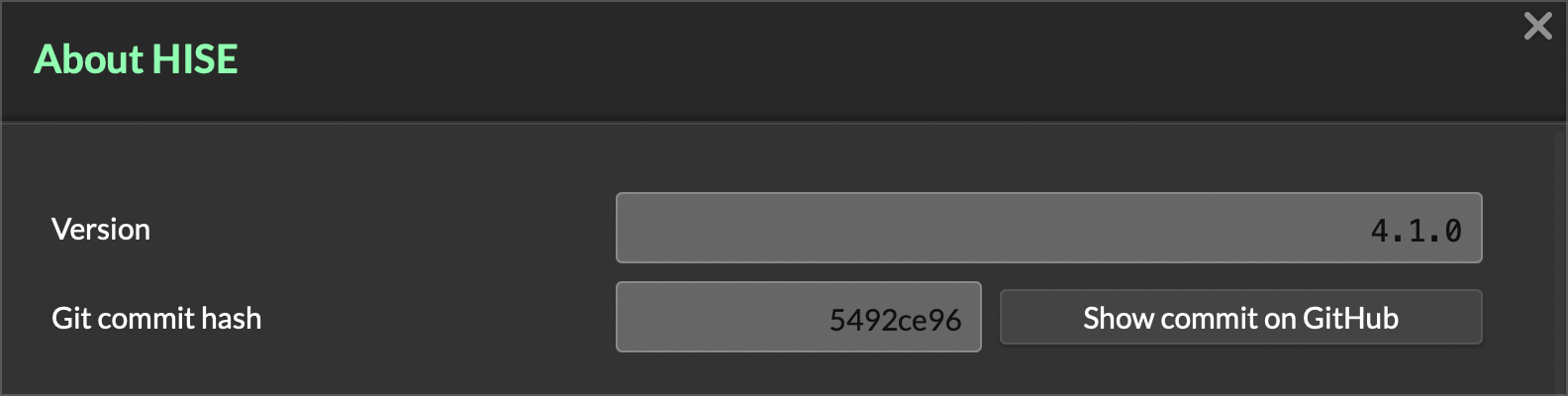
What version of HISE are you running? Go to HISE > Help > About HISE and tell us the git commit hash shown, like this image:
HISE dev latest / herdr + Claude Code / Figma + Affinity
Meat Beats: https://meatbeats.com
Klippr Video: https://klippr.video -
-
This post is deleted! -
@the-red_1 Right click your Script FX1 module and use one of those "copy reference" functions... there's usually one or two that pop up depending on what type of module is loaded.
-
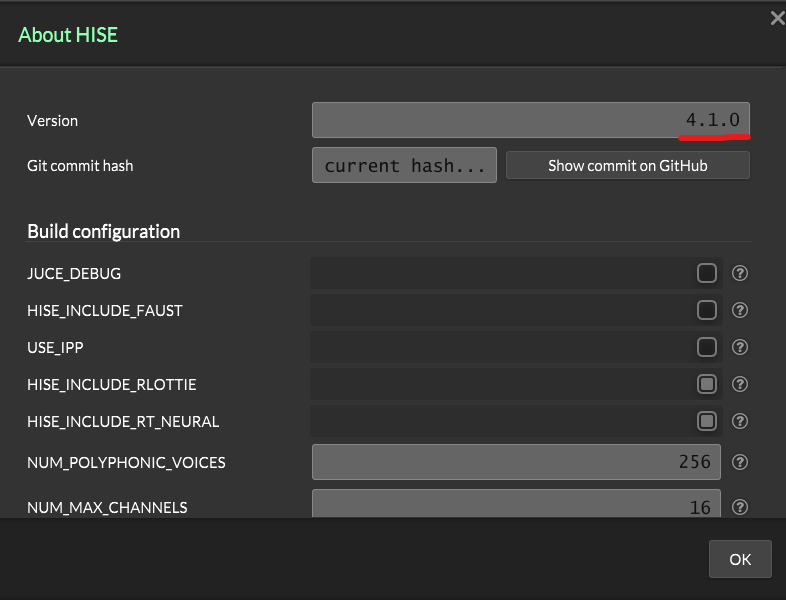
@the-red_1 Unfortunately, 4.1.0 doesn't tell me which version you have. That version number is not updated very often.
If the git comma hash doesn't populate, then you likely have a very old copy of HISE.
Did you download the app HISE app, or did you build it yourself from the source code?
HISE dev latest / herdr + Claude Code / Figma + Affinity
Meat Beats: https://meatbeats.com
Klippr Video: https://klippr.video -
@dannytaurus
I actually downloaded and built HISE directly from the GitHub source code, not from a prebuilt app.
So I’m running a source-built version.If there is a specific branch, commit, or build configuration required for
Synth.getEffect()to be exposed, please let me know and I can double-check or update my local build.
Thanks for your help.
-
@the-red_1 said in Best practice for stepped frequency parameters in SVF EQ:
If there is a specific branch,
Build the develop branch if you haven't already
-
@the-red_1 Use the latest commit
3c36e36c0c27adf97be22206fdebf87ec9c7eeb0, as as @David-Healey says, use thedevelopbranch.HISE dev latest / herdr + Claude Code / Figma + Affinity
Meat Beats: https://meatbeats.com
Klippr Video: https://klippr.video -
@dannytaurus
Thanks for the suggestions and explanations.To be honest, I’m not fully sure about the specific branch or commit details — I haven’t worked with building HISE from source before, and I don’t want to take up too much of your time diving into that.
At this point I’m just trying to get the current functionality working, so I appreciate all the help and pointers, and thank you for your patience!