Forum
    • Categories
    • Register
    • Login
    1. Home
    2. the red_1
    • Profile
    • Following 1
    • Followers 0
    • Topics 10
    • Posts 34
    • Groups 0

    the red_1

    @the red_1

    8
    Reputation
    3
    Profile views
    34
    Posts
    0
    Followers
    1
    Following
    Joined
    Last Online

    the red_1 Unfollow Follow

    Best posts made by the red_1

    • Auto-Generate 128-Frame Knob Filmstrips for HISE

      Hi everyone,
      I’d like to share a Python script that saves a lot of time when creating knob filmstrips for HISE.
      Instead of rotating a knob image manually frame by frame, this script:
      Takes one knob image
      Automatically detects the visible (non-transparent) area
      Crops and centers it perfectly
      Rotates it smoothly
      Exports a 128-frame sprite sheet (no jitter, no wobble)

      Features

      • True center rotation (no shaking)
      • list itemAutomatic alpha-based cropping
      • list item 128 frames (super smooth)
      • list item Vertical or horizontal filmstrip
      • list item Ready to use in HISE
      • list item Huge time saver

      Requirements :

      pip install pillow numpy
      

      Full Python Code : ⬇️

      from PIL import Image
      import numpy as np
      import os
      
      # === Settings ===
      image_path = "PATH/TO/KNOB.png"
      output_image = "PATH/TO/KNOB_128fps.png"
      num_frames = 128
      start_angle = 150
      end_angle = -150
      orientation = "vertical"  # "vertical" or "horizontal"
      
      # === Load image ===
      img = Image.open(image_path).convert("RGBA")
      w, h = img.size
      
      # === Detect non-transparent area ===
      alpha = np.array(img.split()[-1])
      ys, xs = np.nonzero(alpha > 0)
      x_min, x_max = xs.min(), xs.max()
      y_min, y_max = ys.min(), ys.max()
      
      # === Crop to real knob area ===
      img = img.crop((x_min, y_min, x_max, y_max))
      w, h = img.size
      
      # === Make square canvas for perfect rotation ===
      side = max(w, h)
      square = Image.new("RGBA", (side, side), (0, 0, 0, 0))
      offset = ((side - w) // 2, (side - h) // 2)
      square.paste(img, offset)
      img = square
      w = h = side
      
      # === Lock rotation center ===
      cx, cy = w / 2, h / 2
      print(f"Rotation center locked at ({cx}, {cy})")
      
      # === Create sprite sheet ===
      if orientation == "horizontal":
          sprite = Image.new("RGBA", (w * num_frames, h), (0, 0, 0, 0))
      else:
          sprite = Image.new("RGBA", (w, h * num_frames), (0, 0, 0, 0))
      
      # === Generate frames ===
      for i in range(num_frames):
          angle = start_angle + (end_angle - start_angle) * (i / (num_frames - 1))
          rotated = img.rotate(angle, resample=Image.BICUBIC, center=(cx, cy))
      
          if orientation == "horizontal":
              sprite.paste(rotated, (i * w, 0))
          else:
              sprite.paste(rotated, (0, i * h))
      
      sprite.save(output_image)
      print(f"Sprite generated successfully: {output_image}")


      Save the file with this name : ⬇️

      generate_knob_sprite.py
      

      Make sure the file extension is .py and not .txt.
      Open Command Prompt / PowerShell & Run the script ⬇️

      python .\generate_knob_sprite.py
      

      Good luck

      posted in Presets / Scripts / Ideas
      the red_1T
      the red_1
    • RE: How to implement GUI scaling / resizing in HISE plugins? (like Waves-style zoom)

      @David-Healey Haha, I made a silly mistake 😅. I had an old version of the VST in Program Files and a new version as a .dll in my DAW FL Studio. FL Studio was detecting both of them, and that’s what caused the problem. Now everything is fine. Thanks for the time you gave me!

      posted in AI discussion
      the red_1T
      the red_1
    • RE: How to implement GUI scaling / resizing in HISE plugins? (like Waves-style zoom)

      @David-Healey Thanks a lot! I always watch your videos, can’t believe I missed this haha 😄

      posted in AI discussion
      the red_1T
      the red_1
    • RE: Unable to Move UI Knob Directly — Only via Macro 1

      @David-Healey It worked! Thank you from the bottom of my heart for all your efforts, and thanks once again. 💛

      posted in General Questions
      the red_1T
      the red_1

    Latest posts made by the red_1

    • RE: Can't Add Positive Gain in HISE – Am I Missing Something?

      @DanH said in Can't Add Positive Gain in HISE – Am I Missing Something?:

      dsp network xml file

      thank you 🙏🏼,

      posted in AI discussion
      the red_1T
      the red_1
    • Can't Add Positive Gain in HISE – Am I Missing Something?

      Hi everyone,
      I'm working on a project and I wanted to ask if there is a proper or alternative way to implement an input gain node.
      Currently, I'm using an SVF EQ with a low shelf from 5Hz to 20kHz just to control the gain, but it feels more like a workaround than a clean solution.
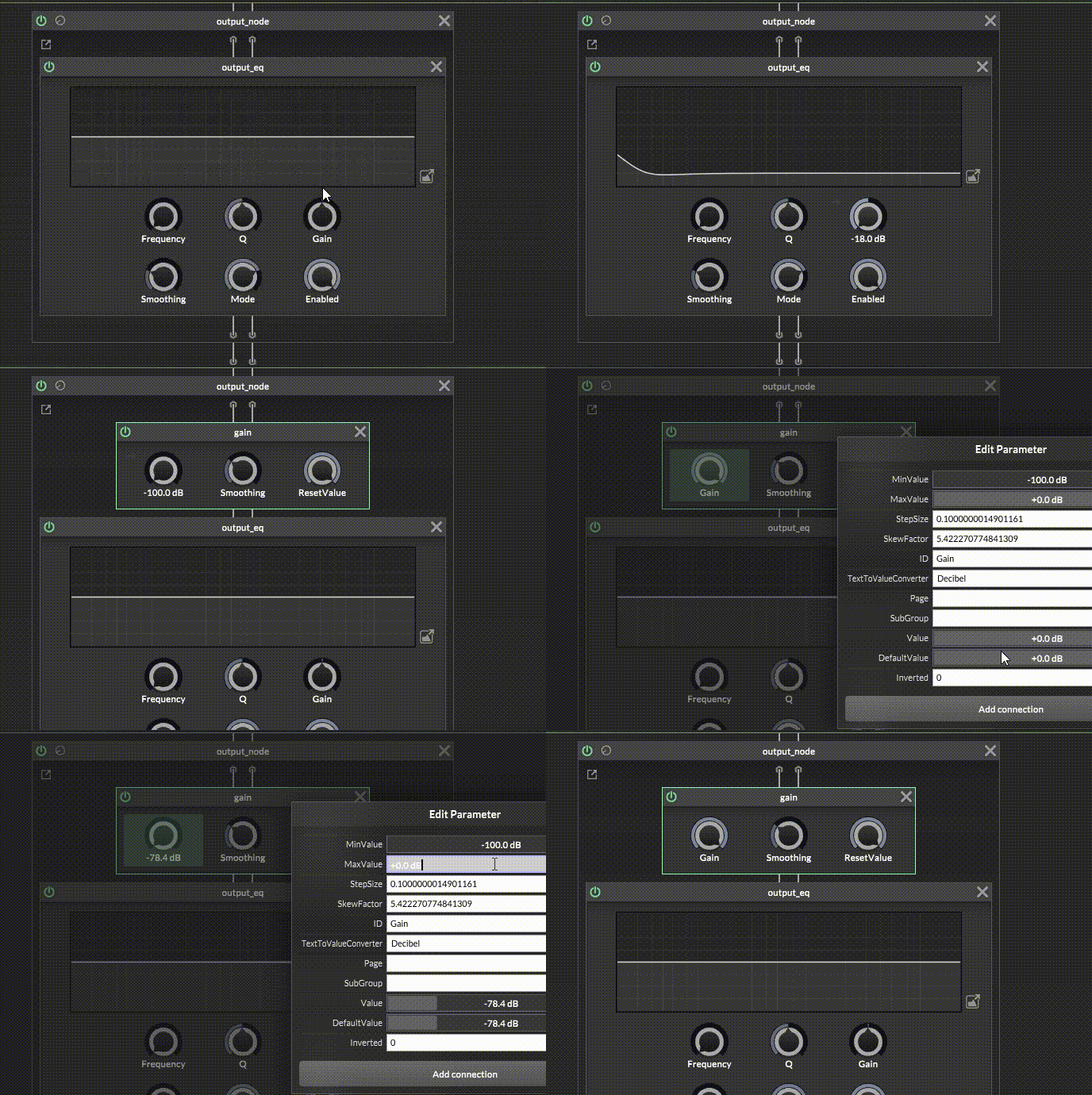
      I also tried using a Gain core node, but I noticed that the range is limited from -100 dB to 0 dB, so I can't boost the signal (for example +24 dB).
      Is there any dedicated node, method, or better approach to achieve proper input gain control (including positive gain) without relying on an EQ?
      Thanks in advance!
      Enregistrement-de-l_écran-2026-04-18-232651.gif

      posted in AI discussion
      the red_1T
      the red_1
    • RE: How to implement GUI scaling / resizing in HISE plugins? (like Waves-style zoom)

      @David-Healey Haha, I made a silly mistake 😅. I had an old version of the VST in Program Files and a new version as a .dll in my DAW FL Studio. FL Studio was detecting both of them, and that’s what caused the problem. Now everything is fine. Thanks for the time you gave me!

      posted in AI discussion
      the red_1T
      the red_1
    • RE: How to implement GUI scaling / resizing in HISE plugins? (like Waves-style zoom)

      @David-Healey Can you give me the solution or advice?

      posted in AI discussion
      the red_1T
      the red_1
    • RE: How to implement GUI scaling / resizing in HISE plugins? (like Waves-style zoom)

      @David-Healey Can it work like this?

      posted in AI discussion
      the red_1T
      the red_1
    • RE: How to implement GUI scaling / resizing in HISE plugins? (like Waves-style zoom)

      @David-Healey I changed the code in ZoomHandler.js to allowZoom(ZoomPanel, !IS_PLUGIN). Is this correct?

      // Author: Christoph Hart
      // License: Public Domain
      namespace ZoomHandler
      {
      	const var MIN_ZOOM = 0.65;
      	const var MAX_ZOOM = 2.0;
      	const var ZOOM_STEP = 0.10;
      	const var INTERFACE_WIDTH = 918;
      	const var INTERFACE_HEIGHT = 581;
      	const var ZoomPanel = Content.getComponent("pnlZoom");
      	const var IS_PLUGIN = Engine.isPlugin();
      	
      	const var draggerData = [110,109,143,130,218,67,147,216,145,66,108,147,216,145,66,143,130,218,67,108,0,0,0,0,143,130,218,67,108,143,130,218,67,0,0,0,0,108,143,130,218,67,147,216,145,66,99,109,143,130,218,67,139,140,96,67,108,139,140,96,67,143,130,218,67,108,66,160,23,67,143,
      	130,218,67,108,143,130,218,67,66,160,23,67,108,143,130,218,67,139,140,96,67,99,109,143,130,218,67,102,22,188,67,108,102,22,188,67,143,130,218,67,108,66,160,151,67,143,130,218,67,108,143,130,218,67,66,160,151,67,108,143,130,218,67,102,22,188,67,99,101,
      	0,0];
      		
      	const var draggerPath = Content.createPath();
      		
      	draggerPath.loadFromData(draggerData);
      	
      	ZoomPanel.setPaintRoutine(function(g)
      	{
      		g.setColour(Colours.withAlpha(Colours.white, (this.data.hover && this.data.allowDrag) ? 0.8 : 0.2));
      		g.fillPath(draggerPath, [0, 0, 10, 10]);
      	});
      	
      	inline function allowZoom(panel, on)
      	{
      		panel.data.allowDrag = on;
      		panel.setMouseCursor(on ?"BottomRightCornerResizeCursor" : "NormalCursor", Colours.white, [0, 0]);
      		panel.repaint();
      	}
      	
      	allowZoom(ZoomPanel, !IS_PLUGIN);
      	
      	ZoomPanel.setMouseCallback(function(event)
      	{
      		this.data.hover = event.hover;
      		
      		if(event.clicked)
      		{
      			this.data.zoomStart = Settings.getZoomLevel();
      		}
      		if(event.mouseUp)
      		{
      			return;
      		}
      	
      		if(event.drag)
      		{
      			if(!this.data.allowDrag)
      				return;
      	
      			var diagonal = Math.sqrt(INTERFACE_WIDTH*INTERFACE_WIDTH + INTERFACE_HEIGHT*INTERFACE_HEIGHT);
      			var currentZoom = Settings.getZoomLevel();
      			var dragPixel = 0;
      			
      			if(event.dragX > event.dragY)
      				dragPixel = (event.dragX * currentZoom) / INTERFACE_WIDTH;
      			else
      				dragPixel = (event.dragY * currentZoom) / INTERFACE_HEIGHT;
      			
      			var maxScaleFactor = Content.getScreenBounds(false)[3] / INTERFACE_HEIGHT;
      			var diagonalDrag = this.data.zoomStart + dragPixel;
      			
      			diagonalDrag += (ZOOM_STEP / 2);
      			
      			diagonalDrag = Math.min(diagonalDrag, maxScaleFactor);
      			
      			diagonalDrag -= Math.fmod(diagonalDrag, ZOOM_STEP);
      			diagonalDrag = Math.range(diagonalDrag, MIN_ZOOM, MAX_ZOOM);
      			
      			var zoomToUse = diagonalDrag;
      			if (currentZoom != zoomToUse)
      				Settings.setZoomLevel(zoomToUse);
      		}
      		
      		this.repaint();
      	});
      }
      
      posted in AI discussion
      the red_1T
      the red_1
    • RE: How to implement GUI scaling / resizing in HISE plugins? (like Waves-style zoom)

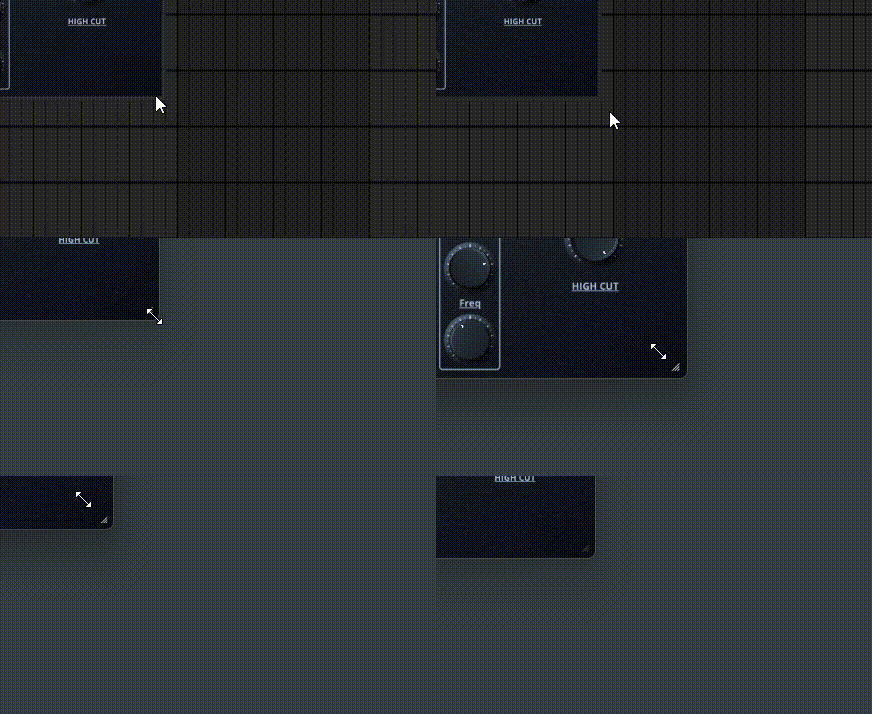
      @David-Healey Yeah, it works in Reaper.Enregistrement-de-l_écran-2026-04-07-213105.gif

      posted in AI discussion
      the red_1T
      the red_1
    • RE: How to implement GUI scaling / resizing in HISE plugins? (like Waves-style zoom)

      @David-Healey I only use FL Studio.

      posted in AI discussion
      the red_1T
      the red_1
    • RE: How to implement GUI scaling / resizing in HISE plugins? (like Waves-style zoom)

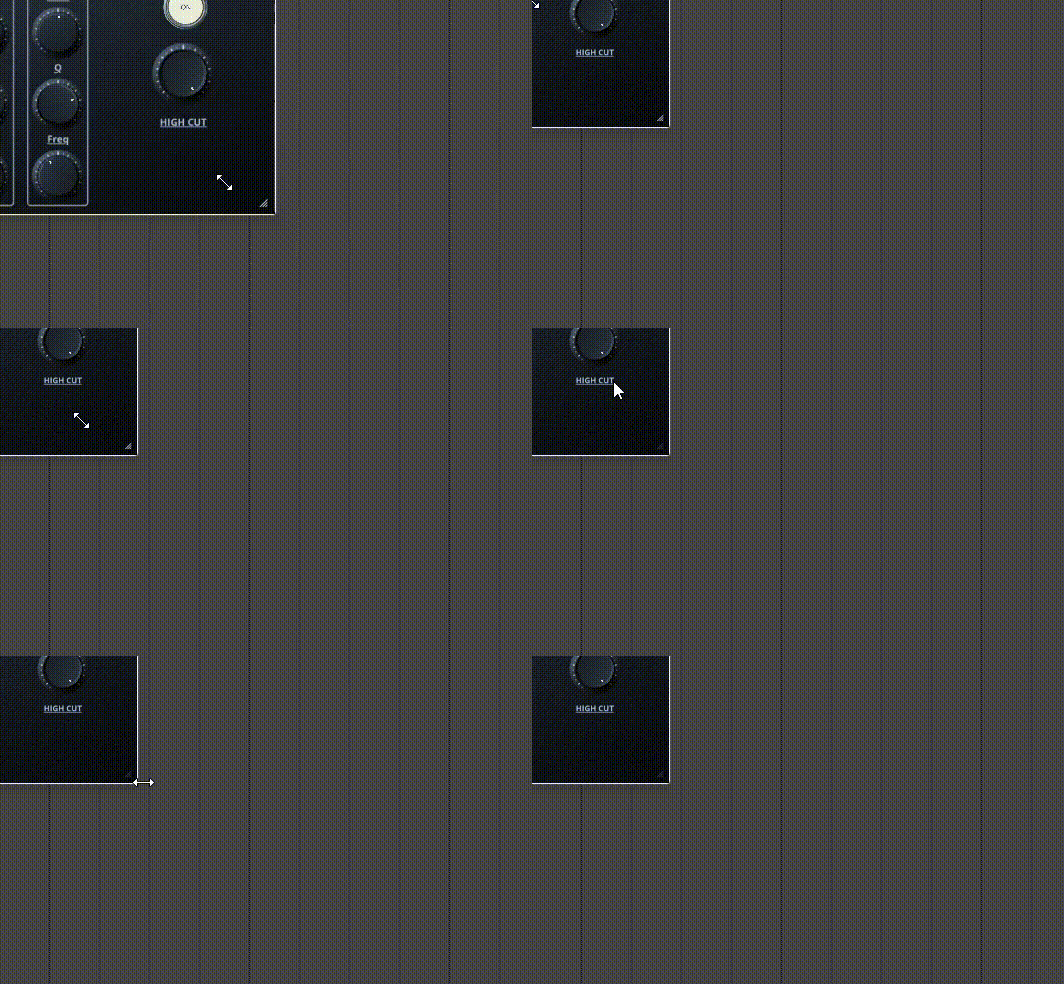
      @David-Healey I followed everything in the video and the zoom works inside the app after compiling, but in FL Studio it doesn’t work and the GUI becomes very small.
      Enregistrement-de-l_écran-2026-04-07-192606.gif

      posted in AI discussion
      the red_1T
      the red_1
    • RE: How to implement GUI scaling / resizing in HISE plugins? (like Waves-style zoom)

      @David-Healey Thanks a lot! I always watch your videos, can’t believe I missed this haha 😄

      posted in AI discussion
      the red_1T
      the red_1