@the-red_1 I just use a math.mul node with the formula of "+6 dB = 2x the volume" "-6 dB = 0.5x the volume"...
So a range of ±24 dB would be a math.mul node ranging from 0.125 to 8.
@David-Healey I know about tracktion engine... But I want to do it this way round till the channel strip is built atleast.
The console style Mixer has been a dream of mine since long. And this is a part I want to experiment with. And I'll learn a lot more about plugin design in the process.
Once the channel strip is built, I do plan on looking at tracktion engine for the implementation of playlist, mixer and such basic features of a DAW.
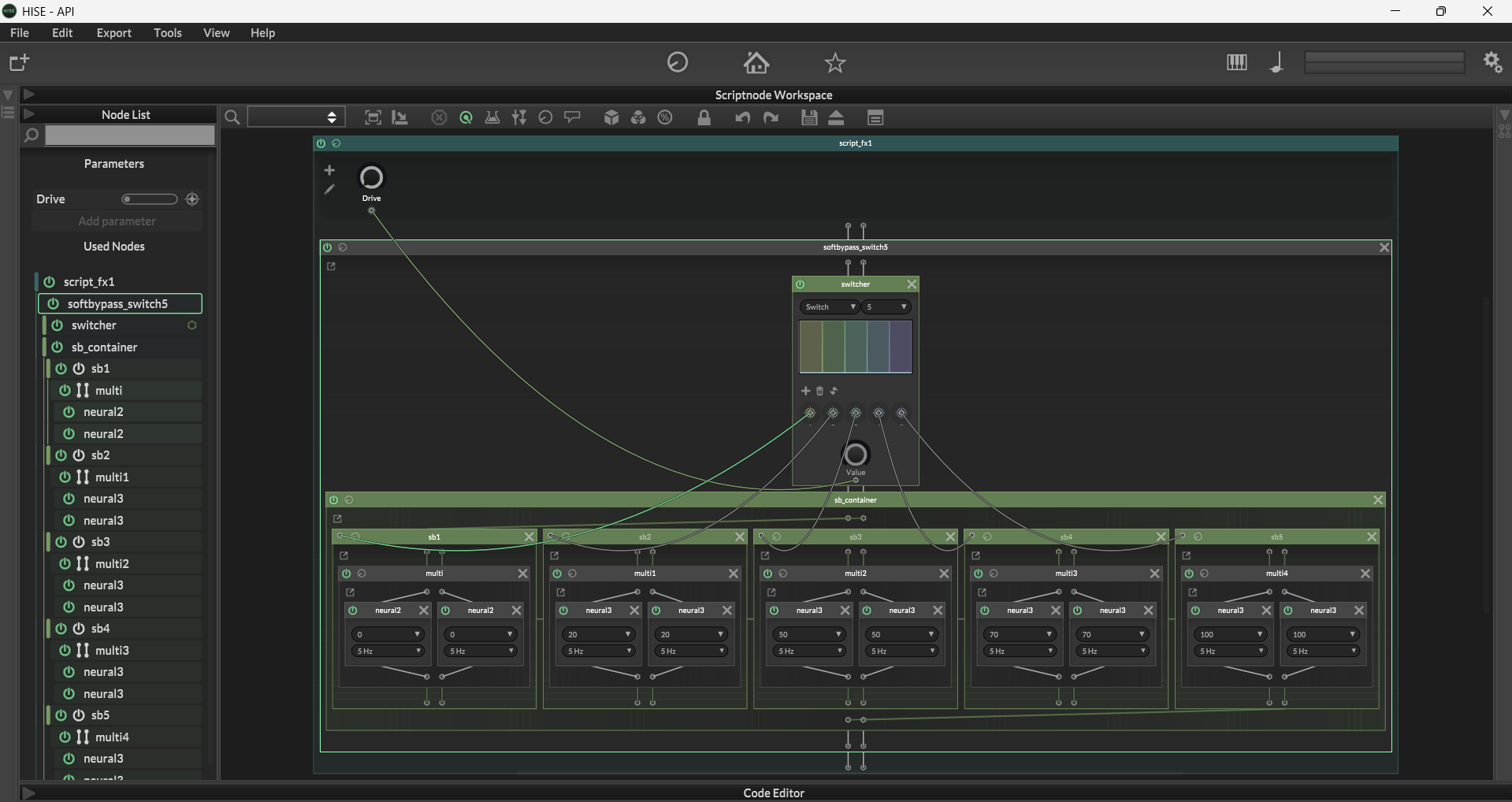
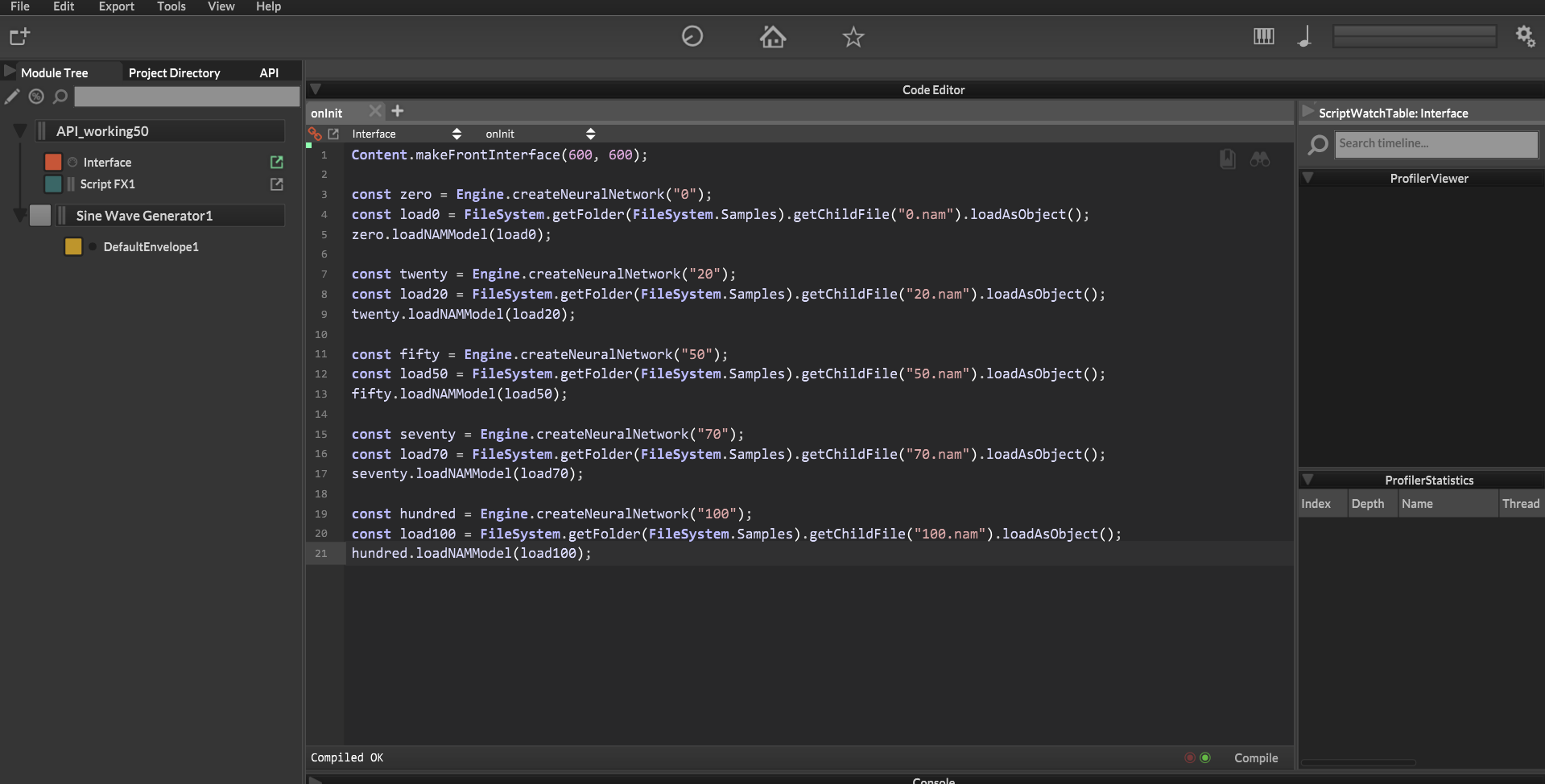
@David-Healey Not a lot of code, I'm doing this 5-model thing in a new project. Here is the code and the scriptnode.
I wanted to make a MIDI Keyboard/Drum pad of sorts with numpad 0-9 as the pads. Currently I have the layout made:
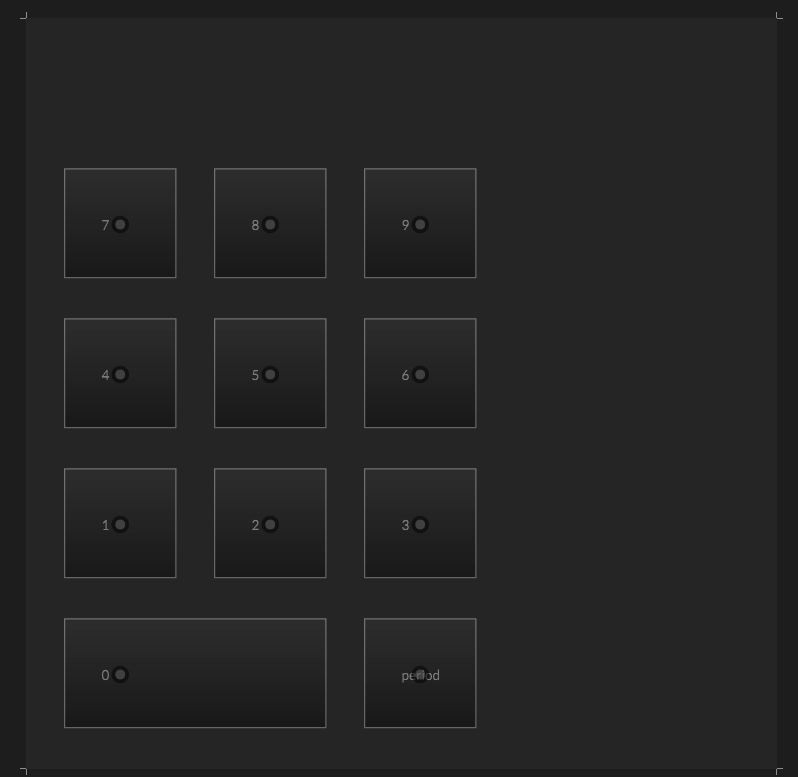
and set so that pressing the buttons with my mouse work perfectly and send the correct MIDI data that I want.
I want this buttons to be triggered by my numpad keys. How do I do that?
I don't see any node in the official documentation for a expression node (math.expr or control.cable_expr) for 2 controllable values. They only have one. Which is a bit restrictive.
Do I need to code a custom node myself or is there someway of doing it already that I don't know?
@David-Healey In which folder?
"HISE\Project_Strip\Channel\DspNetworks\Binaries\dll\Dynamic Library"
This one?
I am trying to build my own channel strip plugin using HISE. Where each module has something extra.
So far I've gotten to making 3 modules:
I have compiled each project's scriptnode network into a dll as Panknob.dll, Stereo.dll and bass_enh.dll. Can I somehow get these dll-s into a new "Channel Strip" project where I import these into the script fx page and control the parameters? Saves me from rebuilding the whole node tree.
I love how Arturia has an advanced panel that pops up when you click on a button.
Any way to do that in HISE?
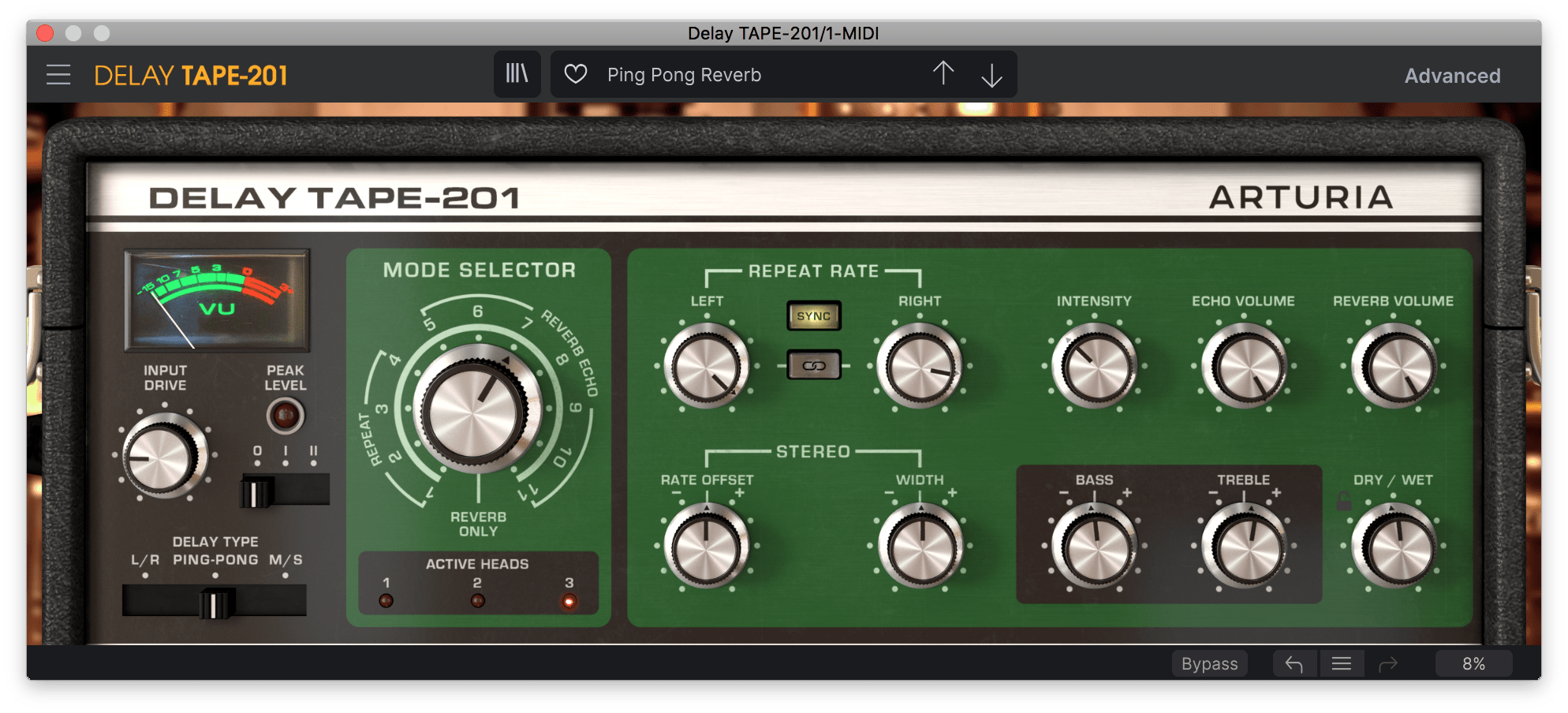
Normal plugin
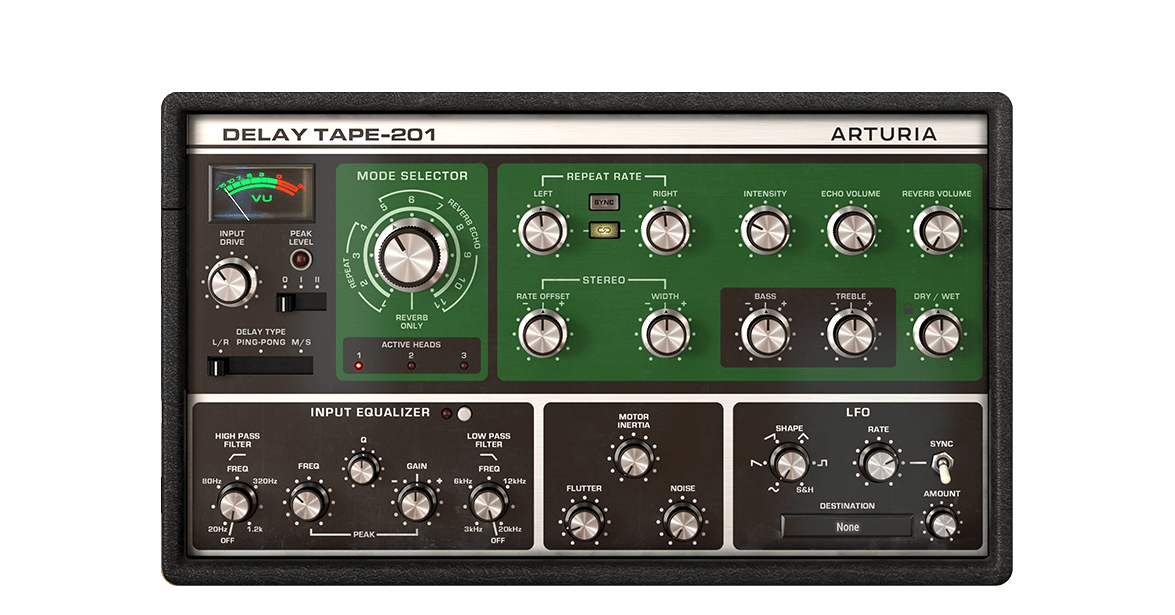
Advanced mode
@the-red_1 I just use a math.mul node with the formula of "+6 dB = 2x the volume" "-6 dB = 0.5x the volume"...
So a range of ±24 dB would be a math.mul node ranging from 0.125 to 8.
@Sifres I just went and looked... That looks SO great.
@pgroslou That's a great resource. Thank You!!
@David-Healey I know about tracktion engine... But I want to do it this way round till the channel strip is built atleast.
The console style Mixer has been a dream of mine since long. And this is a part I want to experiment with. And I'll learn a lot more about plugin design in the process.
Once the channel strip is built, I do plan on looking at tracktion engine for the implementation of playlist, mixer and such basic features of a DAW.