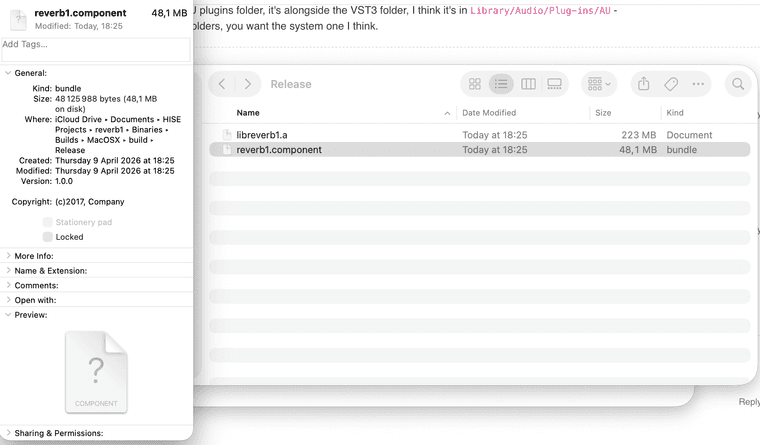
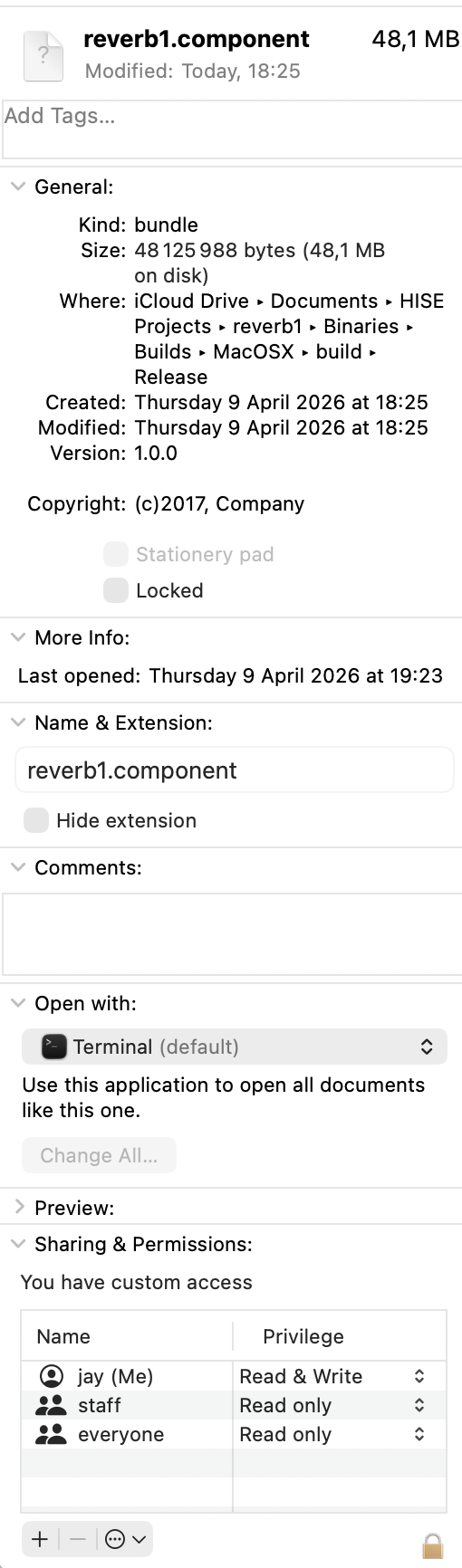
@David-Healey Well originally I tried exporting as fx plugin in hise and then selecting au but this didn't work because of a codesign error.
I then went and opened the .juce file from the binaries folder in the project and built it in xcode.
And finally, I copied and pasted the .component file that was in this directory :
/HISE Projects/reverb1/binaries/Builds/MacOSX/build/Release/reverb1.component
J
Posts
-
RE: project build failed (codesign command failed)posted in General Questions
-
RE: project build failed (codesign command failed)posted in General Questions
@David-Healey I copied and pasted it and it worked but now when I try to open it in logic there is no ui and no knob or button ( I recreated your reverb with 1 knob and 1 button and an Analyser) and when I enable the plugin it mutes the track it's on.
-
RE: project build failed (codesign command failed)posted in General Questions
@David-Healey I found the .component file and tried moving it to the /audio/plugins/components/ directory and it said
"The operation can’t be completed because “reverb1.component” needs to be downloaded." -
RE: project build failed (codesign command failed)posted in General Questions
@David-Healey okay and do you know how I can use it in logic ? I've never done this. If not thanks for the help anyway !
-
RE: project build failed (codesign command failed)posted in General Questions
@David-Healey The build finally succeeded, I just did the same thing as when I was building hise. Now that it succeeded though, where can I find the au plugin ?
-
RE: project build failed (codesign command failed)posted in General Questions
@David-Healey Yeah but that was a problem with building hise but now I'm exporting my project as fx plugin in hise and this error comes up in the terminal, I never open xcode in this process. I don't really know what makes this happen... If there is a way to build a project as an fx plugin in .au inside xcode (not going through hise)? Because if it's the same problem as when I was building hise, I know how to fix it in xcode... I just don't know how to export my plugin through xcode
-
RE: project build failed (codesign command failed)posted in General Questions
@David-Healey oh yeah so sorry I just realised this was just a warning... This was the error I think :
** BUILD FAILED **
The following build commands failed:
CodeSign /Users/jay/Documents/HISE\ Projects/reverb1/Binaries/Builds/MacOSX/build/Release/reverb1.component (in target 'reverb1 - AU' from project 'reverb1') -
project build failed (codesign command failed)posted in General Questions
I followed @David-Healey's instructions on how to compile an fx plugin and managed to export the vst3 plugin but I don't need the vst3 plugin as I'm using logic. So I repeated the process after cleaning the build directory and selected au instead of vst3 and it came up with the following error : /Users/jay/Documents/HISE Projects/reverb1/Binaries/Builds/MacOSX/reverb1.xcodeproj: warning: The macOS deployment target 'MACOSX_DEPLOYMENT_TARGET' is set to 10.9, but the range of supported deployment target versions is 10.13 to 26.4.99. (in target 'reverb1 - Shared Code' from project 'reverb1')
I am currently on macos Tahoe 26.3.1(a) and I found the setting for the target version in the xcode file but I don't know how to build the hise project through xcode and changing these settings doesn't affect the hise exportation process. Is there a way to change the target macos version for hise ?
-
RE: Command CodeSign failed with nonzero exit codeposted in Bug Reports
@David-Healey Absolutely
Here's how I found the code singing setting :-
In xcode click onto the project (blue icon)
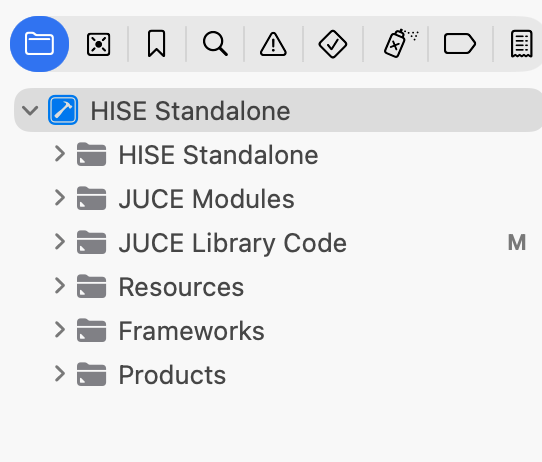
-
then go into Build Settings
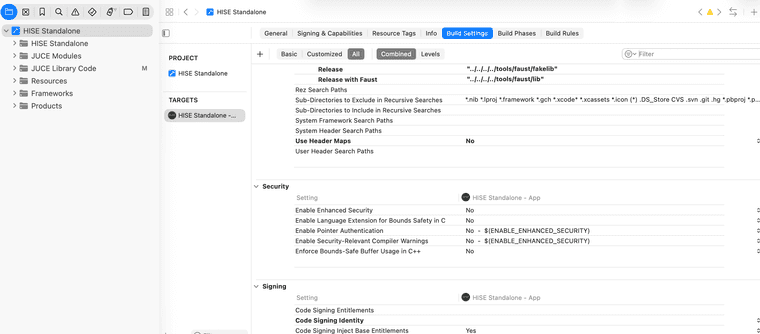
-
search for "code sign" in the search bar (top right)
-
click on the option for code signing identity
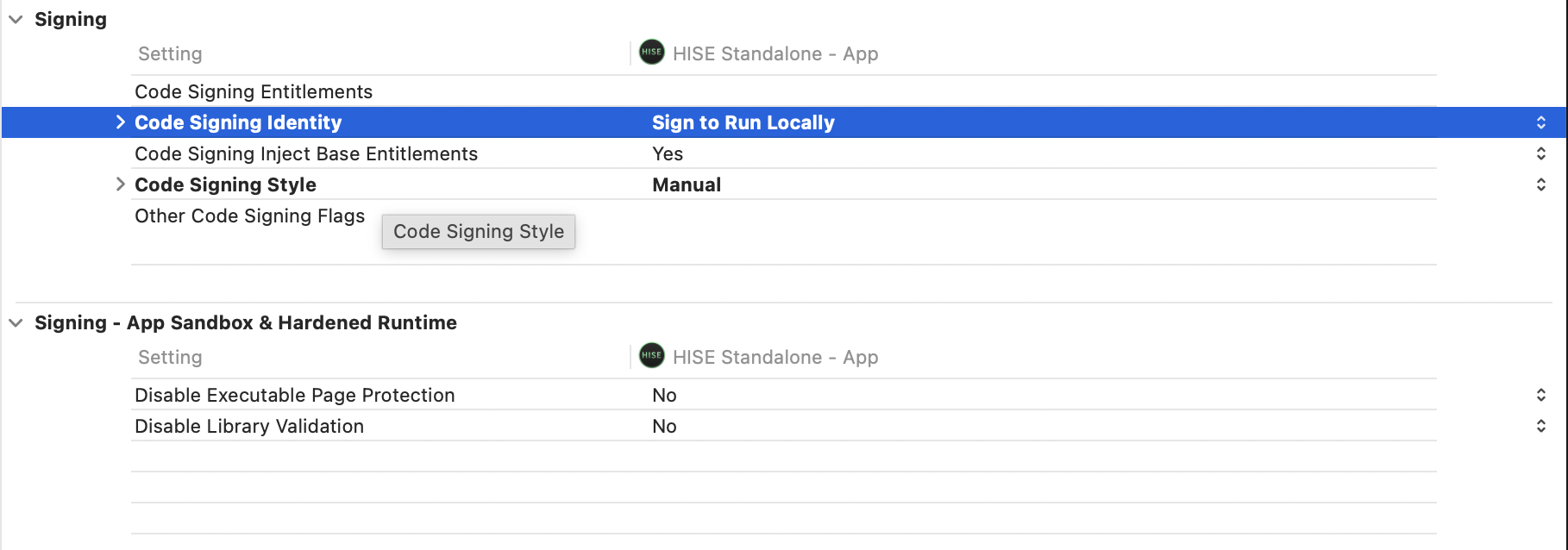
-select other
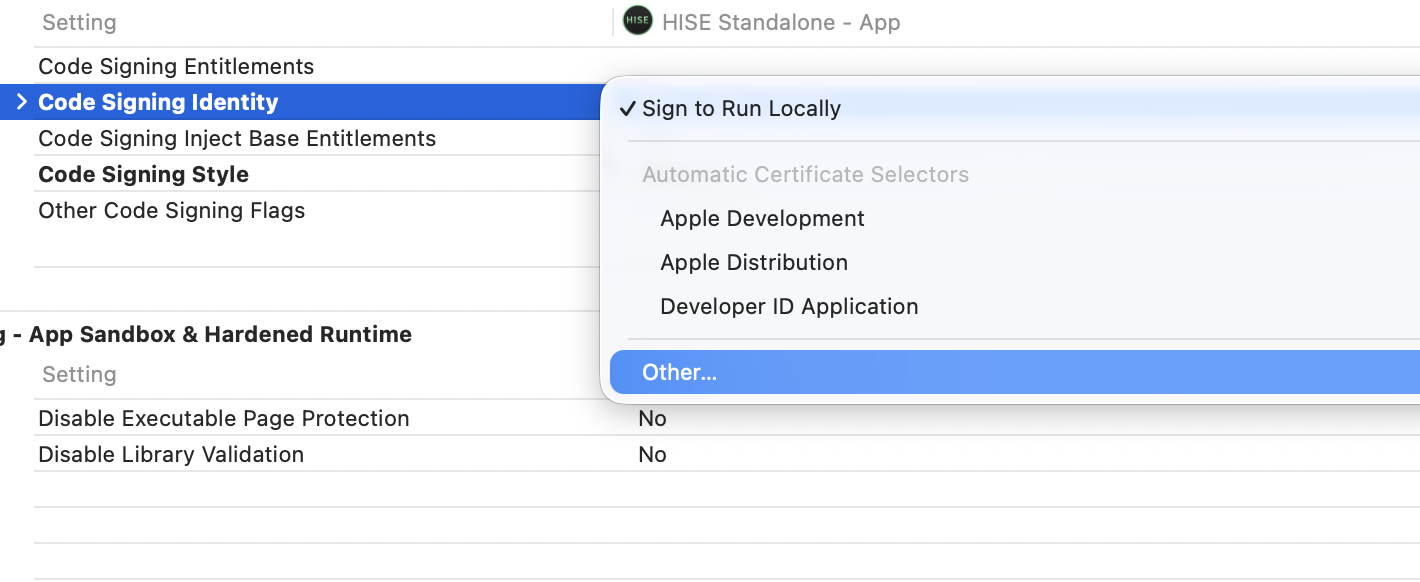
-
delete the dash and press enter
And that should do the trick !
-
-
RE: Command CodeSign failed with nonzero exit codeposted in Bug Reports
@David-Healey Nevermind, I found the settings for codesigning and before you used to be able to select don't code sign in code signing identity but now you need to select other and then leave it blanc, it now seems to work! I'll watch the end of your video now to see how to install the release version, it might be mentionned in the video but do you delete the debug version once you have the release version ?
Thanks for your time and help anyway, I'm happy it ended up working! -
RE: Command CodeSign failed with nonzero exit codeposted in Bug Reports
@David-Healey Tried it again without being signed in on xcode and it didn't work. Tried to find codesigning related settings and couldn't find anything... I really don't know what to do
-
RE: Command CodeSign failed with nonzero exit codeposted in Bug Reports
@David-Healey I just tried and it didn't work either. I'll try again using git now that I've signed out but I don't think it will work as I think I hadn't signed in the first time I tried and it didn't work, I only signed in afterwards to see if that changed something.
-
RE: Command CodeSign failed with nonzero exit codeposted in Bug Reports
@David-Healey Is there something I can do to prevent the signing of the app ? It seems to be the problem every way I try to download hise...
-
RE: Command CodeSign failed with nonzero exit codeposted in Bug Reports
@David-Healey I followed all the instructions on the hise setup wizard and it failed aswell :
The following build commands failed:
CodeSign /Users/jay/Documents/HISE/projects/standalone/Builds/MacOSX/build/Release/HISE.app (in target 'HISE Standalone - App' from project 'HISE Standalone')
(1 failure)
[ERROR] HISE compilation failedThis is very frustrating that I can't seem to get anything to work properly...
-
RE: Command CodeSign failed with nonzero exit codeposted in Bug Reports
@David-Healey Does this setup tool work ? Because I already downloaded hise last year with a different macbook and not with git but it then wouldn't let me export the projects because it didn't find projucer even though I downloaded it to where they said it needed to be... I'll try anyway but yeah. It's weird that the versions of hise that are released on github don't work properly...
-
RE: Command CodeSign failed with nonzero exit codeposted in Bug Reports
@David-Healey I cleaned the build folder on xcode and tried again and this time I got a different error :
Showing All Errors Only
Build target HISE Standalone - App of project HISE Standalone with configuration Debug
CompileC /Users/jay/Library/Developer/Xcode/DerivedData/HISE_Standalone-cnktsjmvoartasbasfwshrpxxybp/Build/Intermediates.noindex/HISE\ Standalone.build/Debug/HISE\ Standalone\ -\ App.build/Objects-normal/arm64/include_hi_backend_02.o /Users/jay/Documents/HISE/projects/standalone/JuceLibraryCode/include_hi_backend_02.cpp normal arm64 c++ com.apple.compilers.llvm.clang.1_0.compiler (in target 'HISE Standalone - App' from project 'HISE Standalone')
cd /Users/jay/Documents/HISE/projects/standalone/Builds/MacOSXUsing response file: /Users/jay/Library/Developer/Xcode/DerivedData/HISE_Standalone-cnktsjmvoartasbasfwshrpxxybp/Build/Intermediates.noindex/HISE Standalone.build/Debug/HISE Standalone - App.build/Objects-normal/arm64/82b82416624d2658e5098eb0a28c15c5-common-args.resp /Applications/Xcode.app/Contents/Developer/Toolchains/XcodeDefault.xctoolchain/usr/bin/clang -x c++ -ivfsstatcache /Users/jay/Library/Developer/Xcode/DerivedData/SDKStatCaches.noindex/macosx26.2-25C58-00fa09913b459cbbc988d1f6730289ae.sdkstatcache -fmessage-length\=0 -fdiagnostics-show-note-include-stack -fmacro-backtrace-limit\=0 -fno-color-diagnostics -Wno-trigraphs -Wno-missing-field-initializers -Wno-missing-prototypes -Wunreachable-code -Wnon-virtual-dtor -Wno-overloaded-virtual -Wno-exit-time-destructors -Wno-missing-braces -Wparentheses -Wswitch -Wunused-function -Wno-unused-label -Wno-unused-parameter -Wunused-variable -Wunused-value -Wempty-body -Wuninitialized -Wno-unknown-pragmas -Wno-shadow -Wno-four-char-constants -Wno-conversion -Wconstant-conversion -Wint-conversion -Wbool-conversion -Wenum-conversion -Wno-float-conversion -Wnon-literal-null-conversion -Wobjc-literal-conversion -Wshorten-64-to-32 -Wno-newline-eof -Wno-c++11-extensions -Wno-implicit-fallthrough -fstrict-aliasing -Wdeprecated-declarations -Winvalid-offsetof -Wno-sign-conversion -Winfinite-recursion -Wmove -Wcomma -Wblock-capture-autoreleasing -Wstrict-prototypes -Wrange-loop-analysis -Wno-semicolon-before-method-body -index-store-path /Users/jay/Library/Developer/Xcode/DerivedData/HISE_Standalone-cnktsjmvoartasbasfwshrpxxybp/Index.noindex/DataStore -Wreorder -Wno-reorder -Wno-inconsistent-missing-override -Wno-switch @/Users/jay/Library/Developer/Xcode/DerivedData/HISE_Standalone-cnktsjmvoartasbasfwshrpxxybp/Build/Intermediates.noindex/HISE\ Standalone.build/Debug/HISE\ Standalone\ -\ App.build/Objects-normal/arm64/82b82416624d2658e5098eb0a28c15c5-common-args.resp -MMD -MT dependencies -MF /Users/jay/Library/Developer/Xcode/DerivedData/HISE_Standalone-cnktsjmvoartasbasfwshrpxxybp/Build/Intermediates.noindex/HISE\ Standalone.build/Debug/HISE\ Standalone\ -\ App.build/Objects-normal/arm64/include_hi_backend_02.d --serialize-diagnostics /Users/jay/Library/Developer/Xcode/DerivedData/HISE_Standalone-cnktsjmvoartasbasfwshrpxxybp/Build/Intermediates.noindex/HISE\ Standalone.build/Debug/HISE\ Standalone\ -\ App.build/Objects-normal/arm64/include_hi_backend_02.dia -c /Users/jay/Documents/HISE/projects/standalone/JuceLibraryCode/include_hi_backend_02.cpp -o /Users/jay/Library/Developer/Xcode/DerivedData/HISE_Standalone-cnktsjmvoartasbasfwshrpxxybp/Build/Intermediates.noindex/HISE\ Standalone.build/Debug/HISE\ Standalone\ -\ App.build/Objects-normal/arm64/include_hi_backend_02.o -index-unit-output-path /HISE\ Standalone.build/Debug/HISE\ Standalone\ -\ App.build/Objects-normal/arm64/include_hi_backend_02.o/Users/jay/Documents/HISE/projects/standalone/JuceLibraryCode/include_hi_backend_02.cpp:9:10: fatal error: 'hi_backend/hi_backend_02.cpp' file not found
9 | #include <hi_backend/hi_backend_02.cpp>
| ^~~~~~~~~~~~~~~~~~~~~~~~~~~~~~
1 error generated./Users/jay/Documents/HISE/projects/standalone/JuceLibraryCode/include_hi_backend_02.cpp:9:10: 'hi_backend/hi_backend_02.cpp' file not found
Build failed 03/04/2026, 16:34 26.7 seconds
-
RE: Command CodeSign failed with nonzero exit codeposted in Bug Reports
@David-Healey I think this means the command worked but I'll still send it here just in case :
HISE % git checkout 3957028845b3da93620aa781857dcbf8e9c294a5
warning: unable to rmdir 'tools/api generator': Directory not empty
warning: unable to rmdir 'tools/hise_lsp_server': Directory not empty
M JUCE
M tools/mcp_server
Note: switching to '3957028845b3da93620aa781857dcbf8e9c294a5'.You are in 'detached HEAD' state. You can look around, make experimental
changes and commit them, and you can discard any commits you make in this
state without impacting any branches by switching back to a branch.If you want to create a new branch to retain commits you create, you may
do so (now or later) by using -c with the switch command. Example:git switch -c
Or undo this operation with:
git switch -
Turn off this advice by setting config variable advice.detachedHead to false
HEAD is now at 395702884 Merge branch 'develop' of https://github.com/christophhart/HISE into develop
-
RE: Command CodeSign failed with nonzero exit codeposted in Bug Reports
@David-Healey It came up with an error :
HISE % git checkout 3957028845b3da93620aa781857dcbf8e9c294a5
error: The following untracked working tree files would be overwritten by checkout:
tools/api generator/ApiExtractor.exe
tools/api generator/BinaryBuilder.exe
tools/api generator/batchCreate.bat
tools/api generator/xml.doxyfile
Please move or remove them before you switch branches.
Aborting -
RE: Command CodeSign failed with nonzero exit codeposted in Bug Reports
@David-Healey Yeah I used your command :
cd ~/Documents/
git clone --branch develop --recurse-submodules https://github.com/christophhart/HISE.git
cd HISE
git pull