Forum
    • Categories
    • Register
    • Login
    1. Home
    2. Jimi_Jay
    J
    • Profile
    • Following 0
    • Followers 0
    • Topics 2
    • Posts 27
    • Groups 0

    Jimi_Jay

    @Jimi_Jay

    2
    Reputation
    1
    Profile views
    27
    Posts
    0
    Followers
    0
    Following
    Joined
    Last Online

    Jimi_Jay Unfollow Follow

    Best posts made by Jimi_Jay

    • RE: Command CodeSign failed with nonzero exit code

      @David-Healey Absolutely
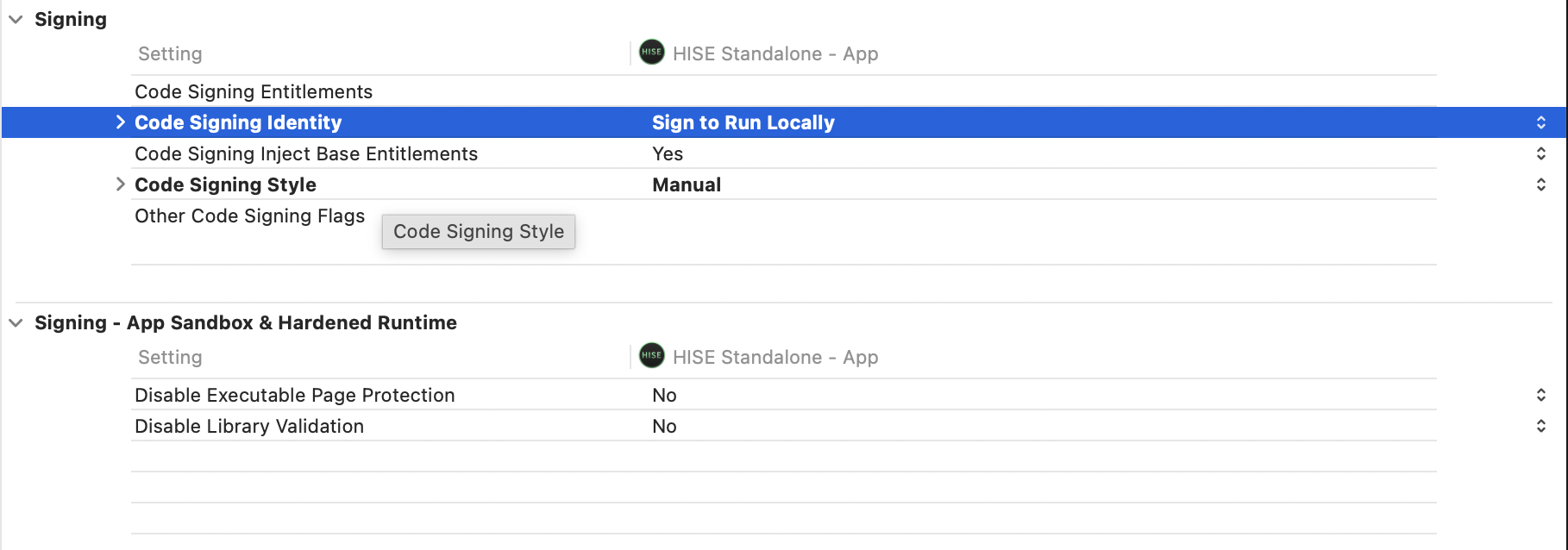
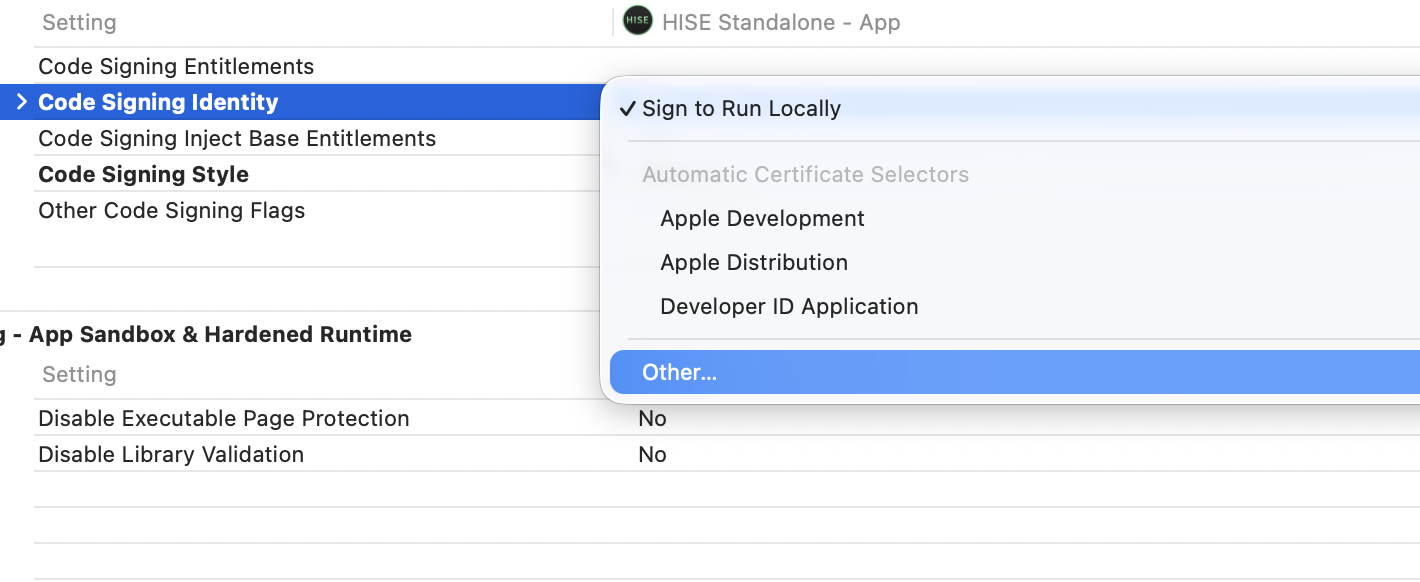
      Here's how I found the code singing setting :

      • In xcode click onto the project (blue icon)
        Screenshot 2026-04-03 at 18.03.54.png

      • then go into Build Settings
        Screenshot 2026-04-03 at 18.05.25.png

      • search for "code sign" in the search bar (top right)

      • click on the option for code signing identity
        Screenshot 2026-04-03 at 18.07.12.png
        -select other
        Screenshot 2026-04-03 at 18.08.02.png

      • delete the dash and press enter
        And that should do the trick !

      posted in Bug Reports
      J
      Jimi_Jay
    • RE: Command CodeSign failed with nonzero exit code

      @David-Healey Nevermind, I found the settings for codesigning and before you used to be able to select don't code sign in code signing identity but now you need to select other and then leave it blanc, it now seems to work! I'll watch the end of your video now to see how to install the release version, it might be mentionned in the video but do you delete the debug version once you have the release version ?
      Thanks for your time and help anyway, I'm happy it ended up working!

      posted in Bug Reports
      J
      Jimi_Jay

    Latest posts made by Jimi_Jay

    • RE: project build failed (codesign command failed)

      @David-Healey Well originally I tried exporting as fx plugin in hise and then selecting au but this didn't work because of a codesign error.
      I then went and opened the .juce file from the binaries folder in the project and built it in xcode.
      And finally, I copied and pasted the .component file that was in this directory :
      /HISE Projects/reverb1/binaries/Builds/MacOSX/build/Release/reverb1.component

      posted in General Questions
      J
      Jimi_Jay
    • RE: project build failed (codesign command failed)

      @David-Healey I copied and pasted it and it worked but now when I try to open it in logic there is no ui and no knob or button ( I recreated your reverb with 1 knob and 1 button and an Analyser) and when I enable the plugin it mutes the track it's on.

      posted in General Questions
      J
      Jimi_Jay
    • RE: project build failed (codesign command failed)

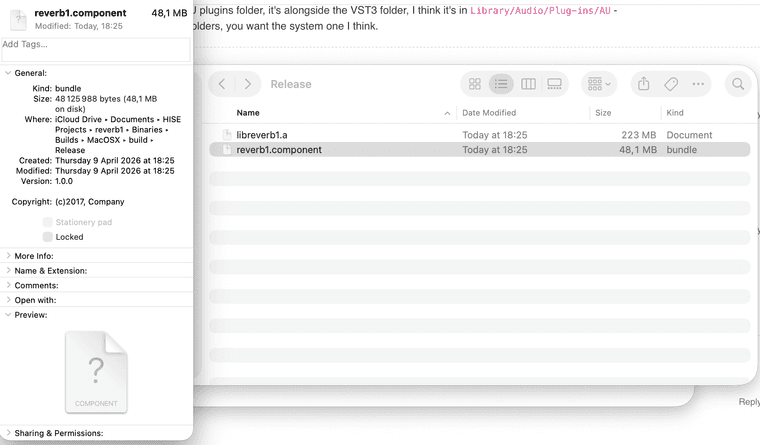
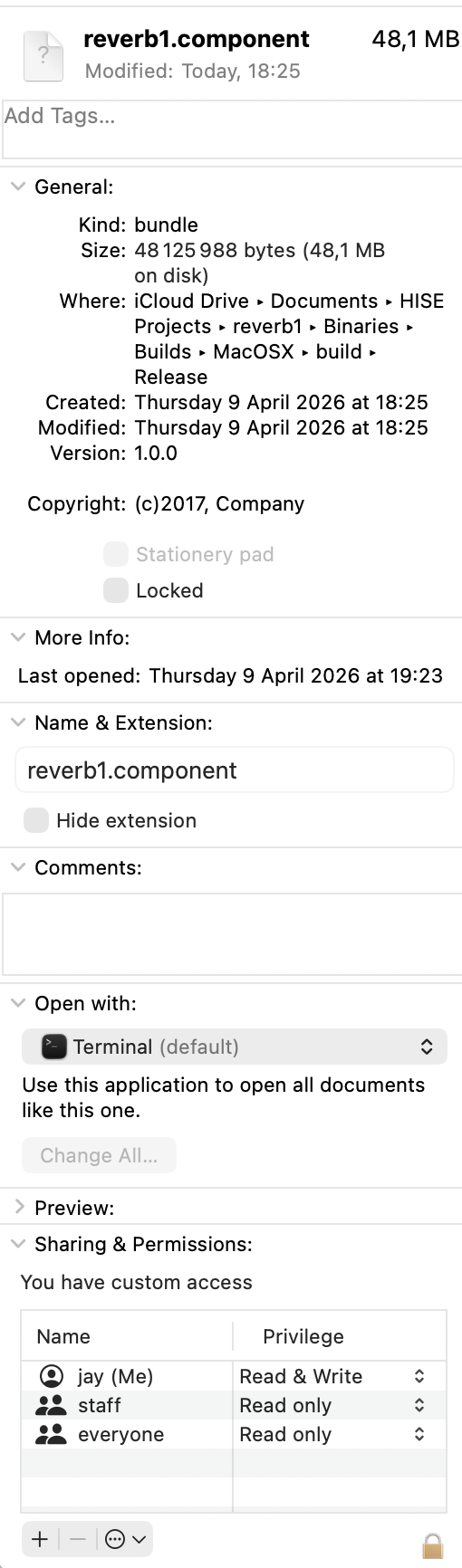
      @David-Healey Screenshot 2026-04-09 at 19.43.01.png Screenshot 2026-04-09 at 19.43.35.png

      posted in General Questions
      J
      Jimi_Jay
    • RE: project build failed (codesign command failed)

      @David-Healey I found the .component file and tried moving it to the /audio/plugins/components/ directory and it said
      "The operation can’t be completed because “reverb1.component” needs to be downloaded."

      posted in General Questions
      J
      Jimi_Jay
    • RE: project build failed (codesign command failed)

      @David-Healey okay and do you know how I can use it in logic ? I've never done this. If not thanks for the help anyway !

      posted in General Questions
      J
      Jimi_Jay
    • RE: project build failed (codesign command failed)

      @David-Healey The build finally succeeded, I just did the same thing as when I was building hise. Now that it succeeded though, where can I find the au plugin ?

      posted in General Questions
      J
      Jimi_Jay
    • RE: project build failed (codesign command failed)

      @David-Healey Yeah but that was a problem with building hise but now I'm exporting my project as fx plugin in hise and this error comes up in the terminal, I never open xcode in this process. I don't really know what makes this happen... If there is a way to build a project as an fx plugin in .au inside xcode (not going through hise)? Because if it's the same problem as when I was building hise, I know how to fix it in xcode... I just don't know how to export my plugin through xcode

      posted in General Questions
      J
      Jimi_Jay
    • RE: project build failed (codesign command failed)

      @David-Healey oh yeah so sorry I just realised this was just a warning... This was the error I think :

      ** BUILD FAILED **

      The following build commands failed:
      CodeSign /Users/jay/Documents/HISE\ Projects/reverb1/Binaries/Builds/MacOSX/build/Release/reverb1.component (in target 'reverb1 - AU' from project 'reverb1')

      posted in General Questions
      J
      Jimi_Jay
    • project build failed (codesign command failed)

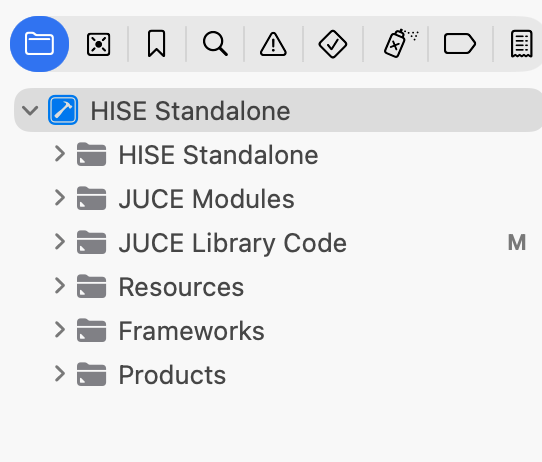
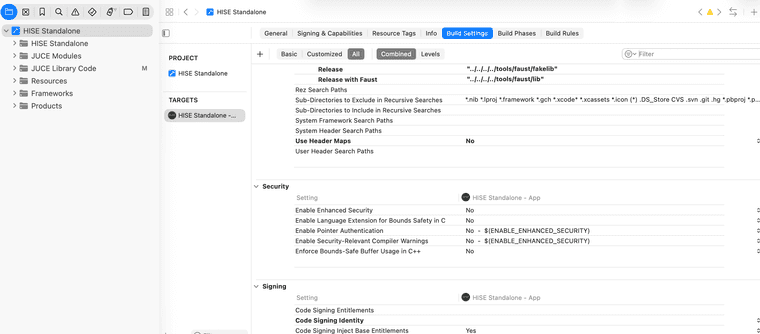
      I followed @David-Healey's instructions on how to compile an fx plugin and managed to export the vst3 plugin but I don't need the vst3 plugin as I'm using logic. So I repeated the process after cleaning the build directory and selected au instead of vst3 and it came up with the following error : /Users/jay/Documents/HISE Projects/reverb1/Binaries/Builds/MacOSX/reverb1.xcodeproj: warning: The macOS deployment target 'MACOSX_DEPLOYMENT_TARGET' is set to 10.9, but the range of supported deployment target versions is 10.13 to 26.4.99. (in target 'reverb1 - Shared Code' from project 'reverb1')

      I am currently on macos Tahoe 26.3.1(a) and I found the setting for the target version in the xcode file but I don't know how to build the hise project through xcode and changing these settings doesn't affect the hise exportation process. Is there a way to change the target macos version for hise ?
      posted in General Questions
      J
      Jimi_Jay
    • RE: Command CodeSign failed with nonzero exit code

      @David-Healey Absolutely
      Here's how I found the code singing setting :

      • In xcode click onto the project (blue icon)
        Screenshot 2026-04-03 at 18.03.54.png

      • then go into Build Settings
        Screenshot 2026-04-03 at 18.05.25.png

      • search for "code sign" in the search bar (top right)

      • click on the option for code signing identity
        Screenshot 2026-04-03 at 18.07.12.png
        -select other
        Screenshot 2026-04-03 at 18.08.02.png

      • delete the dash and press enter
        And that should do the trick !

      posted in Bug Reports
      J
      Jimi_Jay