project build failed (codesign command failed)
-
@Jimi_Jay All that happens when you select export from HISE is it creates a JUCE project and runs xcode in a terminal. You can close the terminal and open the JUCE project manually in Projucer then open that in xcode just like building HISE. The auto generated juce project file is in your project's Binaries folder.
-
@David-Healey The build finally succeeded, I just did the same thing as when I was building hise. Now that it succeeded though, where can I find the au plugin ?
-
@Jimi_Jay Somewhere in the Binaries folder, it will have a .component extension
-
@David-Healey okay and do you know how I can use it in logic ? I've never done this. If not thanks for the help anyway !
-
@Jimi_Jay You need to place it in the AU plugins folder, it's alongside the VST3 folder, I think it's in
Library/Audio/Plug-ins/AU- remember that macOS has two Library folders, you want the system one I think. -
@David-Healey I found the .component file and tried moving it to the /audio/plugins/components/ directory and it said
"The operation can’t be completed because “reverb1.component” needs to be downloaded." -
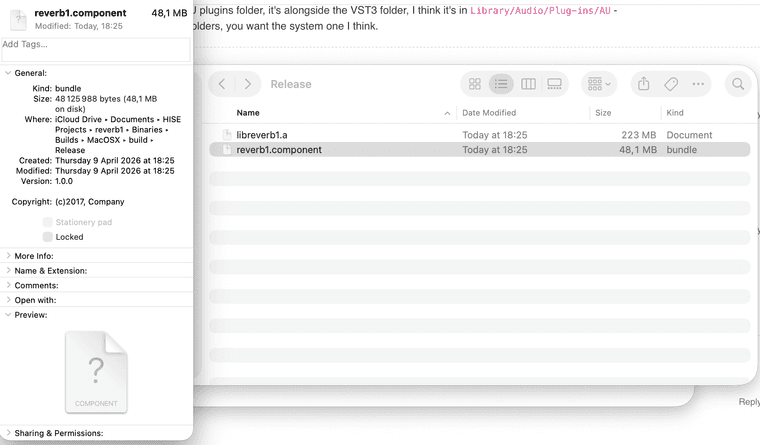
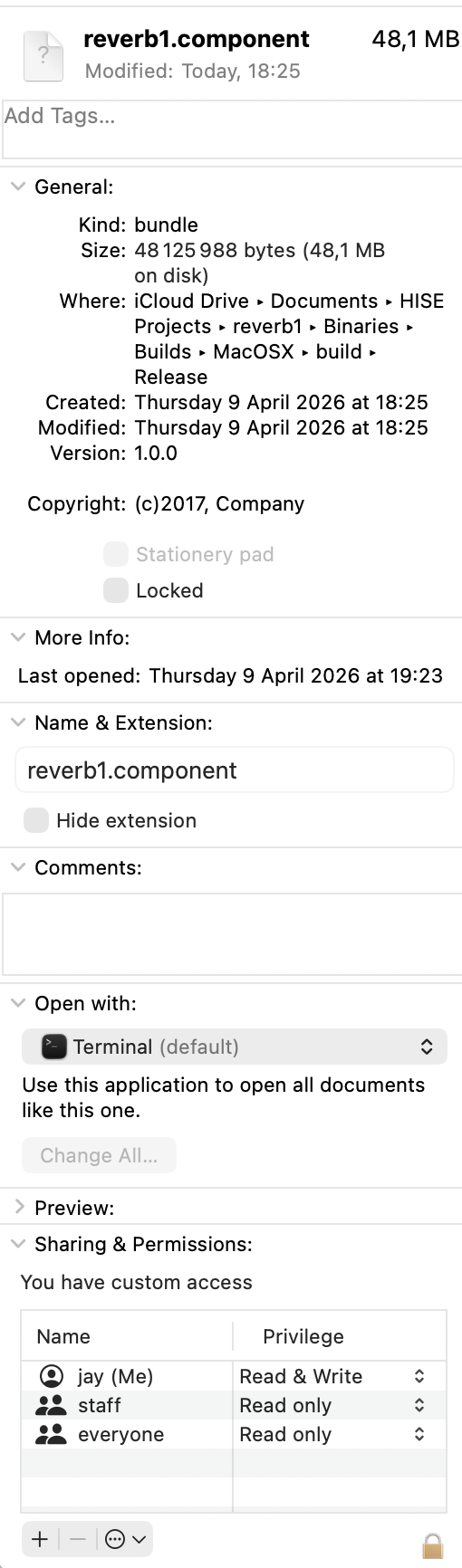
@Jimi_Jay Might be a permission issue, not sure. Or is it an alias rather than an actual binary? Show me a screenshot of the .component file.
-
-
@Jimi_Jay Looks like it's on an external drive (iCloud Drive)? If so, probably a permission issue.
-
@David-Healey I copied and pasted it and it worked but now when I try to open it in logic there is no ui and no knob or button ( I recreated your reverb with 1 knob and 1 button and an Analyser) and when I enable the plugin it mutes the track it's on.
-
@Jimi_Jay Did you definitely export as an effect?
-
@David-Healey Well originally I tried exporting as fx plugin in hise and then selecting au but this didn't work because of a codesign error.
I then went and opened the .juce file from the binaries folder in the project and built it in xcode.
And finally, I copied and pasted the .component file that was in this directory :
/HISE Projects/reverb1/binaries/Builds/MacOSX/build/Release/reverb1.component -
@Jimi_Jay So it should be an effect then, I'm not sure why it's not working.