Forum
    • Categories
    • Register
    • Login

    HISE image directory not found (macOS)

    Scheduled Pinned Locked Moved General Questions
    43 Posts 5 Posters 291 Views
    Loading More Posts
    • Oldest to Newest
    • Newest to Oldest
    • Most Votes
    Reply
    • Reply as topic
    Log in to reply
    This topic has been deleted. Only users with topic management privileges can see it.
    • A
      Avián @David Healey
      last edited by

      @David-Healey yes, the folder exists in the right path.

      lijas90L dannytaurusD 2 Replies Last reply Reply Quote 0
      • lijas90L
        lijas90 @Avián
        last edited by

        @Avián Delete the contents of the binaries folder and recompile.

        1 Reply Last reply Reply Quote 1
        • dannytaurusD
          dannytaurus @Avián
          last edited by dannytaurus

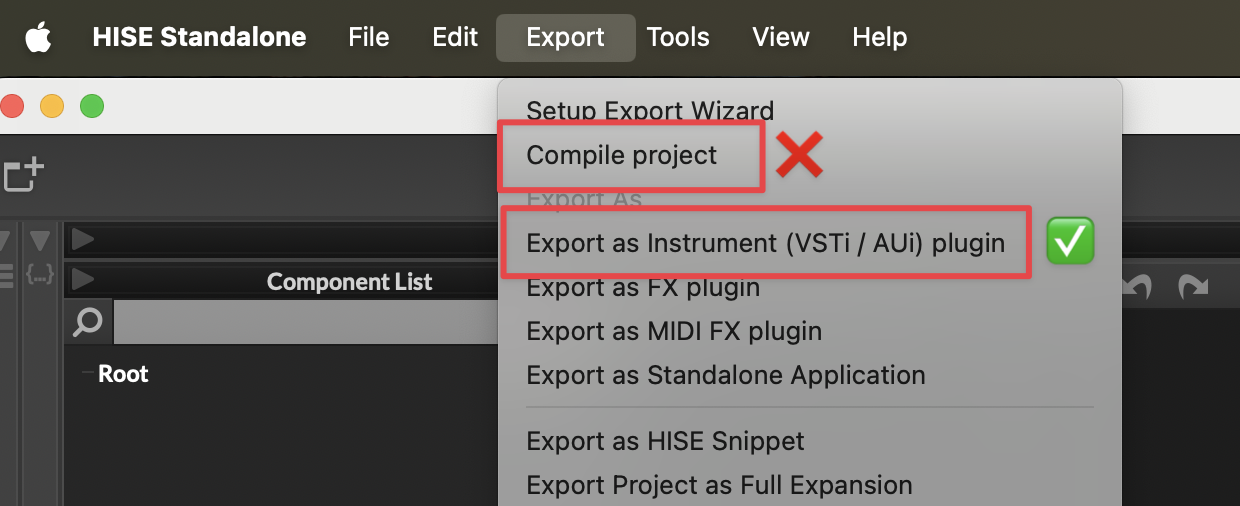
          @Avián And just to confirm, you're using Export as Instrument, and not Compile Project?
          CleanShot 2026-01-23 at 16.33.42@2x.png

          If you're still seeing an error, please post a screenshot of what you see. Don't refer us back to your first image because that's from Compile Project, which does not work.

          Meat Beats: https://meatbeats.com
          Klippr Video: https://klippr.video

          A 1 Reply Last reply Reply Quote 0
          • A
            Avián @dannytaurus
            last edited by

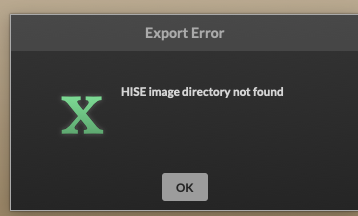
            @dannytaurus the reason why I refered back to my first image: cause it's the same issue. Sorry that I didn't told you before.
            Screenshot hise error.png

            David HealeyD 1 Reply Last reply Reply Quote 0
            • David HealeyD
              David Healey @Avián
              last edited by

              @Avián Do you have more than one copy of HISE or the HISE source code on your system? Is your project on an external drive?

              Free HISE Bootcamp Full Course for beginners.
              YouTube Channel - Public HISE tutorials
              My Patreon - HISE tutorials

              A 1 Reply Last reply Reply Quote 0
              • A
                Avián @David Healey
                last edited by

                @David-Healey no! little update! It was possible to compile as a standalone now! Some folders in the binaries didn't have the permission to read & write. I checked and changed them all now. It works! But now, if I want to compile/export the vst3 & au, this issue shows up:

                2026-01-23 11:42:36.174 xcodebuild[2885:78044] CFPropertyListCreateFromXMLData(): Old-style plist parser: missing semicolon in dictionary on line 876. Parsing will be abandoned. Break on _CFPropertyListMissingSemicolon to debug.

                2026-01-23 11:42:36.174 xcodebuild[2885:78044] Error Domain=NSCocoaErrorDomain Code=3840 "JSON text did not start with array or object and option to allow fragments not set." UserInfo={NSDebugDescription=JSON text did not start with array or object and option to allow fragments not set.}

                xcodebuild: error: Unable to read project 'projectname.xcodeproj' from folder '/Users/username/Documents/HISE Projects/projectname/Binaries/Builds/MacOSX'.

                Reason: The project ‘projectname’ is damaged and cannot be opened due to a parse error. Examine the project file for invalid edits or unresolved source control conflicts.

                Path: /Users/username/Documents/HISE Projects/projectname/Binaries/Builds/MacOSX/projectname.xcodeproj

                Oli UllmannO 1 Reply Last reply Reply Quote 0
                • Oli UllmannO
                  Oli Ullmann @Avián
                  last edited by

                  @Avián
                  Please recompile HISE from the latest commit. Christoph fixed this problem!

                  A 1 Reply Last reply Reply Quote 0
                  • A
                    Avián @Oli Ullmann
                    last edited by

                    @Oli-Ullmann I just have to click on code and copy the https in my xcode github right? https://github.com/christophhart/HISE# do I have to clear/delete something before? Or just overwrite it?

                    Oli UllmannO 1 Reply Last reply Reply Quote 0
                    • Oli UllmannO
                      Oli Ullmann @Avián
                      last edited by

                      @Avián

                      1. Delete the entire HISE folder.
                      2. Open the console, navigate to the location where you want to create the HISE folder, and enter this command:

                      git clone --branch develop --recurse-submodules https://github.com/christophhart/HISE.git

                      1. Go to the newly created HISE folder in tools/SDK and unzip the sdk zip file. Move the two folders ASIOSDK2.3 and VST3 SDK from the unzipped folder to the SDK folder.
                      2. Open the projects/standalone folder in the HISE folder and open HISE Standalone.jucer. Click on Save and open in IDE. xCode will now open.
                      3. Compile HISE using the “For profiling” scheme.
                      A 1 Reply Last reply Reply Quote 0
                      • A
                        Avián @Oli Ullmann
                        last edited by

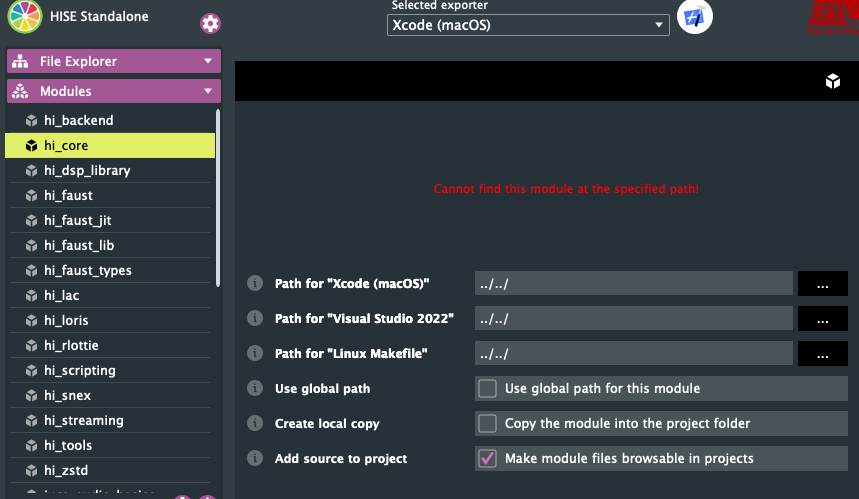
                        @Oli-Ullmann I exactly followed your insctruction and the latest video from @David-Healey about How to compile Hise on MacOS 2026. xcode is building HISE but I got round about 49 warnings on my modules and I think I found out why!Screenshot wtf hise.png
                        this is showing up for every module! But please trust me guys, I followed your instructions step by step! I just skiped the faust part, but David already said, you can skip this, if you don't need it. Please help me to fix this issues the fastest way. I stuck on this for days...

                        David HealeyD 1 Reply Last reply Reply Quote 0
                        • David HealeyD
                          David Healey @Avián
                          last edited by

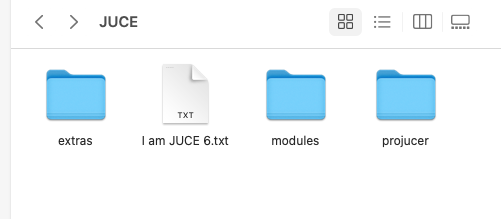
                          @Avián can you show me what you see in the JUCE folder?

                          Free HISE Bootcamp Full Course for beginners.
                          YouTube Channel - Public HISE tutorials
                          My Patreon - HISE tutorials

                          A 1 Reply Last reply Reply Quote 0
                          • A
                            Avián @David Healey
                            last edited by

                            @David-Healey this one?Screenshot jucefolder.png

                            David HealeyD 1 Reply Last reply Reply Quote 0
                            • David HealeyD
                              David Healey @Avián
                              last edited by

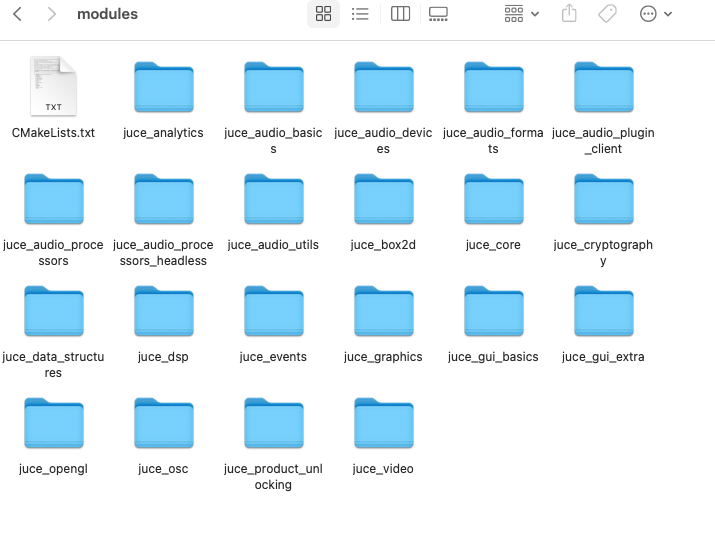
                              @Avián yes, are there files in the modules folder?

                              Free HISE Bootcamp Full Course for beginners.
                              YouTube Channel - Public HISE tutorials
                              My Patreon - HISE tutorials

                              A 1 Reply Last reply Reply Quote 0
                              • A
                                Avián @David Healey
                                last edited by

                                @David-Healey yes Screenshot jucemodules.png

                                David HealeyD 1 Reply Last reply Reply Quote 0
                                • David HealeyD
                                  David Healey @Avián
                                  last edited by

                                  @Avián are you using the version of projucer included in the JUCE folder?

                                  Free HISE Bootcamp Full Course for beginners.
                                  YouTube Channel - Public HISE tutorials
                                  My Patreon - HISE tutorials

                                  A 1 Reply Last reply Reply Quote 0
                                  • A
                                    Avián @David Healey
                                    last edited by

                                    @David-Healey yes, and then I draged and dropped the standalone from projects

                                    Oli UllmannO 1 Reply Last reply Reply Quote 0
                                    • Oli UllmannO
                                      Oli Ullmann @Avián
                                      last edited by

                                      @Avián
                                      I don't use the one from the JUCE folder. Like I wrote I use the one from the projects folder! You don't have to drag and drop anything!

                                      A David HealeyD 2 Replies Last reply Reply Quote 0
                                      • A
                                        Avián @Oli Ullmann
                                        last edited by

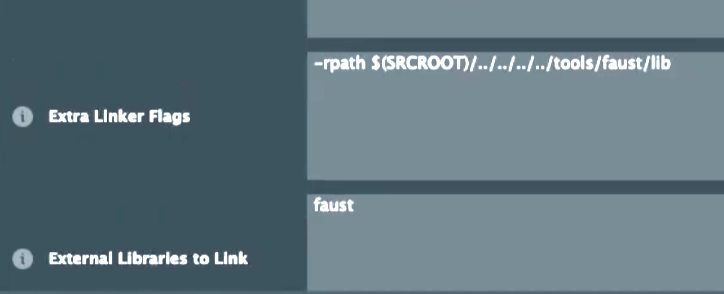
                                        @Oli-Ullmann ok I tried this! Now the modules are loaded, let me try if compiling now works. I'm back in a minute. One more question before I do that: Do I need to delete these 2 if I don't use faust? Screenshotfaust.png
                                        Oli UllmannO 1 Reply Last reply Reply Quote 0
                                        • Oli UllmannO
                                          Oli Ullmann @Avián
                                          last edited by

                                          @Avián
                                          Just do it exactly as I wrote. You don't have to change or delete anything!

                                          1 Reply Last reply Reply Quote 0
                                          • David HealeyD
                                            David Healey @Oli Ullmann
                                            last edited by

                                            @Oli-Ullmann said in HISE image directory not found (macOS):

                                            wrote I use the one from the projects folder

                                            There is no projucer in that folder, or am i misunderstanding?

                                            Free HISE Bootcamp Full Course for beginners.
                                            YouTube Channel - Public HISE tutorials
                                            My Patreon - HISE tutorials

                                            Oli UllmannO 1 Reply Last reply Reply Quote 1
                                            • First post
                                              Last post

                                            21

                                            Online

                                            2.2k

                                            Users

                                            13.3k

                                            Topics

                                            115.3k

                                            Posts