HISE image directory not found (macOS)
-
@David-Healey yes of course.
-
@Avián said in HISE image directory not found (macOS):
@David-Healey yes of course.
I meant the hi_images folder
Free HISE Bootcamp Full Course for beginners.
YouTube Channel - HISE tutorials
My Patreon - More HISE tutorials -
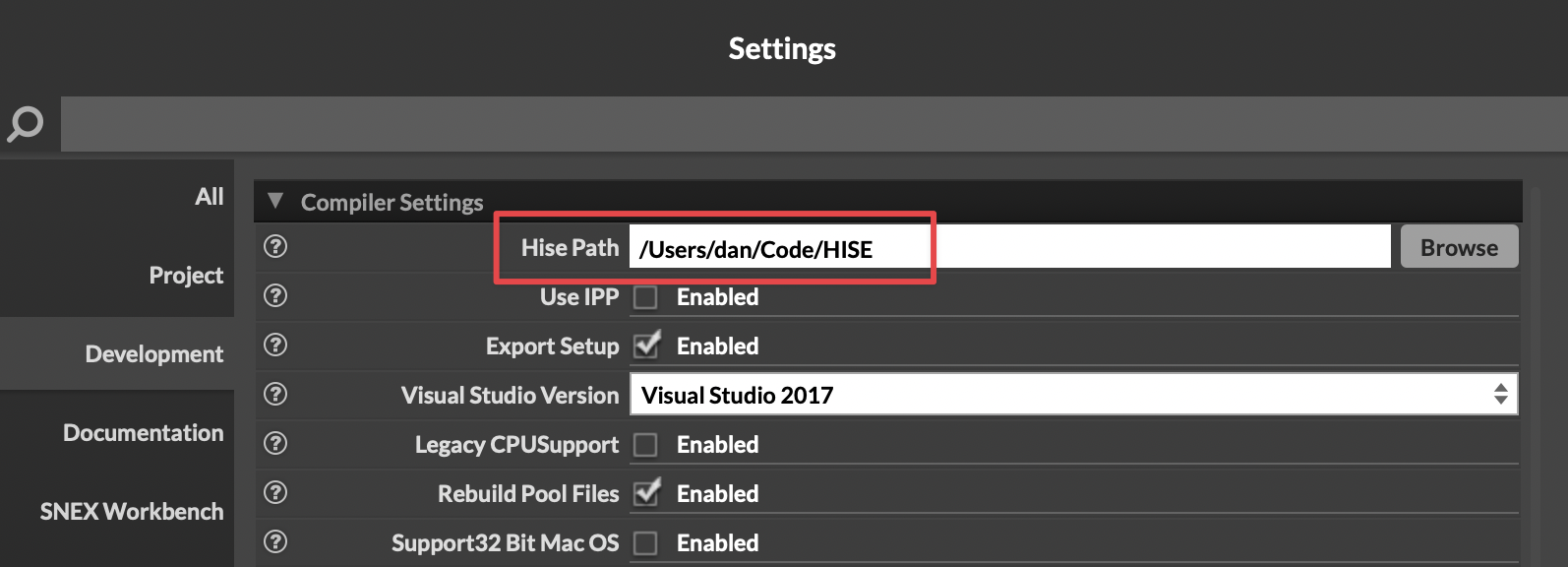
@David-Healey Have you set the HISE path in Settings?
Yours will be different, of course, but it does need to be set here for compiling to work.
-
@dannytaurus yes! Exactly like you set it: /Users/username/Documents/Hise
-
This post is deleted! -
@David-Healey yes, the folder exists in the right path.
-
@Avián Delete the contents of the binaries folder and recompile.
-
@Avián And just to confirm, you're using Export as Instrument, and not Compile Project?
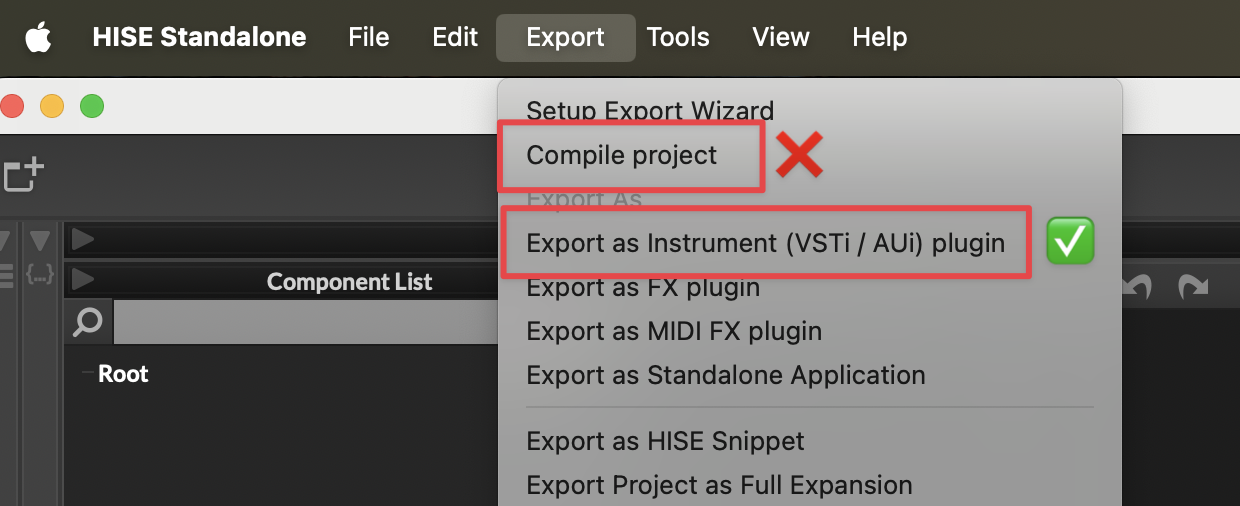
If you're still seeing an error, please post a screenshot of what you see. Don't refer us back to your first image because that's from Compile Project, which does not work.
-
@dannytaurus the reason why I refered back to my first image: cause it's the same issue. Sorry that I didn't told you before.
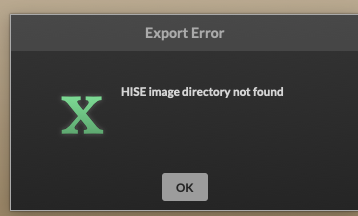
-
@Avián Do you have more than one copy of HISE or the HISE source code on your system? Is your project on an external drive?
-
@David-Healey no! little update! It was possible to compile as a standalone now! Some folders in the binaries didn't have the permission to read & write. I checked and changed them all now. It works! But now, if I want to compile/export the vst3 & au, this issue shows up:
2026-01-23 11:42:36.174 xcodebuild[2885:78044] CFPropertyListCreateFromXMLData(): Old-style plist parser: missing semicolon in dictionary on line 876. Parsing will be abandoned. Break on _CFPropertyListMissingSemicolon to debug.
2026-01-23 11:42:36.174 xcodebuild[2885:78044] Error Domain=NSCocoaErrorDomain Code=3840 "JSON text did not start with array or object and option to allow fragments not set." UserInfo={NSDebugDescription=JSON text did not start with array or object and option to allow fragments not set.}
xcodebuild: error: Unable to read project 'projectname.xcodeproj' from folder '/Users/username/Documents/HISE Projects/projectname/Binaries/Builds/MacOSX'.
Reason: The project ‘projectname’ is damaged and cannot be opened due to a parse error. Examine the project file for invalid edits or unresolved source control conflicts.
Path: /Users/username/Documents/HISE Projects/projectname/Binaries/Builds/MacOSX/projectname.xcodeproj
-
@Avián
Please recompile HISE from the latest commit. Christoph fixed this problem! -
@Oli-Ullmann I just have to click on code and copy the https in my xcode github right? https://github.com/christophhart/HISE# do I have to clear/delete something before? Or just overwrite it?
-
- Delete the entire HISE folder.
- Open the console, navigate to the location where you want to create the HISE folder, and enter this command:
git clone --branch develop --recurse-submodules https://github.com/christophhart/HISE.git- Go to the newly created HISE folder in tools/SDK and unzip the sdk zip file. Move the two folders ASIOSDK2.3 and VST3 SDK from the unzipped folder to the SDK folder.
- Open the projects/standalone folder in the HISE folder and open HISE Standalone.jucer. Click on
Save and open in IDE. xCode will now open. - Compile HISE using the “For profiling” scheme.
-
@Oli-Ullmann I exactly followed your insctruction and the latest video from @David-Healey about How to compile Hise on MacOS 2026. xcode is building HISE but I got round about 49 warnings on my modules and I think I found out why!
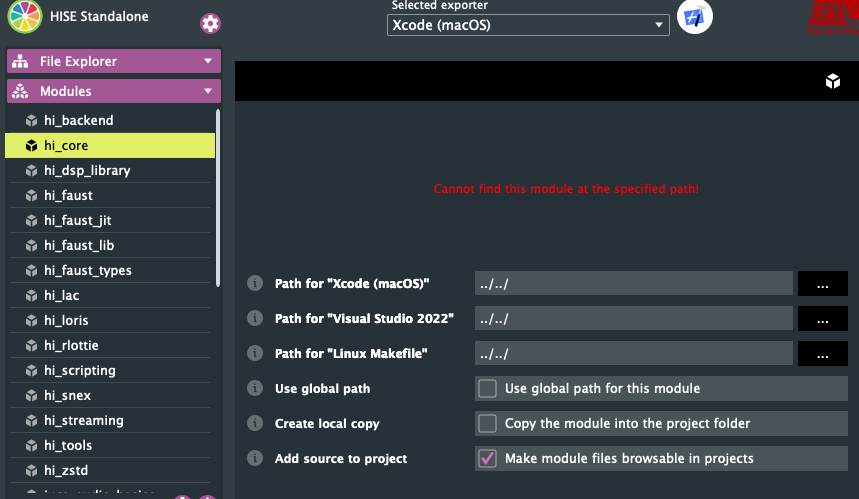
this is showing up for every module! But please trust me guys, I followed your instructions step by step! I just skiped the faust part, but David already said, you can skip this, if you don't need it. Please help me to fix this issues the fastest way. I stuck on this for days... -
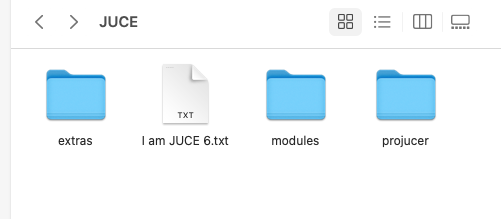
@Avián can you show me what you see in the JUCE folder?
-
@David-Healey this one?
-
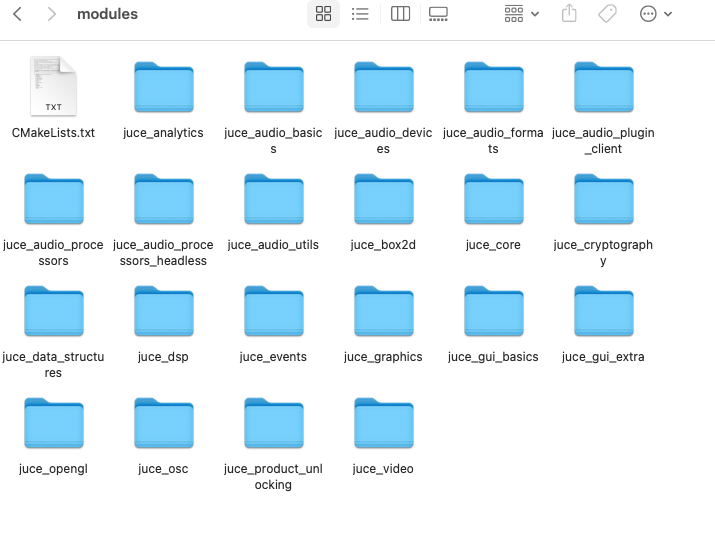
@Avián yes, are there files in the modules folder?
-
@David-Healey yes
-
@Avián are you using the version of projucer included in the JUCE folder?