MIDI Output from an RNBO-based HISE Audio FX Plugin
-
@voxuer1 Still no luck getting the Audio FX plugin (aufx / VST3 FX) to expose its MIDI output in Ableton Live or Logic.
So I'm wondering if the reverse approach works better in HISE:
Instead of exporting as an Audio FX, can I export as an Instrument (aumu / VST3i) — which reliably exposes MIDI Out in both Logic and Live — and route audio into it via Sidechain?
I already tried exporting as an Instrument with HISE_NUM_PLUGIN_CHANNELS=4 and NUM_FX_CHANNELS=2, which makes the extra channels show up in the DAW, but I haven't managed to get the incoming sidechain audio (Ch 3/4) routed into my stereo RNBO/Scriptnode FX node yet.
Has anyone successfully built a sidechain-fed Instrument in HISE (2 audio inputs + 2 audio outputs + MIDI out) and how did you set up the channel routing in the Master Container / Scriptnode? -
@voxuer1 Thanks to Lindon's suggestion, I managed to get the internal MIDI forwarding working. Moving the onController script into a separate Container solved the issue.
The complete chain now works:
RNBO outport → global cable → Synth.addController() → Message.sendToMidiOut().HISE confirms that the CC events reach Message.sendToMidiOut(), but the exported AU and VST3 plugins still don't expose MIDI output to the host (Ableton Live on macOS).
Looking at the HISE source code, I noticed that producesMidi() in FrontEndProcessor.h always returns false.
Has anyone tried enabling MIDI output for a regular Audio FX plugin by modifying the HISE source code?
Would changing producesMidi() to true be sufficient, or are additional changes needed in the plugin wrapper or MIDI output handling in MainController.cpp?
Also, does the existing output path support MIDI CC events, or only notes?
I want to keep the normal Audio FX functionality (audio input/output) and add MIDI CC output – not convert the plugin into a MIDI FX or instrument.
Any experience or suggestions would be appreciated. Thanks!
-
@voxuer1 I managed to get MIDI output working in HISE Audio FX plugins (VST3).
I made a few changes to the HISE source:
- Enabled MIDI output for regular FX plugins.
- Changed the VST3 export settings to enable MIDI output.
- Modified the scripting MIDI handling so that CC messages from functions like
Synth.addController()are sent to the host.
Tested with Ableton Live and REAPER – MIDI CC messages are received correctly.
AU is not working yet, still investigating.
-
@voxuer1 perhaps you could add these chnages as a Pull Request?
-
@voxuer1 When an Audio FX plugin produces MIDI, where does it go?
I don't think Logic can do anything with it. I think Live ignores AU audio FX MIDI output too.
HISE dev latest / herdr + Claude Code / Figma + Affinity
Meat Beats: https://meatbeats.com
Klippr Video: https://klippr.video -
@dannytaurus Thanks for the suggestion! I could prepare a pull request, but I'd like to do some more research and testing first.
At the moment, I've implemented MIDI output for controller messages in a regular audio FX plugin. The plugin analyzes incoming audio and converts it into MIDI CC messages. Both the MIDI channel and the controller number can be changed directly in the plugin interface.
The VST3 version is running and seems stable so far. I've tested it in Ableton Live and REAPER. Both hosts receive the MIDI data, and REAPER correctly handles the MIDI channel changes. However, Ableton Live doesn't seem to respond to the channel changes and keeps receiving on channel 1. I'm not sure yet whether this is a specific limitation or a routing issue in Live.
I've also successfully routed the MIDI output to a Max patch, where I can receive and monitor the controller values.
The AU version is still not working. Getting MIDI output from an Audio FX plugin through AU seems to be a bit more complicated than with VST3.
I'd like to investigate these remaining issues before submitting a pull request.
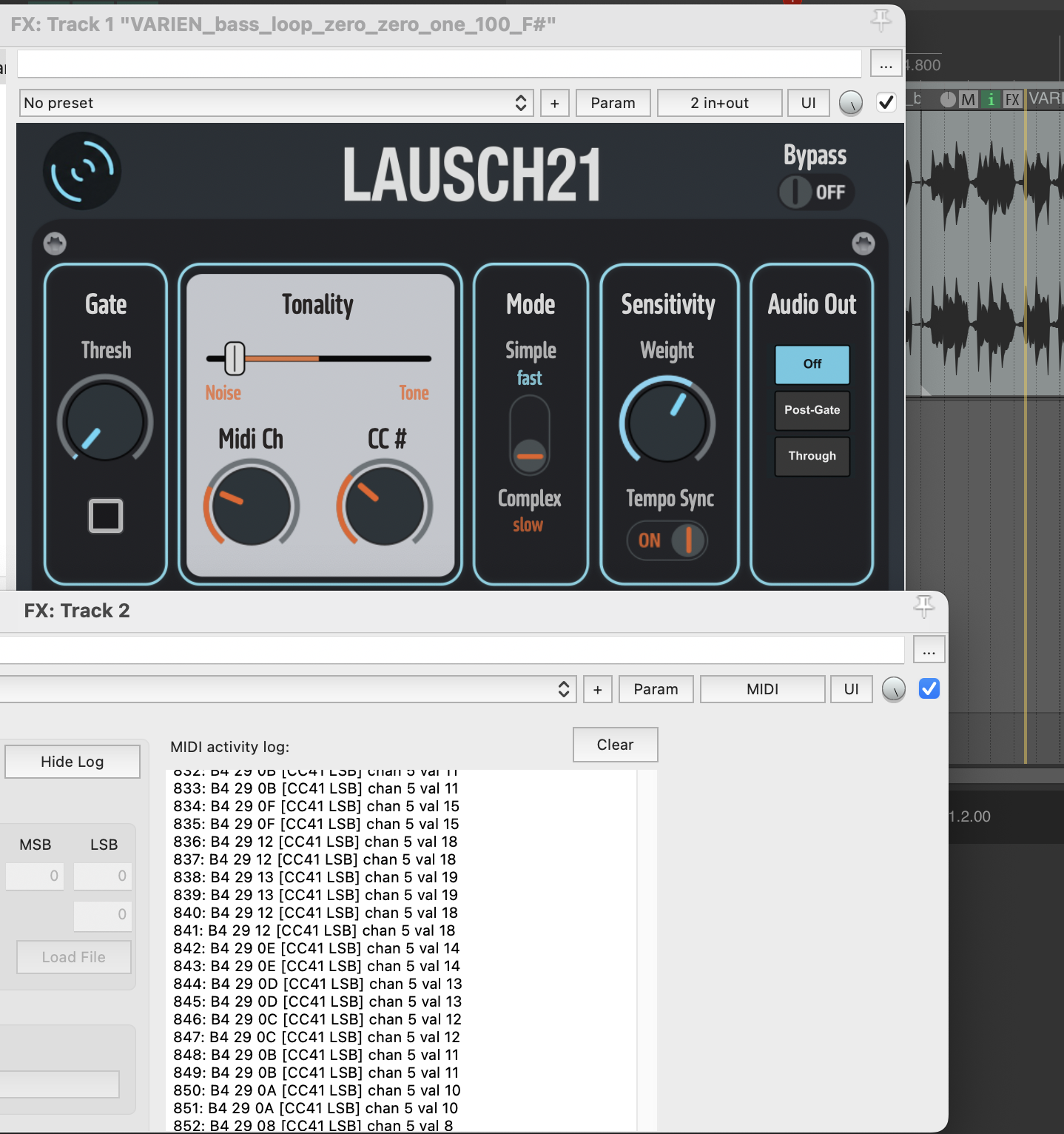
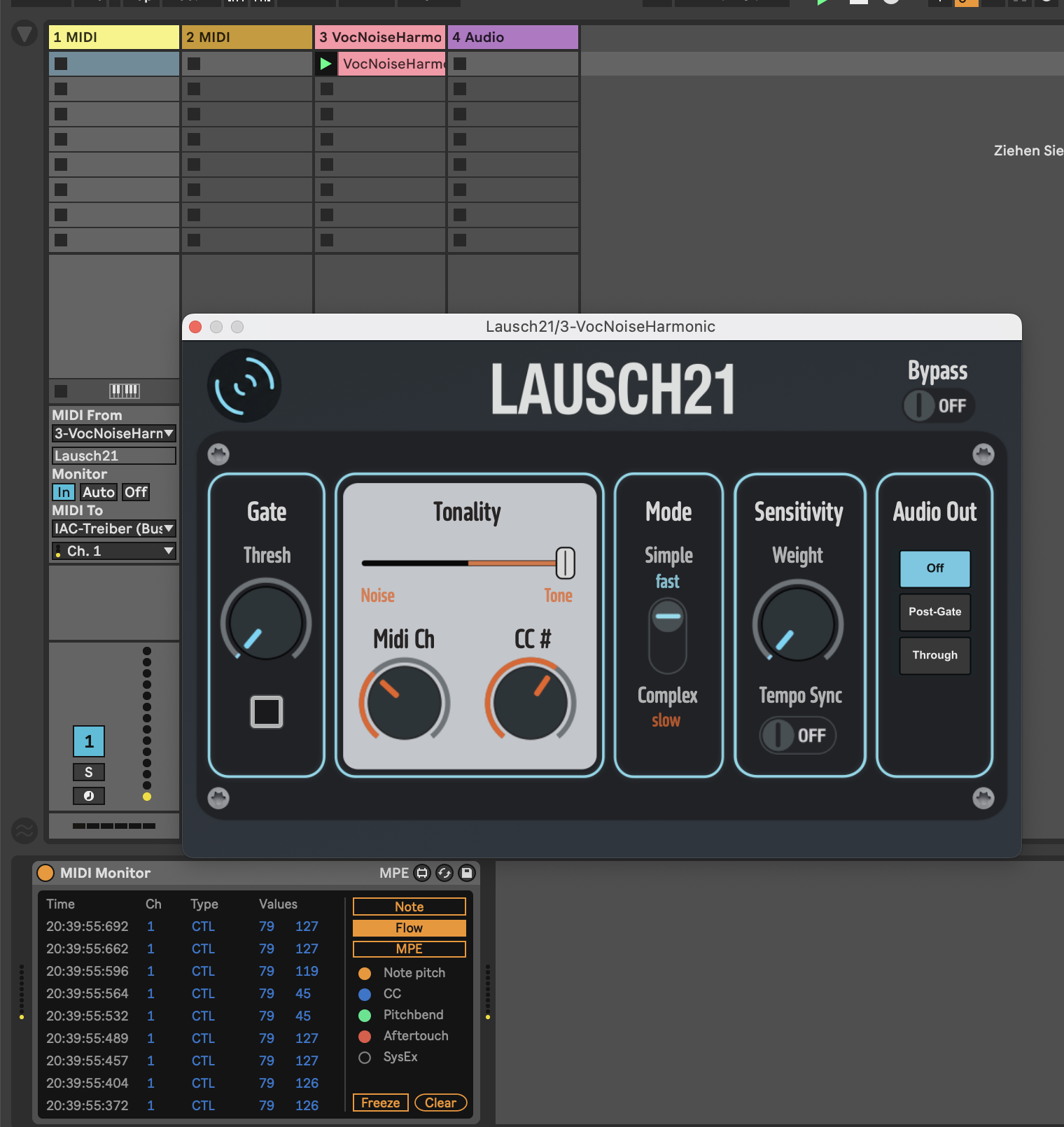
-
@voxuer1 Pretty cool concept! What does this do if you dont mind me asking?
-
@Chazrox said in MIDI Output from an RNBO-based HISE Audio FX Plugin:
@voxuer1 Pretty cool concept! What does this do if you dont mind me asking?
Thanks!
LAUSCH21 analyses an incoming audio signal and detects whether its components are tonal or noise-based.
This allows you, for example, to apply two different effect chains to the same signal – one focused on the tonal parts and the other on the noise components – and morph between them.
You can also send the analysis parameter to wherever you want, using it to control other effects or create new ways of interacting with the tonal and noise components of a sound.
-
@voxuer1 Sounds interesting! Great job figuring that out.

-
@Chazrox Thanks a lot for your interest and kind words!
You can find more information about my work here:
https://www.atomsoundware.euI'll let you know as soon as the plugin is released!