RDGAudio GUI Father GUI Designer for Windows x64bit | Pre Order
-
RDGAudio.com
Recently launched GUI father, GUI Designing app for Windows x64 bit OS.
https://rdgaudio.com/product/gui-father/
Build. Design. Animate. Export.
Create professional knobs, sliders, buttons, VU meters, panels, displays, controls, and complete application interfaces with an intuitive visual workflow.Whether you’re an experienced designer or completely new to GUI design, GUIFather is designed to help you turn your ideas into functional, professional interfaces.
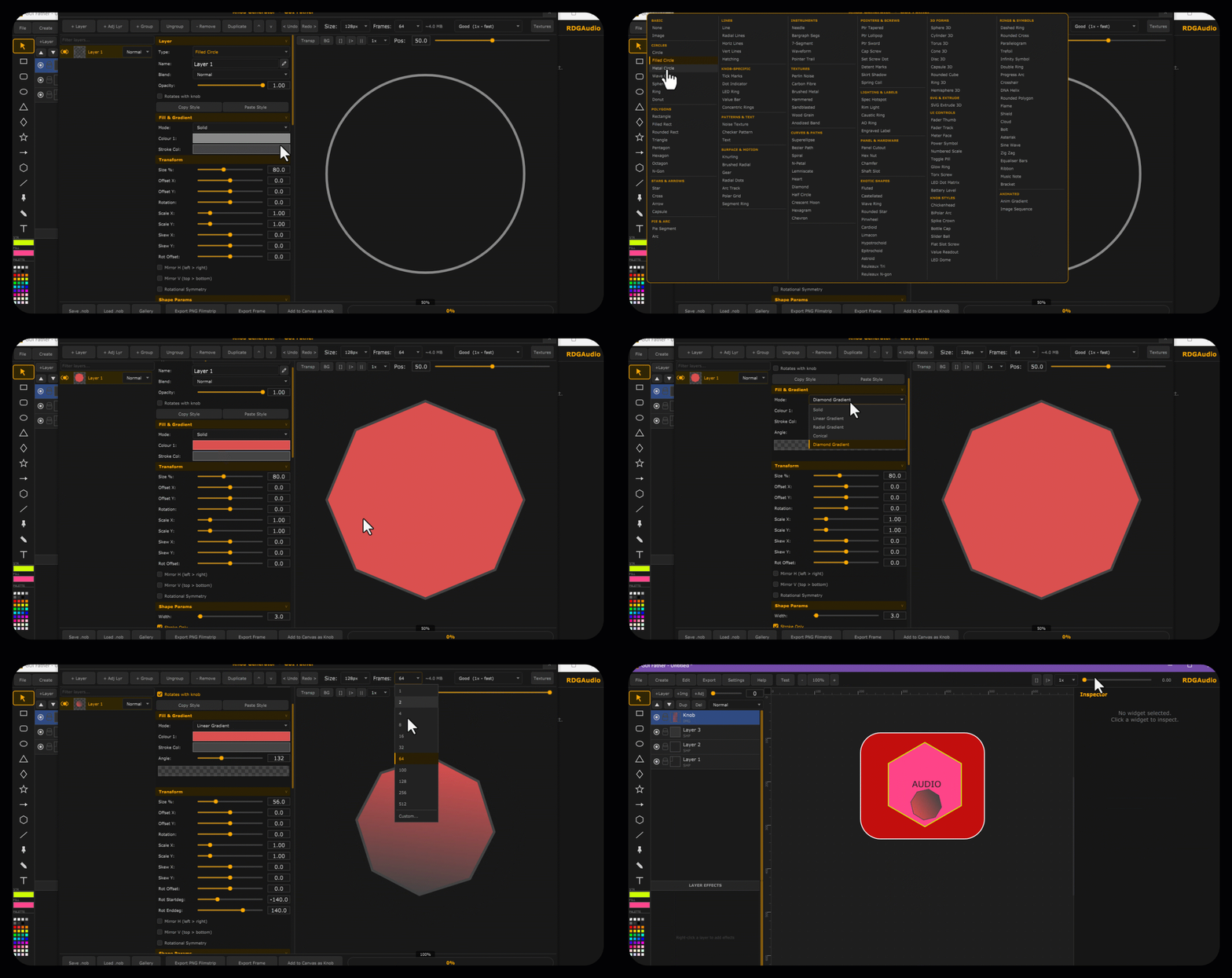
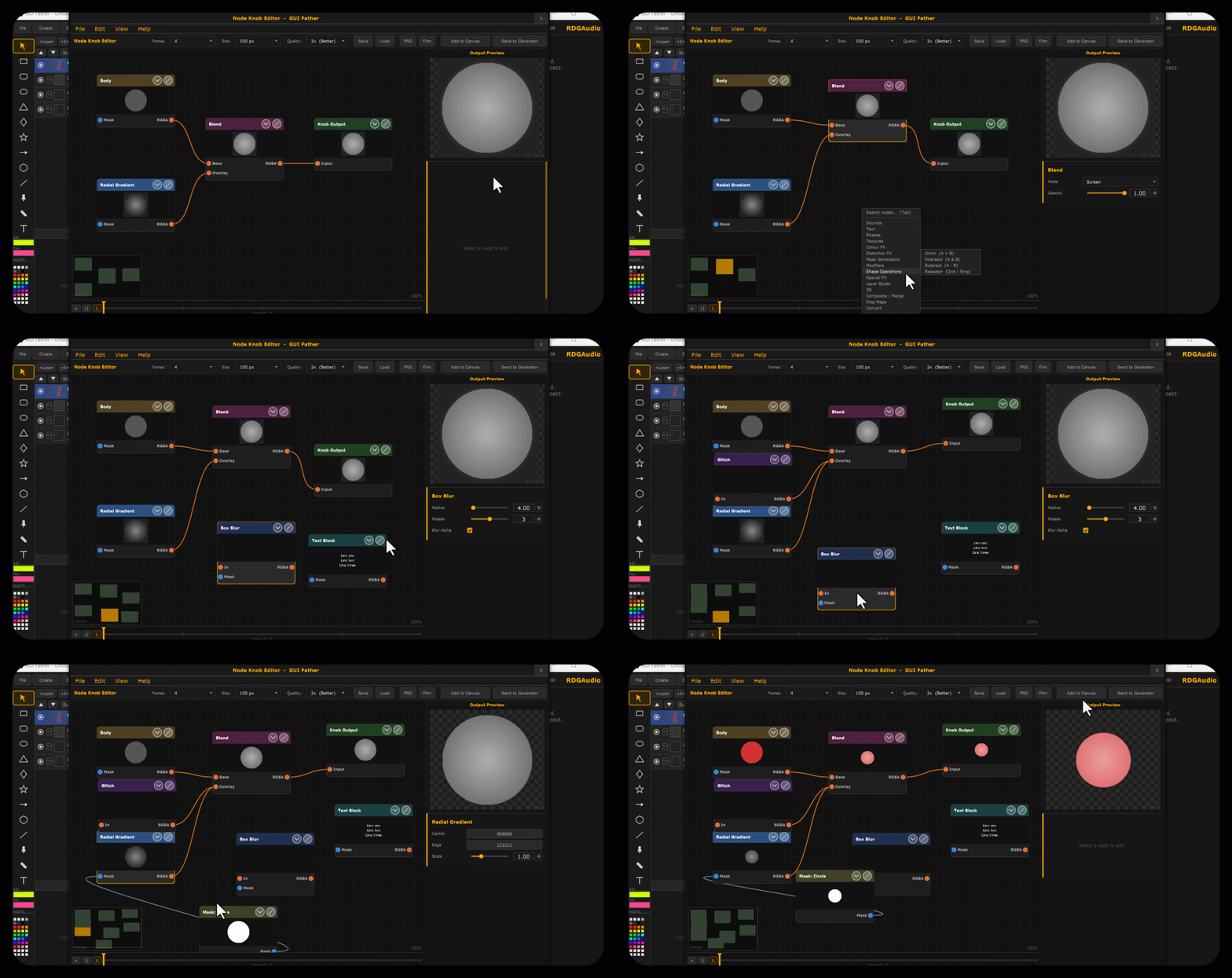
A node-based visual editor for building animated knob, slider, and button graphics through a live compositing graph. Layers such as Body, Radial Gradient, and Blend connect via colour-typed input/output pins to form a processing chain, with results rendered instantly in the Output Preview panel on the right. A searchable node browser (Sources, Shapes, Textures, Distortion FX, Mask Generators, Layer Styles, Composite/Merge, and more) lets you drop in new effects at any point in the graph. The Inspector panel exposes per-node parameters — blend mode, opacity — for fine control, while the timeline strip at the bottom manages frame-by-frame animation across the filmstrip. Toolbar controls for frame count, resolution, and export quality, plus direct PNG/Film export and one-click “Send to Generator,” complete the workflow from design to finished asset.
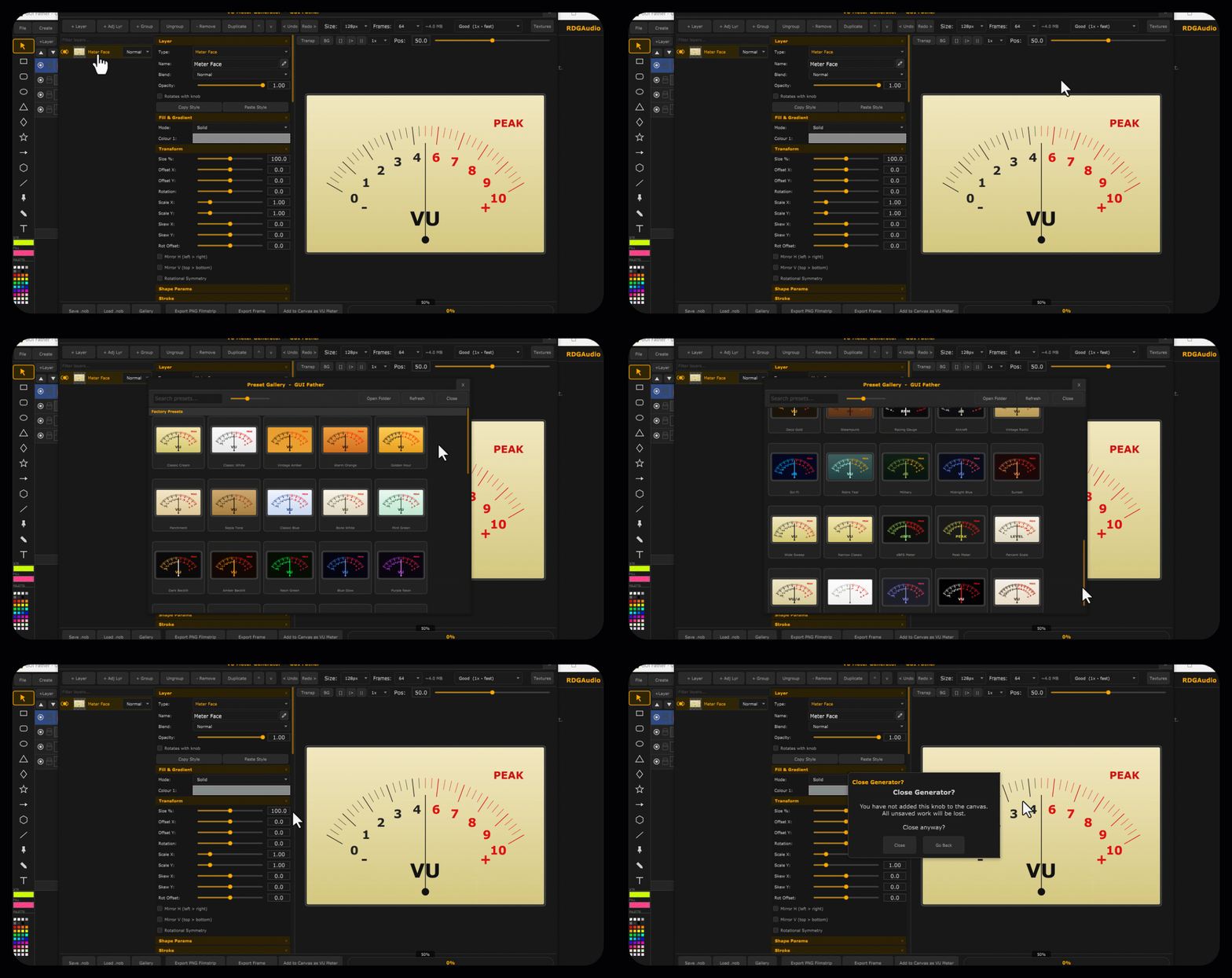
GUI Father for building fully animated, filmstrip-based VU meters — no manual frame-by-frame drawing required. Each meter is assembled from stacked, independently editable layers (face, needle, ticks, labels), with full control over blend mode, opacity, fill/gradient, and transform (position, scale, rotation, skew, mirroring, rotational symmetry) per layer. A live preview updates in real time as you scrub through the needle’s full sweep, so you can see the exact animation frame-by-frame before export.
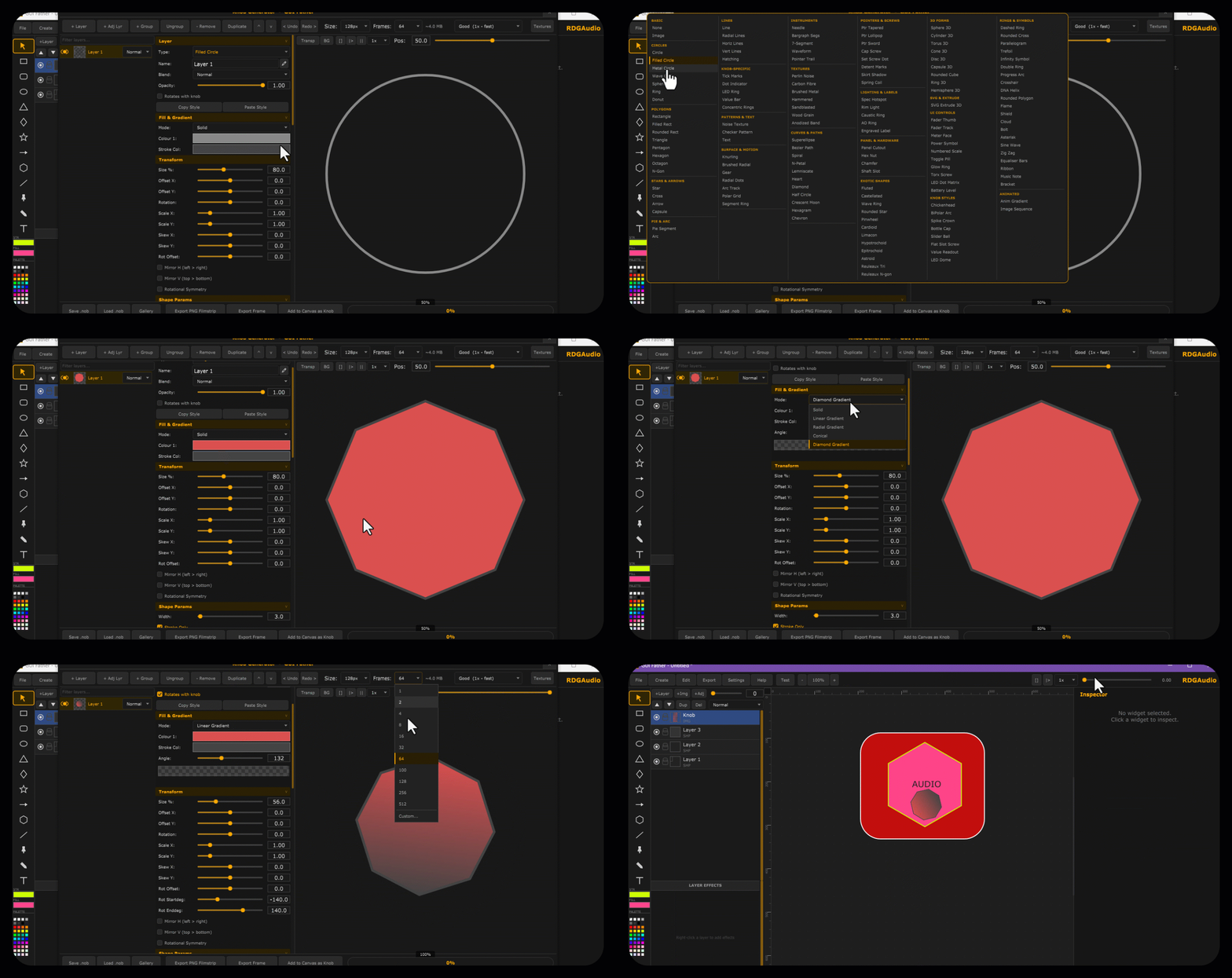
Built-in Preset Gallery ships with dozens of ready-made meter styles — from classic studio hardware looks (Pro Black, Studio Silver, BBC Green, Broadcast) to vintage and character designs (Cassette Deck, Reel To Reel, Vintage Radio, Steampunk, Aircraft, Racing Gauge) — giving designers a fast starting point that can be fully customized layer-by-layer.
Finished meters export directly as PNG filmstrips or single frames, or drop straight onto the design canvas as a ready-to-use VU Meter widget — completing the path from concept to plugin-ready asset entirely inside GUI Father.
Create , Save your own Knob, VU meter, Buttons, Sliders, panels, artwork and more.
Node based editor for building animated knob, slider, and button graphics through a live compositing graph. Layers such as Body, Radial Gradient, and Blend connect via colour-typed input/output pins to form a processing chain, with results rendered instantly in the Output Preview panel on the right. A searchable node browser (Sources, Shapes, Textures, Distortion FX, Mask Generators, Layer Styles, Composite/Merge, and more) lets you drop in new effects at any point in the graph. The Inspector panel exposes per-node parameters — blend mode, opacity — for fine control, while the timeline strip at the bottom manages frame-by-frame animation across the filmstrip. Toolbar controls for frame count, resolution, and export quality, plus direct PNG/Film export and one-click “Send to Generator,” complete the workflow from design to finished asset.
-
Cool! From the makers of Fartman 2. https://youtu.be/orirwmI1Jyo?si=UKzAYDni-7FlaJxj

-
@pgroslou these guys know how to identify a gap in the market lmao
-
They could've atleast used a different colour scheme than the app I just launched so it didnt look like they took my idea. lol.
-
@Chazrox I think yours is more useful for HISE users specifically.
Free HISE Bootcamp Full Course for beginners.
YouTube Channel - HISE tutorials
My Patreon - More HISE tutorials -
@David-Healey I agree. I still have eyes to see.
 lol
lol -
All of a sudden I feel like running a promotion

FREE to the first 20 people to try out said app! Merry Christmas.
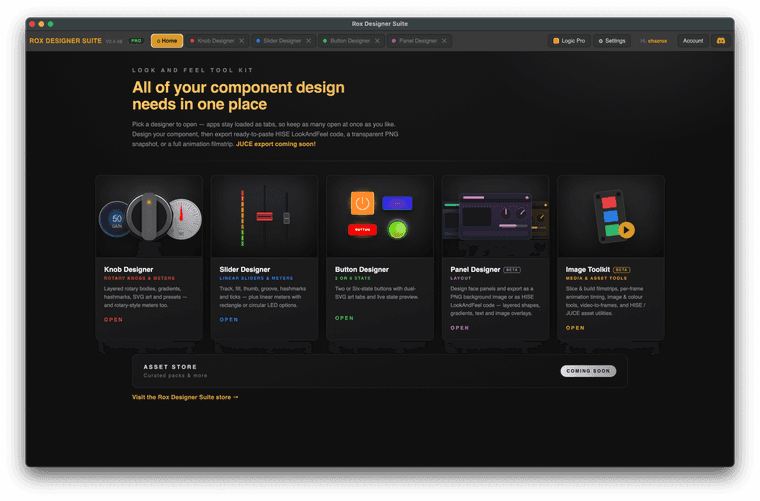
MAC OS only for now. WINDOWS soon.
roxdesignersuite.comDemo the KNOB app here ---> https://rox-knob-builder-for-hise.netlify.app/
-
@Chazrox Cheeky

-
@Chazrox Thanks man you're so goated.
-
@Chazrox said in RDGAudio GUI Father GUI Designer for Windows x64bit | Pre Order:
They could've atleast used a different colour scheme than the app I just launched so it didnt look like they took my idea. lol.
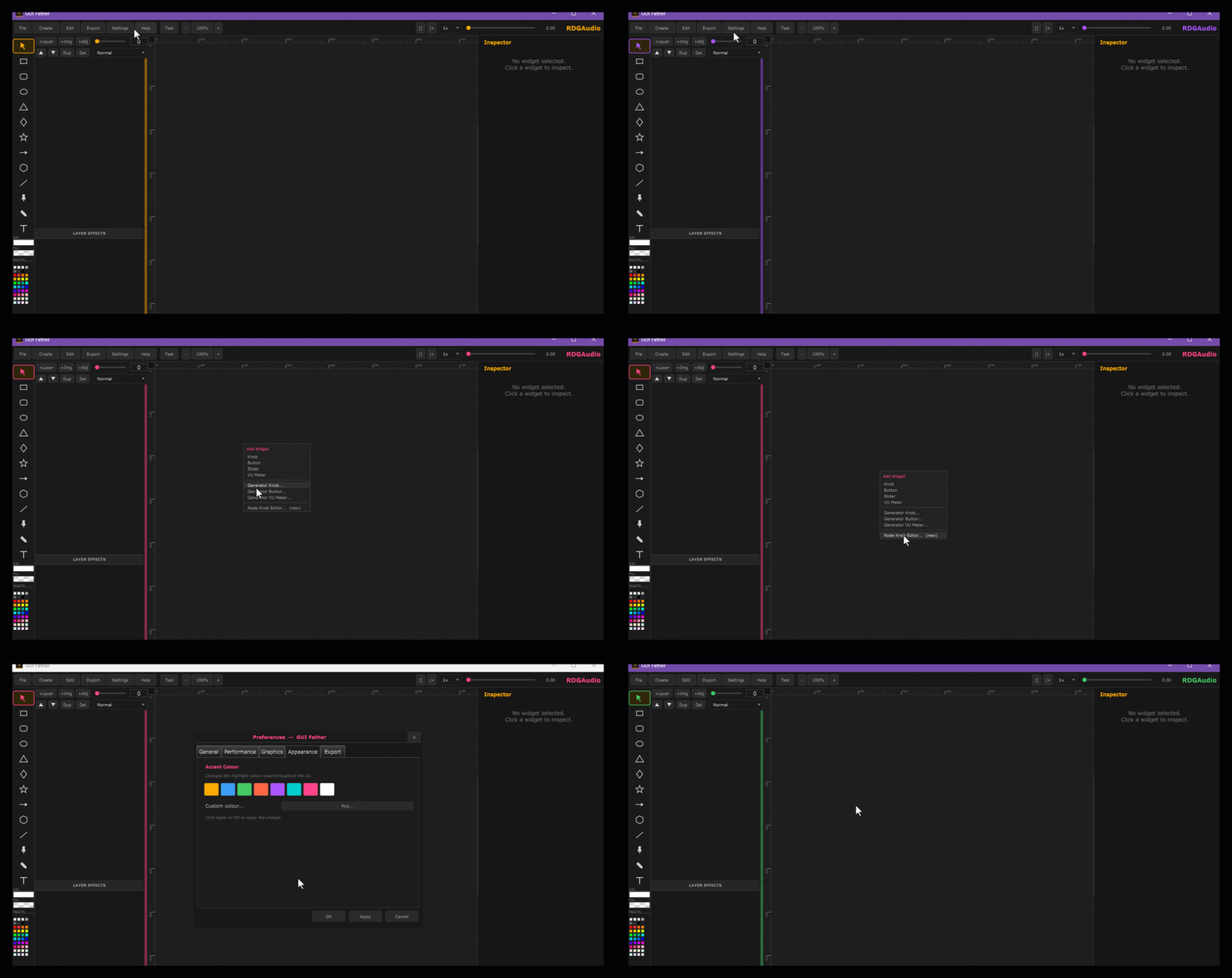
I really appreciate your app looks stunning , Although You can easily change colour scheme easily on GUI Father too. Not always boring Yellow. Here is how.
My job is to share with HISE people. Actual developer is RDGAudio