Forum
    • Categories
    • Register
    • Login

    Testers Needed for Rhapsody v3

    Scheduled Pinned Locked Moved General Questions
    rhapsody
    36 Posts 7 Posters 986 Views
    Loading More Posts
    • Oldest to Newest
    • Newest to Oldest
    • Most Votes
    Reply
    • Reply as topic
    Log in to reply
    This topic has been deleted. Only users with topic management privileges can see it.
    • David HealeyD
      David Healey @David Healey
      last edited by David Healey

      @Bart Aha I figured it out (watched a YouTube tutorial).

      I'm able to load/unload the instrument multiple times without any issue.

      Which OS are you using?
      Which version of FL Studio?
      Which CPU?
      Are you testing in a new empty project?

      I've updated the Rhapsody build with a couple of tweaks, let me know if that improves the crashing issue.

      https://e.pcloud.link/publink/show?code=XZt75cZ38LCNl1BtXVrWXQ3s1xTDH4vfpLV

      Free HISE Bootcamp Full Course for beginners.
      YouTube Channel - HISE tutorials
      My Patreon - More HISE tutorials

      B 1 Reply Last reply Reply Quote 0
      • B
        Bart @David Healey
        last edited by

        @David-Healey

        Windows 11 25H2
        Build 26200.8457
        Intel i7-11800H 2.30GHz

        FL beta from 2 months ago
        I'll get the new beta and test it later today

        It doesn't matter if new project or not, was consistently crashing with method stated.

        B 1 Reply Last reply Reply Quote 0
        • B
          Bart @Bart
          last edited by

          @David-Healey

          I've completely uninstalled Rhapsody and the sample pack, then reinstalled new versions, also installed latest FL Studio beta.. unfortunately seeing the same crashes 10 seconds after unload.

          The 10 second delay between unload and crash might be a clue, but sometimes it takes changing something in the plugin or DAW after unload to see the crash.

          Key switches are working 👍
          They also working now when triggering sequenced key switch notes and melody notes @ same time.. before your fix the key switch notes had to be placed before the melody notes.

          David HealeyD 1 Reply Last reply Reply Quote 0
          • David HealeyD
            David Healey @Bart
            last edited by

            @Bart I was testing with Win10. I've just tested on a fresh install of Win11 using the free trial of FL Studio, not sure if it's the same as the beta version, probably not.

            Again no crashing here, I'll see if I can find some other FL Studio users to test.

            Free HISE Bootcamp Full Course for beginners.
            YouTube Channel - HISE tutorials
            My Patreon - More HISE tutorials

            1 Reply Last reply Reply Quote 1
            • David HealeyD
              David Healey
              last edited by

              Anyone else with FL Studio able to give it a try?

              Free HISE Bootcamp Full Course for beginners.
              YouTube Channel - HISE tutorials
              My Patreon - More HISE tutorials

              J 1 Reply Last reply Reply Quote 0
              • J
                jeffd @David Healey
                last edited by

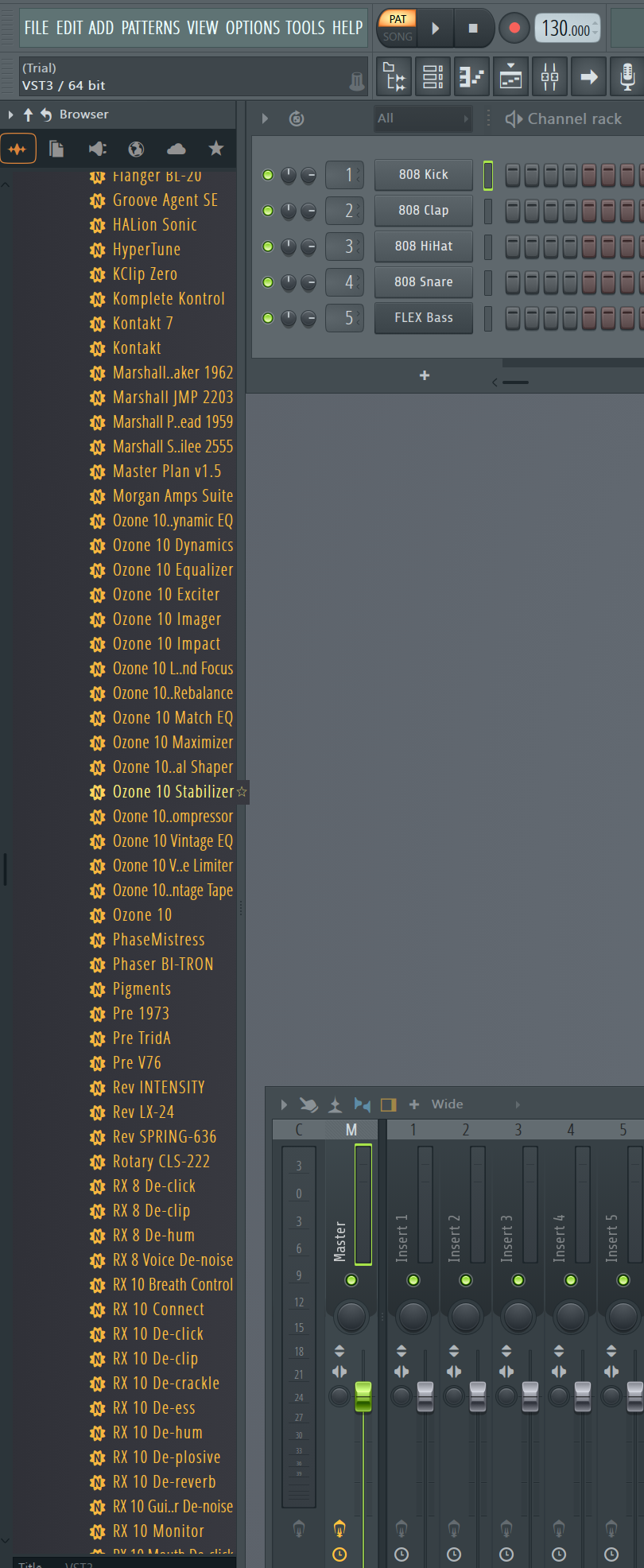
                @David-Healey Screenshot 2026-06-15 173319.png

                i just have the flstudio trial on windows 11.
                And i just made sure i got it installed in reaper, and then tried bitwig. IT worked on both just with a quick test. But for some reason, I dont see it here in the menu on flstudio. ITs just the trial, and I dont use flstudio really, so maybe im not looking in the right place? but this is where my vst3 instruments are.

                David HealeyD 1 Reply Last reply Reply Quote 1
                • David HealeyD
                  David Healey @jeffd
                  last edited by

                  @jeffd Click this

                  e0982ea8-d91e-4899-bd05-93f7c065044b-image.png

                  Then I think you go to Installed > Generators

                  But before you do that, open the plugin manager (it's in one of the menus at the top) and rescan plugins.

                  Free HISE Bootcamp Full Course for beginners.
                  YouTube Channel - HISE tutorials
                  My Patreon - More HISE tutorials

                  J 1 Reply Last reply Reply Quote 0
                  • J
                    jeffd @David Healey
                    last edited by

                    @David-Healey rescanning worked.

                    got it working. ill mess around with it more.

                    one thing i had to do to get my plugin to work in flstudio was doing this.

                    1. Enable "Align tick lengths"

                    Go to Options → Audio Settings
                    Find the Align tick lengths option and turn it on
                    2. Enable "Use fixed size buffers"

                    Open the plugin in FL Studio
                    Click the wrench icon at the top of the plugin window
                    Go to the Troubleshooting tab
                    Turn on Use fixed size buffers

                    you probably already know about this. But it got rid of the buzzing /distortion sound i had before.

                    but i didnt hear anything like that in Rhapsody

                    David HealeyD 1 Reply Last reply Reply Quote 1
                    • David HealeyD
                      David Healey @jeffd
                      last edited by

                      @jeffd Yeah I always say the same thing to FL Studio users. Let me know if you get the crashing issue @Bart reported.

                      Free HISE Bootcamp Full Course for beginners.
                      YouTube Channel - HISE tutorials
                      My Patreon - More HISE tutorials

                      J 1 Reply Last reply Reply Quote 0
                      • J
                        jeffd @David Healey
                        last edited by

                        @David-Healey no crash on my end.

                        unloaded bell and bone and loaded back.

                        no issues.

                        David HealeyD 1 Reply Last reply Reply Quote 1
                        • David HealeyD
                          David Healey @jeffd
                          last edited by

                          @jeffd Thanks for confirming.

                          Free HISE Bootcamp Full Course for beginners.
                          YouTube Channel - HISE tutorials
                          My Patreon - More HISE tutorials

                          1 Reply Last reply Reply Quote 0
                          • First post
                            Last post

                          30

                          Online

                          2.4k

                          Users

                          13.8k

                          Topics

                          120.0k

                          Posts