Forum
    • Categories
    • Register
    • Login

    HISe/Plugins and OBS Studio

    Scheduled Pinned Locked Moved General Questions
    13 Posts 6 Posters 127 Views
    Loading More Posts
    • Oldest to Newest
    • Newest to Oldest
    • Most Votes
    Reply
    • Reply as topic
    Log in to reply
    This topic has been deleted. Only users with topic management privileges can see it.
    • OrvillainO
      Orvillain
      last edited by

      This probably won't help you, but I have an RME card, and with that I can setup a permanent loopback that OBS records. So all of my system audio can quickly be recorded into a screen capture. Extremely useful, and saves having to mess around in HISE settings or my DAW settings!

      Musician - Instrument Designer - Sonic Architect - Creative Product Owner
      Crafting sound at every level. From strings to signal paths, samples to systems.

      1 Reply Last reply Reply Quote 0
      • P
        Phelan Kane
        last edited by Phelan Kane

        Hiya

        There seems to be an new audio capture feature in the latest OBS but I've never used it:

        OBS

        Otherwise, you have to send the audio from the source (i.e. HISE or DAW) out to a third party app that does inter app audio routing and return it into OBS. Something like these:

        Blackhole
        Jack
        VB Audio
        Loopback
        Audio App

        Soundflower used to be the best free solution on Mac but it was killed off when the OS went 64bit.

        If your doing anything more than basic screen capture recording I'd suggest in investing in something a bit more flexible than OBS. I used IShowU for quick stuff. I used Screenflow for vids for Master uni course material and Camtasia to make screen capture videos for Ableton. Both are supa pro with multi track editing, camera support, chroma keying, drop in recording etc etc....

        P

        griffinboyG LindonL 2 Replies Last reply Reply Quote 1
        • Dan KorneffD
          Dan Korneff
          last edited by

          I'm using Voicemeeter Banana for this

          Dan Korneff - Producer / Mixer / Audio Nerd

          1 Reply Last reply Reply Quote 0
          • griffinboyG
            griffinboy @Phelan Kane
            last edited by griffinboy

            @Phelan-Kane
            @Lindon

            I use virtual cable on windows for any custom routing.

            And I alternate between using OBS system wide audio capture, and the experimental app audio capture feature, depending on my needs at the exact moment

            If you want to record high quality audio without alias / resampling issues please record to mkv in flac format. Default OBS has audio artefacts that are audible.

            1 Reply Last reply Reply Quote 0
            • LindonL
              Lindon @Phelan Kane
              last edited by

              @Phelan-Kane said in HISe/Plugins and OBS Studio:

              Hiya

              There seems to be an new audio capture feature in the latest OBS but I've never used it:

              OBS

              Yeah thats the thing I've been trying to get working(Again) but its failing badly now.. both Reaper and HISE...

              HISE Development for hire.
              www.channelrobot.com

              LindonL 1 Reply Last reply Reply Quote 0
              • LindonL
                Lindon @Lindon
                last edited by

                @Lindon so for anyone watching my solution - that uses the OBS beta window audio capture(which doesnt work in HISE or Reaper) is to build a stand alone where it does work....I guess if you are building an FX you are out of luck with this solution....

                HISE Development for hire.
                www.channelrobot.com

                griffinboyG 1 Reply Last reply Reply Quote 0
                • griffinboyG
                  griffinboy @Lindon
                  last edited by

                  @Lindon

                  The OBS beta capture does work with Hise on my machine.
                  I'm on Windows. I'm sure it works differently for each OS.

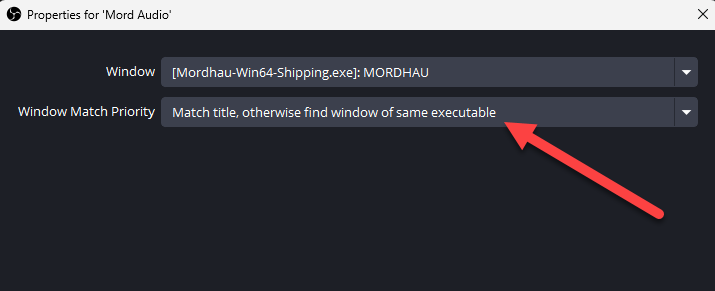
                  It's very picky about capturing audio from exact window names, unless you set up the following option. So if you're getting silence it could be because of this. But I assume you've already tried fiddling with all the available options by this point, so that's probably not useful advice.
                  f4c041a9-4ff7-495c-96d4-8d9151979505-image.png

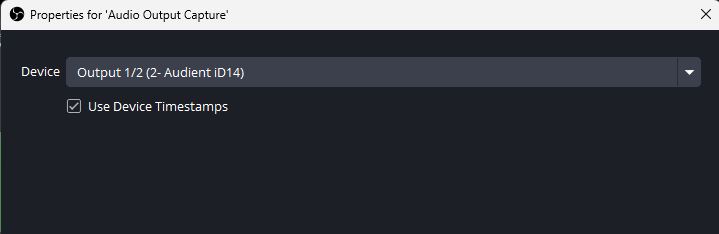
                  Does the regular system wide capture not work?
                  8dc42009-bbc6-43c6-8c95-18ee06476d34-image.png

                  LindonL 1 Reply Last reply Reply Quote 0
                  • LindonL
                    Lindon @griffinboy
                    last edited by

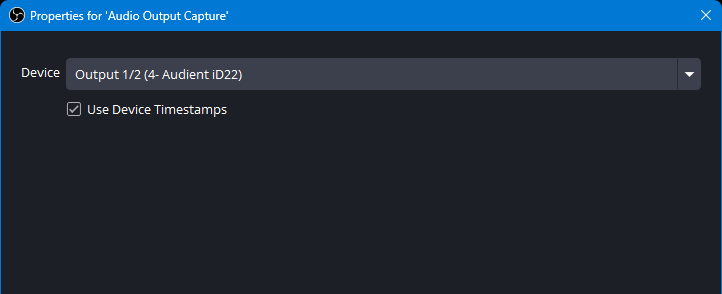
                    @griffinboy yeah I tried this (we are even probably using the same driver given we are using devices from the same manufacturer)
                    a867ceaf-998d-4c74-a368-3ddd2a275b3c-image.png

                    ...nothing coming out...

                    I also tried this:
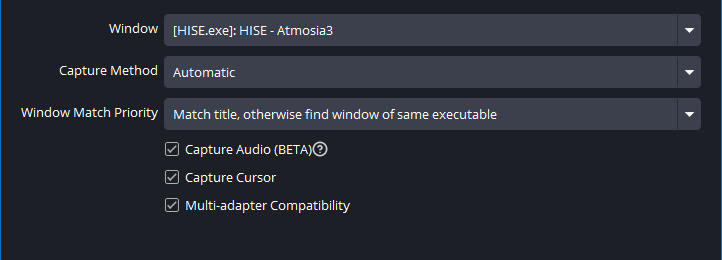
                    a1bddf49-74e6-4255-8362-027919901865-image.png

                    ..nothing doing....

                    HISE Development for hire.
                    www.channelrobot.com

                    LindonL 1 Reply Last reply Reply Quote 0
                    • LindonL
                      Lindon @Lindon
                      last edited by

                      @Lindon huh..just found if I DONT use the ASIO driver but use the windows one this works for Windows Capture....

                      HISE Development for hire.
                      www.channelrobot.com

                      griffinboyG 1 Reply Last reply Reply Quote 0
                      • griffinboyG
                        griffinboy @Lindon
                        last edited by

                        @Lindon

                        Ah!
                        How bizzare.
                        Yes now I remember, Asio doesn't like multiple different apps trying to leach audio. I remember now, I switched ages ago to a different driver because of this. It pained me to do so.

                        1 Reply Last reply Reply Quote 0
                        • David HealeyD
                          David Healey
                          last edited by

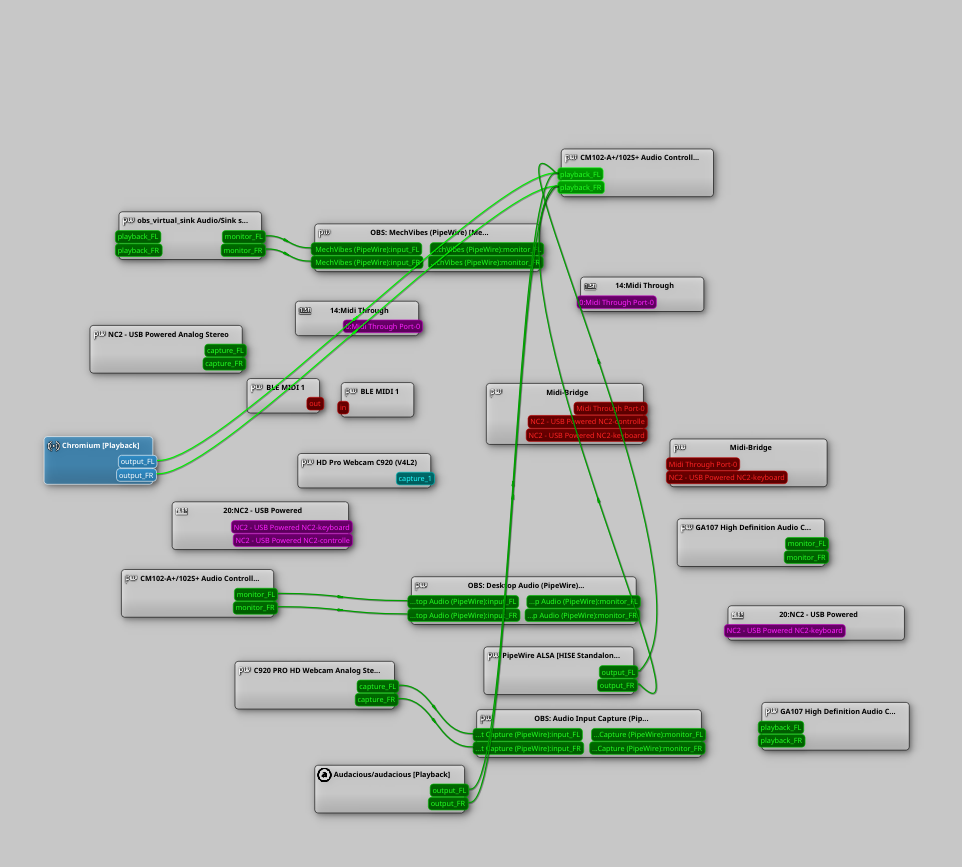
                          The correct solution is of course to use Linux + Pipewire then you can route all the audio wherever you want 😁

                          33270156-5e5f-4992-8fa9-0046c9d49b02-image.png

                          Free HISE Bootcamp Full Course for beginners.
                          YouTube Channel - Public HISE tutorials
                          My Patreon - HISE tutorials

                          1 Reply Last reply Reply Quote 2
                          • OrvillainO
                            Orvillain
                            last edited by

                            Yes, on Windows ASIO is not multiclient. On MacOS, CoreAudio is multiclient. Thought this was common knowledge??

                            Again in reference to my earlier RME comment, what they do is handle everything in TotalMix for you. You just tell it which outputs you want to feed through to the WDM driver. I like this solution because it is a permanent wiring. Sorry, I know this doesn't help if you don't have an RME card!


                            Musician - Instrument Designer - Sonic Architect - Creative Product Owner
                            Crafting sound at every level. From strings to signal paths, samples to systems.

                            1 Reply Last reply Reply Quote 0
                            • First post
                              Last post

                            26

                            Online

                            2.2k

                            Users

                            13.3k

                            Topics

                            116.1k

                            Posts