Forum
    • Categories
    • Register
    • Login
    1. Home
    2. Casmat
    • Profile
    • Following 1
    • Followers 0
    • Topics 118
    • Posts 538
    • Groups 0

    Casmat

    @Casmat

    i make music

    48
    Reputation
    89
    Profile views
    538
    Posts
    0
    Followers
    1
    Following
    Joined
    Last Online
    Website casmat.pp.ua
    Location New York

    Casmat Unfollow Follow

    Best posts made by Casmat

    • For You: Soft Saturation in ScriptNode

      Hey!

      As a way to express my thanks for the massive help in this community, I'm making this post along with another hard saturation post to share my saturation! All the original dsp was based off of:

      https://www.musicdsp.org/en/latest/Effects/42-soft-saturation.html

      x < a:

      f(x) = x

      x > a:

      f(x) = a + (x-a)/(1+((x-a)/(1-a))^2)

      x > 1:

      f(x) = (a+1)/2

      To create the saturation, add the snex_shaper node in scriptnode to your project, press the three dots -> Create new file. Name it and then add a parameter the same way and name it something like drive. Then open the code editor from the snex node

      The main course:

      template <int NumVoices> struct snex_softsat
      {
      	SNEX_NODE(snex_softsat);
      	
      	// Implement the Waveshaper here...
      	
      	float gain = 0.0f;
      	float out = 0.0f;
      	
      	float saturate(float input)
      	{
      		if(input < gain)
      		{
      			out = input;
      		}
      		else if(input > gain)
      		{
      			out = gain + (input-gain) / 				(1.0f+Math.pow(((input-gain)/(1.0f-gain)), 2.0f));
      		}
      		else if(input > 1.0f)
      		{
      			out = (gain + 1.0f) / 2.0f;
      		}
      		return out;
      	}
      	
      	float getSample(float input)
      	{
      		if(input>0.0f)
      		{
      			saturate(input);
      		}
      		else
      		{
      			input = input * -1.0f;
      			saturate(input);
      			out = out * -1.0f;
      		}
      		return out;
      	}
      	// These functions are the glue code that call the function above
      	template <typename T> void process(T& data)
      	{
      		for(auto ch: data)
      		{
      			for(auto& s: data.toChannelData(ch))
      			{
      				s = getSample(s);
      			}
      		}
      	}
      	template <typename T> void processFrame(T& data)
      	{
      		for(auto& s: data)
      			s = getSample(s);
      	}
      	void reset()
      	{
      		
      	}
      	void prepare(PrepareSpecs ps)
      	{
      		
      	}
      	
      	void setExternalData(const ExternalData& d, int index)
      	{
      	}
      	template <int P> void setParameter(double v)
      	{
      		if(P==0)
      		{
      			gain = (float)v;
      		}
      	}
      };
      

      What I recommend is just downloading snex_softsat.zip and then in your project folder -> DspNetworks -> CodeLibrary -> snex_shaper (create one if not there) and place the .h and .xml files in there.. they should show up in the dropdown in the snex shaper all ready to go.

      There you go! Feel free to use it however you want and enjoy!

      Note: this isn't going to give you the full saturation, just the waveshaping (hard part). You still would need to wrap the shaper node in an oversampling node as well as having filters, gain staging, xfaders, etc to make a release ready saturation, shouldn't be too hard to do however since they're all nodes in scriptnode

      Thanks!
      posted in Presets / Scripts / Ideas
      CasmatC
      Casmat
    • For You: Searching a Viewport

      Hey!

      Here's a handy dandy simple viewport search snippet I used for my plugin! Thought it'd be helpful to put out there just in case!

      HiseSnippet 1278.3ocsW0uSabDD+NCWTtqIUMU8AXqU+iiVvXBozJgZJfwjZEfXEmfhDPiVtar8VNu6oc2CvphGi9zz+oOR8MfN68guyfgVY0fPVdmu1e6uc1YF2UJB.kRHsrce23Xvx9IN8Fy0CaMjx3Vc10x9ycNfpzfjjIZmwwTkBBsrsW3UFA1tKZk92e+y6Pin7.nTjk0QBV.rOaDSWJs6VulEEsGMDdGaTEqewVcBD7VhHQBhmEbZZESCNmN.NjZLqlik8iZGxzBYOMUCJK6E2QDNt2Pwk7L6OhoXmEAlEqY0CCTl38DQgFDajZ0ZHKJraw4VYgQoaIKrPFK7UNGvBYSjWxFeQpBRoGU4C6ZSCuElBdqUEdMq.uY.I6JPZwLH8LmdARVrtTiAOelSGNd4zmhzdUnjYqUs+vwY0U2gpXAjiXvkwBolzCnxfgjcDW80ddsDn+bciQzyg8j3hIwy+4MatLY80atzld38hRStfJIQmEk6+OQJ7c.naIFEK33B+5Srn9TNdQr9sfJIRqtWOKMw3pm6pq1UBqzCzjinQIfxaRnan.zdMbkt9xj5yZ6Bg9TLRs4ZICLa4w0+E5Efw7sMe7JIPScdW535mtIY0UwKY9.fnGBJ.CgYCIZAIHS7EErGjEQuRvlAFlFFov.N8F232DLte8S30WJ+HUv9HFaQihNCSw8X7HFGH8S3AZlfSD7ImTCSIEQ9AEzzxYXaIue2yMRDPiHpTCKI2iOcyBURX.b0qgwER8bmGXitw562lO.AIlnnCPJ5slH6mBEjD+0SNQ8seCZLxic5miHBSQfQw5wKaHUNBFbGmvetH9mOzbsmKDo.LBHvb6Kj93cjjFXJRw3YzSCsXewkfrEUA9K0PEGwvvmAvCvTcUF0PNG4F7RtOiGRBPaWgwU.WwzrK.R9QE2DCVcKHyFwIpg90OtN46Hk6bkuia96iiK1bTS8SMImttWa9n.zlyZJdK4fAkbvDLmdpQT2MAubSQDiOnH+jwQvygKITojNt.n2ykkIvKOIkHmTwfujwmTGcmJUJ6bZ7JE7FdO6D3caCwpQ5Co5DIMxeoMIOvE6z9cq60M8v+89WqpXhX9yhhWP928ECFwJumNTng2v8Se03csG41p52el5xiUDHmoZS+K4C4nOOYzYfr5aVigXQ8o6T3b+cJp1HKHiZpXnf2gyzuIF32W6Mqb9D+166rKUSMsWxkg1gooZlAB16BWf8pyZ135rKnNWKhw1tStDPw5TsOMuUz9zyfHKVnoMzD525pp8+GWcwkrP8vRArsNaPQ2d2GswFabiQ5PfMXXkoEd4Vlx7V1O1IO9lkktcyM27mo1cWX9k4vDBKZ8kh0m3Tlbduf8kacGvdKf8WxsRT3nMJTjcME1aoCuaZINS+2z7cCDLMc711KsciG1qAG+4Ns1wgJDgIQT8zSZXFuJWAlTMU6cSSZSUpwUG+5+swO9uBwm4zkg0WlMFqMCLhodeJvX9PaO0oc+9PftDfK5r2G9zLgl0aEIZrP7ATrCElD4bXxndXJY.XFifi8mPY10L4kYqaZVaXfd.OLcAl4dStx0LqsyUtVgRqQz.o3iAYkRLiE93TIHl3oSD6hiliqIqYkVdA8yoYilVivIT+XPf43uBVQX19774vm0mCedwb3y2OG9rwb3yOLG97iOnOlebv1IZwnrmCnftsSq4Za2lSwLqzrPq+APj7wcd
      

      Feedback and search algorithm suggestions welcome!

      posted in Presets / Scripts / Ideas search viewport snippet
      CasmatC
      Casmat
    • RE: Mono-ize

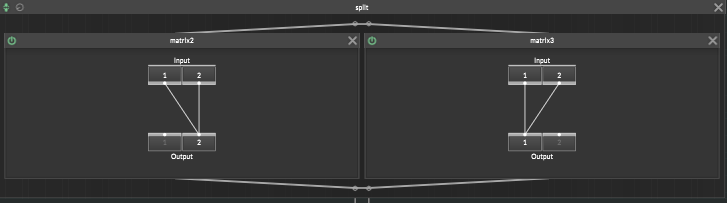
      @Casmat did it! 188688b1-98ab-4270-b942-f46986867116-image.png

      posted in ScriptNode
      CasmatC
      Casmat
    • RE: Modulating Oscillator

      @alhug @Lindon @Matt_SF Thanks guys for your help, didn't think it was this easy haha, might need @Matt_SF to teach me how to use math nodes more

      posted in ScriptNode
      CasmatC
      Casmat
    • RE: Phaser Gone Wrong!

      @Casmat fixed!!!

      https://justpaste.it/a7pe4

      posted in ScriptNode
      CasmatC
      Casmat
    • Optimized Viewport UI Virtualization / Row Recycling

      Hey!

      It's been a bit since I've HISE'd but I wanted to get back into it and decided to try tackling infinitely scrollable viewports. If you've ever tried creating many ScriptPanels inside a viewport, you know it quickly gets annoying and inefficient. Here's a Virtualized List solution that uses Row Recycling. It has a constant memory footprint as only the number of rows visible in the viewport + 2x the overscan amount of panels are used. It uses a 30hz timer that only processes panels if the scroll position changes. I'm definitely planning on using this within my custom preset browsers!

      HiseSnippet 2752.3ocwa17aabbFFeorYpshcfSQOzCEAiYQBVIqPubIEIkUbskknhHhkDgHscBLLLFt6Pxsd4NK1conYKLP+SHG6w1a8XOl9EPO1i8RA5wbrGygbnnWZemY+lbUiGgMjDvFbmOeley6LyyHvsiCUi35RcjJrduY1DoB2nX2YVdi1eD1vRp8AREd2h8HtdniZ2skzilYiccI5REJbkOkUfBW+pR7OeyCdD1DaoQhSRR5oTCMxiMFa3EmZmG9YFllGh0I8LFmnz0dXaMp09TS5DPLWonhjMV6U3gjSvrhsVQoivtijJrYQrV0JJJ0pqWsOF2WWcmZCHUqWuVkpC1QoFdGbckcpqTqhTg2oktgG0oqG1i3JU3pOhpOq6H5TK+N3oFtF8MIrGpH0E5Y+jOjZpyFhrTk1ejgodmPJ4JAsRmXlcEel8iJdrgtQT5wr6V7LPw0HI.KrVZ4ckTxqRR4ojPdYHoBIjzU8kz6WrqligsWbN9ykss7HNCvv7TRo3WVo0zduh6SgRX4UdL9UjCcfGhpgbcEksPv+swtquNLWAAEm7jieY6dsNtK59nsUTT1MH8yN8Yu7nVs+zi5AYTKJ4m1t0y5b5Y8RlGj4528tnSeZqy5t+dmfLbQdiHnRsszm354LCA3wRG6nWBY6f07fHJz.pC5bCGuIXSieA1yfZUl0FOifbHV5DGnEflYL1ZFh7ZOGLxgN0Eg6SOmf16jCP8Ilzo7t4beFib0bHD+VoGqt1NjyAJ3hbIDCqgHVSUpuIDQVBMwZ.DASzQt1TnDSGQrX0mZZxJo6DaP.CvtdkCF0QCs6ipnrKJA55r2IsdLicGi8FUViXXJOOhtaBVtA5NH4nVaSj5FPqEzbGCgbO0fL0l53AMX3rHVWOLU4RIKSosfIL1+fIyjoW1k.kbpgt2HdQxN+QDigiXswbxcC+Iyd.YAY4A0CXgM1hXhLrbMzIAP2usBj99QkLkt6vplbonbgdCDLSOQI4KFaLLq6sOcrM0B9BTtzizEqQ3vqVSn4PffMIXHzvgRGyis7mM6icluhQi63.+MSNAEsvfOlcgAzyewtqyZR4ywNHCHAHBv.8IIl9gmuyc1X8e45H3CqT1YxgynS4eqDDDXvQgw78MqAruPlDCxzEMELRlQzfMiNQG6gKCqpfUojWC58iq3mSzfvL8f3w39ACB92BFDUXQfAso4EIb6xCYYXnWZizEMT3UUTRmQjvqpjVvlr9FDlYBwxGrc.v3cFchGvG4ASrzX6oHObCj+rB6yvxrU86YZJy1bYN.7gHUz8g4VzCPJu9vCqx+ftG+gZ7OABwukfdz+fNYVA7+jp.5N3omQz7jetBepl2k.FdFaHKuQbBGwGpxa7B.lkCGsuIbTyCBKaOwcjrMj1aBiN0mLd7rCfQv7An59An5AAn7Hb3QH9LfDQ0zuUKEskSGGBLpPsrXaY+SYyux5v+UYC+90vB1bD13N.snI1..I9g1bYx43VnPhtAZtED9ikmGW1WjXNDVAe7oc6gZeLaun8NoGpSqyNDs+Qs1+ytWXIN0xbFruN+3P91POoMxX.+aA6PAGQnwNSAJGbxnwPKXOdOJBi1zhLcSl1JG0XP0blZ3R1BoSQVTX9vZ3s44Bso77KPt88SNxXkJNvZwESgec2DkgGXOqTLgxZweDPB0QTg+YrfyO5ihqchI3jQ4I5rfiFgtzyYBIQODffmvlBYm3ow7i.62Grj08dy0ZwK87aXO3LYnUiBkddnndQhN4MHX5l7corAXnP9ageD6zkfsc8Fg8BsB.KpQzAn9zIV5twM+h7xtrCwlsOfb3xnrBboVc4GNHmbGa+yK5PcOg5LlebdhCLG5KYxTHeCVa7Ega.GUeOpG1zuc8WPCsg7EbDC5im+P2ciB6Vrc9D3.yLadk4jf+P3KfbROX1bwZmdgW2I88X9xPf4JGWML3EhhlBSET6IlvZ7v4jM41u1LsAfX.XeVb7O2Mz.SJ0QNTV2cNDD5BJgVdqNkM8ROVogfudzCf8agZkTFvATYrnBFvrylLgBLlpOwjhFAtSMItHKxPX4.2EA30D7.N.1+1bVp9hih8B2ZAliki68OLgXYF8R9Tx7hE0B6gF1xaEOnRFJCZ+LvUqCeQKruF69WN2C468mD4SjerMP88wLKPZuBcvos5hN4zdnAFNDXAPPDxsWmeNOXzsaXDC2HP4H699oy6FHmVVCgURkAi1fp4IdZ+eN6LNlqoKZYFub4wZM1xizUE1SNk3mO3X9QVpZGOKDugPBTmP7rsr3eIjmxoFarAepR6gc7KuL28BaV6PpCboGCKXDgMQCbfKDyl+LwyXatoQcb7C0RJk0SfxSndjSs3T75f5Pym0fAYlWPbfYvDv7YGO0bAUT1Zx39DmsfoMS3.jvBBWQM88dKdw26M40x07cSlnfTq1.SN0lXcQWVWJvBJ6NxApBJpG+Fx+vhyG4KY.WF98JlLhRhq8j+MMjdRa1gVgsHz3PGZyVUwFKENfbNbCU+6fe8hGPbeEroBurAGOJU3GHR++ZfOETgtcV3W31dgF+c91B9Bx2tKKkuLHkTq.Xh+er1Z+m6z829frzwMC+KEv1BgKg2sXzcE76eov9m8k4bnufhiz2Wuf9d3MuBOkBevamLBuyiRJYDLWf9yObAojT4+ezgbvTYJbbsz5feOkXcveLPGqGhihYgijxNRCasfF9f.MvbCIU3mT7BbRWoIKtVHZUIKZczxmVUDiVUxEZoJJsTyhV1KeZoJFsTyEZUUTZUMKZ8qW9zppXzpZtPqZhRqZYQq+5xmV0DiV0xEZssnzZ6rn0+Z4SqsEiVamKzptnzpdVz5V+kkNspKFspmKzpgnzpQVzp4xmVMDiVMxEZ0TTZ0LKZ86+pkNsZJFsZlGzZ6cDkV6jEs9mKeZsiXzZm7fV0Ud6n0Mhs4koYdo+vRBW2H1d5aka9TBOO.VEgAVl94kWA.qhf.KWbzWWUXfkok9Nq.foJHvxES80qJLvxzU+qWA.qpf.KW70Wulv.KSi8+lU.vpIHvxEq802VXfko29+1J.XaKHvxE280qKLvxzd+2rB.VcAAVtXvudCgAVlN7+w+wkOvZHHvxEO90aJLvxzj+CWA.qof.KWr4WeGgAVl97GsB.1NBBrbwoeCgc5qloS+ub4CLUAc5qlKN8aHrSe0Lc5+Uq.fInSe0bwoeCgc5qloS+udE.LAc5qlKN8aHrSe0Lc5es+zxGXB5zWMWb52PXm9pY5zWYE.LAc5qlKN8aHrSe0Lc5+4q.fInSe0bwoeCgc5qloS+e0J.XB5zWMWb52PXm9pY5z+2sB.lfN8UyEm9MD1ouZlN8+6q.fInSe0bwoeCgc5qloS++8J.XB5zWMWb52Db5u3KTzsJdL6G7H1K862D6s.KHCCpUpWpH1KNjkqg2rjukX41K8zaqDe+hcL7zFksFWKCMBSSeenwfWUraVr0.1uLzXAd0hG94e+7dgI4+FML7XrmiAKP5jIi6Rm3nQfd2h8qxkESsF6mIm+yJgQ8cIV57G9uvmfLqvdtPPlUByTZLVyg9RM+ebcrWFsqwSAzjE+E265EOl8Lpxh+T5Fana7RMszM0BUT8xVwpW1JV6xVwsurUr9kshMtrUr42cEYu5h6MwiN1eYijzwcZw+oOVnPKKLDAxiVk9e.xmeLdB
      

      Enjoy!

      P.S. I decided to test out the HISE MCP integration with Google's Antigravity for this snippet to see HISE's new AI-assisted development features. It works great! Although I had to tweak prompts and correct a couple javascript hallucination bugs, it was crazy to see Gemini integrate with HISEscript. Can't wait to see where AI integration goes in the future, it's definitely worth it!

      posted in Snippet Waiting Room
      CasmatC
      Casmat
    • RE: The worlds most annoying bug

      Yeah, I've had this happen to me really sporadically, when playing the keys, sometimes one note would hold until its tapped again. For me it happened most often when mashing some chords really fast.

      posted in General Questions
      CasmatC
      Casmat
    • RE: SVG Help!

      @d-healey For anyone else with general hise svgs looking wonky, after fiddling around basically to get the svg to properly display, all the render data has to be specified in the path data for hise to correctly render it. Since the svg im using above stores many of its render properties in attributes when taking the path data, those attribute data will be lost.

      To fix this, I saved the svg data in a .svg file and opened it within inkscape. Clicked the path on the canvas and went to Path -> Stroke to Path which basically took all those attributes/what we see and generated a new path that outlines the stroke, then save as optimized svg and take the path out of that svg file and use that within hise to get:

      0772d786-b6b7-48bd-bcc1-b695c84414d8-image.png

      also had to change area to match size of svg path dimensions in inkscape. And used fillPath instead of drawPath in hise

      HiseSnippet 3608.3ocsYu1ihikdG.mZltVscmrQ6Jk88klWUiXjE2unUqRar4NFrAiASTzFiswXvXSgMWi1uq4iP9Fj7+uouT8L8NIpU1Qyr6Od34b7wmyy4.3R8PjsabbzgLO7V8q6cy7v+3iStFlrVZskeXltxYd3e5QEq3D2COcOTiq6shiccx7vCeeaF3g29lLo+y+0+RCq.qPa2OGJSFiHea2A967S9bT0222OHnkkiqt+tWkco220NJTJJH5HFOe+i4xr2xdqkm6PKl128XlG9MMc7ShNLIwJwMNyCuoQjy0IqiNGdOeC+X+kAt7E4yLAcz8vshBb3HlQyHs1OvQ8i22wYPun94Ygu+9rv+7iJ9N9eJ9mmM98ouwSetEud93gu6KGde+WL7x+5gWtWM79JCoGd0P5M2GR+gGmXeveexmeGNd9GdraHVbVYgo8WOTtmalu6c+wGkhPFgIB6r1515.dwmZwyUxk6mdB+O+3e5cuCS8wIOs+o+7SerA1Gbw8gpUx5mQB2e+SVGdZOhHakXgT+ghUpTSHIWfiRnfVwKSVHc9Kr4gcBZ4aqCaX0GVs.cqn8ABZUELX7N8furYFiWOZqfl6ZS11Q8fOUxhwa7xFAsA6cnWL.d9UO37KS7EztpukdnFbYkHlStaqEzjbho0Mg2HegWqS08DzRDJv9WYKsVU5SCfOlWzBdYtUXLmzFN+TW3NkTXb2dvA55vF0x6JnMRvBt0kMvUK6w7EzgijhX7Cxv8MOw1lOuCFykKv1tdObifrL9YW3pKZuDdqA7sYifaILBdg0LXiFco23x3wxvaNuiwEa.uR7DimU.t73hz6DY7MB1nOKJw9+VG37WaCWpgF8LENFTLYN95vsF6AaXXCeRMhwS1Q29Liu+JGa4Jx11VD2WIlBN3Z0TEV8Ra37tqnqOjwmdAdc0ozqah4srurDNPZA7l99L+7GgGrHh4TrEl+KYbD1PxMcMJWZ+TD9jQYFOZLVG6MOK6mJwvsjkcga2Cq6EL6.muyN3j4CnKKi5DYAU549v5ilv7saf5pJMMfMjWC63OmtSCTGtd2Blu+Z3qZKY7wRntUXsMbqgafqLyg4n0D04KuReulue9etac5Ze4ulyoOPVSvK0WyAu3bZ+u0PQVa0NdcCZV.1QxhdzrgxZaaZxbpmGtSBG+A8MFg7qMIsetA24lZ50Zrpr15wJLmZGgUM6xwrw.MYspcZx6qB6fUWKv3KZLFw2Vgy40rfunmmyyl2fCOdhqWG5OQVadg8LmqdvUOrg4DlGdllCWi50SG4ucFyWeI7k8pLmwQvcF1+WyUKBunhDaa61Sk0NsrJq8tLA135M3VkcfWJDSaGBq0bK8hSvsjrY9GyCOnhN8xJvESFvbVUG1wUNsexBqNrJ22smNn5U37mpAe4kWXbkxv8r8oEyA2XrE2eoj.iICF+7V1m86y8imrfCGKwb5qBastB2iKIwwV0qzV2v8XwUG34CFafqpskmIjaL7RUGFuZVLe5YOiN9EX0xpLmAFvurqW5YTYw5xs.YZucbMpXcdNl6PXAmRomSdCqu4mciwmZBWO3HiaTC0CsF7BiuZEb8163YikZ.Oxxm4rcCpkbZsh4D1DdXOaFua.p8pErf42uErr8blyssnVs7AdddqdMguXLkVaCpsKtfm4GLTB1nD+bg66ERt7yrhgU4bqZHWp5s4Ck+Bu8rSCrCHG8KwKaH60n.s29EMjM0KQuLbNhunJ8ocFLtfI7kP8Fx1hMoK7xXzmq5QO4rZC4ymUomWZH5+qynsjUZHKtwkNYbeXoPZ+McQ9COSOnba3lUnKMoUC4nflKfqdVFWqipzazkPbmkzBUEaH28RHscnPC4lg4n6sHqnrY8FVvi0pKJKdUkVZXMQ4sRtzaUqJJWJNlV1rhnbzwpz61UFss0fkb7Wsjnb7QK5kyfEidgtbwhnsGqPmeEbj3.a3oinsVRaJCaV4.cSAXEmZzBoVPv4Ww5RvZ9pziTXeJ4QexF9ryY5q23X3rnKrwXL11VViVOOb27dzAqv8h35yzs0v834JBqfiay6cAUZMYLmHdzgNpUcdsho2ODygQUKS2cIlaOOqiGWWRvbdtwSoiag0hyu3QO2GqQaWESGIi0NyiEoGuGqolFRqgani05ZSTniDQMfYfActKCZHOcfKs9NVyHui9hCpkDURnqOG0XlauQ6OE0ddCJSOTG0jZhYoeQeNqqj7YchApgap0hdqIpsEeoCsoMq4U6Q+hG1KbVnu+G2W3I8KrvHbR+Ww5nPWtqYZ+LX1UU4ZkR6e8E4P7fzqqwxBvNoim5KKwO8HcbVzphpr40zwexbbxQ2w4nGLIKhmM89Ununlb2poyC4y1PSNp6JZqyX1QLZFssaKD2ZX58d2NHtuL8sicQbgxb9OPqulrY9D5qI3SpJ0zmdP6gH+yFzqWLRSNWotoqcgpH+0UWktWVSSN9PBcusiQ7q9+Z9h+Dz+JSocVpiwfZK5NilpIeFe8Nt+pBr37cz27LPNdyRqUEmgSSsaSWcArmRgzZ9X3R2BnyVBVzvfNLKbz0lotNaqZNt+pQAFOYCctPXSMcZYc3tUjnuTDWWujqb+q7LXwDeZgiXrMs5D58Bv0rjoGL.2KSGkimObPi2iyCr938dzfkexw+ReYElCsEGRmy.ysQiEncai47sMtld91EEL9mDPuvDqQwsVP2pROL1bGROdNVSKYKkd91413doYIdNYiVnFvy3HcmYn1vaR.84MnlwqlMsxQgz4M5S4qqJK5Lh9PkppxmM5RaTuLpOwQVbdHaQXmr7L+F0yiZ9jJzwUtoJGcoH87hWPc6K4oMtcB4OO8yQR2ir89mu7YeadbzLodpxpcuUA+ZqWYyVU5ptoPe5b4uzUU9pFs198HtfEcy0q6pp6ti1ycAxQo.cI+wvs6kiwO0C42aUpaIg35knU1Uoi5F2o4gimbqipd3MZMkXDOxn.r3z.X6JzMO31QUN65hbrMwDtsRI3tCl.erTpmo.eJrLrct1vMVTgimcMfcTpBO8Xs1p2J2nFGOCJ0VciZYZEgbsUkMtVmW29mQ7FIY4bRbLhOXuPU0CaC2i3Q6DgMqtisMnAczV3BakfEO4CqGHy7UWCubWSXs9dvMiZAOc0JzmMeoM74QqX+D2g1jwsO1EtacFe04dv0ph1JqdsO8Tz+5d2F.WpCtt25lSgWqoX7Hm81P3nJQvEtNhwKe.8ytyprs3m3ntoE9cfX7HdC4zOZLi2tH7Kqmv3aqh92dgNr2bQLuYpNkWqUsvZwTYC33Z8g6kmVLQCqcm1NCN2oYcTuUe7b1OMc35RM5o62.WdqI6GmWfWzeAs2E3NIzJWJw0WEK1+CEQMSo8zJ46.eUdImm2oBGZQ2zadW0a5GS85UnNLWV5ZggvsUr489sSndq6LZOoRnsEsos0E6g0HO5zZ9M6+EVrZ0FZeEqozTh69oOuTQB+Zayz3QSQ7binMwuiDmLIQW55V3fqbr4cLVRSe+J5RqyAusG84A0P+r3LueEOHKqsQYJsYV7sE2HkmyOwMmvOgQOcdqlIh2+HmOw2qEwiZSqkM.dkMmyMwueVStvIttnU4B9Fz2DmkNlKh15ox0Nk80PbYat9FstQS7466zSW6Z2TSW8DqGL05i38JLNsOGAaWk0OQ9iapsYr.sW3zln+avZLO84HGE4QoqWKP7sxrlza0RjeGYVqdNqMxQPJsFV1EdlHqsiNBuYVVV+KJrBwGTi6Kxki4jsL2unoQWsH2GoM1A4On.2e0rD6+J439tRMsfmjSJMNFOabxw8okFav6w7b+a7jIvEJx80cqh6qMyqlteev.DepXp06g3iBp+q3tRsvb05XdFxTKQ3c444L0rqxe0hH849EvbdzPdVTzV7ME1TvlmQYd3E34GSO6xaKVuzknijcQ7yl7rttymi9I+EdFn2R74Qa1OL87vI8P7ww7LybUw2cZysgzhVUjztoekmwdN4JbgEzlkdA0XdMoEq5CO8JOqtaQKXiMomymLA0p6lmddtWeXrEisUSB4Tq2sJeXuf7nt+L6Os0O7md2dgfHKmVGh1wGZ1ye7om8i7cvpaniTzgP2CwOm+0OHN9f1TsBcCx+pmHmmahTzt8Qg3EO+C2e6efs4NEhcSTs7CSFGcLwOz84UGCsS7iBe16Ge2+w6dK6S9T6RV6Gy9ZPjsUPCNDheN8R+VO1E2eBrOe++KVHv2ach2A2qHCjvJ+ffzmI39e5o+0749I9u0v+UH2+FR3u9ie7Z9TT3vnD2QgOmdse2e8cO8yeqUq9puGuaODED3d3q917gFe3WqgOGdb2R2C+DlCCN59oDy7va9xGO6i+se7ru9oGaeex+UIFE1MzOYzd2v+VOS4LeXECZZWtZymo6Ghg716dHwmCgGjcO4a6d+I791Gkci2lDsOM2OrLm4geSR569693y+kK0Y7cx7vu8w6K6Yt7omg96W89qe9Ap288m8cRV+o.+6wuesKWM+Tj+y8uOyu7QM+6eTIx4XfUxW9ju4i6+CuAlu+hG2Lejxgw9IWe8eNf+e6wg++0g3e3QU+D60e8w328UFiXU4uGiwO7GQ328XyUqbsS97.7MO1Z9ee9KFj49VdOEqjC9nd3wgG2MAaescwUODUIrd+guiUl2ecN9ZNCLwMzI8E+23e9valmu9gO7l4+3alYmk8gn+h88cY7OSwuMMBFSgo+EZd6iJ70OkOS5NuWOOuy2w+uXa+kc0ungE9VaXwu0FV5asgk+VaXku0FV8asg09eug7Opk3wjnc221jIihZyzisd3gl3qVFbuZMy+CXZD9FJ
      
      posted in General Questions
      CasmatC
      Casmat
    • HiseScript Questions

      Hey!

      I’m just starting with HISE and I looked around the community, videos (thanks David Healey!), and docs! I got to say, it’s a great platform and I can’t wait to learn more about it! I do have some beginner questions though. Everything in HISE seems intimidating and I can’t seem to build something functional. I felt that learning the HiseScript would be the best thing to do first. To learn HiseScript I would need to learn JS, right? I found that codecademy had a free course on JS and was wondering if that would be enough to learn what I need: https://www.codecademy.com/learn/introduction-to-javascript

      After that, should I go look at the scripting docs? What’s the best course of action and how did you guys go about learning and mastering Hise to create audio plugins. My main goal here is to complete a project. The best example would be David’s player, Rhapsody and his LibreWave plugins. I would like to create a plugin which would play all my different instruments with things such as ADSR for filters and amp and fxs like delay and reverb. If you would like, you can check out my website and the screenshots of the kontakt instruments are what I’d like my plugin instruments to be:
      https://nestacoustics.com/instruments

      Just would like an overview and some tips to how I would go about this tremendous project and how I would create this. Thanks again for reading this far! I have some development experience, but now is when I’m venturing off into the audio plugin realm!

      posted in General Questions
      CasmatC
      Casmat
    • For You: Hard Saturation in ScriptNode

      Hey!

      To express my gratitude, I'm making this post along with another soft saturation post to share my saturation! All the original dsp was based off of:

      https://www.hackaudio.com/digital-signal-processing/distortion-effects/hard-clipping/
      (Site seems to be ridden with popups and ads now so I'll put the main dsp below)

      out = thresh, when in > thresh

      out = -thresh, when in < -thresh

      out = in, otherwise

      To create the saturation, add the snex_shaper node in scriptnode to your project, press the three dots -> Create new file. Name it and then add a parameter the same way and name it something like thresh. Then open the code editor from the snex node

      Here's the fun stuff:

      template <int NumVoices> struct snex_hardsat
      {
      	SNEX_NODE(snex_hardsat);
      	
      	// Implement the Waveshaper here...
      	float thresh = 0.0f;
      	float out = 0.0f;
      	
      	float getSample(float input)
      	{
      		if(input > thresh)
      		{
      			out = thresh;
      		}
      		else if(input < thresh*-1.0f)
      		{
      			out = thresh * -1.0f;
      		}
      		else
      		{
      			out = input;
      		}
      		return out;
      	}
      	// These functions are the glue code that call the function above
      	template <typename T> void process(T& data)
      	{
      		for(auto ch: data)
      		{
      			for(auto& s: data.toChannelData(ch))
      			{
      				s = getSample(s);
      			}
      		}
      	}
      	template <typename T> void processFrame(T& data)
      	{
      		for(auto& s: data)
      			s = getSample(s);
      	}
      	void reset()
      	{
      		
      	}
      	void prepare(PrepareSpecs ps)
      	{
      		
      	}
      	
      	void setExternalData(const ExternalData& d, int index)
      	{
      	}
      	template <int P> void setParameter(double v)
      	{
      		if(P==0)
      		{
      			thresh = (float)v;
      		}
      	}
      };
      

      What I recommend is just downloading snex_hardsat.zip and then in your project folder -> DspNetworks -> CodeLibrary -> snex_shaper (create one if not there) and place the .h and .xml files in there.. they should show up in the dropdown in the snex shaper all ready to go.

      There you go! Feel free to use it however you want and enjoy!

      Note: this isn't going to give you the full saturation, just the waveshaping (hard part). You still would need to wrap the shaper node in an oversampling node as well as having filters, gain staging, xfaders, etc to make a release ready saturation, shouldn't be too hard to do however since they're all nodes in scriptnode

      Thanks!

      posted in Presets / Scripts / Ideas
      CasmatC
      Casmat

    Latest posts made by Casmat

    • RE: Optimized Viewport UI Virtualization / Row Recycling

      @Christoph-Hart yeah, here's what I could come up with!

      • The model occasionally thought you could add child panels directly to viewports.
      • It didn't properly cast/convert the raw result of vpt.get("scrollBarThickness") for calculations.
      • It hallucinated a scroll event listener/callback for viewports. I needed to prompt it specifically to use a 30Hz timer loop for position updates instead.
      • It had the most trouble with local, reg, and const. Especially in long generations with multi level functions, it tried standard JS var/let scoping, leading to long runs of compilation errors.
      • I mainly used Google's Gemini 3.1 Pro via Antigravity, but I also tested Claude Opus/Sonnet 4.6. The Anthropic models had a couple fewer issues, making sense if the MCP server is currently tailored to their behavior.

      I had checked out the viewport's multicolumn mode. I built this as a ScriptPanel recycler to have high LAF control over individual buttons and icons for a custom preset browser. I wouldn't be able to get the same component styling flexibility with multicolumn mode.

      I'll try out the LSP server! I've been following HISE's ai journey and can't wait to see what's next! Being a dev who uses AI to assist in most my work nowadays, it'll make HISE development much much faster and accessible lol. Love the forum, but I dream for the days where I'll ask Claude to explain why my function call is wrong and @David-Healey can enjoy his vacation instead! 😁

      The MCP server in antigravity is amazing, but there's a couple things HISE struggles with against AI.

      • Absolute positioning is a bottleneck. Is there anyway to expose JUCE's FlexBox/Grid to hisescript? It would be life changing. If the model can just write relative values, it wouldn't have to guess pixel coordinates anymore.
      • Can't wait for scriptnode to work with MCP. Having models build scriptnode networks from text/json, or piggybacking faust, will make that rodeo a lot simpler.

      I can envision HISE's future as a sidecar rendering engine alongside your everyday IDE, which wil be where the actual code writing/editing and prompting happens. Having HISE run in a headless like manner to compile the plugin, fix errors, and run tests would have massive potential. The LSP and MCP server are great starts for this.

      posted in Snippet Waiting Room
      CasmatC
      Casmat
    • Optimized Viewport UI Virtualization / Row Recycling

      Hey!

      It's been a bit since I've HISE'd but I wanted to get back into it and decided to try tackling infinitely scrollable viewports. If you've ever tried creating many ScriptPanels inside a viewport, you know it quickly gets annoying and inefficient. Here's a Virtualized List solution that uses Row Recycling. It has a constant memory footprint as only the number of rows visible in the viewport + 2x the overscan amount of panels are used. It uses a 30hz timer that only processes panels if the scroll position changes. I'm definitely planning on using this within my custom preset browsers!

      HiseSnippet 2752.3ocwa17aabbFFeorYpshcfSQOzCEAiYQBVIqPubIEIkUbskknhHhkDgHscBLLLFt6Pxsd4NK1conYKLP+SHG6w1a8XOl9EPO1i8RA5wbrGygbnnWZemY+lbUiGgMjDvFbmOeley6LyyHvsiCUi35RcjJrduY1DoB2nX2YVdi1eD1vRp8AREd2h8HtdniZ2skzilYiccI5REJbkOkUfBW+pR7OeyCdD1DaoQhSRR5oTCMxiMFa3EmZmG9YFllGh0I8LFmnz0dXaMp09TS5DPLWonhjMV6U3gjSvrhsVQoivtijJrYQrV0JJJ0pqWsOF2WWcmZCHUqWuVkpC1QoFdGbckcpqTqhTg2oktgG0oqG1i3JU3pOhpOq6H5TK+N3oFtF8MIrGpH0E5Y+jOjZpyFhrTk1ejgodmPJ4JAsRmXlcEel8iJdrgtQT5wr6V7LPw0HI.KrVZ4ckTxqRR4ojPdYHoBIjzU8kz6WrqligsWbN9ykss7HNCvv7TRo3WVo0zduh6SgRX4UdL9UjCcfGhpgbcEksPv+swtquNLWAAEm7jieY6dsNtK59nsUTT1MH8yN8Yu7nVs+zi5AYTKJ4m1t0y5b5Y8RlGj4528tnSeZqy5t+dmfLbQdiHnRsszm354LCA3wRG6nWBY6f07fHJz.pC5bCGuIXSieA1yfZUl0FOifbHV5DGnEflYL1ZFh7ZOGLxgN0Eg6SOmf16jCP8Ilzo7t4beFib0bHD+VoGqt1NjyAJ3hbIDCqgHVSUpuIDQVBMwZ.DASzQt1TnDSGQrX0mZZxJo6DaP.CvtdkCF0QCs6ipnrKJA55r2IsdLicGi8FUViXXJOOhtaBVtA5NH4nVaSj5FPqEzbGCgbO0fL0l53AMX3rHVWOLU4RIKSosfIL1+fIyjoW1k.kbpgt2HdQxN+QDigiXswbxcC+Iyd.YAY4A0CXgM1hXhLrbMzIAP2usBj99QkLkt6vplbonbgdCDLSOQI4KFaLLq6sOcrM0B9BTtzizEqQ3vqVSn4PffMIXHzvgRGyis7mM6icluhQi63.+MSNAEsvfOlcgAzyewtqyZR4ywNHCHAHBv.8IIl9gmuyc1X8e45H3CqT1YxgynS4eqDDDXvQgw78MqAruPlDCxzEMELRlQzfMiNQG6gKCqpfUojWC58iq3mSzfvL8f3w39ACB92BFDUXQfAso4EIb6xCYYXnWZizEMT3UUTRmQjvqpjVvlr9FDlYBwxGrc.v3cFchGvG4ASrzX6oHObCj+rB6yvxrU86YZJy1bYN.7gHUz8g4VzCPJu9vCqx+ftG+gZ7OABwukfdz+fNYVA7+jp.5N3omQz7jetBepl2k.FdFaHKuQbBGwGpxa7B.lkCGsuIbTyCBKaOwcjrMj1aBiN0mLd7rCfQv7An59An5AAn7Hb3QH9LfDQ0zuUKEskSGGBLpPsrXaY+SYyux5v+UYC+90vB1bD13N.snI1..I9g1bYx43VnPhtAZtED9ikmGW1WjXNDVAe7oc6gZeLaun8NoGpSqyNDs+Qs1+ytWXIN0xbFruN+3P91POoMxX.+aA6PAGQnwNSAJGbxnwPKXOdOJBi1zhLcSl1JG0XP0blZ3R1BoSQVTX9vZ3s44Bso77KPt88SNxXkJNvZwESgec2DkgGXOqTLgxZweDPB0QTg+YrfyO5ihqchI3jQ4I5rfiFgtzyYBIQODffmvlBYm3ow7i.62Grj08dy0ZwK87aXO3LYnUiBkddnndQhN4MHX5l7corAXnP9ageD6zkfsc8Fg8BsB.KpQzAn9zIV5twM+h7xtrCwlsOfb3xnrBboVc4GNHmbGa+yK5PcOg5LlebdhCLG5KYxTHeCVa7Ega.GUeOpG1zuc8WPCsg7EbDC5im+P2ciB6Vrc9D3.yLadk4jf+P3KfbROX1bwZmdgW2I88X9xPf4JGWML3EhhlBSET6IlvZ7v4jM41u1LsAfX.XeVb7O2Mz.SJ0QNTV2cNDD5BJgVdqNkM8ROVogfudzCf8agZkTFvATYrnBFvrylLgBLlpOwjhFAtSMItHKxPX4.2EA30D7.N.1+1bVp9hih8B2ZAliki68OLgXYF8R9Tx7hE0B6gF1xaEOnRFJCZ+LvUqCeQKruF69WN2C468mD4SjerMP88wLKPZuBcvos5hN4zdnAFNDXAPPDxsWmeNOXzsaXDC2HP4H699oy6FHmVVCgURkAi1fp4IdZ+eN6LNlqoKZYFub4wZM1xizUE1SNk3mO3X9QVpZGOKDugPBTmP7rsr3eIjmxoFarAepR6gc7KuL28BaV6PpCboGCKXDgMQCbfKDyl+LwyXatoQcb7C0RJk0SfxSndjSs3T75f5Pym0fAYlWPbfYvDv7YGO0bAUT1Zx39DmsfoMS3.jvBBWQM88dKdw26M40x07cSlnfTq1.SN0lXcQWVWJvBJ6NxApBJpG+Fx+vhyG4KY.WF98JlLhRhq8j+MMjdRa1gVgsHz3PGZyVUwFKENfbNbCU+6fe8hGPbeEroBurAGOJU3GHR++ZfOETgtcV3W31dgF+c91B9Bx2tKKkuLHkTq.Xh+er1Z+m6z829frzwMC+KEv1BgKg2sXzcE76eov9m8k4bnufhiz2Wuf9d3MuBOkBevamLBuyiRJYDLWf9yObAojT4+ezgbvTYJbbsz5feOkXcveLPGqGhihYgijxNRCasfF9f.MvbCIU3mT7BbRWoIKtVHZUIKZczxmVUDiVUxEZoJJsTyhV1KeZoJFsTyEZUUTZUMKZ8qW9zppXzpZtPqZhRqZYQq+5xmV0DiV0xEZssnzZ6rn0+Z4SqsEiVamKzptnzpdVz5V+kkNspKFspmKzpgnzpQVzp4xmVMDiVMxEZ0TTZ0LKZ86+pkNsZJFsZlGzZ6cDkV6jEs9mKeZsiXzZm7fV0Ud6n0Mhs4koYdo+vRBW2H1d5aka9TBOO.VEgAVl94kWA.qhf.KWbzWWUXfkok9Nq.foJHvxES80qJLvxzU+qWA.qpf.KW70Wulv.KSi8+lU.vpIHvxEq802VXfko29+1J.XaKHvxE280qKLvxzd+2rB.VcAAVtXvudCgAVlN7+w+wkOvZHHvxEO90aJLvxzj+CWA.qof.KWr4WeGgAVl97GsB.1NBBrbwoeCgc5qloS+ub4CLUAc5qlKN8aHrSe0Lc5+Uq.fInSe0bwoeCgc5qloS+udE.LAc5qlKN8aHrSe0Lc5es+zxGXB5zWMWb52PXm9pY5zWYE.LAc5qlKN8aHrSe0Lc5+4q.fInSe0bwoeCgc5qloS+e0J.XB5zWMWb52PXm9pY5z+2sB.lfN8UyEm9MD1ouZlN8+6q.fInSe0bwoeCgc5qloS++8J.XB5zWMWb52Db5u3KTzsJdL6G7H1K862D6s.KHCCpUpWpH1KNjkqg2rjukX41K8zaqDe+hcL7zFksFWKCMBSSeenwfWUraVr0.1uLzXAd0hG94e+7dgI4+FML7XrmiAKP5jIi6Rm3nQfd2h8qxkESsF6mIm+yJgQ8cIV57G9uvmfLqvdtPPlUByTZLVyg9RM+ebcrWFsqwSAzjE+E265EOl8Lpxh+T5Fana7RMszM0BUT8xVwpW1JV6xVwsurUr9kshMtrUr42cEYu5h6MwiN1eYijzwcZw+oOVnPKKLDAxiVk9e.xmeLdB
      

      Enjoy!

      P.S. I decided to test out the HISE MCP integration with Google's Antigravity for this snippet to see HISE's new AI-assisted development features. It works great! Although I had to tweak prompts and correct a couple javascript hallucination bugs, it was crazy to see Gemini integrate with HISEscript. Can't wait to see where AI integration goes in the future, it's definitely worth it!

      posted in Snippet Waiting Room
      CasmatC
      Casmat
    • CSS Label Hover Question

      Hey!

      Was trying to style a label using CSS for a label as there's no LAF, but I can't seem to change properties when the cursor is hovering over the label, unless its focused. It's also noticeably slow to update, which I'm not sure if its just my computer. Any ideas whats happening here or how to fix it?

      HiseSnippet 1138.3ocsV0saaaCElJIpn1cIXAnO.BY23LDmXYGmebwvbiS7lQSRMpxJ1cEzRTVDglTfhJIdE8cnuJ8MXuD68XWNfcg2gR1VRItoCFsN+.yuyO76b3gmC6KEtjnHgDYT9pwgDjw2Y5LlqB5DfobTuSQFaXdANRQjVoPmLNDGEQ7PFFq9KZ.iRqgR972+7IXFl6RxfPn2JntjyoinpLz9seEkw5h8HWQGkS68a2yUv6HXhXfOqZVCEhcuFOjbIVq1JlneEGEfL9Qy59Cbq6eXiirO193C2+Xa6lGMX+Z0c8ZdbiFGzvyu9Q3CNBL5Im4QUBoiBqHQHi0NQ3M1IPbKOcCdKMhNfQzKrQNvNmB2Uv7zgnFE0Ifx75OKQEg.uzOKssZZZ64lWP8nywyReeeh.qLKxm.MVoH8Vs.8rySuZ4n2BnjQNJsVJk1zzwURCUYRz74Yl83vooOFNmxSkTcQq7OqZ1Q.ZvU6NBeMoqDVL2hJ0qUaGql019EkKCGUQJqavRqywCHLaqexZlgCIpNhQgBNrnxVoh2pnMrArNQQ4rwURfbv4BWL6bg35Wx85RHrJZqRcvtQDvYJxcps1wZqNNNo6aheKu2dVmMBSY68Jx3Tb3+9kS2Esk83LJm3nFyHNADsmJWpbIVhlue8xkrfOCDROhrpD6QiiZYYeP3cunfnVV01sY3cVQBF0yRNb.tBjNl96t02dt1PY6PoHl6U0ENz.6tut0ZLW4oZ.IkJUqpCuzK.ykqgphYzg7VVLhuZFdH1yixGVUiUjryjHoCCxI5CveqOMlaEHtgH2Y9RegabTVh3Ky+CuO++gtIexsQTdXr5Q7oRh4QgXIb5+UOVSHF3ZU04zqo9mbzqUqHBi3pnB9BHYqG43cpKuMfpHINDJk1pXg5CpiSqDAk7i4o6ofeoPQdMux1keO3fOT159h78WnL8MFofwHxEJV2SU9XFVgGOZ.b3CkbrXxbEg9FEaFY94aFkuWoa5E3bJJ383T0qCI7OWGTzza8v29sdmhUXcGroXfdgDohpofwojaf4Go8yJYdJI5ZkHDFELu8BL2RkHc8Yc6vbBCQgdZO0L461n6xOPZb9E2R8TAY.z1ADccTFRu1o27cn+QgwZonuIoSQdbnhXzrAXkdxjIS9qhn0yCixEEOqXTjTIMMJRqpxGEG2NWT771Eih+bvChhSaquXkLAcvvL58wqPSdHo2XiOkfl0JRiB.SVPnr4la9uoyzev3GXvmvKlgUEmFpeyvTAPUYgQP5wL7HpZb92T7UaD4+WJtoYepxMXwbbkEvQn18aAGm9vh0MOy2GZSkQv0L696eadEA5MhXEzM8BrRRg5MyKiG4.G0tDX24vcIcWAiUzUtoqqoWqy.NDtWxBn1dxTg150FSEZOSHZD1UJdmaZuH8SWdZBBvIdxy7JAu2DVaYiR5OkOOOBdI06bcK5pGXX8k0vFKqg6urF1bYM7fk0vCWVCO5Kan9gtuLVIFkdsAgtn+YIM2MLNiigJvjpUz+AU5.XF.
      

      Edit: also noticing that if I have my cursor hovering on the label and zoom in/out on the interface designer, the label gets updated

      Thanks!

      posted in Scripting
      CasmatC
      Casmat
    • RE: Is there a size limit for SVG to BASE64 files?

      @Mighty23 I'm just curious to what the benefit of using an svg would be here for your use case? The hollow mooon svg holds an image element inside it with png data. Hise's converter tool only supports path data (that I know of), hence why its not working.

      posted in General Questions
      CasmatC
      Casmat
    • RE: [Feature Request] Get rgba values from pixels

      @Allen I was actually thinking about this same exact thing a while back, getting features for image analysis would be useful. My use case is finding the most common color in an image and displaying that within the ui.

      posted in Feature Requests
      CasmatC
      Casmat
    • RE: The worlds most annoying bug

      Yeah, I've had this happen to me really sporadically, when playing the keys, sometimes one note would hold until its tapped again. For me it happened most often when mashing some chords really fast.

      posted in General Questions
      CasmatC
      Casmat
    • RE: Viewport Styling Methods?

      @d-healey One question, should you use just one panel in the viewport or generate a new panel for each list item you have in the viewport?

      In my case, I'm working on a custom preset browser and will have multiple laf elements inside each viewport plus mouse callbacks for hover and click, what do you recommend?

      Option 1: Use one panel and using row height + for loop, you draw elements within that panel. However, I'd need to make this parent panel on All Callbacks to get mouse position if I want to have a hover/click effect for each list item.

      Option 2: Generate a panel per list item and enable Click + Hover callbacks and do hover/click effects like a normal panel.

      Thanks!

      posted in General Questions
      CasmatC
      Casmat
    • RE: Add SVG to Panel Using CSS Renderer

      @Gab Ahh! That's smart!

      posted in Scripting
      CasmatC
      Casmat
    • RE: Viewport Styling Methods?

      @d-healey Ah ok! Thanks a lot!

      posted in General Questions
      CasmatC
      Casmat
    • Viewport Styling Methods?

      Hey!

      I'm wondering what the best way to style a viewport is nowadays. I saw CSS functionality, but I don't think I'll be able to utilize CSS until there's a way to draw objects within components. I know you can put a panel inside a viewport and style it that way, is that still the way to go for customization, or are there dedicated LAF functions implemented. I found some drawtable methods that seem to go with the viewport, but I cant get them to do anything that styles a viewport.

      Thanks!

      posted in General Questions
      CasmatC
      Casmat