[BLOG] How does DSP work? [Part 1]
-
Welcome to the first part of my new blog series!
To be clear, this is not a series about how to write DSP code in HISE (That tutorial series is coming later).
Rather, this is a beginner focused, theory-heavy guide on "How does DSP work".Understanding this theory, will make it much easier to write your own DSP later.
So without further ado, let's begin the first part!How does DSP work? [Part 1]
Audio programming does not look like audio.
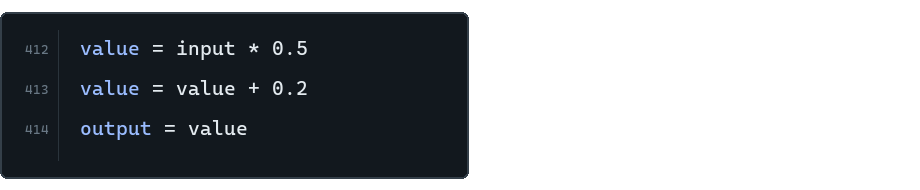
It looks like values and numbers.
And that's exactly what makes DSP possible.
Once sound is represented by numbers, code can manipulate it!Without further ado, let me explain how audio gets represented as data, and how changing that data changes what you hear.
Audio as Data
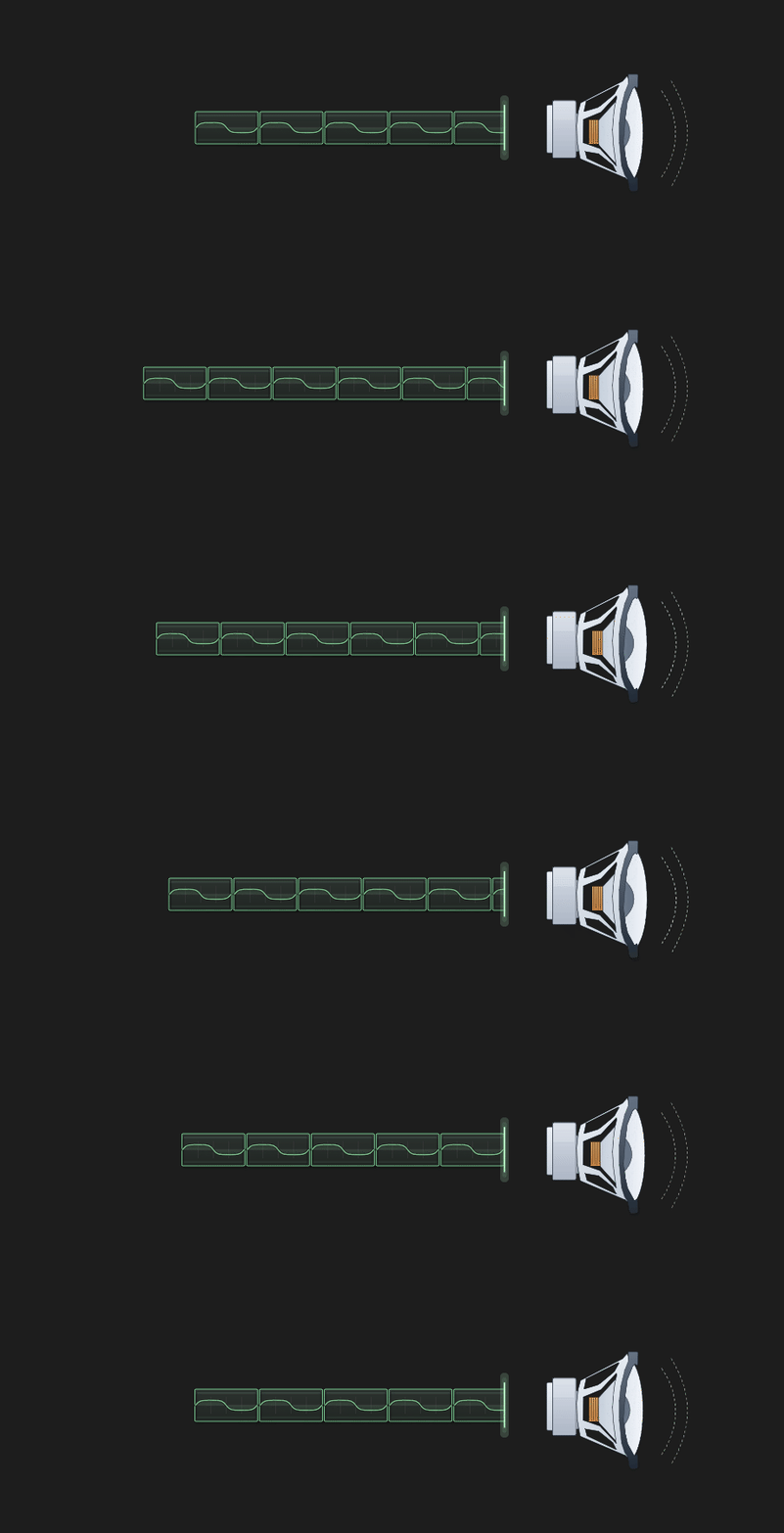
A speaker makes sound by moving.
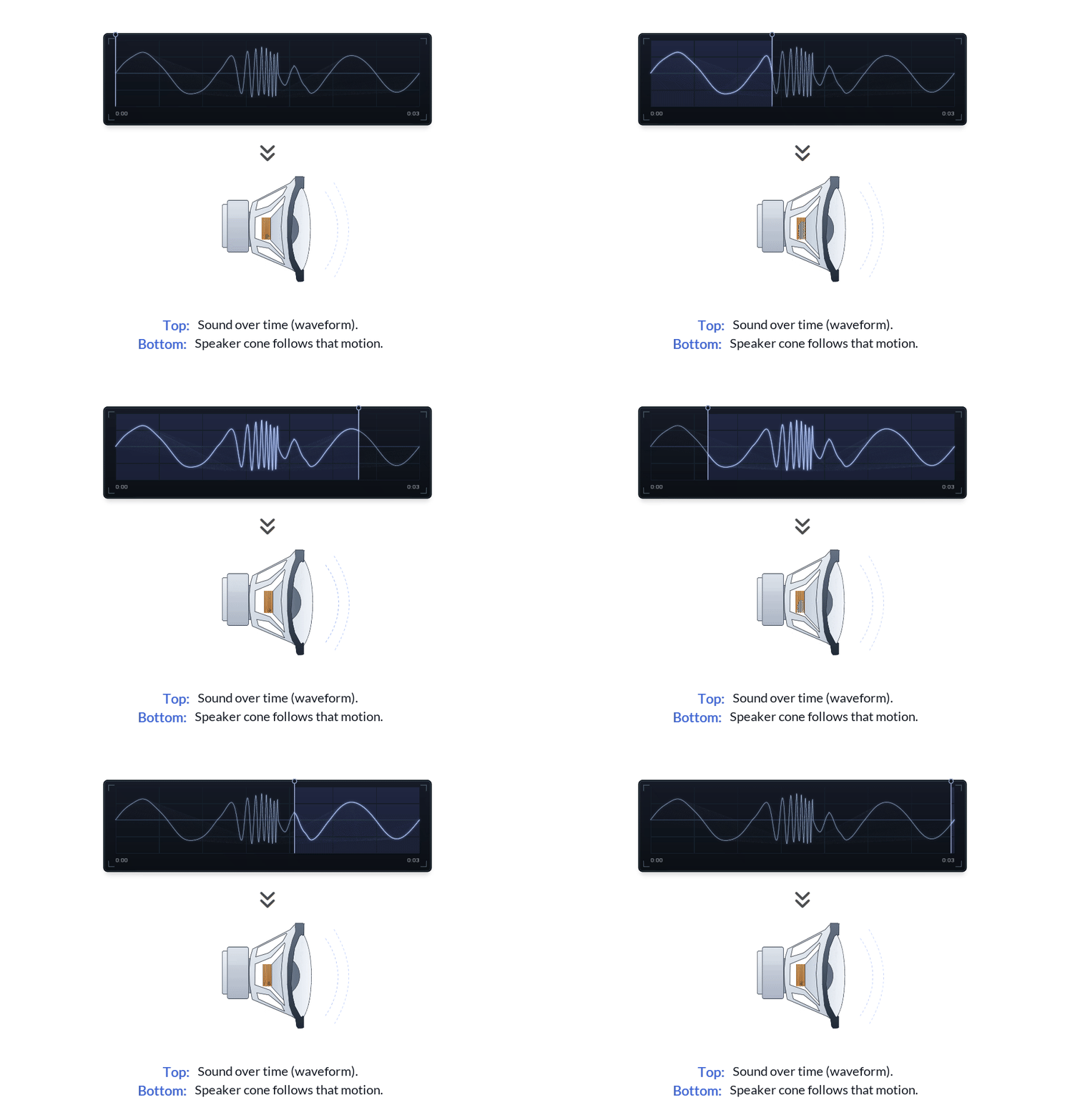
The line at the top is a waveform.
For now, think of it as the shape the speaker is following.
When the waveform moves up, the cone moves one way.
When the waveform moves down, the cone moves the other way.That movement pushes air, and we hear it as sound.
Real audio is generally faster and messier, but the idea does not change:
a speaker is following a changing value over time.So, if we want to create a sound,
we need to create a waveform.The waveform as numbers
In digital audio, a waveform is stored as numbers.
A tiny piece of a waveform might look like this:[0.00, 0.70, 0.82, 0.27, -0.51, -0.86, -0.51, 0.27]So, what is this?
Well, digital audio does not store a "picture" of a waveform.
It stores the height over time.Plot those heights from left to right, and the waveform appears.
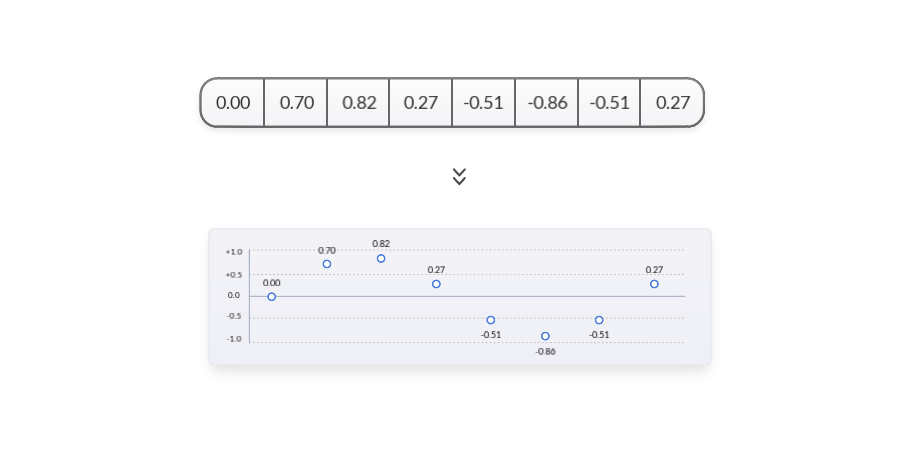
These height numbers are called samples.
Because each number is one tiny "sample" of the waveform height at one moment in time.The order matters because the order is time:
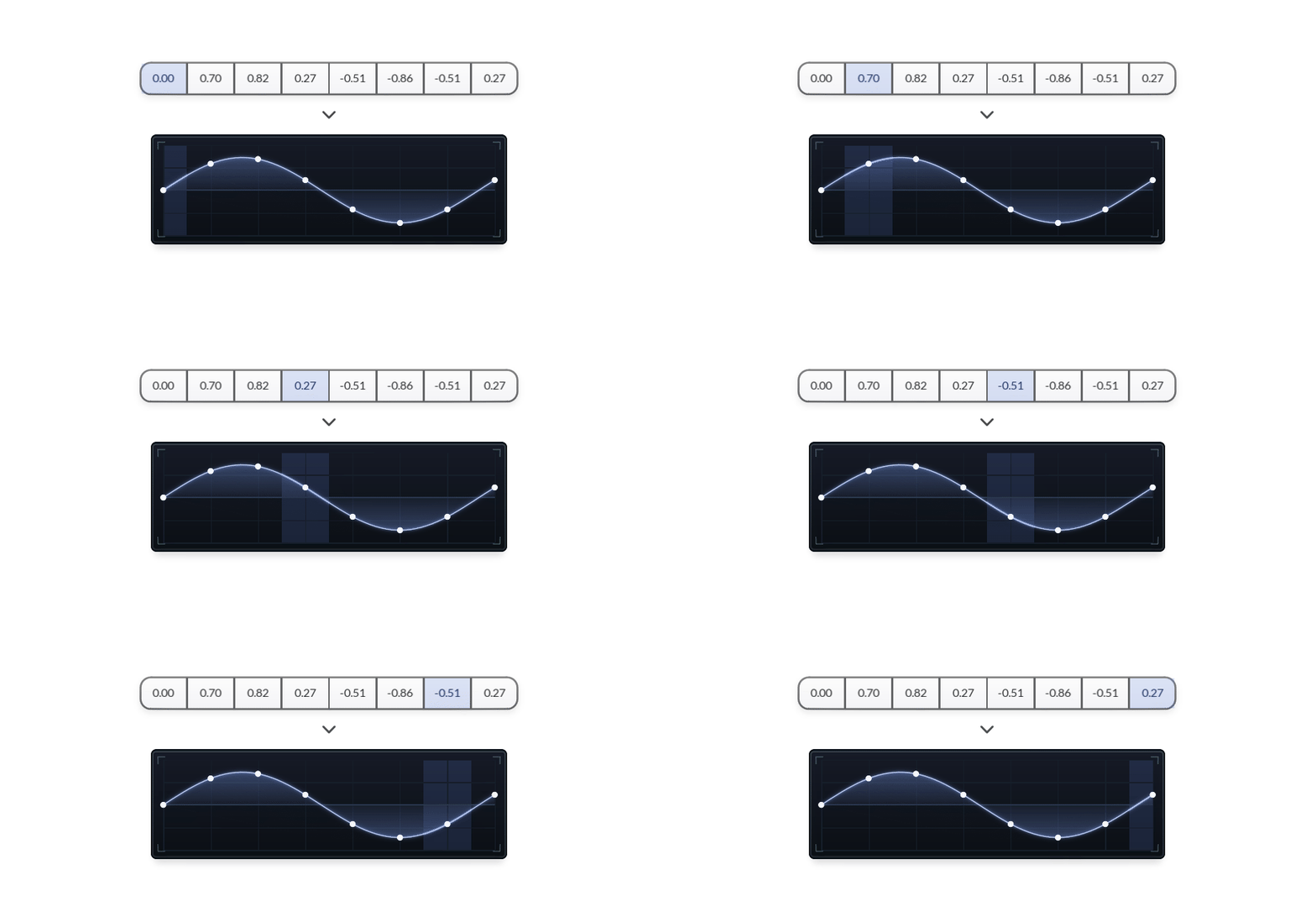
The array of data is the digital waveform. The drawing is the same data made easier to see.
Lots of samples
The example I showed you above, is tiny on purpose.
Real audio has far more samples than this.I'm sure you've heard of "Sample rate".
44.1k, 48k. 96k, etc.
With 48k being a common DAW sample rate.Well, running a program at 48 kHz means that one second of mono audio contains 48,000 sample values.
That's the kind of high resolution that produces smooth waves.
The simple drawings in this article are just a readable version.
But real audio is the same thing packed more tightly in time.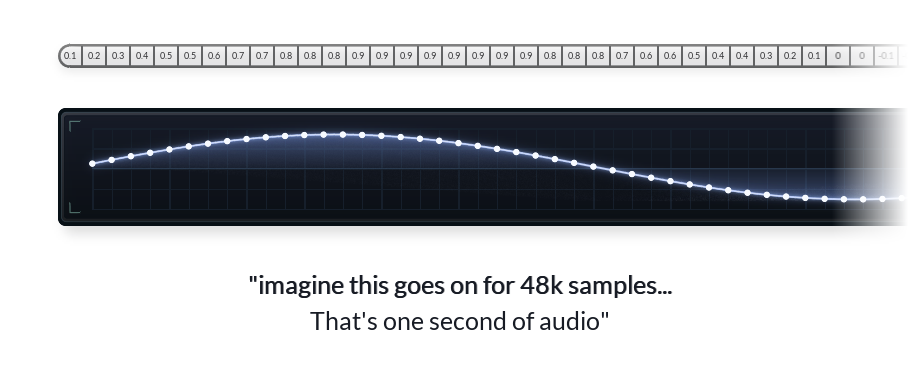
(^ That's just something to be aware of. You don't have to worry about it for now, since I'll be continuing to use small pieces of audio for the sake of this article).
So far we have looked at audio as one long strip of sample values.
But we have not talked about how a plugin generates this big stream of audio.So let's talk about chunks / buffers.
Chunks (Buffers)
Real time DSP does not work on a big, long, sound in one go.
- It processes chunks of audio.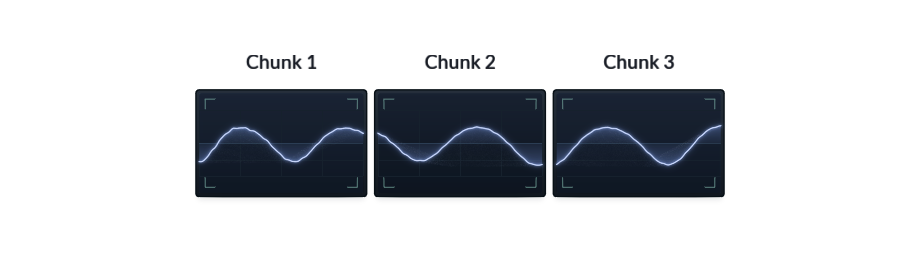
A DSP effect takes a short chunk of audio, processes it, then moves on to the next chunk.
An effect is like this:
A chunk comes in.
The effect changes the numbers inside it.
The chunk goes out.
Then the next chunk comes in.This is the basic shape of a normal audio effect.
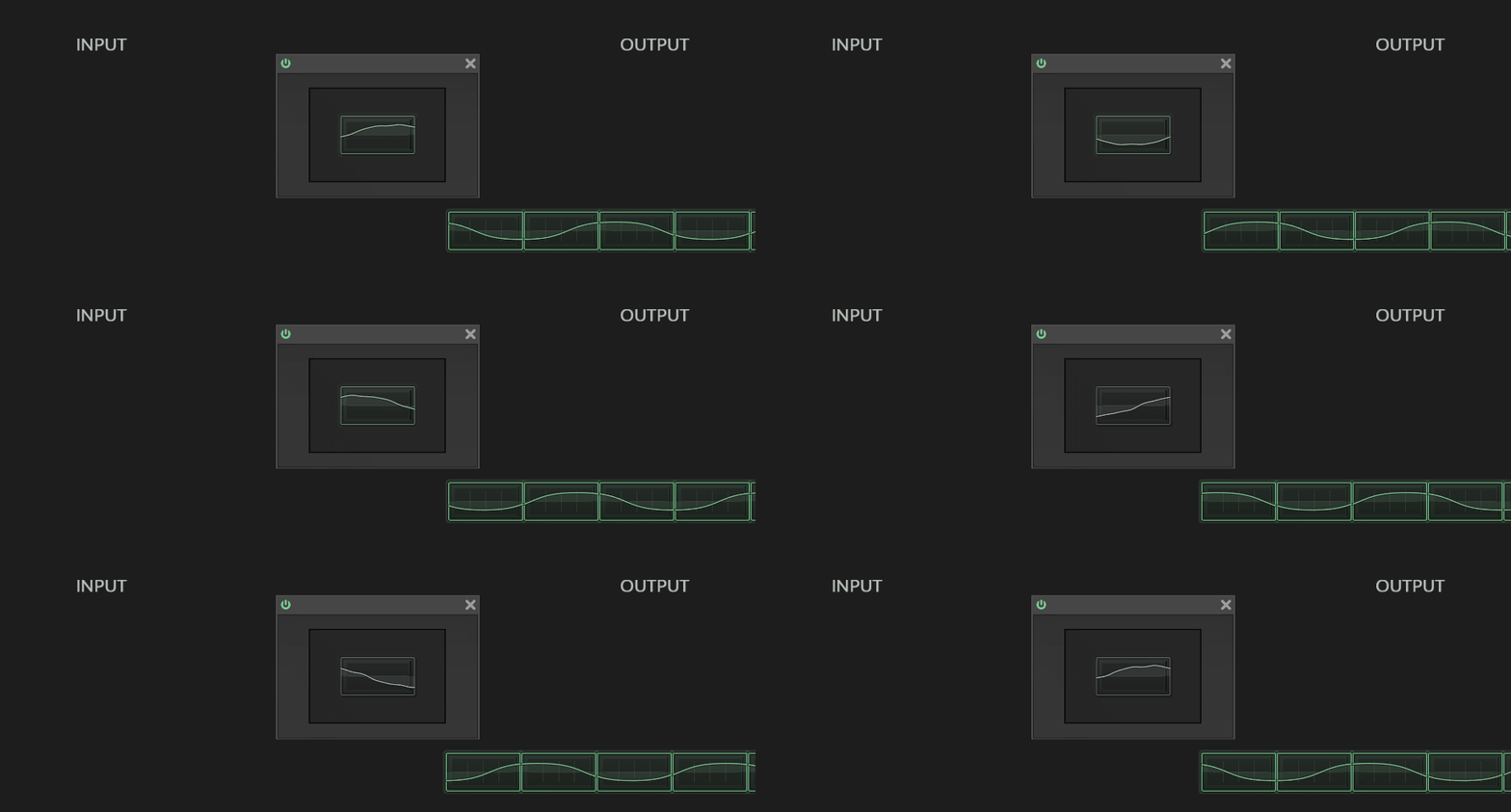
(The reason we process in small chunks of sound is efficiency related. But it's also practical:
It's quite useful to have access to a whole portion of audio at a time)A simple example: volume
Let's look at a real-life example.
Volume is a good example because it's easy to see.
You probably already know:
Volume is the height of the waveform.Making a waveform less tall means the speaker isn't moving as much.
In other words, height affects volume.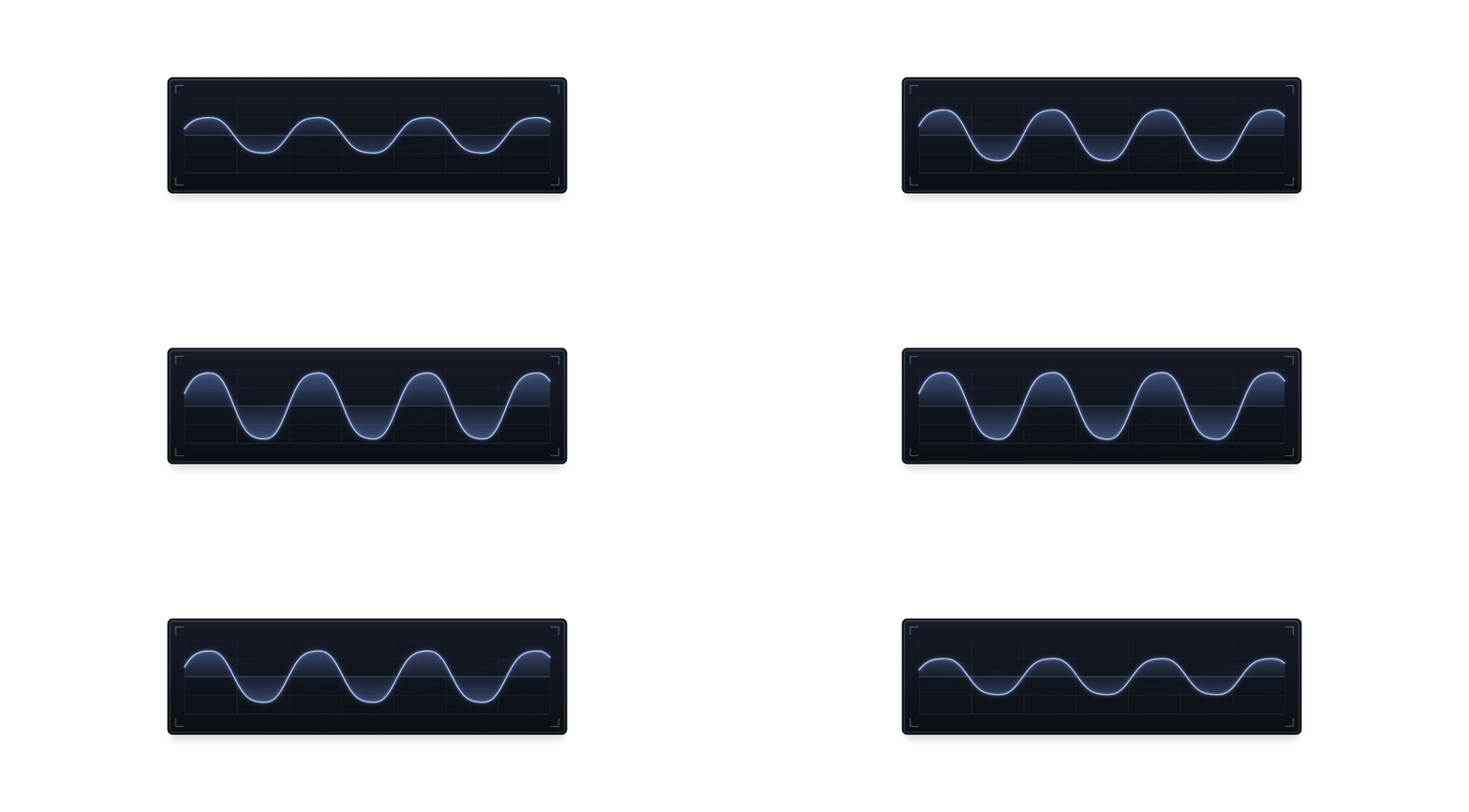
...And earlier we saw that we store waveforms as height values.
(you can see where I'm going with this).
If we want to make the waveform quieter,
all we need to do is make the sample values smaller.For example if we multiply every sample by 0.5 (half):
The shape is the same.
The height is half as large.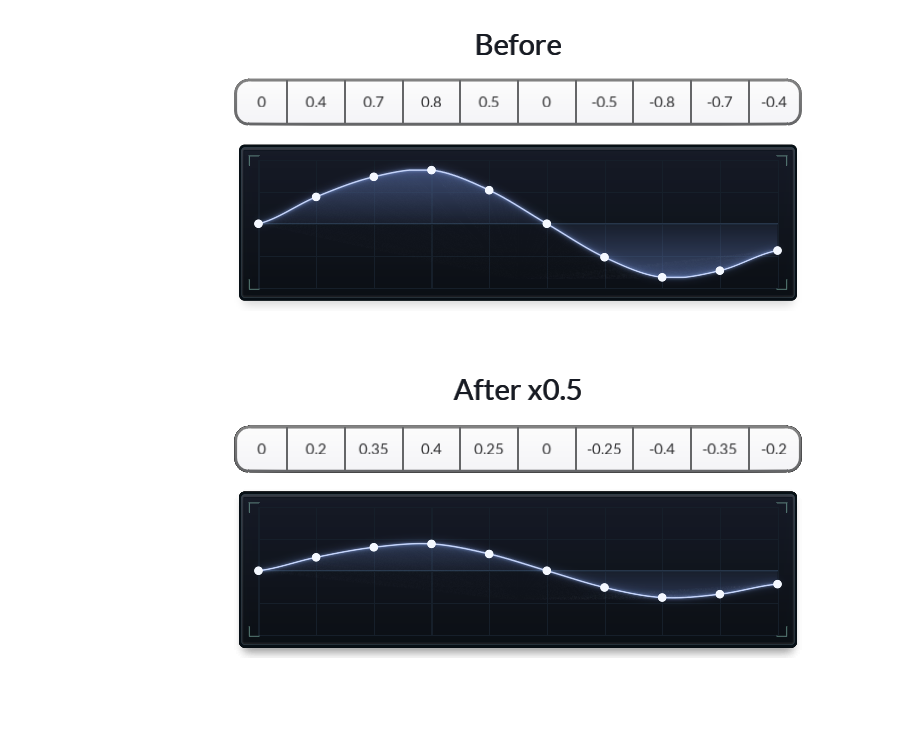
We've made the waveform half as loud.
The algorithm for a volume effect then boils down to:
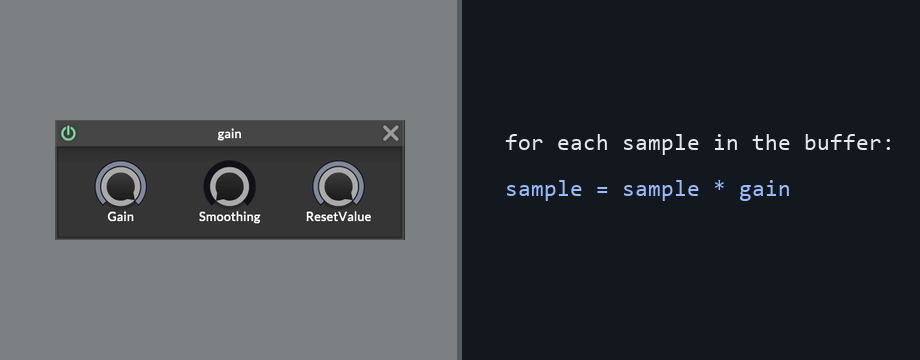
In pseudocode form:
receive buffer

for each sample in the buffer
{
    sample = sample * gain;
}

^ do the above for every buffer we receive
So:
If gain is 1.0, the sample values stay the same.
If gain is 0.5, the waveform is half as tall.
If gain is 2.0, the waveform is twice as loud/tall.
If gain is 0.0, every sample becomes zero, which is silence.In actual C++ DSP:
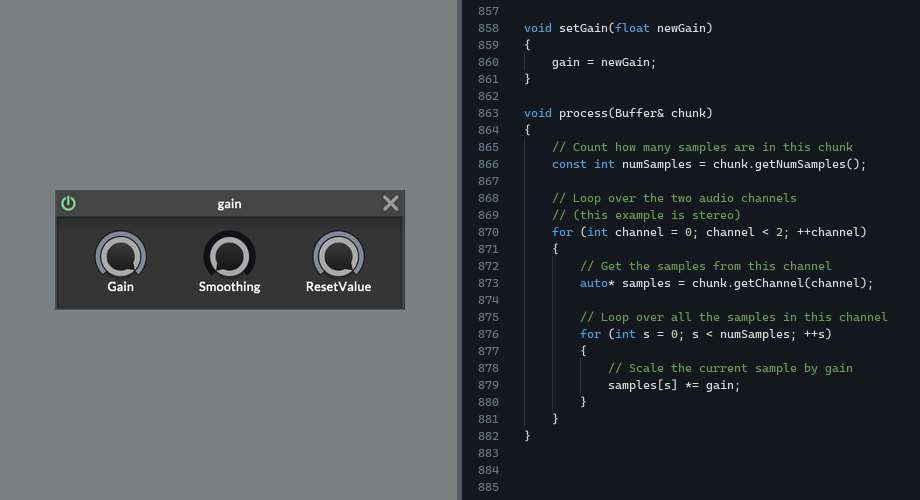
(^ I bet you understand this now!)
The main part of the effect is a function that receives a buffer of samples (a chunk) and processes them using math.
That's what DSP code looks like!The real HISE gain node has some extra controls and parameter smoothing, but the core audio operation is still this simple multiplication.
The Lesson
Honestly that's pretty much it.
DSP is not very complicated.Most Audio effects work by:
Take a buffer of sample values,
change those values,
and pass the buffer onwardA Gain effect multiplies the samples.A Distortion bends the waveform shape by changing the samples.A Delay stores samples and plays them back later.Oscillators are a slightly different case. They create new sample values rather than affecting incoming ones.
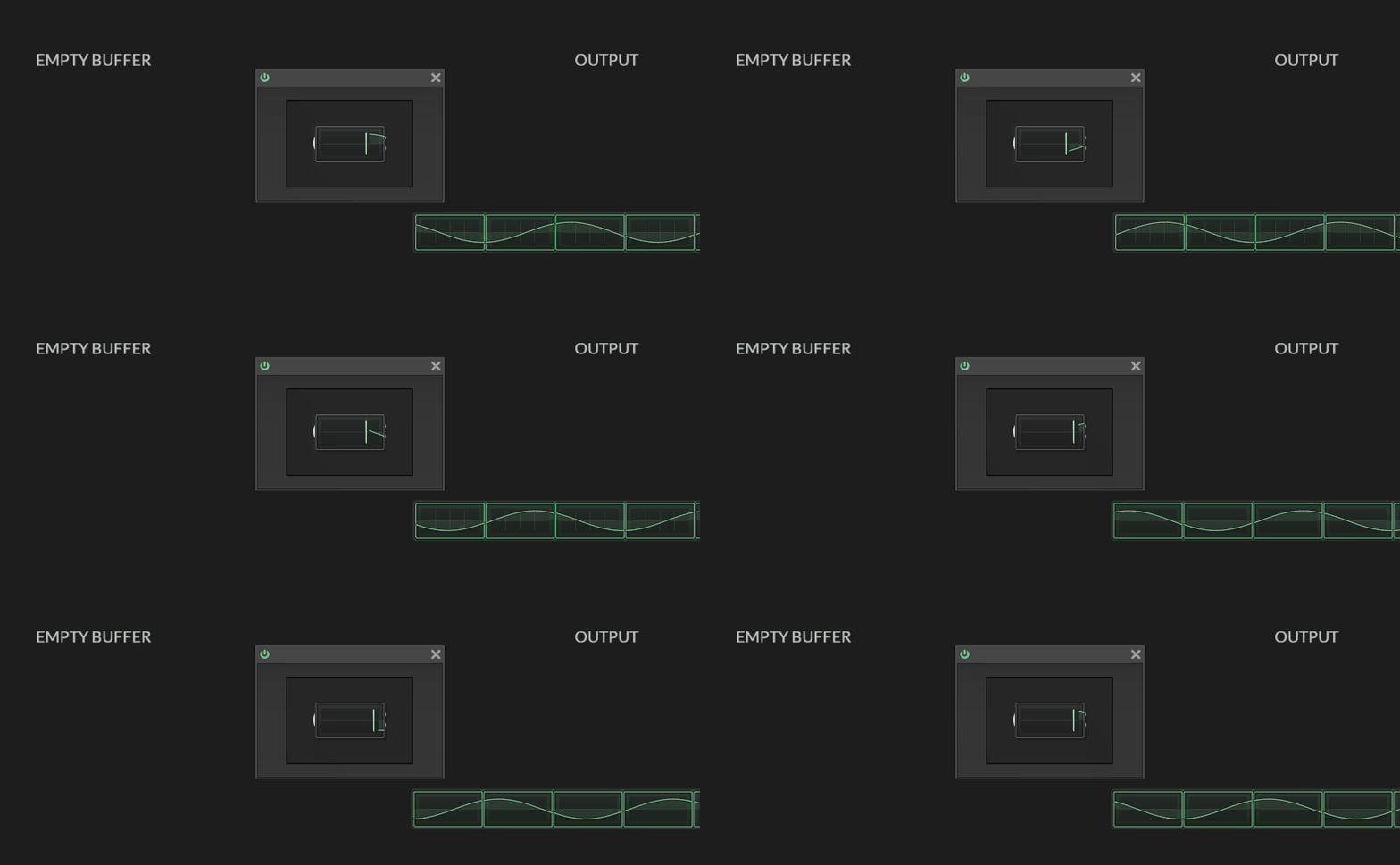
^ And I'm if being 100% honest, this isn't quite the whole picture.
If we zoom out a little, you'll see that there is actually a bigger loop going on.
Where something is sending us a buffer, and asking our DSP to process or fill it.
Then it takes that buffer back and sends it to the next place.(in our case, that "something" is HISE / JUCE).
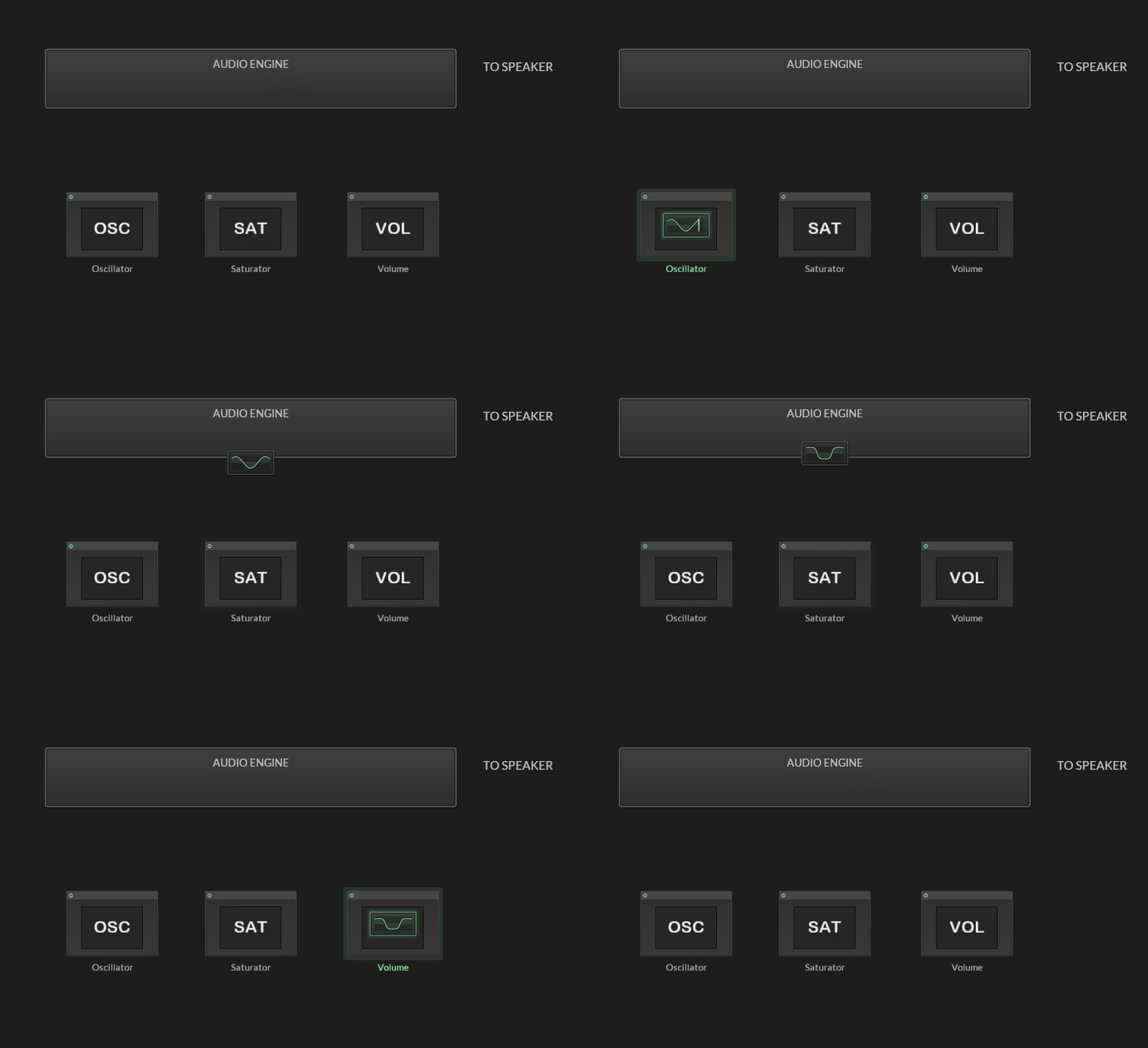
For an effect, something is going to send us a chunk and say "please process this" and we do that.
For an oscillator, we might be given an empty chunk and we just need to write a waveform into the chunk and send that back.
To Recap
1. The table, the waveform, the buffer.
They are different visualizations of the same thing:
sample values over time.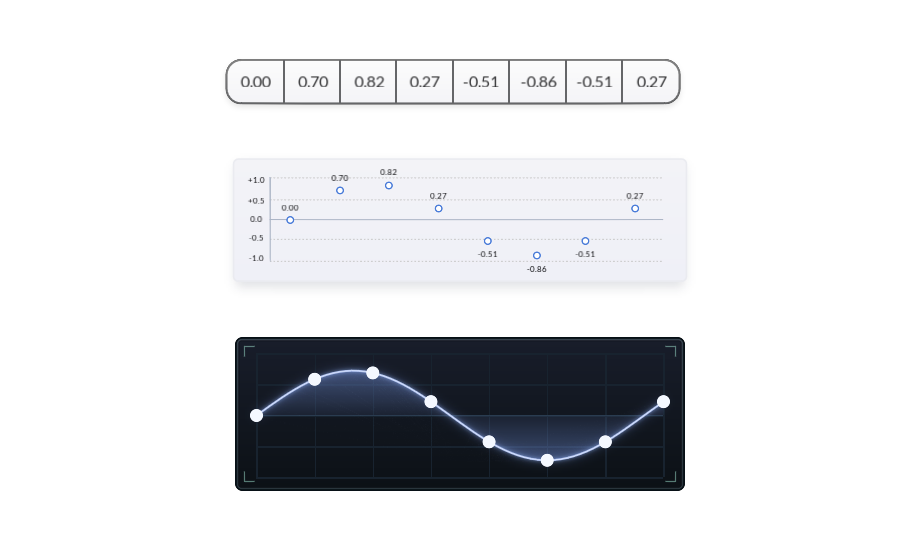
2. Audio plugins work by processing chunks of samples. These chunks are passed around between different oscillators and effects.
3. Down the line, part of the program will mix the chunks and send them to the speaker and we will hear the waveform (we don't usually have to worry about that part, Hise or Juce will take care of those parts for us).
Next: filters and other effects
I know what you're thinking:
Gain makes sense, but how do we create filters and other kinds of effects? What kind of maths causes those?Look forward to [Part 2].
Custom C++ DSP (for commission)
-
@griffinboy Nice, would work well in the HISE documentation
Free HISE Bootcamp Full Course for beginners.
YouTube Channel - HISE tutorials
My Patreon - More HISE tutorials -
@David-Healey
Thank you!
Maybe with some refinement :)It's far from perfect.
This explanation is just my own attempt to boil down the theory into a simple form.
...and it still ended up a bit of a ramble!I think it's quite a tricky subject to teach, because in real life there are so many implications and exceptions to every rule.
Even simple DSP can look a bit monstrous when you layer ontop all of the common optimizations and C++ tricks. -
@griffinboy Thanks, that's well explained!
Looking forward to next lesson. -
@griffinboy exciting :)
-
Thank you so much for doing this. Truly great.
-
so cool my friend!
-
 G griffinboy referenced this topic on
-
G griffinboy referenced this topic on