[BLOG] How does DSP work? [Part 3]
-
How does DSP work? [Part 3]
This time, we're going to look at distortion.
In Part 1, I briefly described distortion as "bending the waveform" by changing the sample values.
Now let's unpack what that actually means.Distorting a waveform
To "distort" something means to change its shape.
A distortion effect does exactly that to a waveform:
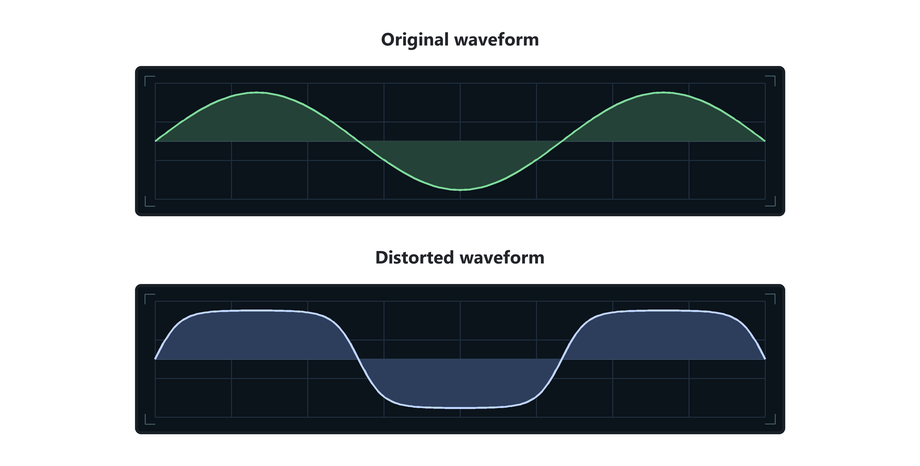
We talked previously about how in a gain/volume effect, every sample is multiplied by the same amount.
The waveform becomes taller or shorter, but it keeps the same shape.A distortion effect changes sample heights by different amounts.
That is what allows the waveform to bend shape.Clipping
The simplest example of distortion is clipping.
For example, a clipper that only allows sample values between
-1.0and+1.0.(fact: Most audio file formats will clip at this value)
Values inside that range are left alone.
Anything above+1.0or below-1.0is clamped.Watch what happens as the waveform gets louder:
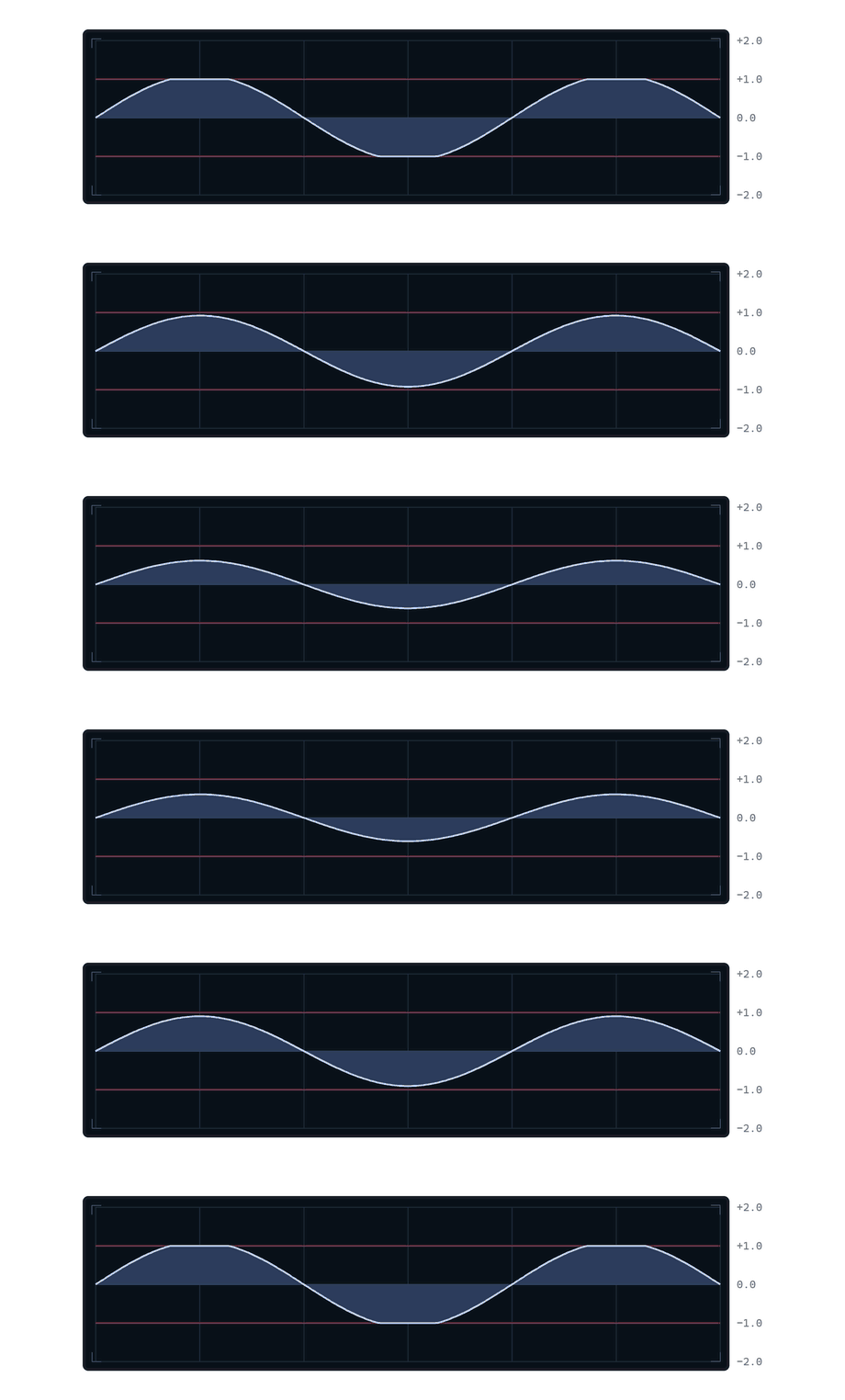
At first, the waveform simply gets taller.
Once the peaks reach the limits, they cannot get any taller.
That's how a clipper works. This is a distortion.Let's zoom in and look at a few of the sample values:
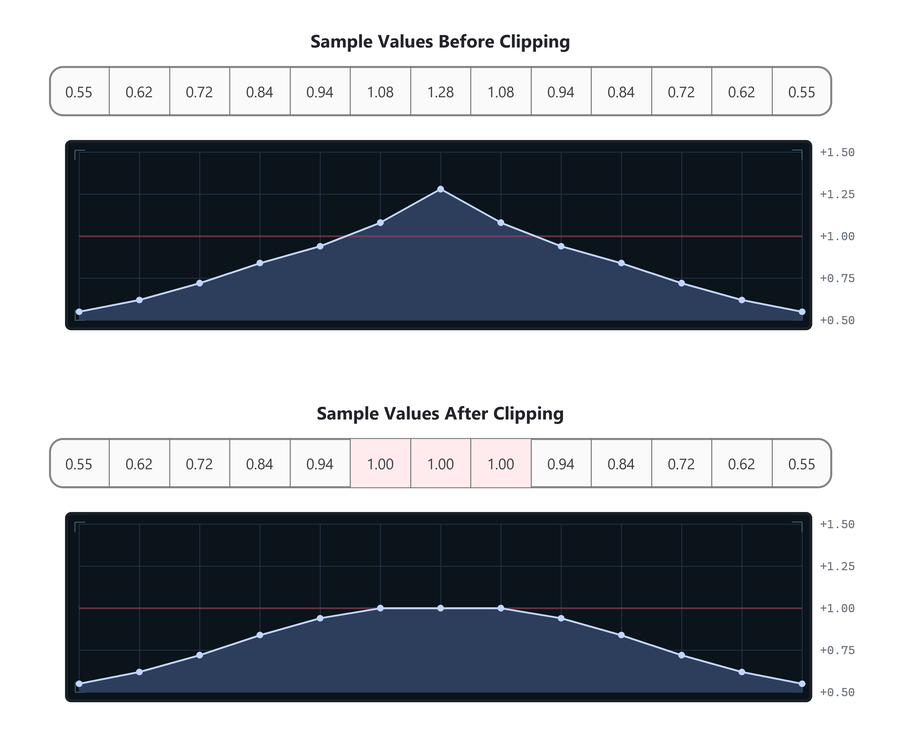
Only the sample values that exceed the limits are changed.
The extra height is cut off, leaving the waveform with flat edges.In pseudocode, the whole effect could be written like this:
for each sample in the buffer:
    sample = clamp(sample, -1.0, 1.0)
In other words:
if the sample value is less than-1.0, it gets set to-1.0.
if the sample value is greater than1.0, it gets set to1.0.Waveshaping
This kind of distortion is called a Waveshaper.
Hardclippingis just the straightforward clamp.
But we can use other rules/functions to create different waveshapers.
You can create waveshapers by defining a function that maps input values to output values.
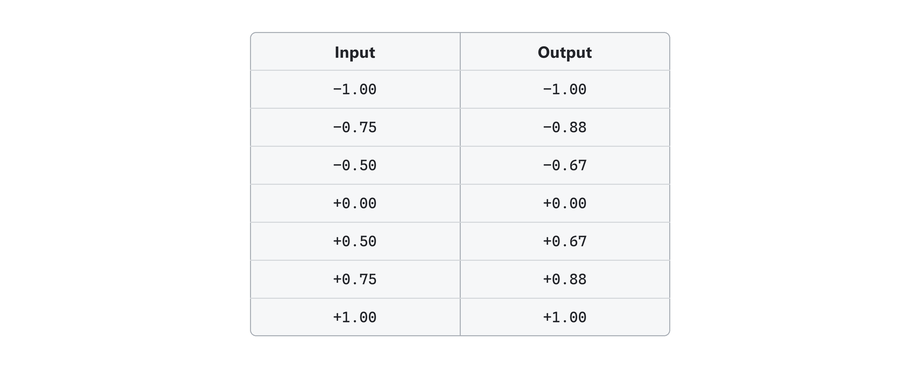
In other words:
If the original sample value is equal to-0.75we set it to-0.88.
If the original sample value is equal to-0.50we set it to-0.67,
and so on.This is called mapping.
One value is mapped to another value.And the table is called a lookup table.
Drawing the table
The input and output mapping can also be drawn as points on a graph.
You've probably seen this kind of thing before: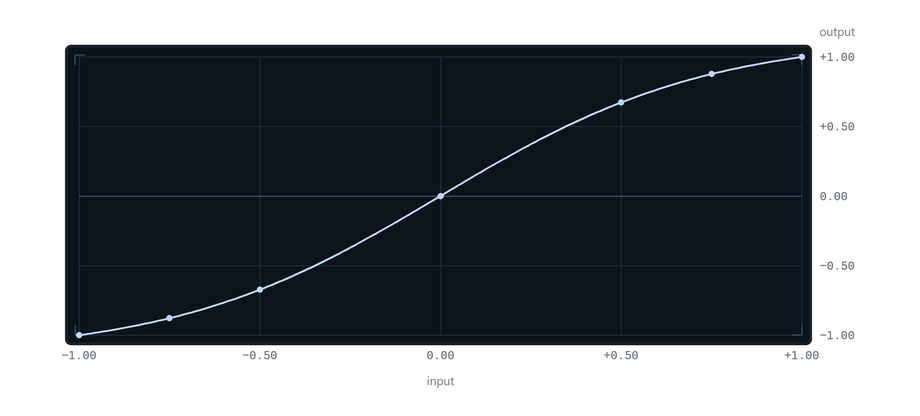
It's an easy way to visualize the waveshaper.
Input values run along the bottom.
Output values run up the right side.To look up an input of
0.50, start at0.50along the bottom, move up until the line is reached, then move right to read the output: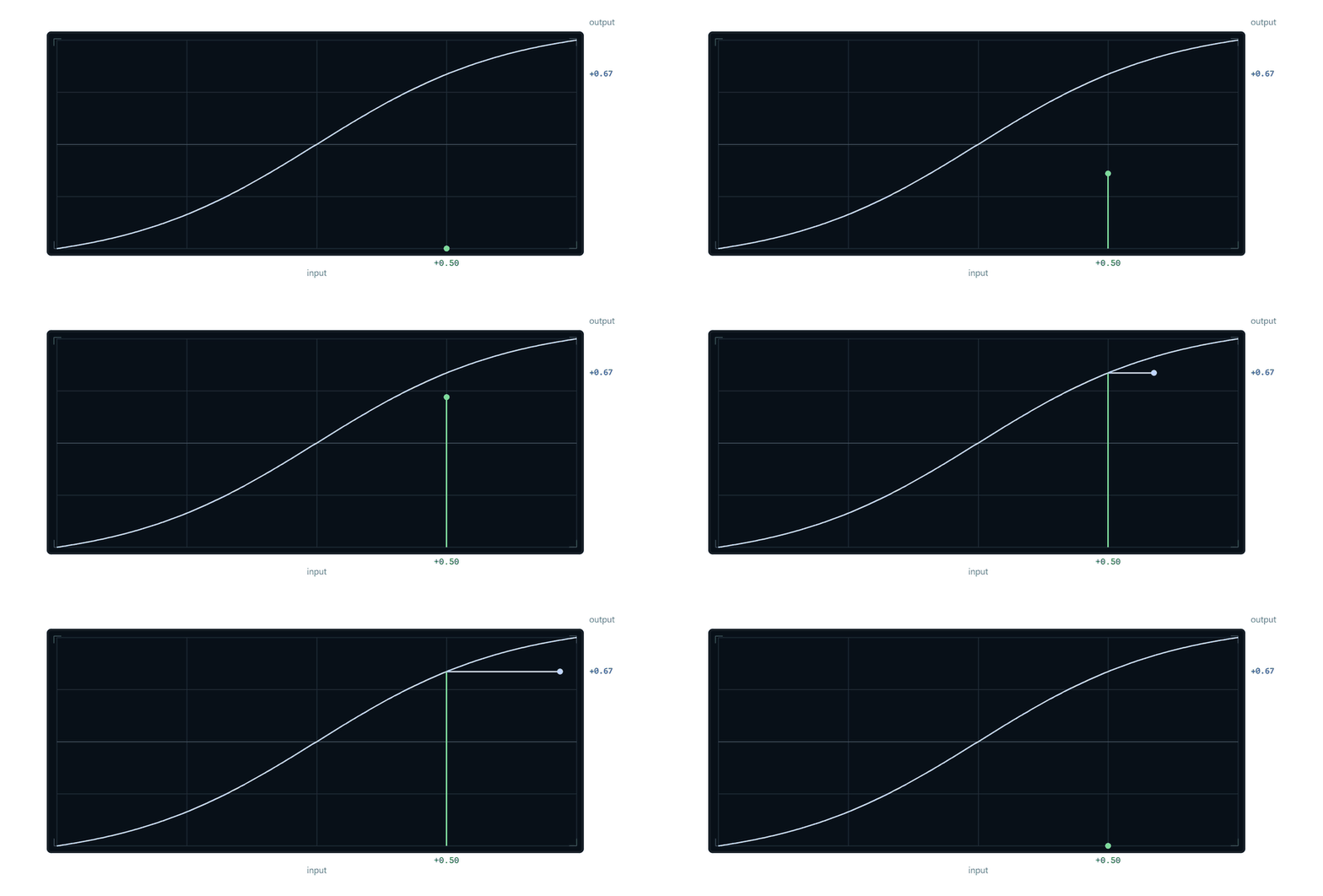
The result is
0.67.This plot is called a transfer curve or waveshaper curve.
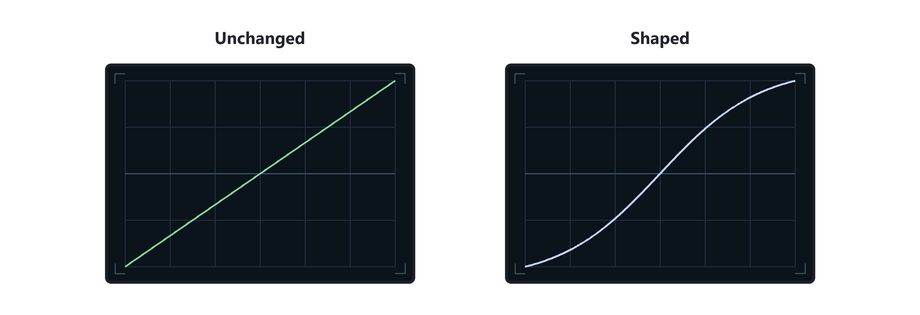
Bending the line means we are mapping the samples to different output values.
A waveshaper
Here is a waveshaper processing a waveform:
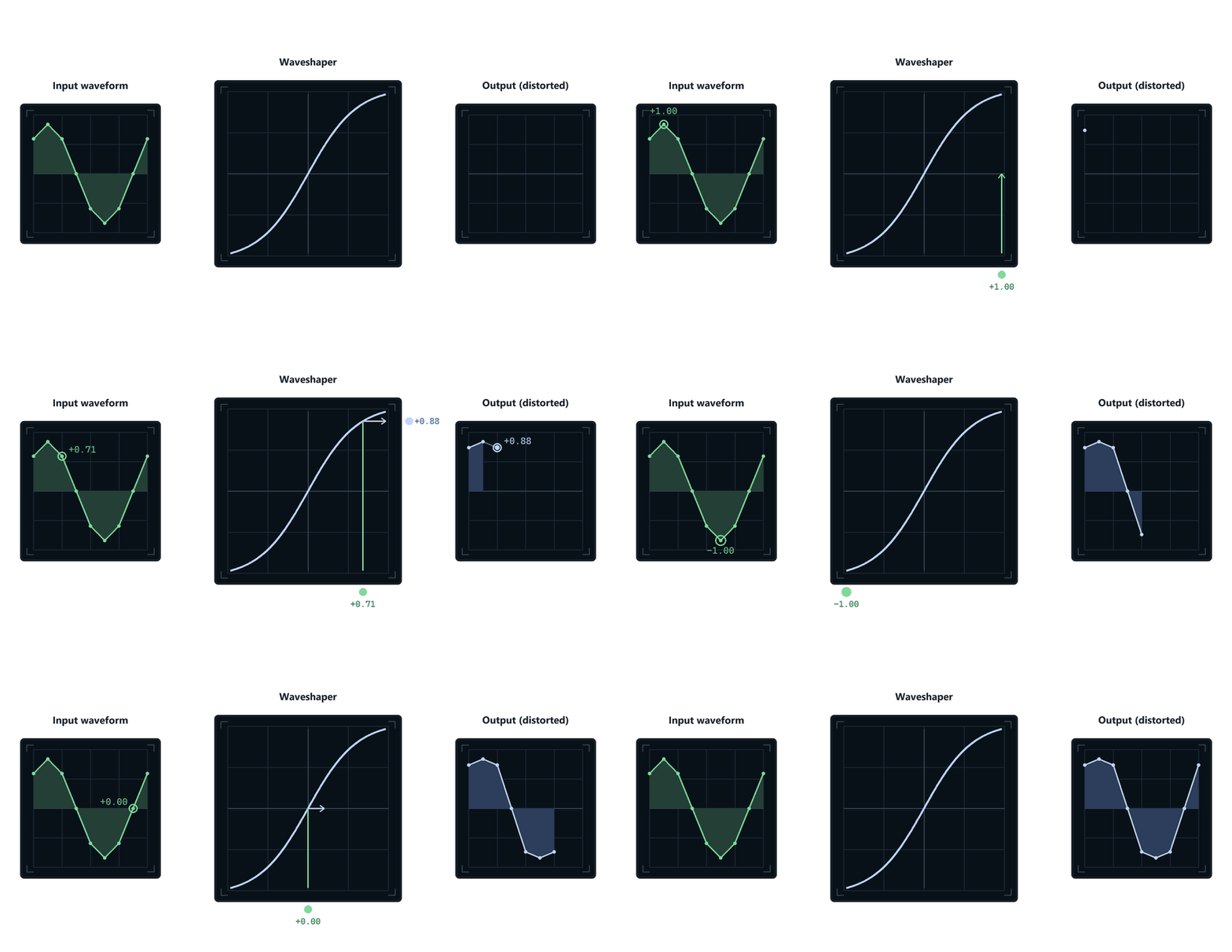
For each sample of the original wave, we look up the input value on the transfer curve,
and replace it with the corresponding output value.The same process on a more dense smooth waveform looks like this:
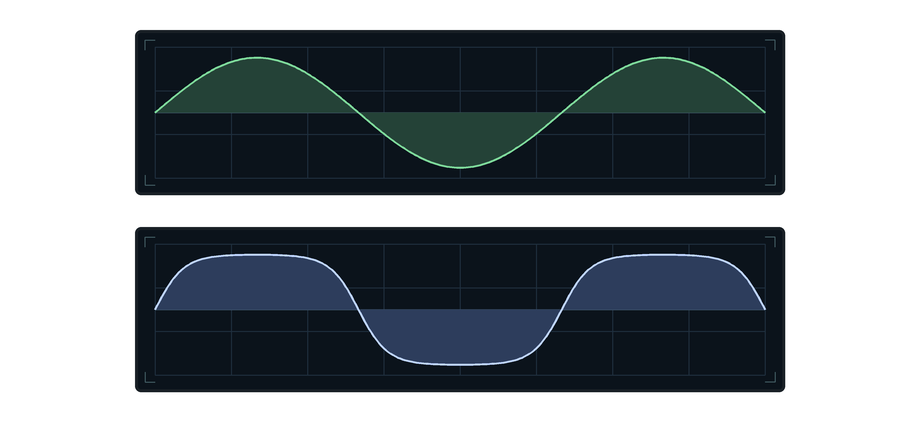
The Math
The input and output mappings do not have to be stored in a lookup table.
Some waveshaper distortions use a table, but some use a formula instead.Here is the most common "soft-clipping" formula:
output = tanh(input * drive)inputis the current sample value.
tanhis a math function that returns the new sample value.The function is simply another way of providing an input-to-output map.
(You could also use
sin,cos, or any other function that takes an input value and gives you an output value!)The
drivemultiplication in my code makes the original sample value larger (increases gain) beforetanhwaveshapes the output.
Tanhhas more of a shape at the extreme edges, so increasing the volume of our waveform means we get mapped with all those strong parts of the curve.
And get a more warped (distorted) waveform.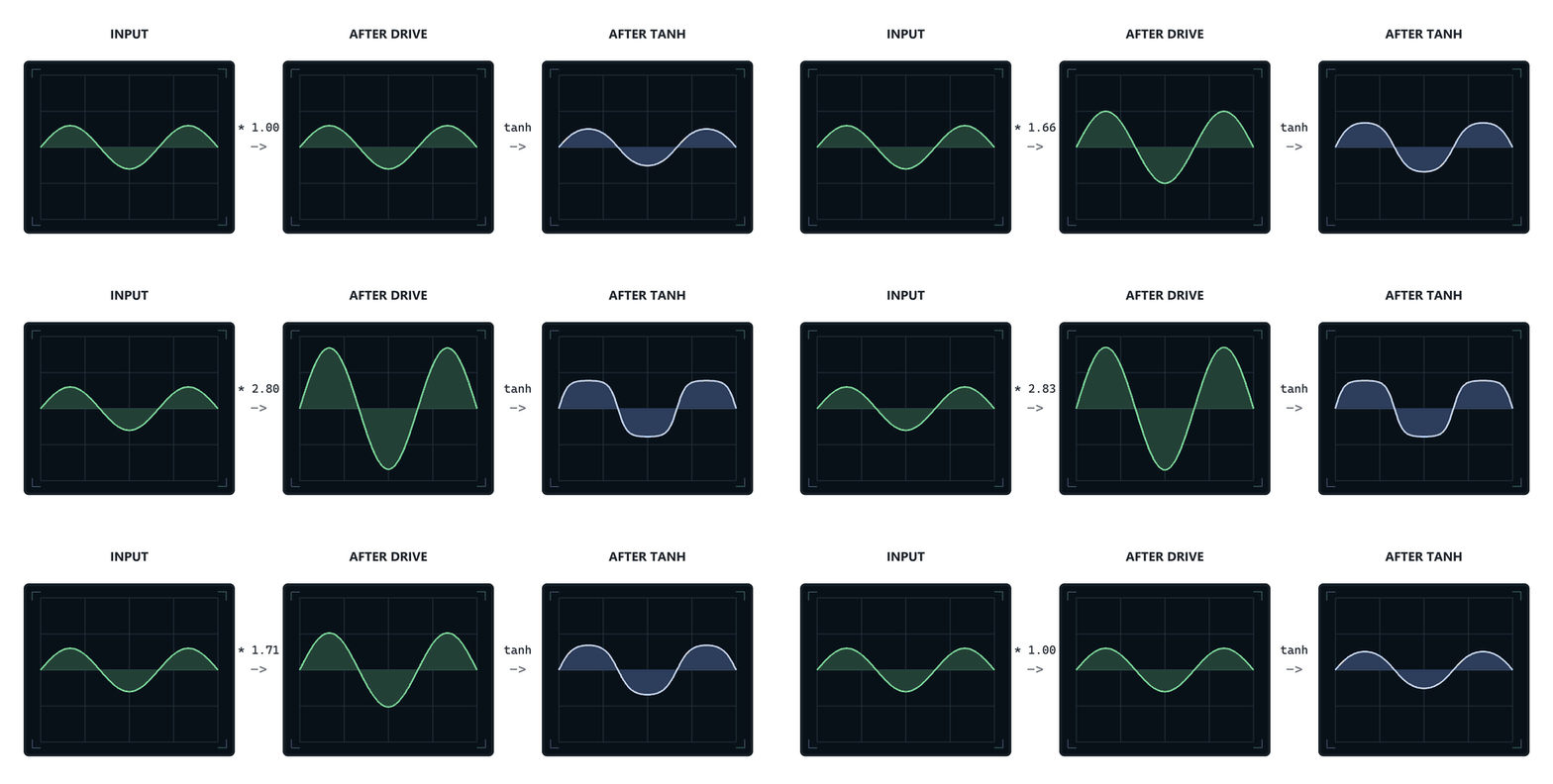
Basically we get more distortion when we go into the waveshaper with a louder signal.
The algorithm is still very simple:
for each sample in the buffer:
    sample = tanh(sample * drive)
In HISE-style C++:
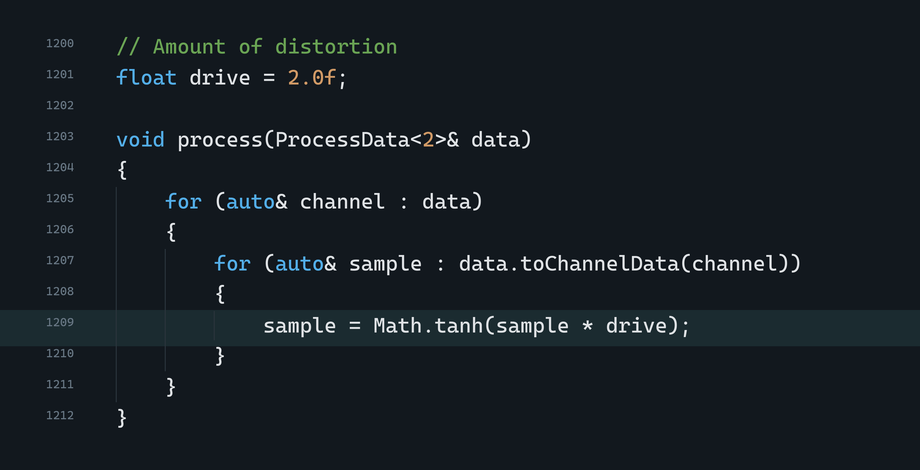
HISE's
math.exprnode does exactly this kind of thing, and it lets you type in your own waveshaping formula!
What distortion sounds like
Different shaped waveforms sound different (well duh).
A sine wave sounds smooth and pure.
A square wave sounds harsh and loud.When we apply waveshaping, we are bending the waveform to make new waveforms.
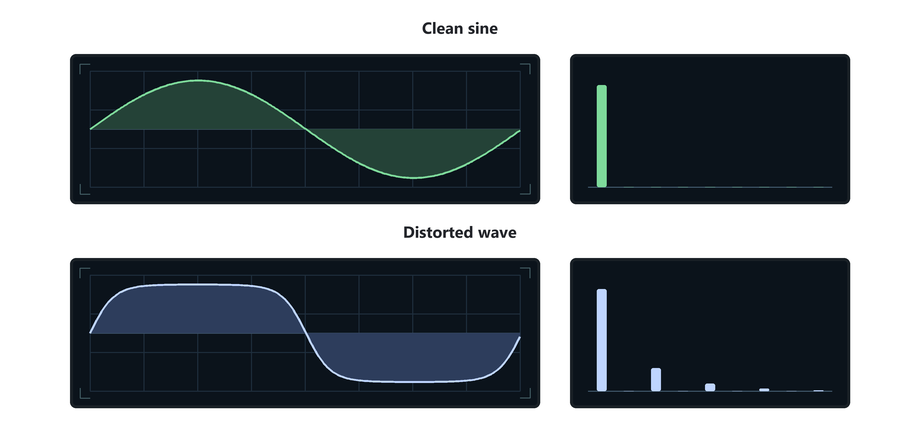
More bending changes the shape more (and creates all kinds of harmonics)!
You can use a lot of different kinds of formulas to bend waveforms in weird ways.
Different transfer curves create different effects!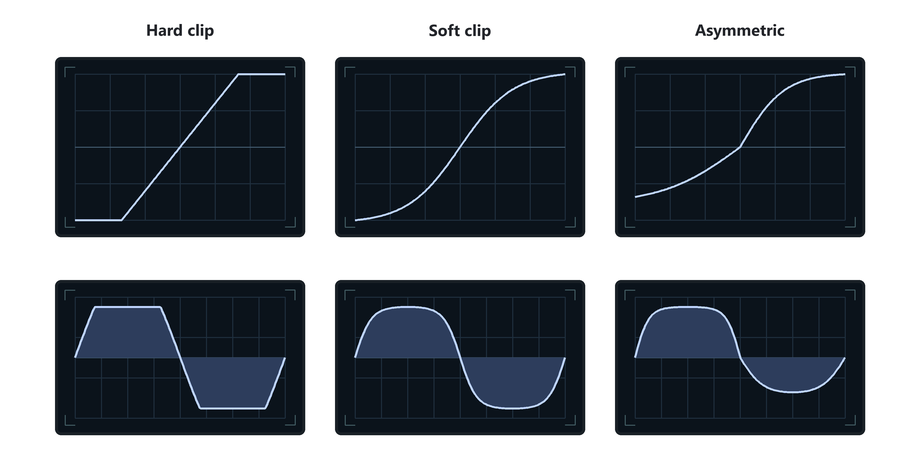
To Recap
A distortion effect changes the shape of a waveform by altering the sample values.
A clipper does this by limiting/clamping sample values.
Waveshapers use a function to map each input sample value to a new output value.
You can visualise this mapping nicely as a transfer curve.Apply the mapping to every sample in the buffer, and the new sample heights you get, form a distorted waveform.
That is how a waveshaper works.
-
WebDesk is one of the leading providers of HR Software in Pakistan, offering complete HR management, payroll processing, attendance tracking, leave management, recruitment management, and employee self-service solutions. The platform helps businesses automate daily HR operations, improve efficiency, and streamline workforce management.