Matrix Modulation System - Last Call for bugs fixes & changes!!
-
@Christoph-Hart Ah now I understand yes that might make sense.
So basically would could happen is that we use some kind of "solo" mode for the modulation ring display around the knob:
- if a exlusive source is selected, then it will show the modulation for the given source only
- if no exclusive source is selected, then it will show the entire modulation
For this to work you need to be able to untick the exclusive source, but I've added that anyways to the matrix draggers now.
I'll post an video to show how this would work...
-
Ideally the ring around the knob shows the accumulated mod value while the hover popup shows the range for the selected source.
Well it shouldn’t be a straight accumulation (aka addition) because a positive value can compensate a negative one perfectly, drawing no arc at all, while the modulation actually moves following the combined value
The range should instead cover from the lowest min to the highest max
-
Alright, so now it looks like this:
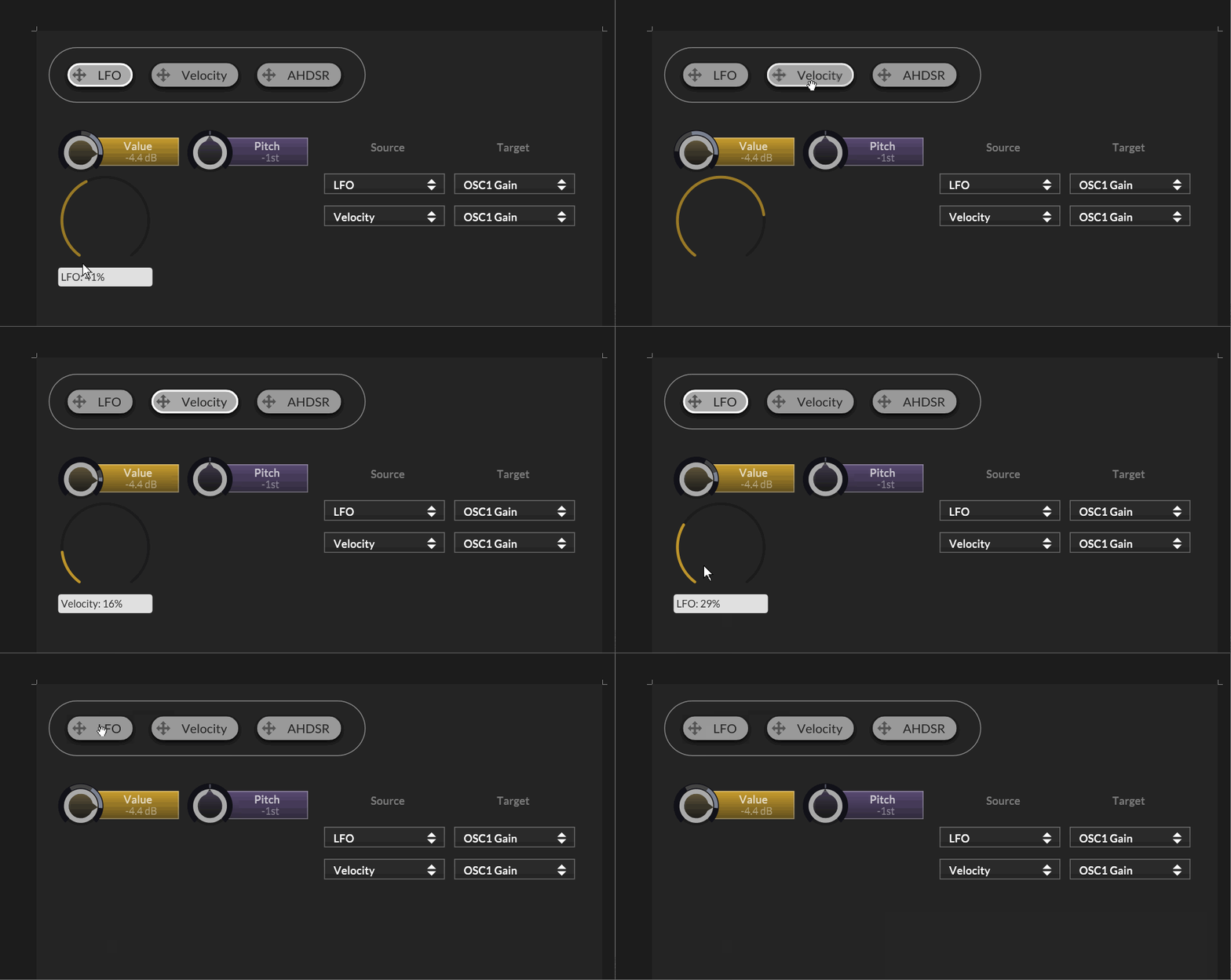
- When you select any source, it will show persistently only the draggers for each target that is associated with the source without hovering / exiting.
- The modulation display will switch from showing the entire range & value to the currently selected source
- Click on the selected source to switch back to showing the entire modulation value.
This mode is only engaged once you define a function for the
setExclusiveSourceCallback()method of the script matrix so the default behaviour won't change. -
Well it shouldn’t be a straight accumulation (aka addition) because a positive value can compensate a negative one perfectly, drawing no arc at all, while the modulation actually moves following the combined value
The range display covers the min max value while the modulation value combines it.
If you have two modulators, one set to -25% intensity, the other to 25% intensity (both in unipolar mode), and the value is at 50% position, then the modulation range will cover 25% to 75%. If both modulators crank out 1.0 as mod value, then the modulation value will sit right in the middle where the value is supposed to be.
That being said there might be a few edge cases and combination of modes & intensity where the math doesn't math, but in general that should already be the case.
-
@Christoph-Hart look forward to testing asap :) Thank you!
DHPlugins / DC Breaks | Artist / Producer / DJ / Developer
https://dhplugins.com/ | https://dcbreaks.com/
London, UK -
@DanH It's pushed now.
You can just load the exlusive mod snippet posted above, the changes should apply without modifications (I assume nobody is using this feature in a product yet so I don't care about backwards compatibility).
-
@Christoph-Hart working well so far but there is one issue:
The draggers are obviously drawn at the top z level.
This means that if you switch your 'main' panel (like FX / ARP / MAIN or whatever you've designed) the draggers remain on top of whatever the new panel is, even if the ui control is hidden, but it's parent panel isn't. The draggers seems tied to their panels - is that correct?
So I guess we have to hide the panels that our ui controls are in, and if, like I've recently done, you've moved all your main UI controls into one 'base' panel, you need to put them (back) into other panels in order to hide the draggers too.
Not the end of the world for me by any means but thought I would flag it up.
DHPlugins / DC Breaks | Artist / Producer / DJ / Developer
https://dhplugins.com/ | https://dcbreaks.com/
London, UK -
@DanH not sure what you mean, the draggers are just like any other component, no?
-
@Christoph-Hart actually it could because the offending ui controls aren't in a panel at all. Trying to test my theory but moving a panel up the component tree is causing instant crash in this project : /
DHPlugins / DC Breaks | Artist / Producer / DJ / Developer
https://dhplugins.com/ | https://dcbreaks.com/
London, UK -
@Christoph-Hart ah yes ok - so if your component isn't in a panel at all the the dragger remains on top of any other ui component i.e visible at all times (when that source is selected). Will DM you a video
-
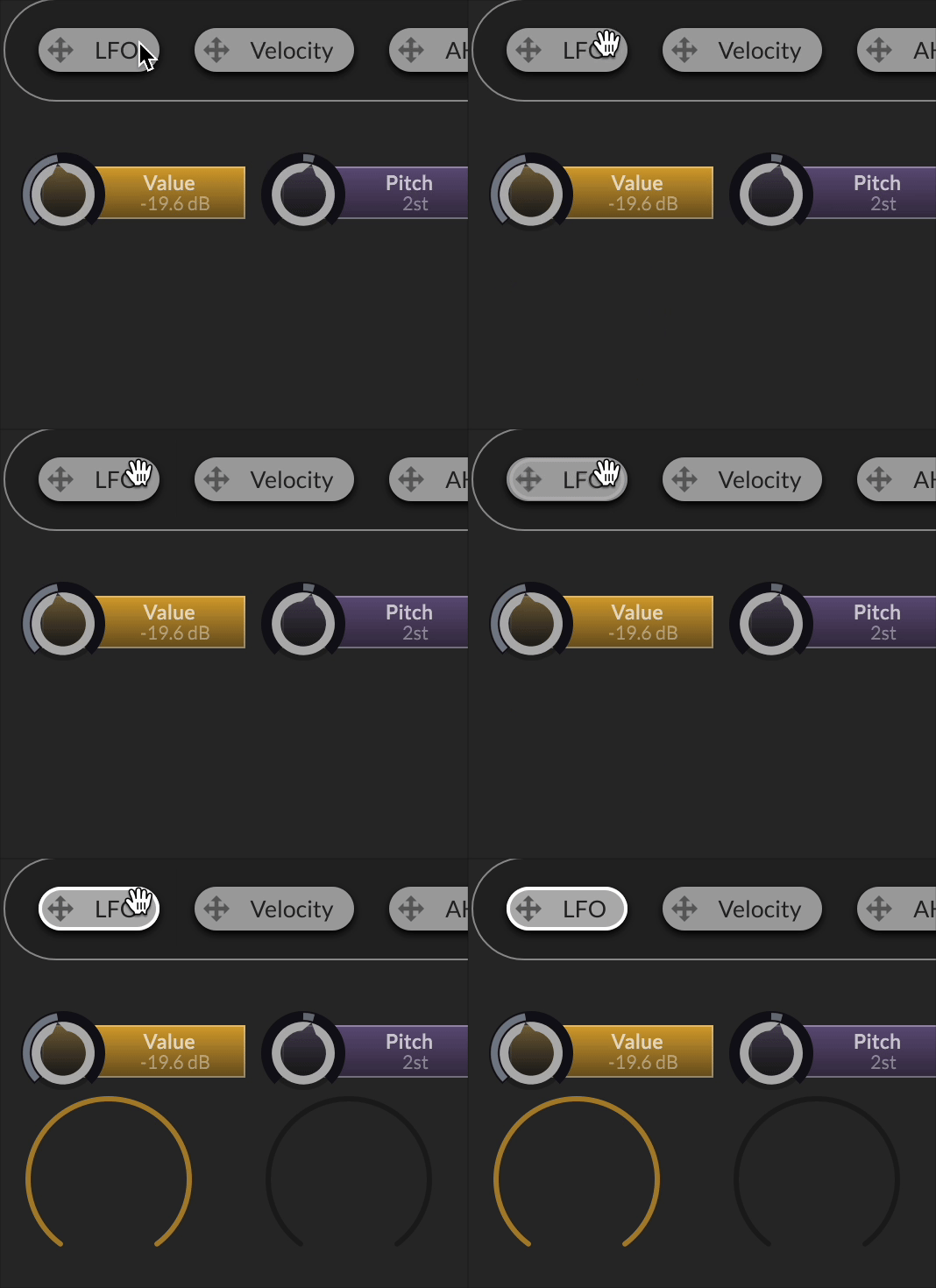
@Christoph-Hart Is there a way to make the source select buttons behave more like a radio group? At the moment if you click an already selected button it deselects it and hides the draggers.
DHPlugins / DC Breaks | Artist / Producer / DJ / Developer
https://dhplugins.com/ | https://dcbreaks.com/
London, UK -
@DanH yes that's intended, otherwise you will never get back the behaviour of showing the accumulated mod value. How would you do this instead?
-
@Christoph-Hart ah yeah I see. This might be a me problem / ui design problem (for me).
My source select buttons show the selected modulator's controls and a little border around the selected button to show which one is selected. That doesn't change when clicking the source select button again (good) but I guess I need a way of communicating what the mod system is showing in terms of why the mod ranges change, and probably another button element to display it's state.
I'm not 100% sure that other devs show the accumulated mod range.... actually some do, some don't, but not either / or, they display it on top of the current mod range.
DHPlugins / DC Breaks | Artist / Producer / DJ / Developer
https://dhplugins.com/ | https://dcbreaks.com/
London, UK -
If we could get a delete button in the Mod Matrix itself for each row that would be super useful!
-
@DanH said in Matrix Modulation System - Last Call for bugs fixes & changes!!:
I'm not 100% sure that other devs show the accumulated mod range.... actually some do, some don't, but not either / or, they display it on top of the current mod range.
I'm pretty sure that's the case, otherwise you end up with invisible modulation that is super annoying.
-
Alright, the z-order should be fixed now, it also monitors the slider's visibility and hides itself when the parent slider is hidden.
If we could get a delete button in the Mod Matrix itself for each row that would be super useful!
Yes good point, noted.
-
@Christoph-Hart Nice, thank you! So I need to test more but I'm having to click a source button twice or more to get the draggers to stick after a compile. I'll test some more tomorrow.
-
@Christoph-Hart So I'm not convinced that the accumulated range is helpful / necessary. 11 years of using Serum almost every day and I never sought to know what accumulated range would look like. You often only modulate a parameter with one source, and if you add more sources then I think you accept that there are limitations to what can be displayed.
Having said that if people find the accumulated range useful then crack on, but would it be possible to remove the 'off' state of the source select buttons if desired? i.e a source button has to be 'active' at all times
DHPlugins / DC Breaks | Artist / Producer / DJ / Developer
https://dhplugins.com/ | https://dcbreaks.com/
London, UK -
@DanH sure, this could be simply a property of the floating tile then, no?
-
@Christoph-Hart perfect!
DHPlugins / DC Breaks | Artist / Producer / DJ / Developer
https://dhplugins.com/ | https://dcbreaks.com/
London, UK


