Wavetable Synthesiser Preset Link to Combo Box
-
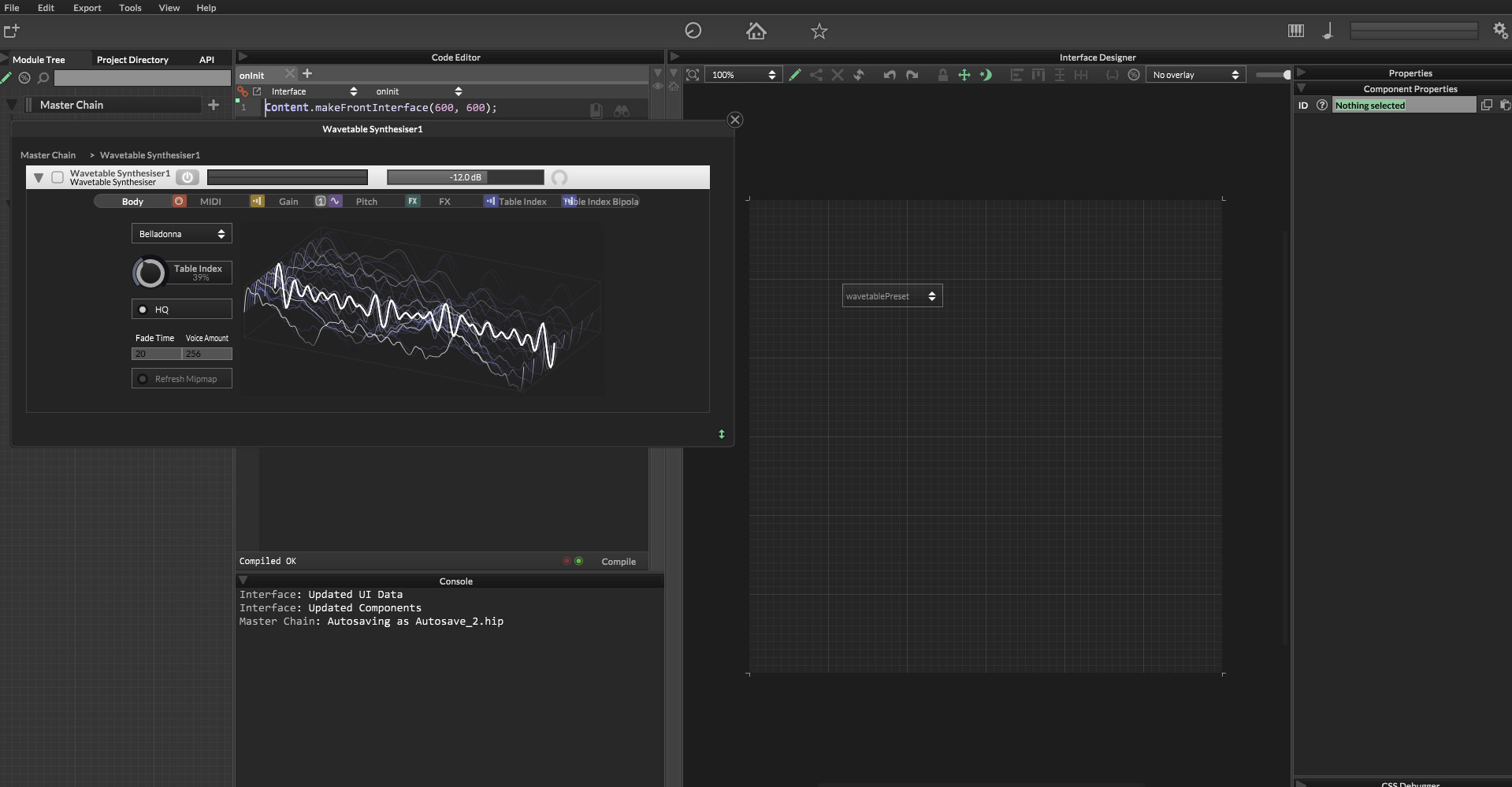
I was able to save multiple wavetables and would like to link the dropdown from the wavetable synthesiser to a combo box so that I can select which wavetable is being used from the user interface. I see that I cannot just link it from the combo box properties. Is there a way for me to do this?
-
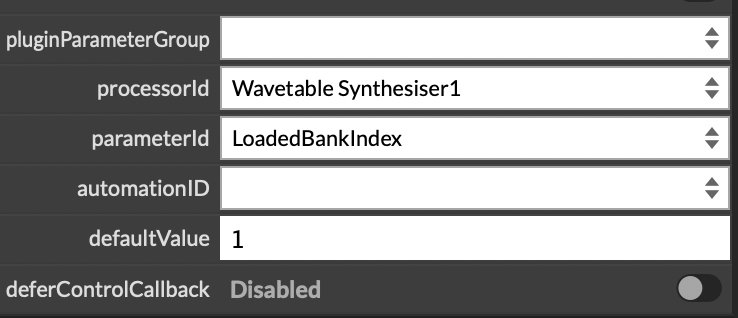
@capygeneral Did you try hooking up the combo box to LoadedBankIndex?
From the docs:
LoadedBankIndex - This will store the index of the wavetable in the current list.
-
@capygeneral
Here you go. :-) Please note that the WaveTable files must be located in your "AudioFiles" folder for the snippet to work.All the best
OliHiseSnippet 1187.3oc0W0saaaCElxNrXVqEnsnCnWJDrKbFBBrarSZQw5bsiypQiSMhyR2cAzRTVDQhTUhNIFC8YXuZ6QYuAaGR4enRbSc8Zx17EF37GOe7Pd93Q8RDtzzTQBxx93wwTj08w8GykAsBHLNpydHqR3PAw68GmhZNNljlR8PVVE+YkYqRqgz+9yepIIjvcoyUgPmHXtzCXQL4bs8Z7VVX39DO5wrHCuq0niqf2RDJFAPoHtBJl3dFYH8PhxsBXzaHoAHqe.WolK44Oyu91a+hWracuATW+pzA65RpTm3Wm.ZqQpUuZMj08Z6wjhj9RhjlhrVqovab+.wE7rDbBKkMHjpDph5CYNS89hPO0VToE0JfE50aZMJEgrv8lWwJlUwdBtKyiMS+7J2C0FblGgYAzpPd3ULG7pZBuJFvaAPxx.RqkAoGg66lvhkysnvy2h6vkzDeBbNYBkLeQE98B3VBvCtbqHxYz8S.gYQTdmJU1zA9aiWZaCmUoRm2SNmJI.H02XnorTZRUmezQKt0PpTiUsT40m4rio2qCqV1hcgbPJDaa9PFmpBdV.GvRkkm4WKQz.QSwkpDMEspTIhhEbPn75y7Ps31yj1JkBFYRZT55a5rt1nuHo7ERGFWm9MrKM2ahmWGvWvL3XIaaFOD.li+HtqjI3NpaqS7UAiDQXY2oXXSmyIginaX+a1kVXQRgkWKkIrAijzxK1kCftNpWSB+rNbO5kSWyWZ+Q8t5yryUYXBtZQBCG.cSkuNj0aMiszgBI8c7xZfa+QamqZx2eg1lrZgzjEZV0pmbSAVlOJZ.MwrrobDtNmuGA+o6QLagcyJNFNJ3c3L46ho7OUiMZREU0OMAUfqRc2zCmzMMs5gXdploYESjF1lrgneoydDIY5hAqKjqXZhjo1FV6QOGnFyZUKg2ildlTDq8cxQIndIS8kySKqwXSgKXdx.SEAT1v.Ct3W0PRuDjeLtOMj5l0Oer5dHR2kfr1Aa+V53zSalHNi5ziQ3BCEbSMsBDrjLEnHBfJrUQMg+03l.VQg2nPhLOUo5AkIFf6F43mTbP7TlbrYI9qF+4xBwGg6wjtAKFiEV.FgS+aCLN4UmGfa66CmZyA3Z38+0ammXLS+8mVhxyZoQvSwKlk+Flb3OV1IGhW5IGdyGfynbsiWgJ0zj99tV6I4ahQnin9Izzftr3tj3bGqEuoIKpthSVbuaqIKVa4N1uY38+fF4bCBUZJF6yhhCos4mSCAFXMFeLP45SFEJmpM+EztBtHNPvYt4uM.OWObHMwD6KbCAOrCu1NWySZbDvuRRMtb88MN.Flfjb0KpeA0hpewCEtvyqmhyfqipqx4ex41c50rajLt3RQF+UGuqNw7cZo6AXMmmSFU3+sOl+NSr5zjEKBII+ag4iDijL9vtDfHPMfygih5CO53RA7x4zP0.pVETiRlIWQIq.TeJ2SK7WvuIFqpjslXr5Ti2I4Hh3lHN0MaHWEWw2n0.6at9isKg6pjct1bsHTD7pyott4WpqE3yV0.2dUCr1pFX8UMvcV0.2cUC74e9.UCE75QRQTFkHB0sWa82gXY0lqZjzsLn+FzLt2OH -
Use this as a control callback on the menu:
    inline function populateSynthSoundMenu(component, value)
    {
        local wavetables = Engine.getWavetableList();

        if (!isDefined(wavetables) || wavetables.length == 0)
            return;

        component.set("items", JoinItems(wavetables));
    }
You'll also need this helper:
    inline function JoinItems(sa)
    {
        local s = "";

        for (i = 0; i < sa.length; i++)
        {
            s += sa[i];

            if (i < sa.length - 1)
                s += "\n";
        }

        return s;
    }
It means that each time you click the menu, it will update itself with the latest wavetable list.
Now each one of these can be resolved from the menu in one of two ways.
- Use the menu 'value' to get the index of it in the list - indexes starting from 1.
- Use the '.getItemText()' function on the menu component, to get the actual text.
Option 1 can be used directly with the LoadedBankIndex parameter. I don't know how that would slot into your project, but in principle this is how you'd do it.
-
@Oli-Ullmann Snippet worked flawlessly thank you


