Compiling Scriptnode to dll removes all paramters....
-
@ulrik This is cruuucial. Nice setup btw. I never thought of scripting tabs on the module interface.

-
@Oli-Ullmann I have a vst testing with quite a bit more than 16 parameters already in Daw and it hasnt shown me anything weird just yet. Seems to be switching presets cleanly as well. My only problem is I dont remember setting anything specific to any max parameter settings in that instance so I cant deduce what the problem is now other than there may actually be a hard limit somewhere that I cant find.
-
also...I cant imagine how to get my setup down to any less than what I have now which is 55 parameters for a 5 band parallel processing plugin which is pretty much the bare minimal parameters per band including soft-bypasses and global cables for data read-outs. Im assuming all global cables and any analyzers count as a 'parameter' as well. Considering how to re-wire this simply to avoid max limits but I imagined scriptnode would be the most efficient way to do something like this. Am I wrong?
-
Nah that 16 limitation is ancient we‘re rocking a 2000+ parameter node at a project at the moment.
Something else is trashing the parameter IDs they are created but the id is empty
-
@Christoph-Hart yooo! Great to hear that! I actually just found that the id for the network is not inheriting the new name that I gave the container in the scriptfx workspace. I changed it to match the module in the module tree view and that must have messed something up. What am I doing wrong? I changed the outermost container name for other networks and the id's changed to match but for this one in particular it does not change. I changed the container name back to 'script_fx2' that it is stuck on and now the network compiles properly...I cant figure out how to fix it otherwise. Hope all is well!


-
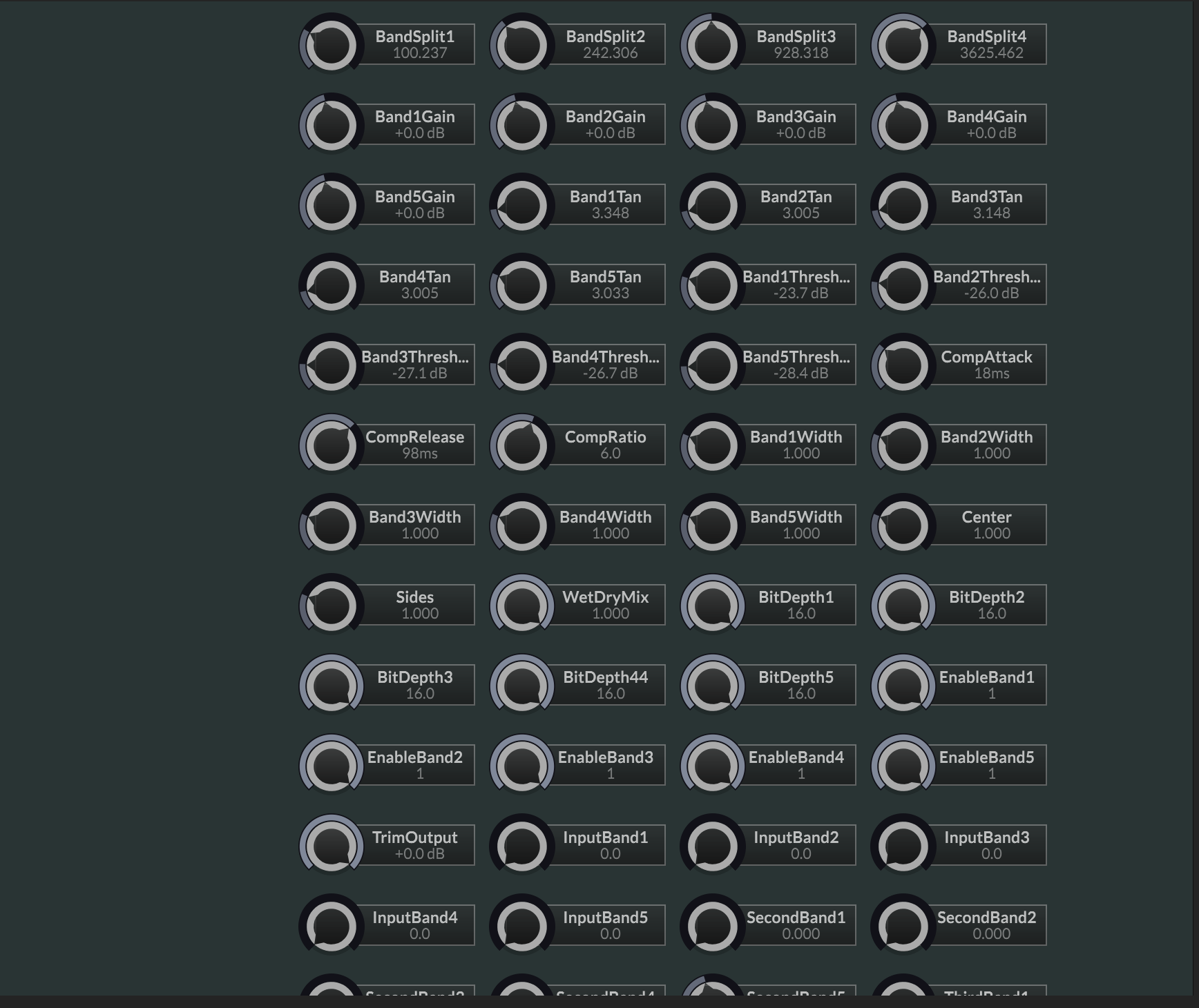
I got the network to compile properly and shows up in a hardcoded master fx module with all the proper parameters. I just cant get the option to automatically swap all networks with hardcoded counterparts so I dont have to rewire all of these or mess with any script manually. Any advice?
-
@Christoph-Hart 2000?! hahahaha I love it!

-
@Christoph-Hart said in Compiling Scriptnode to dll removes all paramters....:
Something else is trashing the parameter IDs they are created but the id is empty
Claude gave me this wisdom...
I'm checking whether the 16-parameter figure is a hard limit or just a buffer size.
No, there isn't one. Neither a preprocessor define nor a project setting controls the parameter count for a hardcoded script FX.- The only constant: OpaqueNode::NumMaxParameters = 16 (hi_dsp_library/node_api/nodes/OpaqueNode.h:102). It's a hardcoded static constexpr, not a preprocessor define. For hardcoded FX it only sets the size of the built-in buffer for the stored parameter values (HardcodedModuleBase.h:563). Past 16, that buffer moves to the heap, so 16 is not a hard limit.
- Similar names that are something else: NUM_HARDCODED_FX_MODS, NUM_HARDCODED_POLY_FX_MODS and NUM_HARDCODED_SYNTH_MODS are preprocessor defines, but they set the number of modulation slots, not parameters.
While checking this I found a bug I haven't changed. Two places pass the parameter count as a byte count, which is 4 times too small because each value is a 4-byte float:
- HardcodedModuleBase.cpp:563 (lastParameters.setSize(numParameters, false))
- HardcodedModuleBase.cpp:967 (lastParameters.setSize(numParameters))
Line 666 does it correctly with numParameters * sizeof(float). With 16 or fewer parameters the built-in 64-byte buffer hides the mistake. With more than 16, the values would be written past the end of the buffer. Both bad calls only run in the HISE IDE (inside #if USE_BACKEND), when an effect is loaded but not compiled, so exported plugins aren't affected.
-
For anyone wondering...
I figured out what was happening. The 'id' that the compiler was giving my network was different than what the actual name of the network and container name I had given it.
When I first created the network, it naturally inherited the factory name 'script_fx2'. I changed the name of this network along with 2 other networks. All but this one was saving the new name. I tried dumping and reloading the network but no luck shaking the old 'id' = 'script_fx2'. I got it to work by changing the container name back to 'script_fx2', did the same for the ScriptFX Module in the module tree, recompiled and it worked. All parameters with proper names and ranges load in perfectly.
It was a chase but I figured out that much so far.
-
@Christoph-Hart What is the best tips you have for smoother ScriptFX workspace with so many parameters? 2000??! I have an M1 Max Mac Book Pro and it gets sluggish when adding a lot of modules.