Dsp network wont compile: // <--Changed to more relevant title :)
-
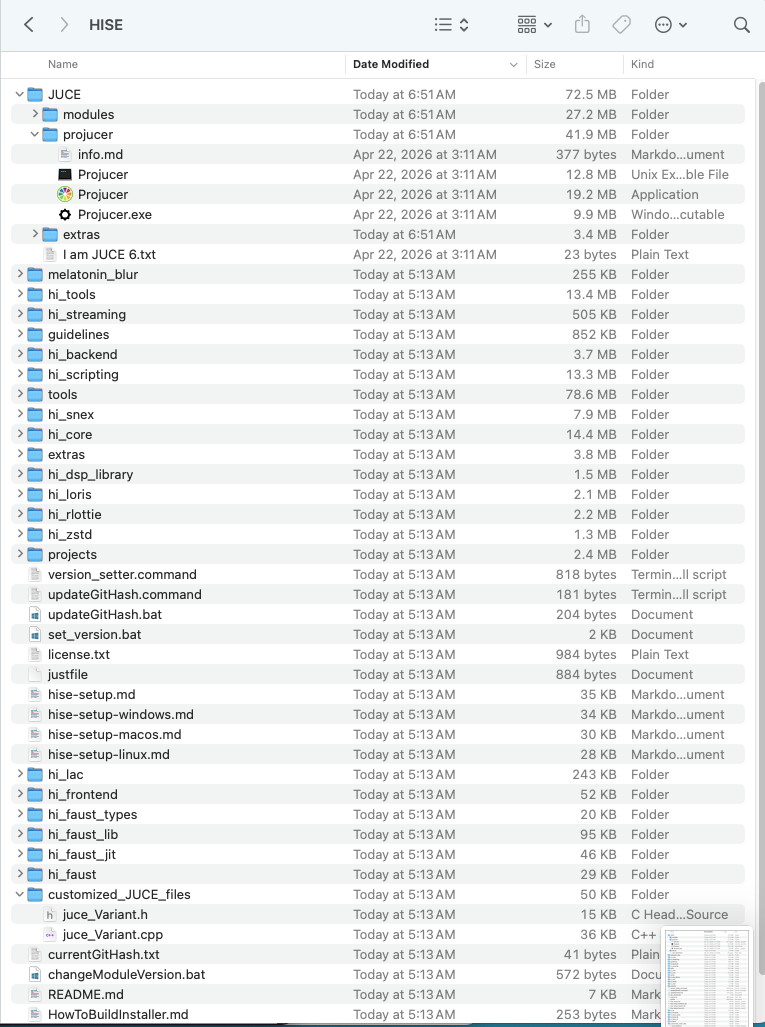
@David-Healey this is in my HISE source folder / JUCE
HISE/ Projects :
I use the highlighted file to setup then build in xcode.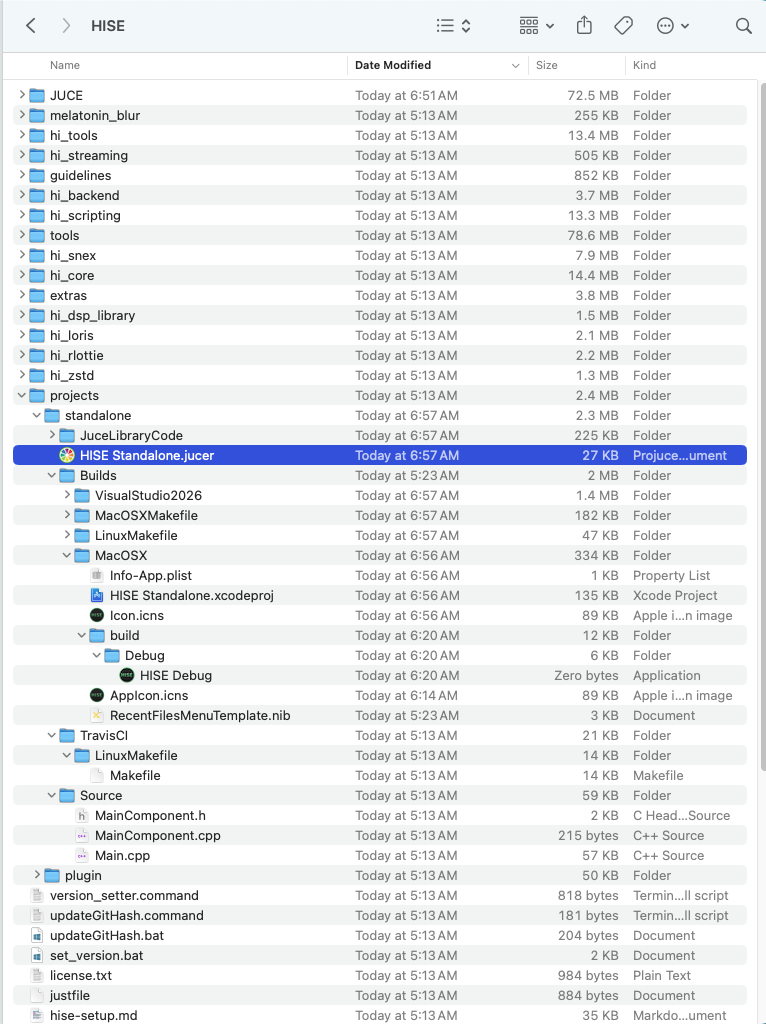
When I open JUCE it shows all the JUCE modules missing...
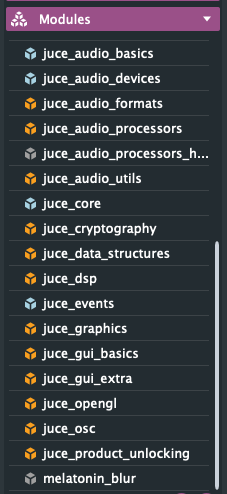
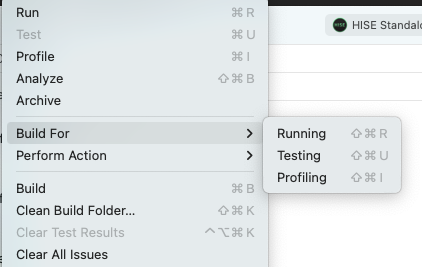
Even after establishing in JUCE the path to modules to the JUCE/modules in the JUCE folder shown above. I go to Product/Build For/ Running
-
@Chazrox said in Build Failed - Missing JUCE 'modules' ?:
Even after establishing in JUCE the path to modules to the JUCE/modules in the JUCE folder shown above. I go to Product/Build For/ Running
You shouldn't need to do this.
What did you mean when you said you'd upgraded to JUCE 8?
Are you using the version of Projucer that's included with the HISE source code?
Free HISE Bootcamp Full Course for beginners.
YouTube Channel - HISE tutorials
My Patreon - More HISE tutorials -
@David-Healey said in Build Failed - Missing JUCE 'modules' ?:
What did you mean when you said you'd upgraded to JUCE 8?
When I first opened JUCE 6, it said "your JUCE is out of date" so I clicked the 'Download' button that pops up and it downloads JUCE8. I tried it using the JUCE build that is included in JUCE8 Download, that didnt work.
I then downloaded the folder that contains JUCE6 from Christophs github, open JUCE from THAT folder, opened the project file from the HISE source folder called 'HISE standalone.jucer' .
In the images above you can see that I have JUCE6 installed in my HISE source folder. Im running the build from that folder currently getting instant 'Build Failed'. Even though it keeps telling me that my path to my JUCE folder is wrong, you are still suggesting to click 'dont remind me'? Those are the files that is giving xcode build errors.
im LOST at this point...
-
@Chazrox Delete all copies of HISE, the HISE source, JUCE and Projucer that you have and start over.
- Run the command given in that thread to download HISE along with the submodules.
- Extract the SDKs
- Open the copy of Projucer included with the HISE source
- Open the standalone.juicer file
- If it mentions anything about modules just click "Dont ask Again"
- Click save and open in IDE
- Select build for profiling
Free HISE Bootcamp Full Course for beginners.
YouTube Channel - HISE tutorials
My Patreon - More HISE tutorials -
@David-Healey Ok. Im gonna do this now. Thanks for your time!
 I'll be back with results.
 -
@David-Healey I got it to build successfully. I still cant compile dll's which was the reason for attempting a fresh build in the first place. Please help. I deleted everything and started over and still getting this error. Hise seems to be working fine otherwise. I still am not able to compile with the new build for some reason.
Anybody have any clues? Lost here.
Always get this error:
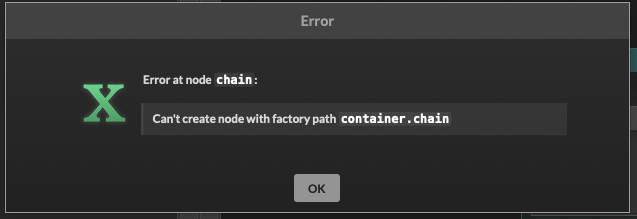
I started with a brand new project file, added a scriptFX module, set 'allow compilation', re-save the network, click 'compile networks to dll', then this error message. I click ok and HISE crashes. Same deal every time.
I've tried to search for any source files and delete them. These are the only files that come up searching "HISE". Besides all my project and asset folders, only one source folder shows up. You've suggested to delete and start over and i've tried that atleast 3-4 times and still get this stupid error.....errrrghh.
-
@Chazrox Did you add a node to the network? Are you using debug or release of HISE? Did you select the same for the network?
Free HISE Bootcamp Full Course for beginners.
YouTube Channel - HISE tutorials
My Patreon - More HISE tutorials -
@David-Healey said in Build Failed - Missing JUCE 'modules' ?:
Did you add a node to the network?
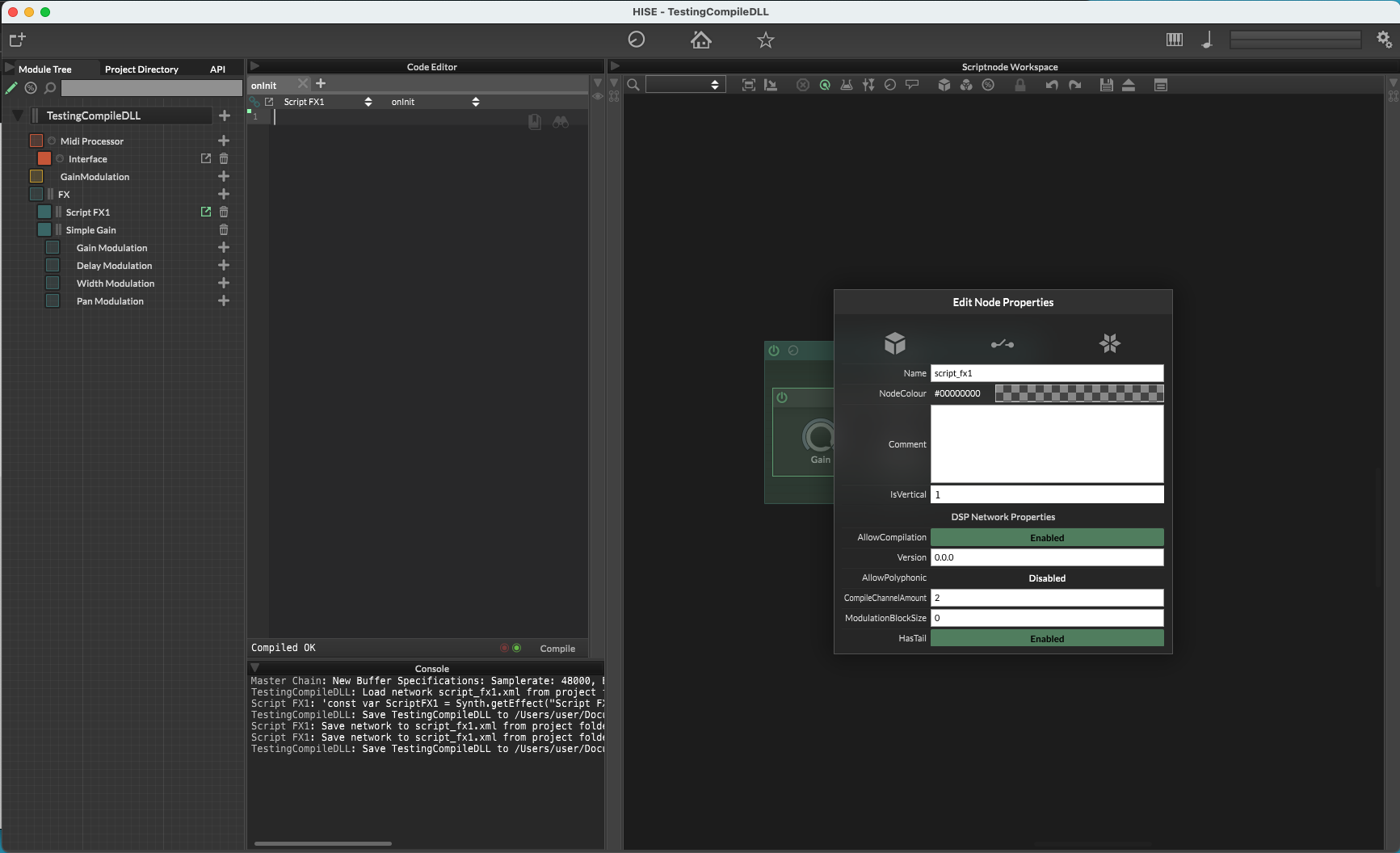
HiseSnippet 1231.3ocyWs0SiaDEdbBCExxJsa69CvZeJTQirCgbQqpJjDfFUtDQnzceBMwdBYTrmwxdBPZUeu+b6S801y3wINFxxRS2khQB44bwmu4bNeyYR2PgCMJRDhLJb9j.JxXCbuIb4vVCILNpSajw2fOmFIY7qZI7CXdz1GcDp4j.RTD0EYXj+PkgFquBJ94O+glDOB2glJBgtPvbnGw7YxToc28mXddGPbomy7my5J61wQvaI7DiAPkGagBHNiHWQOgnLKGF8ijngHiuEWupUUWJo5fxtMbH6LnRY65056ZWwsecpS+501ola8pjpHiU22kIEg8jDIMBYrRSg6jdCE2v0A3BVDquGUsvF0ChrV7ABOW0VTIE0ZHyys6zrUDB9JcSyc404t2fOl4xlIOMG9pXElodLeBzHWV3kOC7rmGdVyAuE.Ii4fzJZH8ZbOmPVfLUiBOu.2gKogCHPcZdnnsEY7W3VBv.trjOYD8fPXwLGJV0xZKS3ea9tBEfRUjz7ZRno10Cdus42aF2AU5Jpb+ACnNxhuUqzDz91Me2fwbGISvME7SDR5o7haV32Jrdgeuf4cUMXvB0o.WnvyiFtP0pFpvGxwh7w98ogaA.2aLclgPRKak.+wqDy2n3nyUyYnf2gyjmFP4er1GTRBFd6m6zlHIpxWhLvt.ZnjoffQa50.4QWLWG2lFMRJB.5y8pzPOlvcrGQlswSQOST.4fLUaUIkGwjSlm99Yqa7wBwWi6xjNCWLFys.LBYpuDXLgC+RrtoMEfqfO38egHr4teNp.dJSJN3afS4NKjp9G3zF7fPZ.IjdtnqGYRwHhefG8L.iaY12S3LpG6Wo2mUDngPSkEEcFR3bpWzxPdV8QmUre3hxYhwp4MGSjgraAV3Ii86ASCbnsRPGHyHmhCoWaoVq5K5Q4twK9a3IQosZsQhR6oJmi9cBUdiHbT74mIuiLVSm6ihSxWN3Vazdddhazi.0co5MEMLJdwWgsJA+oMqqvaRvPAm4npTIyMSvyd9hwPbS1Aoc8MmVgltYfwbmSXdJRPuwQvQItmx6Aem3YqplvSDtvaqd.wAx5S5RjCUjI0gQPmKMrjyrN3LajzlHU5WOUMiApu6z4uZn.6.eUxRM80HuRuNaoAfJBqhuRErLX4E.VBokhUrnfl3ymHb45RBAyggOpXle1JHkeLiegpGDJW3uy1Rk9OlbahHrpff5IoA5j5af0fMwO1UZXYaWEZCGQuQiY08b1oTkxkKWypVsJ0qXusUCjdqEeCmLe11zAjwdxLxPKFZZko3ZMrBE+6flxfssrs1FLnQi5UZTyxNYNdOegPNDXKSA3p3x2GgIBQO8YuMvmQinI33QjCSG8MGZSNodll3K5nVASExoiRmnKTZcHdSiBvuZJDi7Iwb6+ySYWa10iYpiUObJ25kIBLOLae9cuXLB1vvoxyK3WXtJdxTAeX2Eb04N7qAPBGnPBu6Pv7elNuMyMYe3I0psj4y5aS7033z7ycPFW5edCxWg6R9+pX+TbCfmhX3SbBEW5nu3jhpsVrDXeyiGAtN9X0ZSaz05CsRo29vOX7RGmrep64X4k0wsWVGqrrNtyx5X0k0wZKqi0+zNp9876MVJ70bC3lbc2Od.igw9bBzkGSSP+C+81tFCIm using the release build.
@David-Healey said in Build Failed - Missing JUCE 'modules' ?:
Did you select the same for the network?
What do you mean by this?
-
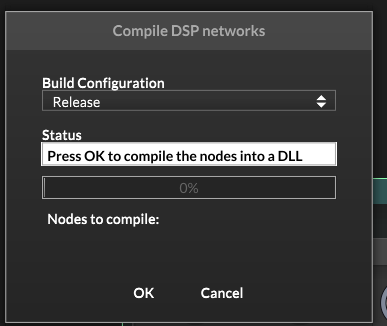
In this window are you selecting the Release configuration (it's the default)? It should match your HISE build.
Free HISE Bootcamp Full Course for beginners.
YouTube Channel - HISE tutorials
My Patreon - More HISE tutorials -
@David-Healey I never get far enough to get to that dialog box. As soon as I click 'compile...' it gives me the error shown above. That option menu never shows up for me.
-
@David-Healey
My Hise Path is set to the new HISE source folder downloaded on my desktop. Do you see anything else here that could be causing this?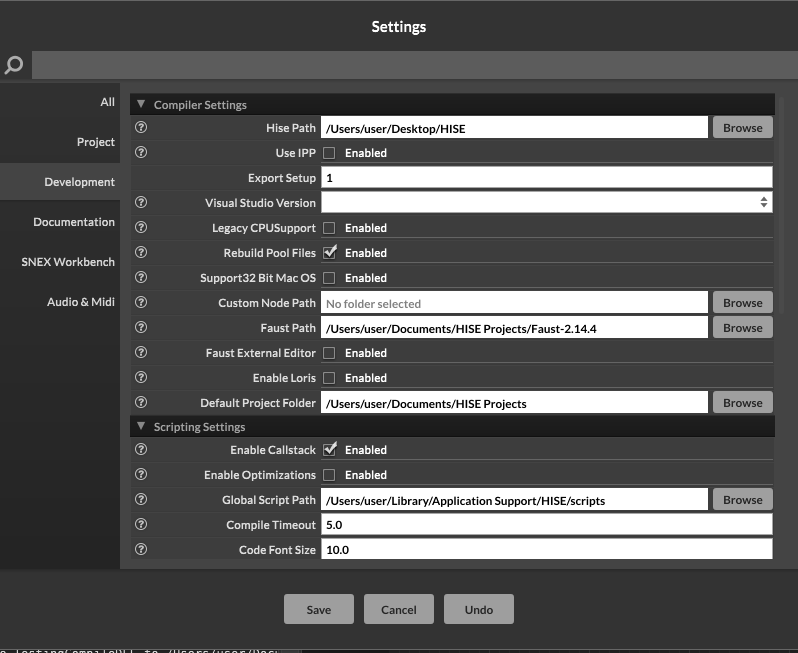
-
@Chazrox I'm not sure you need to set the faust path, the library should be installed in hise > tools > faust - there's a readme in there with instructions.
@Chazrox said in Build Failed - Missing JUCE 'modules' ?:
As soon as I click 'compile...' it gives me the error shown
Can you show me a video so I can make sure I'm following the same process as you?
Free HISE Bootcamp Full Course for beginners.
YouTube Channel - HISE tutorials
My Patreon - More HISE tutorials -
-
@Chazrox It looks like you only enabled compilation on the gain node, not on the outer chain, is that correct?
Free HISE Bootcamp Full Course for beginners.
YouTube Channel - HISE tutorials
My Patreon - More HISE tutorials -
@David-Healey yes, but honestly i've tried it both ways. same result. I noticed that whether I do it to the outermost container or one of the inside nodes it changes it for all of them.
-
@David-Healey I just did it again with the outermost container just for good measure and still the same results. I did the same exact process in the video I sent you but I chose the outer container and set 'allow compilation'. I still get instant error/crash.
-
@Chazrox That is indeed an odd error. After you try the compilation, do you get the Binaries folder showing up in DspNetworks?
So YourProject/DspNetworks/Binaries
If so you can try launching and running this directly in XCode:
DspNetworks/Binaries/Builds/MacOSX/YourProject.xcodeprojBuilding from xcode will give you more informative error reports.
-
@HISEnberg Suuuper odd. I've been trying to fix this on and off for a year now.
Nothing shows up in binaries. This is my project folder that im trying to compile from.
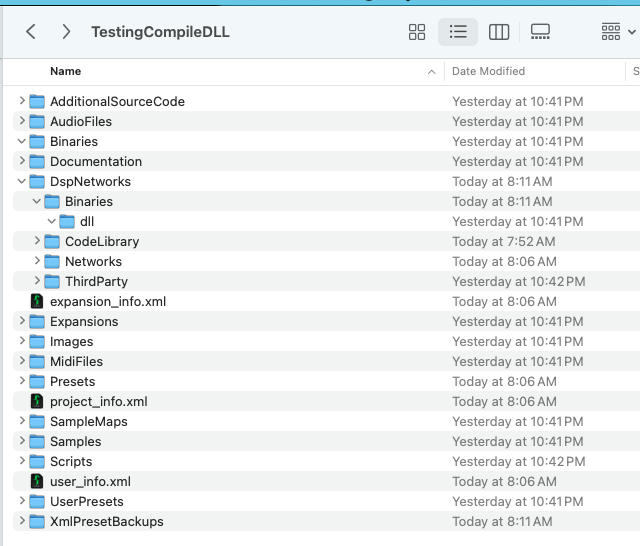
-
@Chazrox said in Build Failed - Missing JUCE 'modules' ?:
This is my project folder that im trying to compile from.
This is the one in the video?
Free HISE Bootcamp Full Course for beginners.
YouTube Channel - HISE tutorials
My Patreon - More HISE tutorials -
@David-Healey yes.


