VS2026 Building HISE Problem
-
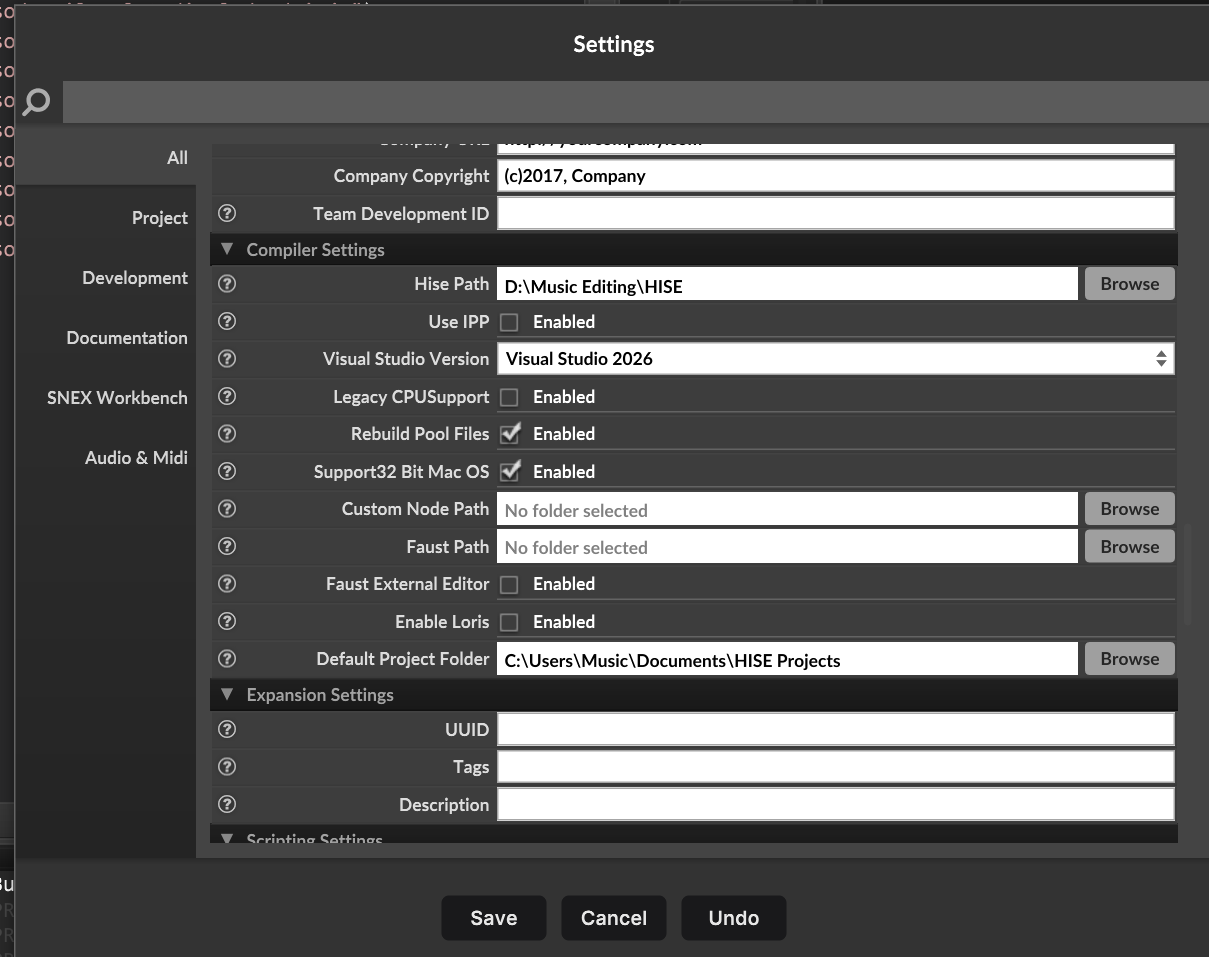
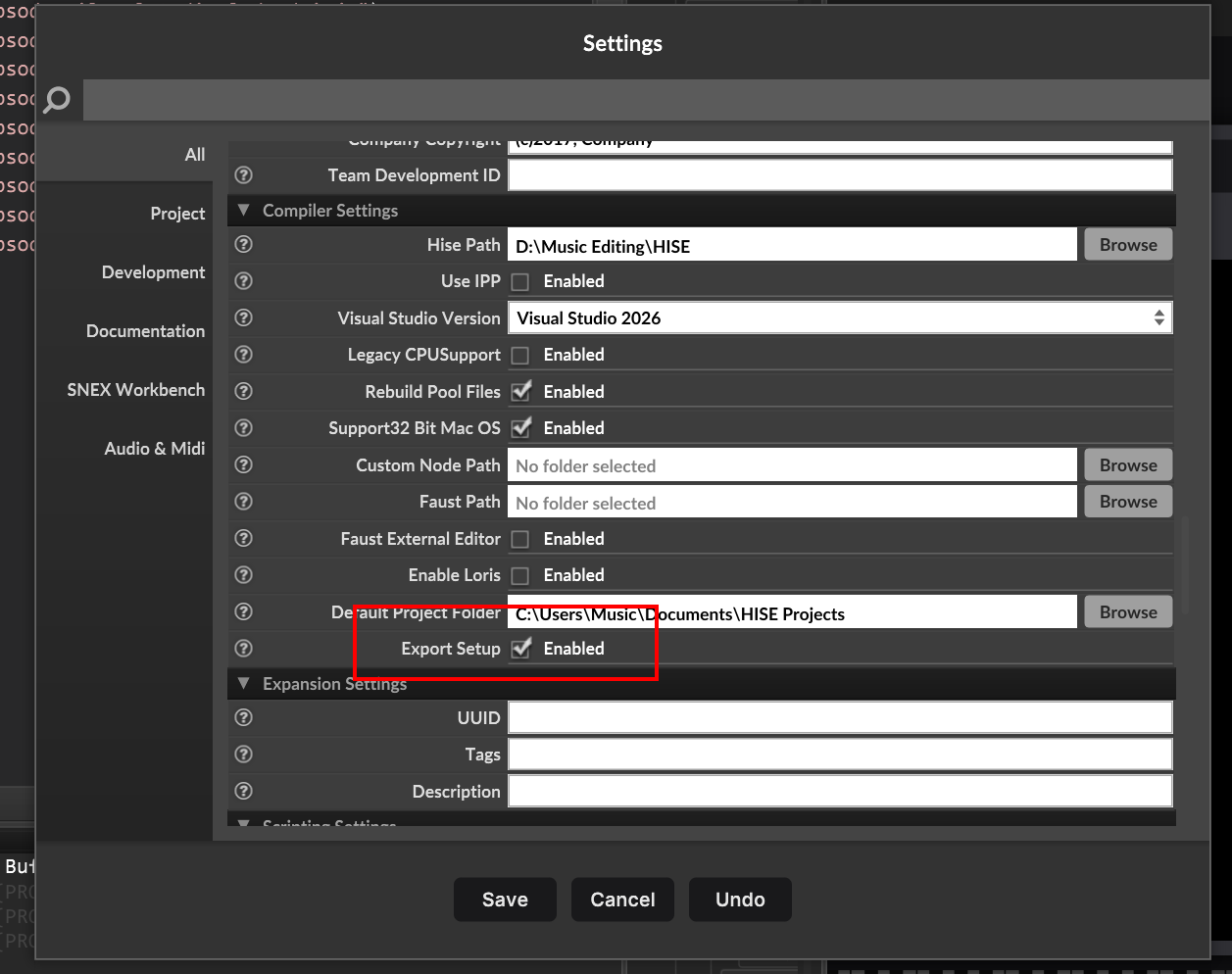
@GUJIAN Ignore the Wizard, check the Export Setup box in project preferences

@Christoph-Hart The wizard seems to cause more issues than it solves
Free HISE Bootcamp Full Course for beginners.
YouTube Channel - HISE tutorials
My Patreon - More HISE tutorials -
@David-Healey Is my version different? Why can't I find it
-
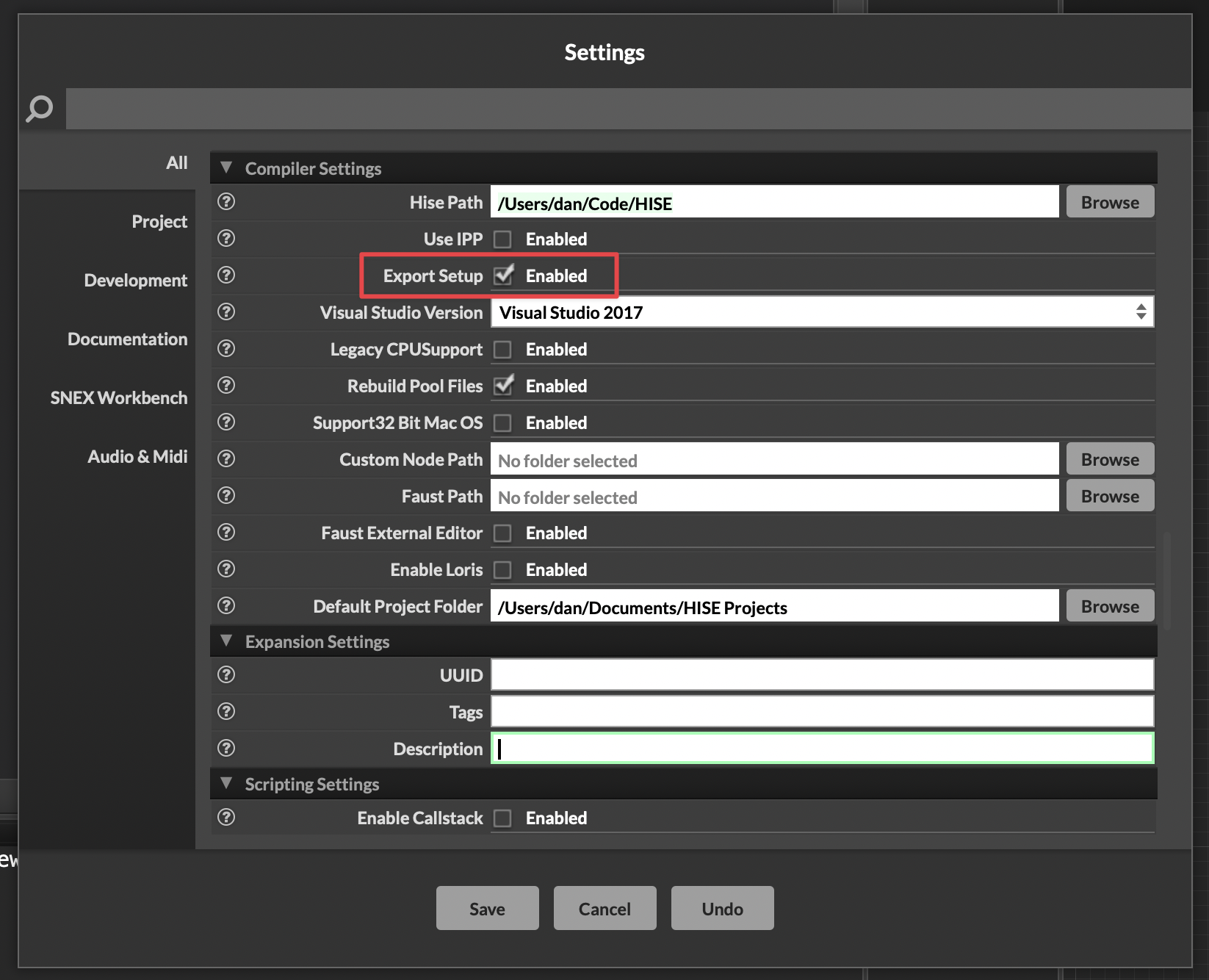
@GUJIAN Scroll down to Compiler Settings:
HISE dev latest / herdr + Claude Code / Figma + Affinity
Meat Beats: https://meatbeats.com
Klippr Video: https://klippr.video -
I don't have this, is it because I set the version of HISE incorrectly
-
@GUJIAN You're on an old version of HISE. It's usually recommended to use the latest version, unless you need to keep an old version for compatibility with old projects.
Did you compile HISE from the GitHub source code yourself?
Which branch and commit of HISE are you on?
HISE dev latest / herdr + Claude Code / Figma + Affinity
Meat Beats: https://meatbeats.com
Klippr Video: https://klippr.video -
@dannytaurus git clone --branch develop --recurse-submodules https://github.com/christophhart/HISE.git
-
@GUJIAN Which commit did you build from?
You can run
git rev-parse developin the terminal to find the git hash.HISE dev latest / herdr + Claude Code / Figma + Affinity
Meat Beats: https://meatbeats.com
Klippr Video: https://klippr.video -
@dannytaurus fc2615edbbacc648bb648be7b732d8773ef7e702
-
@David-Healey It still doesn't work. Based on this setup, running
git clone --branch develop --recurse-submodules https://github.com/christophhart/HISE.gitprompts that it's the latest version, but it feels different from yours. Moreover, the VST export process crashes HISE. Could it be an issue with Windows 11 25H2 -
Ok I think that option doesn't show up until after you've gone through the export setup wizard. I've just had another person contact me about it not working.
@GUJIAN If you don't see the Export Setup checkbox, watch the first few minutes of the exporting an instrument on Linux video in the Bootcamp. In that video I show a workaround - the file path is slightly different on Windows but you can use file search to find the file mentioned.
Free HISE Bootcamp Full Course for beginners.
YouTube Channel - HISE tutorials
My Patreon - More HISE tutorials -
@David-Healey I'm using Windows, but I can't find a solution now. The path is also missing
-
Free HISE Bootcamp Full Course for beginners.
YouTube Channel - HISE tutorials
My Patreon - More HISE tutorials -
This post is deleted! -
This post is deleted! -
按照老师的方法导出了ExportSetup,但导出VST到一半时HISE还是崩溃退出了
-
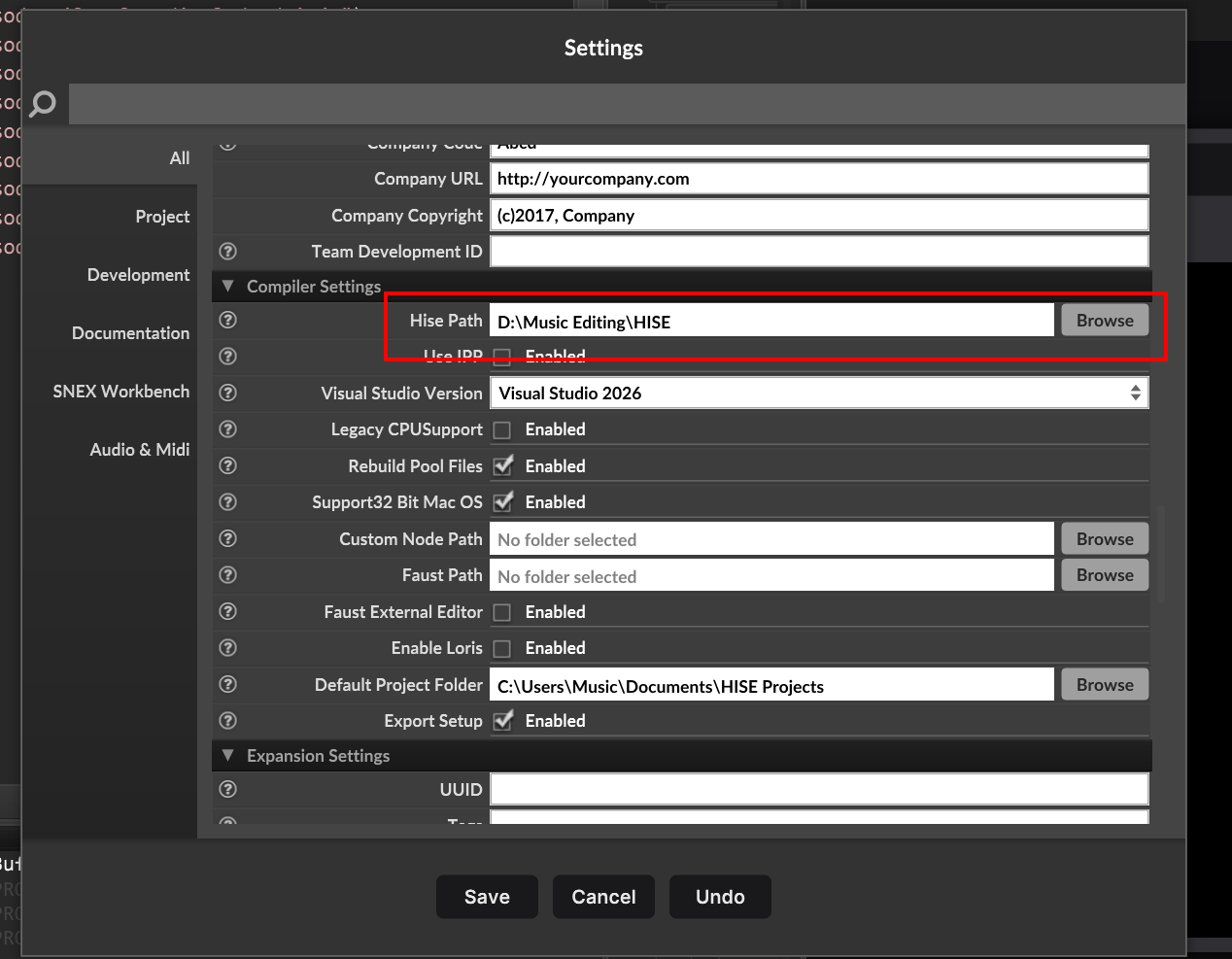
@GUJIAN Is the HISE path correct?
Free HISE Bootcamp Full Course for beginners.
YouTube Channel - HISE tutorials
My Patreon - More HISE tutorials -
The HISE path is correct
-
@GUJIAN I think the issue is a bug in the latest commits of HISE.
Free HISE Bootcamp Full Course for beginners.
YouTube Channel - HISE tutorials
My Patreon - More HISE tutorials -
@David-Healey I don't know, but there were no errors when building HISE. When exporting VST instruments, HISE.exe crashes.
-
@GUJIAN You could try an earlier commit