No Multichannel output
-
@Morphoice Perhaps the tutorial project (if it loads) will have the answer: https://github.com/christophhart/hise_tutorial/tree/master/MultichannelPlugin
I think you have to make the connections through scripting.
There's also a useful snippet in the docs: https://docs.hise.dev/scripting/scripting-api/routingmatrix/index.html
Free HISE Bootcamp Full Course for beginners.
YouTube Channel - HISE tutorials
My Patreon - More HISE tutorials -
@Morphoice are you creating empty tracks then setting their input routing to recieve your plugins different output channels? Also, good to check if you have monitoring enabled on each of these tracks. Im not sure what daw you're in but thats the normal flow for any daw w/ multi-channel plugin.
When you have multi-output mode on your plugin activated, what are you hearing from 1/2? Everything or a single sound?
-
@Chazrox i didnt understand any of the first sentence but as for the second, yes 1+2 is having all the content of the entire plugin, although in hise anything except the kick is routet to channels 3 and above
https://instagram.com/morphoice - 80s inspired Synthwave Music, Arcade & Gameboy homebrew!
-
@David-Healey is the script necessary if the routing doesnt need to dynamically change? from what I understand how I set things up should have sufficed, at least in hise all channels show their routed audio, just not in cubase, there everything is on 1+2 again
https://instagram.com/morphoice - 80s inspired Synthwave Music, Arcade & Gameboy homebrew!
-
@Morphoice i think the scripting is needed but i just remembered there is a function or preprocessor definition, something to do with static matrix, that might be related. Not at my computer at the moment so can't check, but will later.
-
@Morphoice Im just explaining how to properly connect a multi-out plugin in DAW. When you drop your plugin on a new track in DAW, you have to also create new audio tracks to receive the audio that you want to route out of your plugin. For each audio track, you should set the input to the outputs of your plugin. Make sure that whatever your daw requires you to click on your tracks to hear live input through your audio track is enabled for each track.
That's just for good measure. Its seems like you have it set up properly but you did say that all audio is coming out of 1-2, so that def says that it's not routing out properly. How are you scripting your routing changes? Is your plugin meant to load multi-out by default or are you allowing dynamic routing?
Just a thought...
Did you uncheck 'Force Stereo Output'?
Looks like you have NUM_MAX_CHANNELS set already since you have the extra channels showing in HISE....

Also,
I just checked my drum plugin, I started my kick chn. with 3/4, I can't remember exactly why I did it this way. Here's what I have.

in Ableton, I have "In" enabled on each auxilary track to be sure I can hear the chn input live during playback otherwise you will hear nothing.
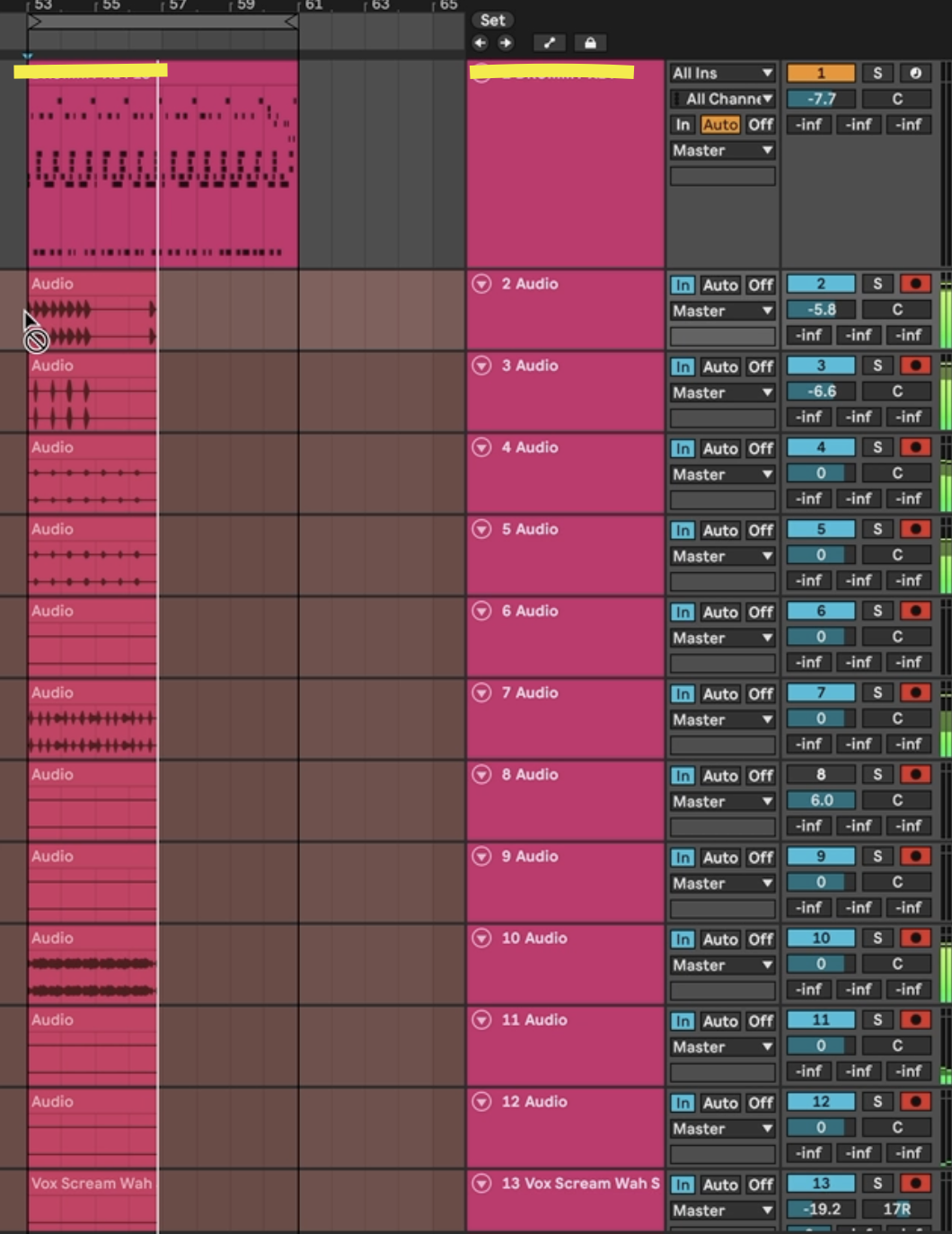
I also have this on onInit script initializing the connections...
//! MASTER EQ ROUTING DEFAULTS const var numMasterEQNew = Synth.getRoutingMatrix("MasterEQNew"); numMasterEQNew.addConnection(0, 0); numMasterEQNew.addConnection(1, 1); numMasterEQNew.addConnection(2, 2); numMasterEQNew.addConnection(3, 3); numMasterEQNew.addConnection(4, 4); numMasterEQNew.addConnection(5, 5); numMasterEQNew.addConnection(6, 6); numMasterEQNew.addConnection(7, 7); numMasterEQNew.addConnection(8, 8); numMasterEQNew.addConnection(9, 9); numMasterEQNew.addConnection(10, 10); numMasterEQNew.addConnection(11, 11); numMasterEQNew.addConnection(12, 12); numMasterEQNew.addConnection(13, 13); numMasterEQNew.addConnection(14, 14); numMasterEQNew.addConnection(15, 15); numMasterEQNew.addConnection(16, 16); numMasterEQNew.addConnection(17, 17); numMasterEQNew.addConnection(18, 18); numMasterEQNew.addConnection(19, 19); numMasterEQNew.addConnection(20, 20); numMasterEQNew.addConnection(21, 21); numMasterEQNew.addConnection(22, 22); numMasterEQNew.addConnection(23, 23); numMasterEQNew.addConnection(24, 24); -
@Chazrox the daw setup is fine and just as with every other plugin, probably the initscript is missing.... i'll check if its needed
https://instagram.com/morphoice - 80s inspired Synthwave Music, Arcade & Gameboy homebrew!
-
@Morphoice for sure. lmk. Just sharing what I got. Hope it helps! Plugin looks great btw!

-
@Chazrox nop the script made no change
https://instagram.com/morphoice - 80s inspired Synthwave Music, Arcade & Gameboy homebrew!
-
@Morphoice I just found this in my script....
//I think this is what Dave was talking about....

Sampler1.asSampler().setUseStaticMatrix(true);
Sampler2.asSampler().setUseStaticMatrix(true);
Sampler3.asSampler().setUseStaticMatrix(true);
Sampler4.asSampler().setUseStaticMatrix(true);
Sampler5.asSampler().setUseStaticMatrix(true);
Sampler6.asSampler().setUseStaticMatrix(true);
Sampler7.asSampler().setUseStaticMatrix(true);
Sampler8.asSampler().setUseStaticMatrix(true);
Sampler9.asSampler().setUseStaticMatrix(true);
I think this is the missing part.
-
@Chazrox still no change.
is the structure a problem`? they are all in a container...
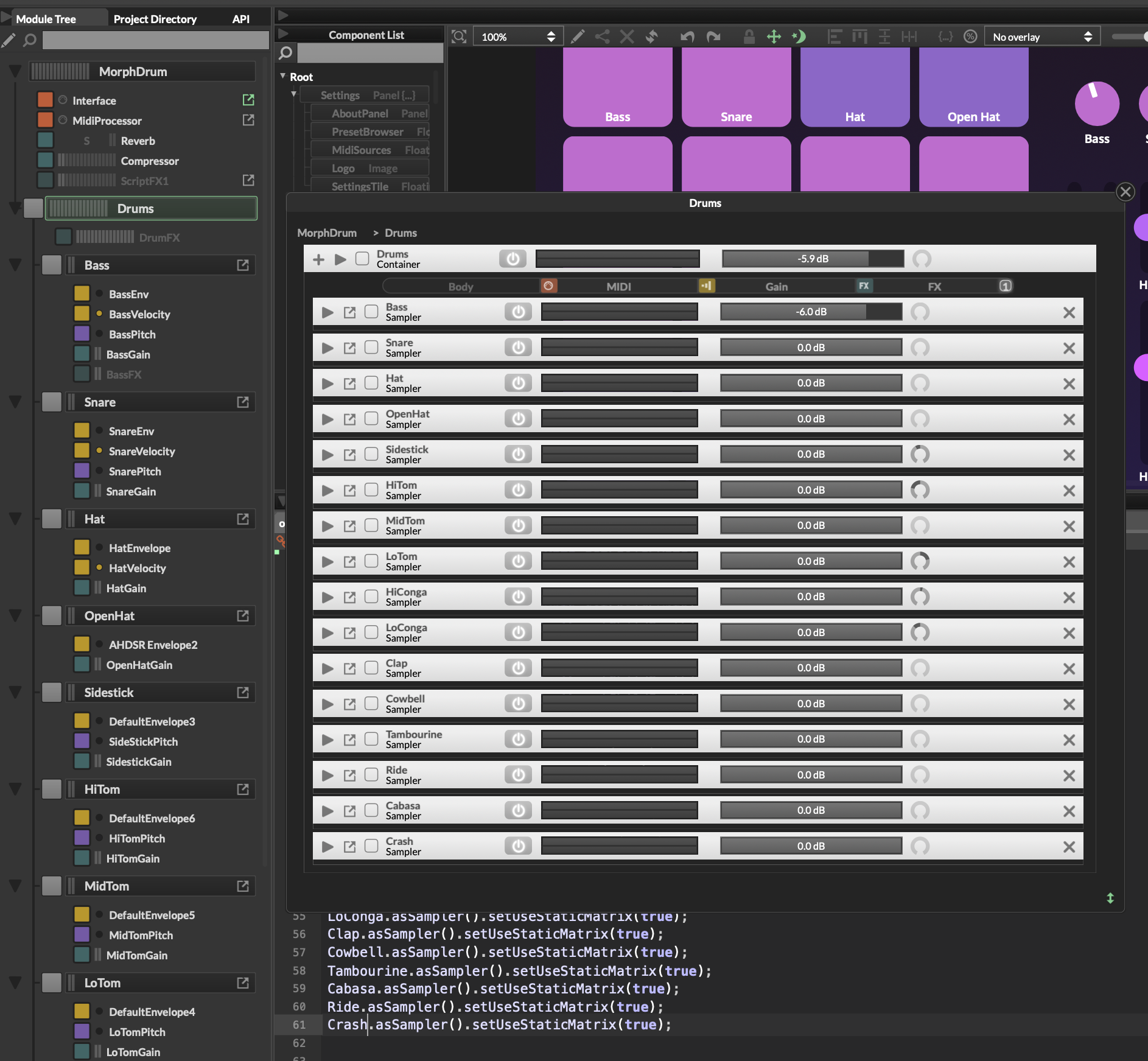
https://instagram.com/morphoice - 80s inspired Synthwave Music, Arcade & Gameboy homebrew!
-
@Morphoice Looks the same as mine.
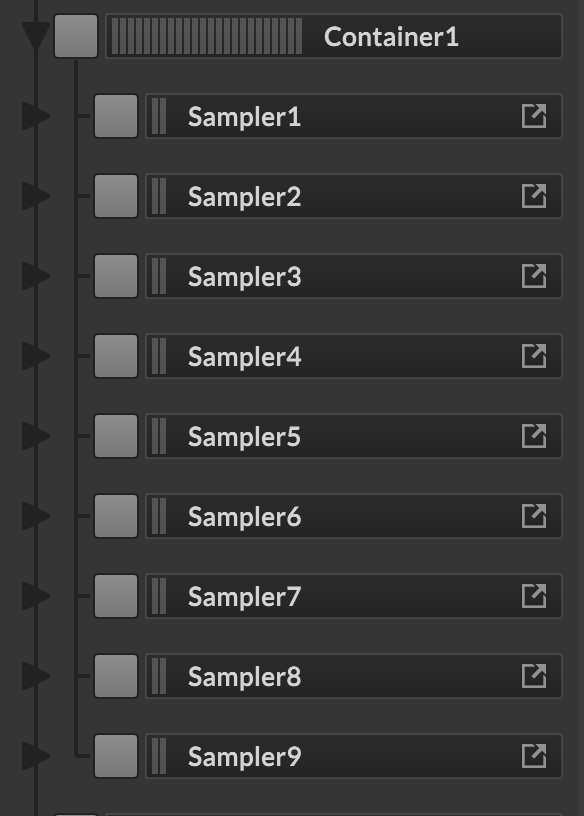
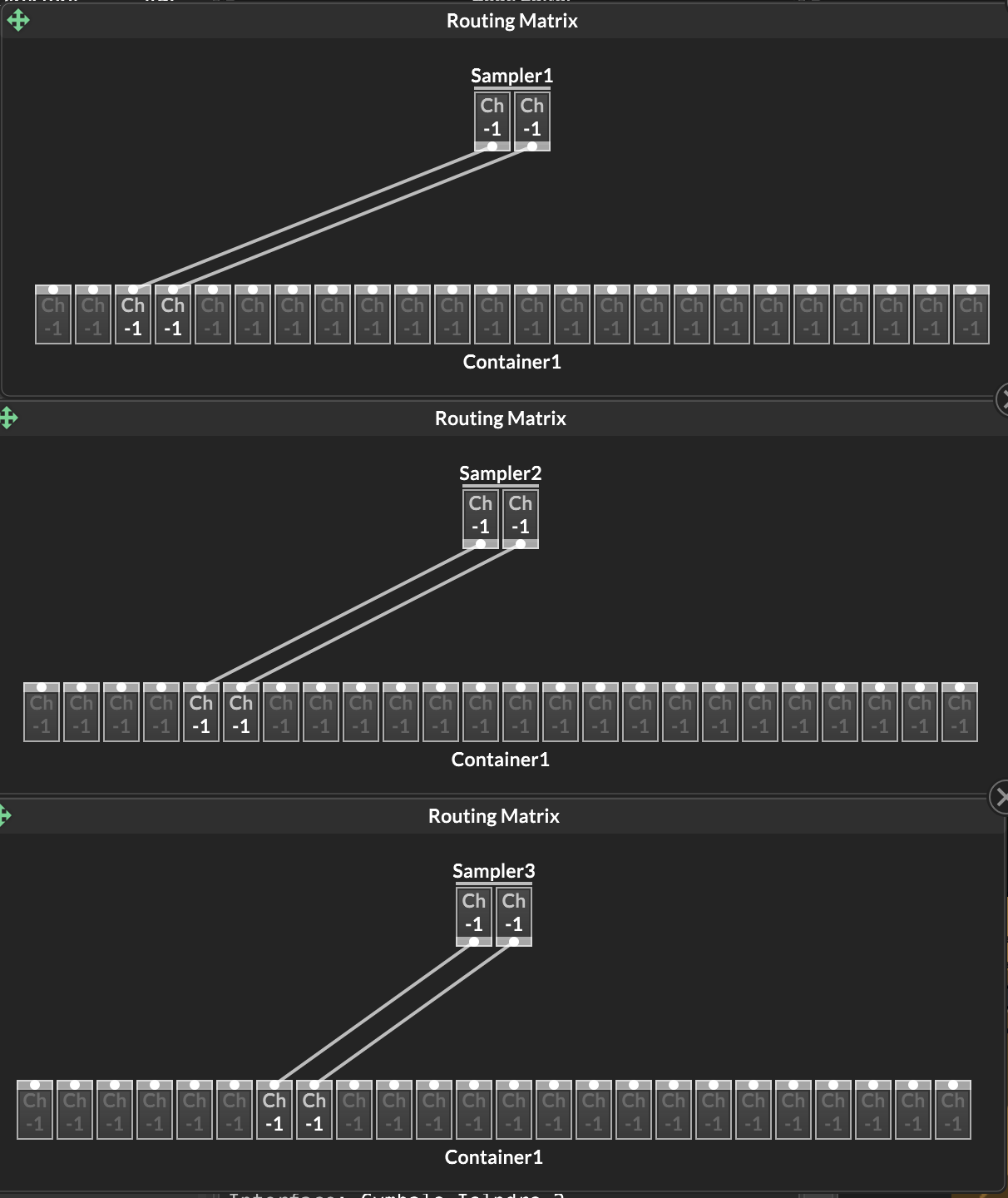
Routing container..
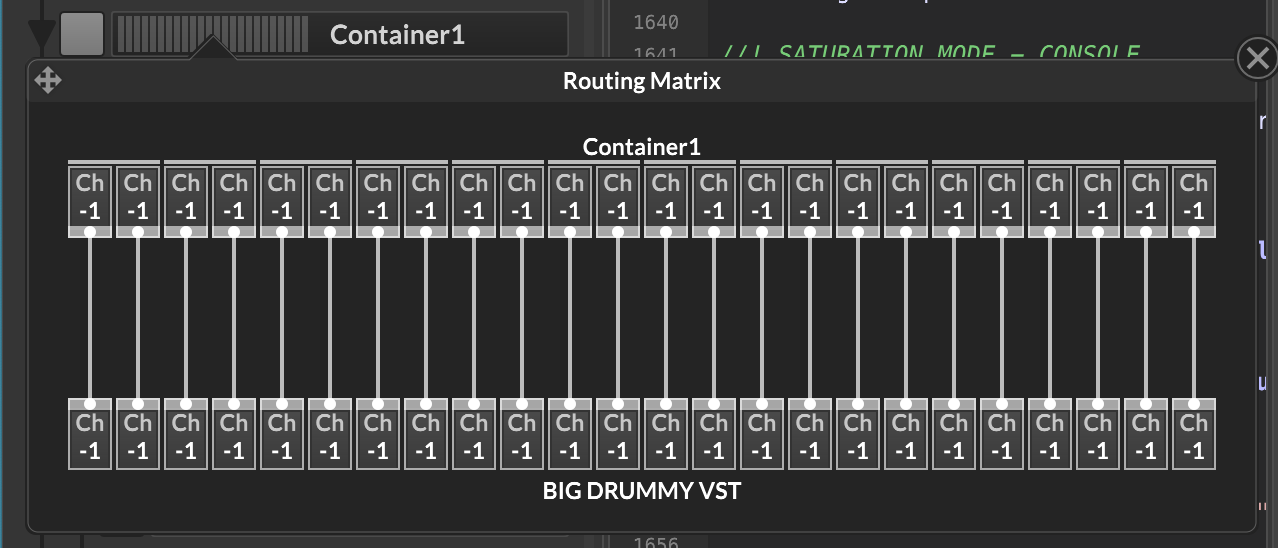
Routing for first 3 samplers in "multi out" mode. See kick starting at 3/4 for me.
-
@Chazrox yep that is exactly how I set it up
https://instagram.com/morphoice - 80s inspired Synthwave Music, Arcade & Gameboy homebrew!
-
@Morphoice damn...got me thinking...
Do you have this? Just double checking...
I have this set for my Master container,
const var numBIGDRUMMYVST = Synth.getRoutingMatrix("BIG DRUMMY VST");

numBIGDRUMMYVST.setNumChannels(24);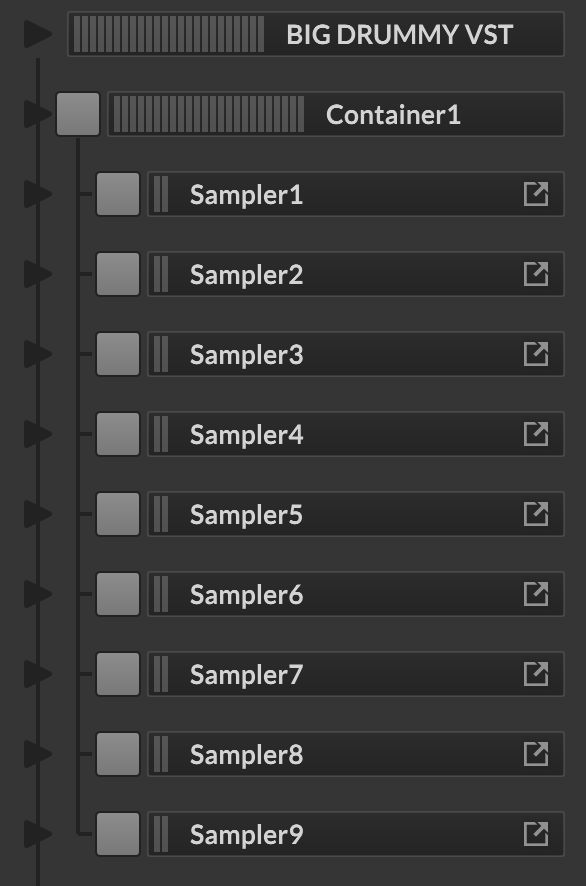
-
@Chazrox said in No Multichannel output:
const var numBIGDRUMMYVST = Synth.getRoutingMatrix("BIG DRUMMY VST");
numBIGDRUMMYVST.setNumChannels(24);
that changes nothing either ;/
https://instagram.com/morphoice - 80s inspired Synthwave Music, Arcade & Gameboy homebrew!
-
@Morphoice make a minimal test project that demonstrates the issue and share it here so we can try
-
@Morphoice grr..
-
I fiddled about a little and this script finally worked:
const var MorphDrum = Synth.getChildSynth("MorphDrum");
const var matrix = MorphDrum.getRoutingMatrix();

matrix.addConnection(0,0);
matrix.addConnection(1,1);
matrix.addConnection(2,2);
matrix.addConnection(3,3);
matrix.addConnection(4,4);
matrix.addConnection(5,5);
matrix.addConnection(6,6);
matrix.addConnection(7,7);
matrix.addConnection(8,8);
...
apparently I was quite close already, but it does indeed need the script to do the addConnection and won't work without. Thanks for the help! I would never have figured that out on my own
https://instagram.com/morphoice - 80s inspired Synthwave Music, Arcade & Gameboy homebrew!
-
@Morphoice yeee! Let go!