Preset Browser doesn't show the bottom buttons in exported plugin
-
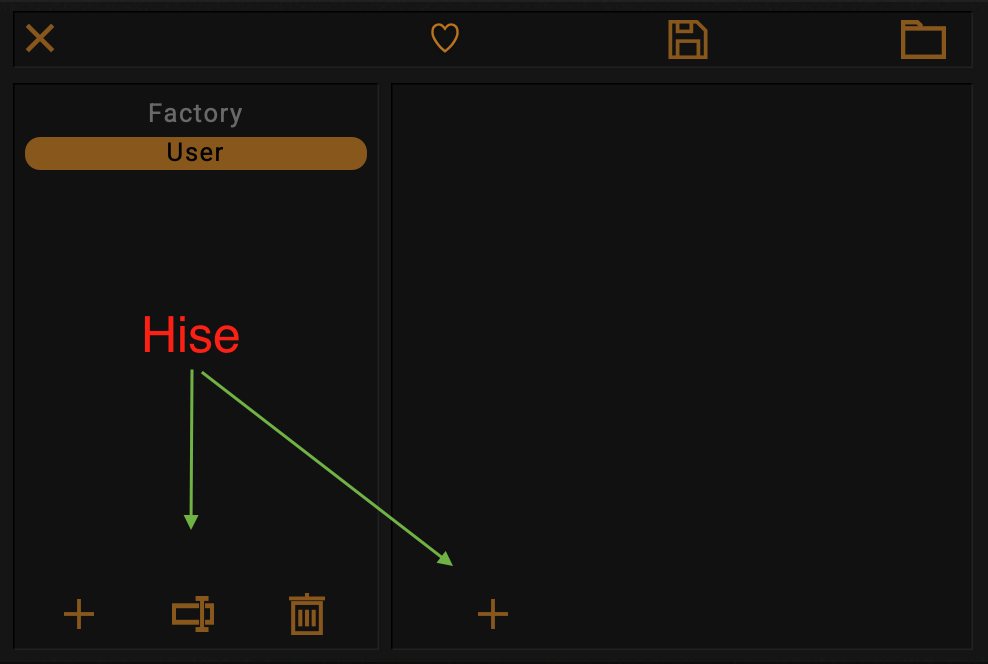
So everything is in place inside Hise, but not buttons are present in the exported plugin, unless I click on a preset (but it strangely doesn't work with some presets for whatever reason).
So in the case of selecting the User category, since it's empty, there're no preset to click to make the buttons appearing
EXPORTED PLUGIN:
WITHIN HISE:
-
 U ustk marked this topic as a question on
-
U ustk has marked this topic as solved on
-
So this is finally working after deleting the UserPreset folder in both the project and the appData folder. Probably a corrupted file somewhere...
-
This post is deleted! -
hey yo @ustk ! i have the exact same issue and nothing i try seems to resolve it including your solution. any other recommendations??
-
@Adam_G Mmmm... Not that I know unfortunately...
-
@Adam_G
You could check whetherRead Only Factory Presetsis selected in your project settings. If so, that could be the cause of the problem. -
@Oli-Ullmann thank you! it was already unchecked unfortunately.
this is a most frustrating issue. i solved it on windows by updating the company/product info but on mac nothing seems to be making any difference. stuck again :(
-
@Adam_G Got a screenshot?