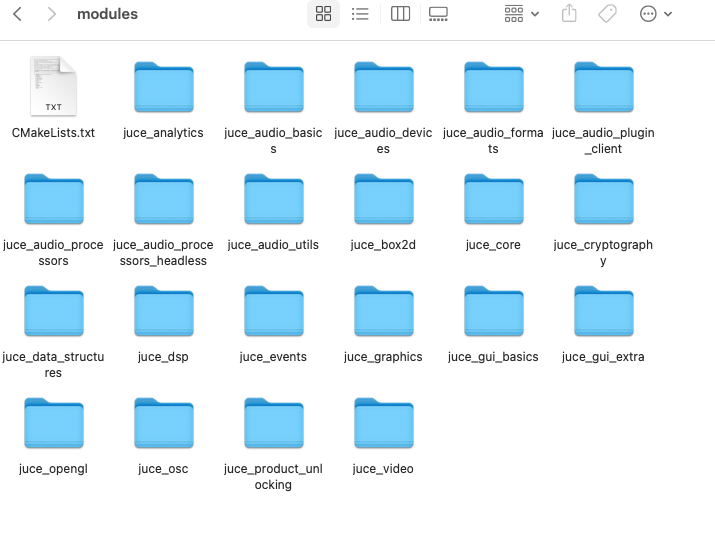
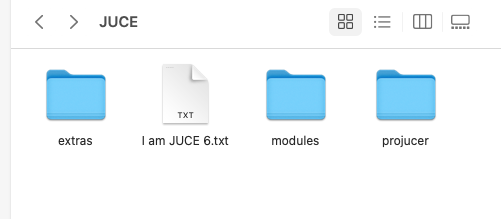
@David-Healey ok thank you! I will try the whole process again now! I'll tell you later if it works!
A
Posts
-
RE: HISE image directory not found (macOS)posted in General Questions
-
RE: HISE image directory not found (macOS)posted in General Questions
@Avián @David-Healey and what about the PooledResources? Delete everything in there too? Before exporting/compiling again?
-
RE: HISE image directory not found (macOS)posted in General Questions
@David-Healey said in HISE image directory not found (macOS):
Is that yes your project is on a network drive? If so that's probably where the issue is coming from. HISE probably doesn't have permission to write the script files to that location.
ah sorry no, the project is not on a network drive or shared folder!
@David-Healey said in HISE image directory not found (macOS):
LowEnd.zip
Check your packages project, looks like that's been included in the payload.
ok my terminal found some zip in my Binaries Folder. One important question, before compiling/exporting again now, should I delete everything in my Project's Binaries Folder for a very clean vst3 au and app file this time? Or maybe use something like this before?
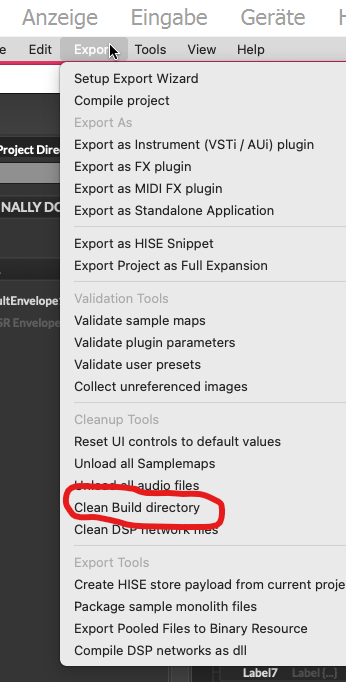
-
RE: HISE image directory not found (macOS)posted in General Questions
@David-Healey said in HISE image directory not found (macOS):
Have you loaded the images into the pool in your script? https://docs.hise.audio/scripting/scripting-api/engine/index.html#loadimageintopool
I will try that!
@David-Healey said in HISE image directory not found (macOS):
Is your project on a network drive? Are you saving the project file as an xml?
Yes, my project is located in the Documents folder, inside the HISE Projects directory under XmlPresetBackups, and yes, I am saving the files as XML.
@David-Healey said in HISE image directory not found (macOS):
Did you use the installer certificate rather than the application certificate?
Depends on. If I codesigned the .vst3 .component .app I used the application certificate and for the installer I used the installer certificate. I'm really confused about the LowEnd.zip file...Don't you think that could be the problem, or the invalid signature of the binary?
-
RE: HISE image directory not found (macOS)posted in General Questions
@David-Healey said in HISE image directory not found (macOS):
Have you enabled the option in project preferences to embed images?

Yes@David-Healey said in HISE image directory not found (macOS):
Scripts are saved when you click compile.
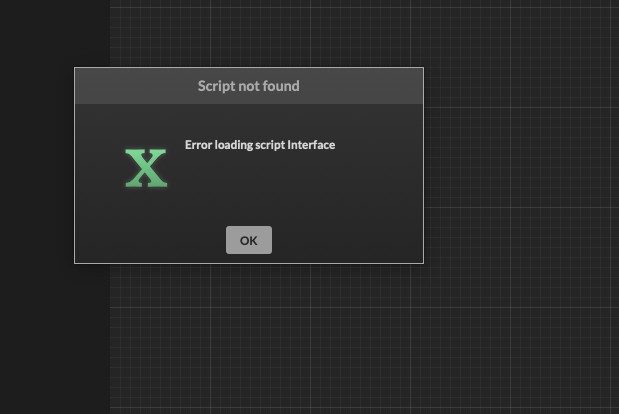
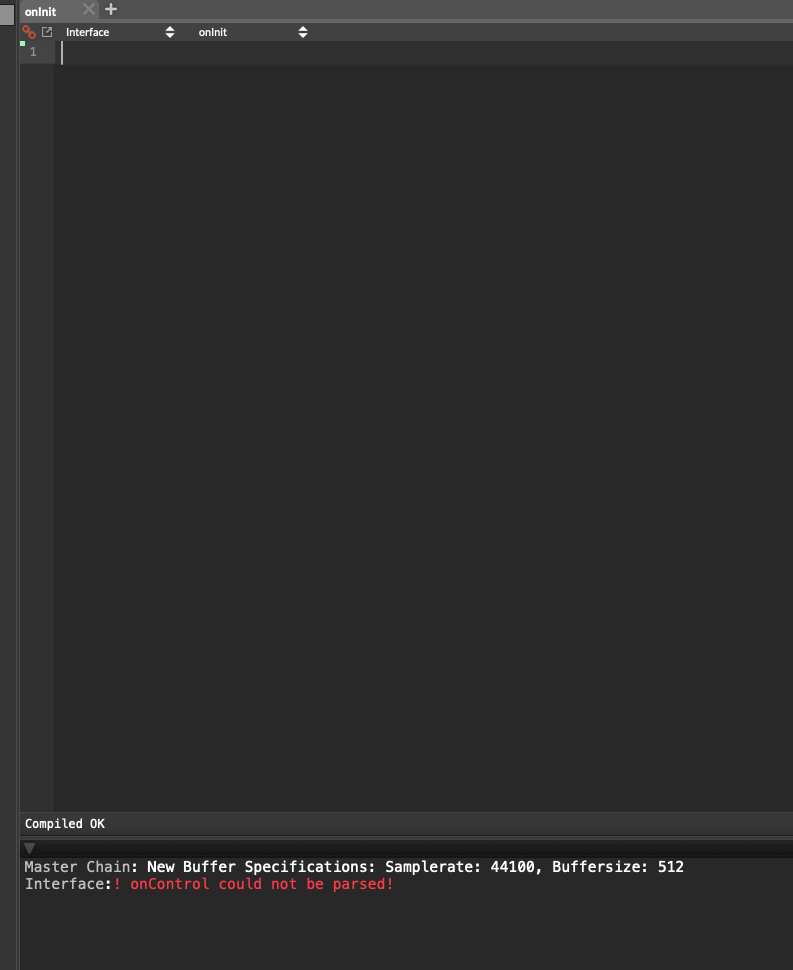
This always shows up if I close HISE and open my saved project again. HISE is always losing the script and I always need to copy paste it again and compile again. This didn't happen on Windows.@David-Healey said in HISE image directory not found (macOS):
What do you mean by doesn't work? Have you codesigned the installer?
I signed the Installer, cause I thought codesign is just for signing single files like .app .vst3 and not for.pkg
I codesigned my vst3 and components before and notarized them, it works great but my .app doesn't work. the codesign works but by notarizing the standalone it fails by the same issue, I got later by trying it with the installer, so the standalone has to be the problem (single and as a part of the installer files):
{"logFormatVersion": 1,
"jobId": "e3733774-a429-4671-9f0b-3a5de89e5544",
"status": "Invalid",
"statusSummary": "Archive contains critical validation errors",
"statusCode": 4000,
"archiveFilename": "macOS-Installer_Plugin_DrumKit_Standalone.pkg",
"uploadDate": "2026-01-25T12:44:36.154Z",
"sha256": "d1c1f509cca7f54f3e5b5d927f6fcc429ea834f65b5fdf5cd5ead6524a4a0fec",
"ticketContents": null,
"issues": [
{

  "severity": "error",

  "code": null,

  "path": "macOS-Installer_Plugin_DrumKit_Standalone.pkg/Payload.pkg Contents/Payload/Applications/myplugin/myplugin.app/Contents/MacOS/myplugin",

  "message": "The signature of the binary is invalid.",

  "docUrl": "https://developer.apple.com/documentation/security/notarizing_macos_software_before_distribution/resolving_common_notarization_issues#3087735",

  "architecture": "x86_64"

},

{

  "severity": "error",

  "code": null,

  "path": "macOS-Installer_Plugin_DrumKit_Standalone.pkg/Payload.pkg Contents/Payload/Applications/myplugin/myplugin.app/Contents/MacOS/myplugin",

  "message": "The signature of the binary is invalid.",

  "docUrl": "https://developer.apple.com/documentation/security/notarizing_macos_software_before_distribution/resolving_common_notarization_issues#3087735",

  "architecture": "arm64"

},

{

  "severity": "warning",

  "code": null,

  "path": "macOS-Installer_Plugin_DrumKit_Standalone.pkg/Payload.pkg Contents/Payload/Applications/myplugin/myplugin.app/LowEnd.zip",

  "message": "The archive at macOS-Installer_Plugin_DrumKit_Standalone.pkg/Payload.pkg Contents/Payload/Applications/myplugin/myplugin.app/LowEnd.zip could not be unpacked. Any executables contained in the archive will not be notarized.",

  "docUrl": null,

  "architecture": null

}
]
}
I really don't know where this "LowEnd.zip" comes from, maybe this is the problem. My Plugin-Name starts with LowEnd, but the name is much longer?! -
RE: HISE image directory not found (macOS)posted in General Questions
@Oli-Ullmann @David-Healey I'm sorry but I'm back with this issue. I could compile/export the standalone, the vst3, the au, I was successful signing them, but my notarization for my installer doesn't work, so I went back a few steps and opened the standalone and vst3 and au and then i saw this:
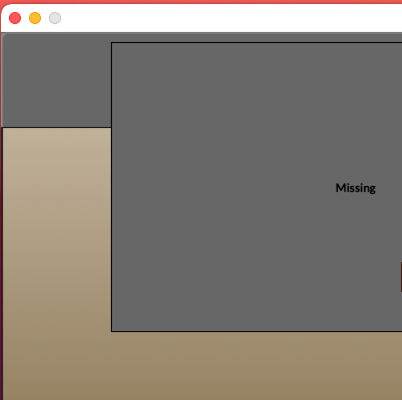
still an issue with the 2 images....
but in HISE it shows up like it should:
My Images are in the right folder, named correctly everything, I don't get it?
BTW when I close and start HISE my project ALWAYS is losing it's script, I copy paste it, so it's not a big problem, but I think this isn't normal.
And maybe all of these little issues are the reason why the Installer notarization was blocking something. I need help again,.... -
RE: HISE image directory not found (macOS)posted in General Questions
@David-Healey @Oli-Ullmann ok finally it works! Thank you so much guys! Great work, great support! Have a nice day
-
RE: HISE image directory not found (macOS)posted in General Questions
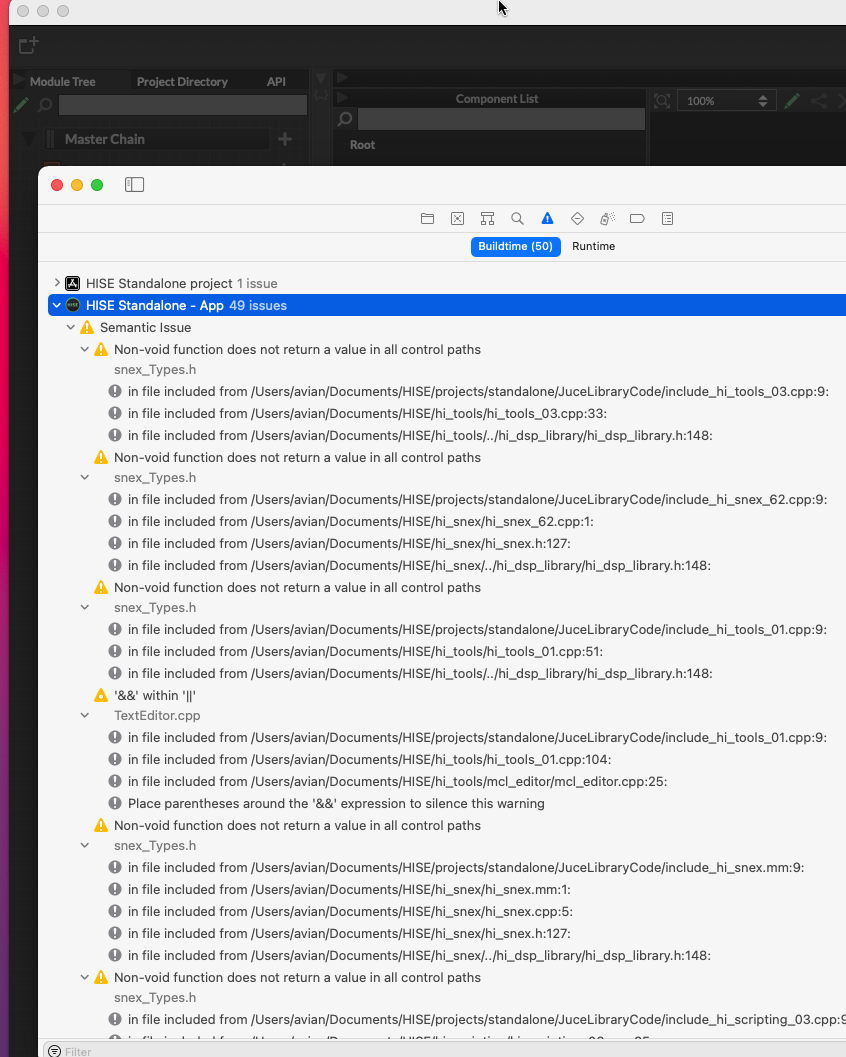
@David-Healey @Oli-Ullmann ok, again all these warnings...
-
RE: HISE image directory not found (macOS)posted in General Questions
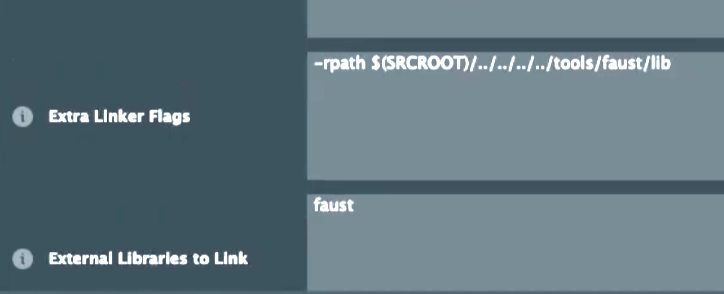
@Oli-Ullmann ok I tried this! Now the modules are loaded, let me try if compiling now works. I'm back in a minute. One more question before I do that: Do I need to delete these 2 if I don't use faust?
-
RE: HISE image directory not found (macOS)posted in General Questions
@David-Healey yes, and then I draged and dropped the standalone from projects
-
RE: HISE image directory not found (macOS)posted in General Questions
@Oli-Ullmann I exactly followed your insctruction and the latest video from @David-Healey about How to compile Hise on MacOS 2026. xcode is building HISE but I got round about 49 warnings on my modules and I think I found out why!
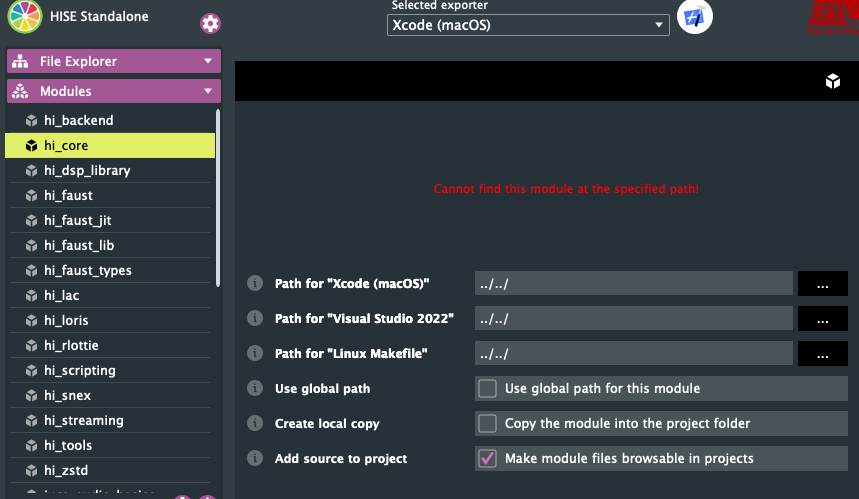
this is showing up for every module! But please trust me guys, I followed your instructions step by step! I just skiped the faust part, but David already said, you can skip this, if you don't need it. Please help me to fix this issues the fastest way. I stuck on this for days... -
RE: HISE image directory not found (macOS)posted in General Questions
@Oli-Ullmann I just have to click on code and copy the https in my xcode github right? https://github.com/christophhart/HISE# do I have to clear/delete something before? Or just overwrite it?
-
RE: HISE image directory not found (macOS)posted in General Questions
@David-Healey no! little update! It was possible to compile as a standalone now! Some folders in the binaries didn't have the permission to read & write. I checked and changed them all now. It works! But now, if I want to compile/export the vst3 & au, this issue shows up:
2026-01-23 11:42:36.174 xcodebuild[2885:78044] CFPropertyListCreateFromXMLData(): Old-style plist parser: missing semicolon in dictionary on line 876. Parsing will be abandoned. Break on _CFPropertyListMissingSemicolon to debug.
2026-01-23 11:42:36.174 xcodebuild[2885:78044] Error Domain=NSCocoaErrorDomain Code=3840 "JSON text did not start with array or object and option to allow fragments not set." UserInfo={NSDebugDescription=JSON text did not start with array or object and option to allow fragments not set.}
xcodebuild: error: Unable to read project 'projectname.xcodeproj' from folder '/Users/username/Documents/HISE Projects/projectname/Binaries/Builds/MacOSX'.
Reason: The project ‘projectname’ is damaged and cannot be opened due to a parse error. Examine the project file for invalid edits or unresolved source control conflicts.
Path: /Users/username/Documents/HISE Projects/projectname/Binaries/Builds/MacOSX/projectname.xcodeproj
-
RE: HISE image directory not found (macOS)posted in General Questions
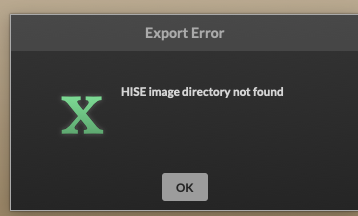
@dannytaurus the reason why I refered back to my first image: cause it's the same issue. Sorry that I didn't told you before.
-
RE: HISE image directory not found (macOS)posted in General Questions
@David-Healey yes, the folder exists in the right path.
-
RE: HISE image directory not found (macOS)posted in General Questions
@dannytaurus yes! Exactly like you set it: /Users/username/Documents/Hise