Forum
    • Categories
    • Register
    • Login

    Restoring properties with DAW session

    Scheduled Pinned Locked Moved Solved General Questions
    sessionrestore
    53 Posts 8 Posters 6.1k Views
    Loading More Posts
    • Oldest to Newest
    • Newest to Oldest
    • Most Votes
    Reply
    • Reply as topic
    Log in to reply
    This topic has been deleted. Only users with topic management privileges can see it.
    • David HealeyD
      David Healey @Christoph Hart
      last edited by

      @Christoph-Hart I've been living a lie!

      But why my code no work?

      1 Reply Last reply Reply Quote 0
      • David HealeyD
        David Healey
        last edited by

        This post is deleted!
        1 Reply Last reply Reply Quote 0
        • David HealeyD
          David Healey
          last edited by David Healey

          Ahaaaaa it's one of those problems where you don't change anything and magically it starts working!!!

          1 Reply Last reply Reply Quote 0
          • David HealeyD
            David Healey
            last edited by

            Mystery solved. I had a default preset set in project preferences. This completely breaks the save in DAW behaviour. Removing the default preset solves the issue.

            It would be nice to have both though. On first load we get the default preset, then after that it reverts to the regular behaviour.

            1 Reply Last reply Reply Quote 2
            • C clevername27 referenced this topic on
            • whoopsydoodleW
              whoopsydoodle
              last edited by whoopsydoodle

              I've been playing around with this trying to find a solution for global settings. Things like oversampling. What I would like is:

              • When a new instance of the plugin is loaded, these controls load according to a global settings json file which I set on user control of the knob
              • Unless! It's a session being recalled where that knob has already been set by the user.

              So when the user clicks off something like oversampling, it will apply to that instance and any new ones loaded, unless an instance is being recalled from a saved session. I absolutely can't have it breaking recall by changing the sound when a user reloads a project.

              Unfortunately the .isInternalPresetLoad() method seems to not work well for this. First the settings blink. For a split second it loads the value saved in the preset and it both visually and audibly jumps to that setting for a moment before jumping back to what it was before the preset load.

              And second if a user quickly changes presets this method fails after a few clicks. I suspect it has to do with the system trying to load a next preset before it's completed things and set the finished flag. The result is that after a few rapid "next preset" clicks, my control loads the value saved in preset instead of maintaining the prior value as it's supposed to.

              C 1 Reply Last reply Reply Quote 0
              • C
                clevername27 @whoopsydoodle
                last edited by

                @whoopsydoodle If i understand you correctly, I posted the code to do this a couple weeks ago.

                whoopsydoodleW 1 Reply Last reply Reply Quote 0
                • whoopsydoodleW
                  whoopsydoodle @clevername27
                  last edited by

                  @clevername27 link? would love to give it a try

                  C 2 Replies Last reply Reply Quote 0
                  • C
                    clevername27 @whoopsydoodle
                    last edited by

                    @whoopsydoodle I tried to find it, but there is no "advanced search" that I can find for the forum. You'd want to search by user (me) and then maybe "file". Perhaps there is a way to do that I do not know of.

                    David HealeyD 1 Reply Last reply Reply Quote 0
                    • David HealeyD
                      David Healey @clevername27
                      last edited by

                      @clevername27 said in Restoring properties with DAW session:

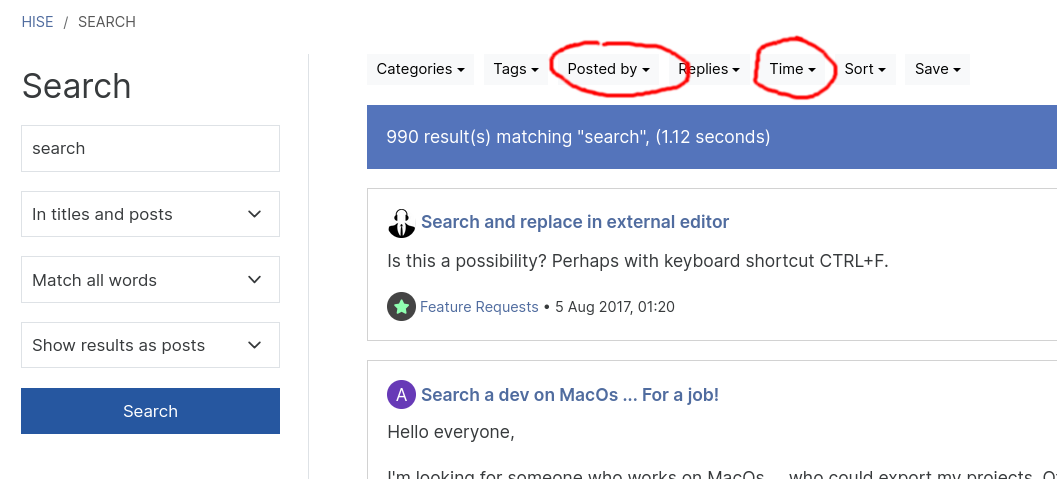
                      there is no "advanced search"

                      Search bar at the top, hit enter.
                      43dd303e-0c87-4490-94b6-7c6e2ce0785a-image.png

                      C 1 Reply Last reply Reply Quote 0
                      • C
                        clevername27 @David Healey
                        last edited by clevername27

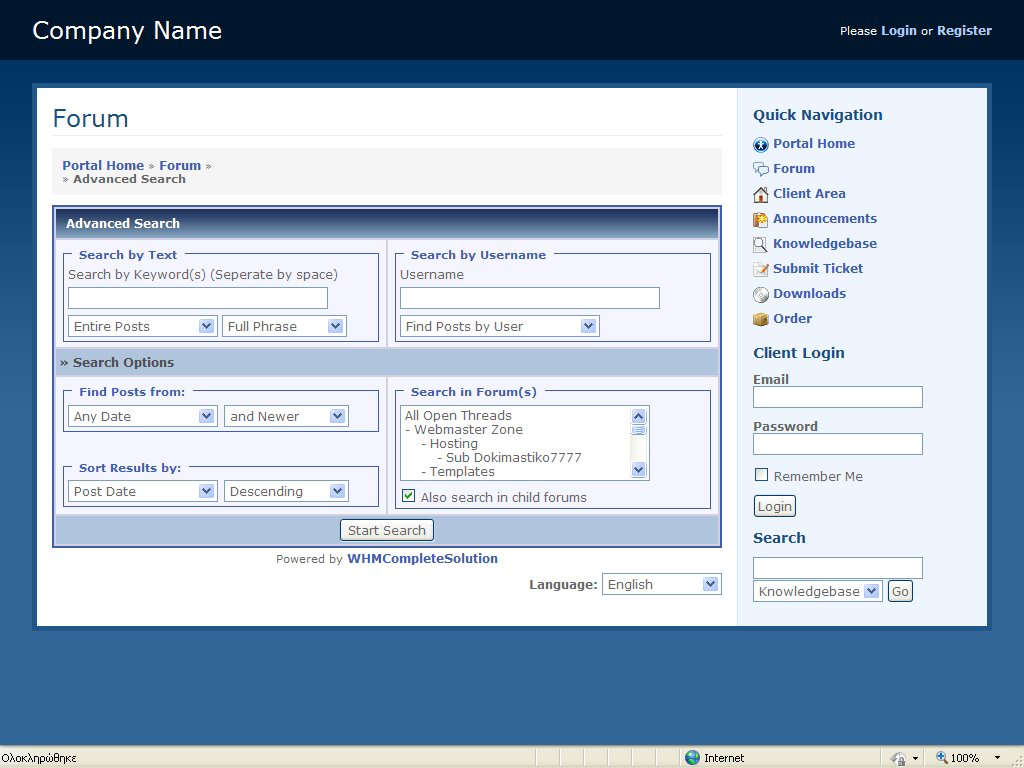
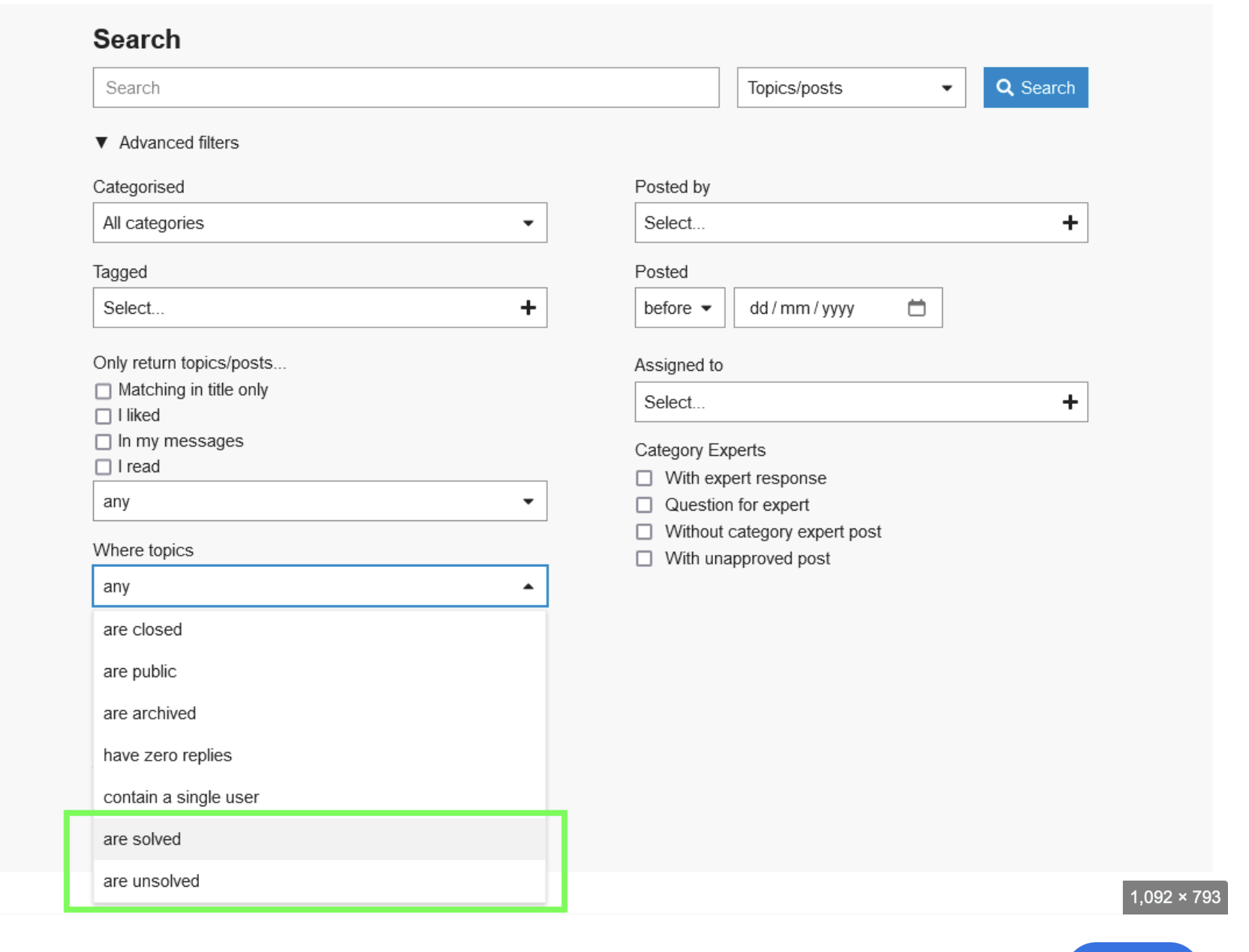
                        @d-healey Thank you, appreciated — I can't find stuff, often, with that interface. I meant something like this, which includes options on which keywords must be found, and such.
                        f78696cd-ac49-4ece-9ea1-34e912f9337c-image.png

                        01d7bdb2-d99f-4b79-a2c3-85030d3ce8ab-image.png

                        David HealeyD 1 Reply Last reply Reply Quote 0
                        • David HealeyD
                          David Healey @clevername27
                          last edited by

                          @clevername27 said in Restoring properties with DAW session:

                          I can't find stuff, often, with that interface

                          It does provide all of those features, the interface is just different.

                          Search in forum = category
                          Entire post = In titles and posts
                          etc.

                          C 1 Reply Last reply Reply Quote 0
                          • C
                            clevername27 @David Healey
                            last edited by

                            @d-healey How do I specify phrases that must be found?

                            David HealeyD 1 Reply Last reply Reply Quote 0
                            • David HealeyD
                              David Healey @clevername27
                              last edited by

                              @clevername27 Wrap it in quotes

                              43516872-73b3-4239-97de-0263096c99c5-image.png

                              C 1 Reply Last reply Reply Quote 2
                              • C
                                clevername27 @David Healey
                                last edited by clevername27

                                @d-healey So it does, cheers (clicking the gear icon).

                                David HealeyD 1 Reply Last reply Reply Quote 1
                                • David HealeyD
                                  David Healey @clevername27
                                  last edited by

                                  @clevername27 said in Restoring properties with DAW session:

                                  clicking the gear icon

                                  Yeah I just noticed that too :)

                                  1 Reply Last reply Reply Quote 0
                                  • C
                                    clevername27 @whoopsydoodle
                                    last edited by

                                    @whoopsydoodle @d-healey Here, then…

                                    https://forum.hise.audio/topic/11384/user-preference-system?_=1742308745595

                                    1 Reply Last reply Reply Quote 0
                                    • David HealeyD David Healey referenced this topic on
                                    • David HealeyD David Healey referenced this topic on
                                    • C
                                      cassettedeath @David Healey
                                      last edited by cassettedeath

                                      @David-Healey Would there be any way to make it so that the values don't update visually every time you change a preset?

                                      In my case the button opens a panel and it’s quite abrupt seeing it open and close every preset change. Could this be to do with where the code is placed?

                                      It’s a trade off between the option to say, browse presets without turning off the arp every time or the unaesthetic UI value jump.

                                      David HealeyD 1 Reply Last reply Reply Quote 0
                                      • David HealeyD
                                        David Healey @cassettedeath
                                        last edited by David Healey

                                        @cassettedeath Remind me what this thread's about again, I'm too lazy to read through

                                        C 2 Replies Last reply Reply Quote 0
                                        • C
                                          cassettedeath @David Healey
                                          last edited by

                                          @David-Healey Restoring values in a daw session without the save in preset flag

                                          David HealeyD 1 Reply Last reply Reply Quote 0
                                          • David HealeyD
                                            David Healey @cassettedeath
                                            last edited by

                                            @cassettedeath What is the solution that was provided that you're currently using but isn't working as you expect? Do you have a simple snippet?

                                            1 Reply Last reply Reply Quote 0
                                            • First post
                                              Last post

                                            20

                                            Online

                                            2.1k

                                            Users

                                            13.1k

                                            Topics

                                            113.6k

                                            Posts