Forum
    • Categories
    • Register
    • Login

    AudioWaveForm LAF

    Scheduled Pinned Locked Moved General Questions
    28 Posts 6 Posters 2.0k Views
    Loading More Posts
    • Oldest to Newest
    • Newest to Oldest
    • Most Votes
    Reply
    • Reply as topic
    Log in to reply
    This topic has been deleted. Only users with topic management privileges can see it.
    • HISEnbergH
      HISEnberg @David Healey
      last edited by

      @David-Healey if you are going to add the LAF for it that would be great! But if @Lindon wants a more immediate alternative you can pass the path to a panel and style it that way 😉

      Sonic Architect && Software Mercenary

      David HealeyD LindonL 2 Replies Last reply Reply Quote 0
      • David HealeyD
        David Healey @HISEnberg
        last edited by

        @HISEnberg panel doesn't include the controls to adjust the start and end

        Free HISE Bootcamp Full Course for beginners.
        YouTube Channel - Public HISE tutorials
        My Patreon - HISE tutorials

        HISEnbergH 1 Reply Last reply Reply Quote 0
        • LindonL
          Lindon @HISEnberg
          last edited by

          @HISEnberg Lindon really needs to see the current play cursor position as well...

          HISE Development for hire.
          www.channelrobot.com

          1 Reply Last reply Reply Quote 0
          • LindonL
            Lindon @David Healey
            last edited by Lindon

            @David-Healey said in AudioWaveForm LAF:

            @Lindon drawThumbnailBackground doesn't seem to do anything.

            The only laf function that it seems to respond to is drawThumbnailPath.

            Do you have a mockup image of what you want the final thing to look like?

            Sadly I dont - all the customer is asking for is a transparent background...

            HISE Development for hire.
            www.channelrobot.com

            LindonL 1 Reply Last reply Reply Quote 0
            • HISEnbergH
              HISEnberg @David Healey
              last edited by

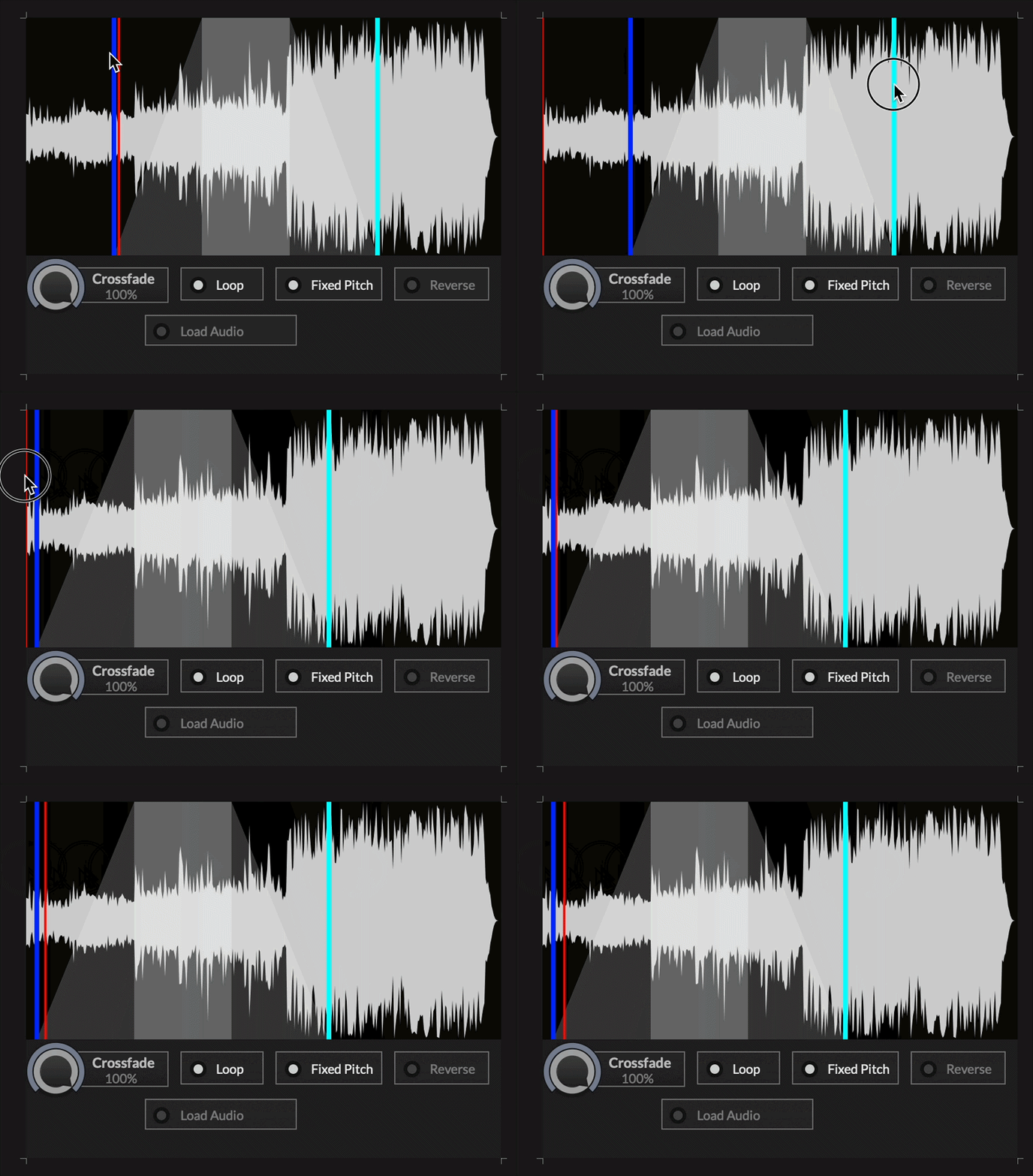
              @David-Healey Hmmm you may be right I would have to check the Sampler's API about that, but I've scripted all of this using the Audio Looper before (actually a custom C++ sampler but same API). I can share the script if you are interested (it's still not finished). If it's just a matter of adding a transparent background though, modding the HISE source code would be a lot easier.

              This is all in a panel, but it's a bit buggy still:
              ezgif.com-video-to-gif-converter.gif

              Sonic Architect && Software Mercenary

              David HealeyD 1 Reply Last reply Reply Quote 0
              • David HealeyD
                David Healey @HISEnberg
                last edited by

                @HISEnberg it can all be done using a panel but that seems like overkill when all Lindon wants is to remove the background.

                @Lindon I'm out for a few hours but I'll take a look when I'm home, I think it should be an easy one for Claude

                Free HISE Bootcamp Full Course for beginners.
                YouTube Channel - Public HISE tutorials
                My Patreon - HISE tutorials

                1 Reply Last reply Reply Quote 0
                • LindonL
                  Lindon @Lindon
                  last edited by

                  @Lindon said in AudioWaveForm LAF:

                  Sadly I dont - all the customer is asking for is a transparent background...

                  This guy is a liar, the customer also wants to change the "yellow" colour of the offset marker....

                  HISE Development for hire.
                  www.channelrobot.com

                  David HealeyD 2 Replies Last reply Reply Quote 0
                  • David HealeyD
                    David Healey @Lindon
                    last edited by David Healey

                    @Lindon We could use drawTableRuler for that perhaps? Although it would also need to handle release and loop markers. I'll have a think on it.

                    Free HISE Bootcamp Full Course for beginners.
                    YouTube Channel - Public HISE tutorials
                    My Patreon - HISE tutorials

                    1 Reply Last reply Reply Quote 0
                    • David HealeyD
                      David Healey @Lindon
                      last edited by

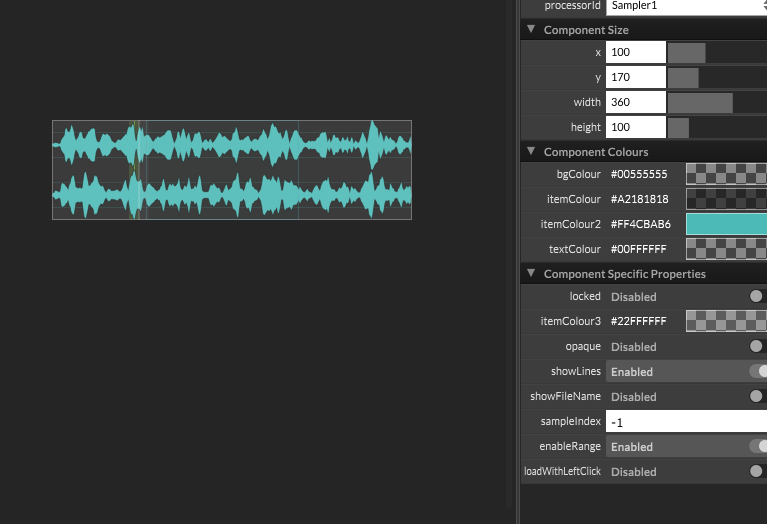
                      @Lindon I just took another look at your snippet, you haven't assigned the laf object to the component. But it's even better than that, to remove the back all you need to do is disable the "opaque" property.

                      Free HISE Bootcamp Full Course for beginners.
                      YouTube Channel - Public HISE tutorials
                      My Patreon - HISE tutorials

                      LindonL 1 Reply Last reply Reply Quote 0
                      • LindonL
                        Lindon @David Healey
                        last edited by

                        @David-Healey said in AudioWaveForm LAF:

                        @Lindon I just took another look at your snippet, you haven't assigned the laf object to the component. But it's even better than that, to remove the back all you need to do is disable the "opaque" property.

                        nope, tried that several times earlier... the background is still there:
                        68bc4fc1-b3cc-4672-81f8-57ee446dfe68-image.png

                        HISE Development for hire.
                        www.channelrobot.com

                        David HealeyD 2 Replies Last reply Reply Quote 0
                        • David HealeyD
                          David Healey @Lindon
                          last edited by

                          @Lindon hmm working here, I'll see what else I've done when I'm back at the pooter

                          Free HISE Bootcamp Full Course for beginners.
                          YouTube Channel - Public HISE tutorials
                          My Patreon - HISE tutorials

                          1 Reply Last reply Reply Quote 0
                          • David HealeyD
                            David Healey @Lindon
                            last edited by David Healey

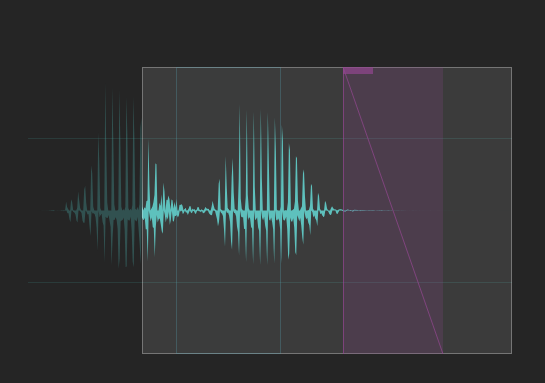
                            @Lindon I think what you're seeing there is the overlay of the playable range, not the background of the component
                            e4daa37d-444e-40f9-9bb8-e376bf0f299e-image.png

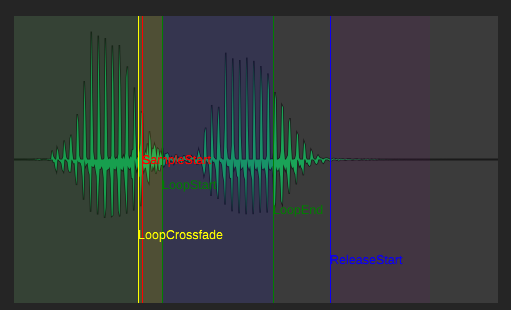
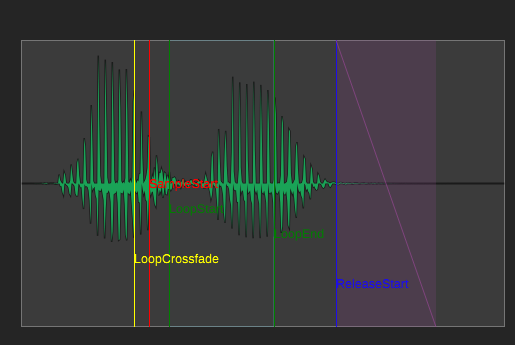
                            I got Claude to provide a laf function that allows us to draw the individual markers, but it doesn't provide a way to draw the loop range or release range, I'm wondering if those should be covered by a separate laf function since not all markers have ranges. What say ye?

                            Edit: Actually there's already drawThumbnailRange maybe this could be adapted for the purpose... this one will also hide the playable range for you.
                            15ad76ad-239e-4930-81f1-f89dfba34dee-image.png

                            Free HISE Bootcamp Full Course for beginners.
                            YouTube Channel - Public HISE tutorials
                            My Patreon - HISE tutorials

                            LindonL 1 Reply Last reply Reply Quote 0
                            • LindonL
                              Lindon @David Healey
                              last edited by Lindon

                              @David-Healey said in AudioWaveForm LAF:

                              I got Claude to provide a laf function that allows us to draw the individual markers, but it doesn't provide a way to draw the loop range or release range, I'm wondering if those should be covered by a separate laf function since not all markers have ranges. What say ye?

                              I think its up to you - I'm not sure that's so important but others may think it is...

                              meanwhile I think I will have to wait for the your PR to be actioned by Christoph as when I look at my copy of ScriptingGraphics.cpp its quite different to yours, so not confident I can manually copy it in...

                              HISE Development for hire.
                              www.channelrobot.com

                              David HealeyD 1 Reply Last reply Reply Quote 0
                              • David HealeyD
                                David Healey @Lindon
                                last edited by

                                @Lindon said in AudioWaveForm LAF:

                                meanwhile I think I will have to wait for the your PR to be actioned by Christoph as when I look at my copy of ScriptingGraphics.cpp its quite different to yours, so not confident I can manually copy it in...

                                I haven't made the PR yet, but once I do I'll give you instructions to pull it into your fork

                                Free HISE Bootcamp Full Course for beginners.
                                YouTube Channel - Public HISE tutorials
                                My Patreon - HISE tutorials

                                1 Reply Last reply Reply Quote 0
                                • David HealeyD
                                  David Healey
                                  last edited by

                                  By the power of Claude I've added drawThumbnailMarkers and extended drawThumbnailRange to include sample start, loop crossfade, and release ranges.

                                  This is quite a big PR in terms of number of lines of code changed. I started this before Christoph added the new workflow documentation so it hasn't been through that checking process.

                                  Here's the PR. To pull this into your own fork:

                                  • Add Christoph's repo as a remote called upstream (if you haven't already) git remote add upstream https://github.com/christophhart/HISE.git
                                  • Run git fetch upstream pull/885/merge:pr-885-merge
                                  • Checkout the branch of your fork you want to merge to
                                  • Run git merge pr-885

                                  61b25f76-c83d-41ed-a69e-63e58801ad53-image.png

                                  Free HISE Bootcamp Full Course for beginners.
                                  YouTube Channel - Public HISE tutorials
                                  My Patreon - HISE tutorials

                                  1 Reply Last reply Reply Quote 0
                                  • David HealeyD David Healey referenced this topic
                                  • First post
                                    Last post

                                  22

                                  Online

                                  2.2k

                                  Users

                                  13.5k

                                  Topics

                                  117.4k

                                  Posts