If you use Figma for UI design, try Pen - I'm loving it! 
-
I've used Figma for a few UI designs, and I like it, but version control is hard because Figma's file format is compressed.
For my current plugin project I switched to Pen https://www.pen.dev and I love it so far.
Advantages are the project files are plain JSON, which means they're readable by humans and agents, and they can go into version control. It also has first-class support for AI agents, with a chat session panel on the left. Claude Opus 5.5. works very nicely in Pen.
It has pretty good feature-parity with Figma, but to be fair, misses some of the more complex features.
My workflow is to keep UI design work and code work completely separate. To this end, I have instructions in the project CLAUDE.md to tell Claude Code agents the Pen JSON is read-only and they should never edit it.
That way I can drive the design completely from the Pen agent sessions, have that agent commit its own UI work, and have the Claude Code agent read the file to pick up changes (very easily from the plain JSON) and implement the design changes in HISE/JUCE.
Works really well so far. The Pen agents can take care of a lot of tedious stuff in the UI design like making my sketched out objects into reusable components, replacing dozens of objects in one pass, aligning things and setting frame consistent padding.
Asking the Pen agent to produce 10 variations on my slider design, pad layout, or settings icon, and watching it do it live in front of me is very cool.
Another plus is you can run multiple Pen agents to work on different parts of the UI design and all run around doing their own thing. Very cool!

HISE dev latest / herdr + Claude Code / Figma + Affinity
Meat Beats: https://meatbeats.com
Klippr Video: https://klippr.video -
Thanks for sharing.
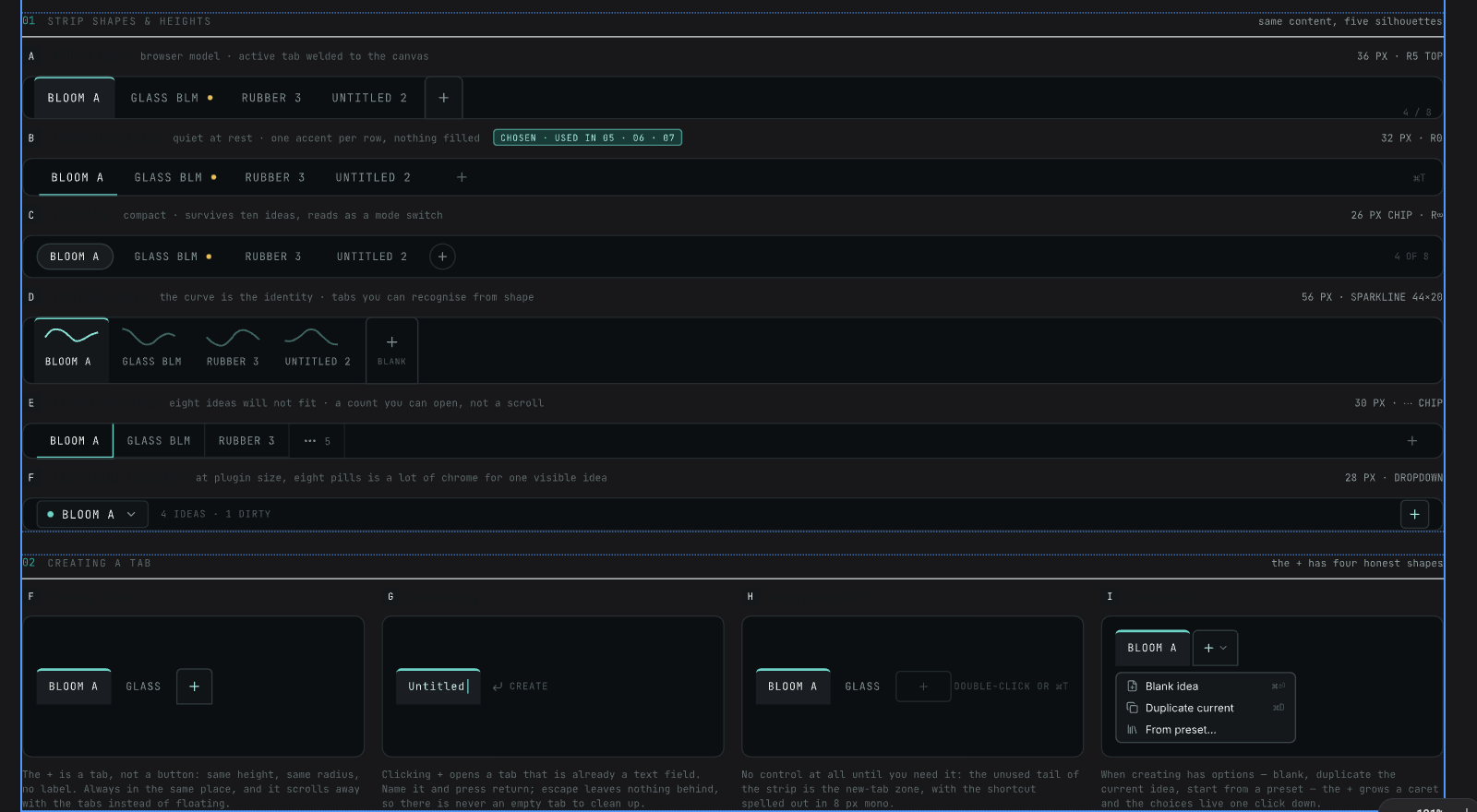
I've found it to not really have any artistic prowess (as to be expected).But for quickly exploring different UX approaches to the same problem, and being able to swap out different strategies quickly, it's been quite convenient for that purpose!
"Different ways to draw a rack of page tabs"
-
@griffinboy For me it's been really good at creating ideas for states, icons, layouts, etc.
Are you using it in your repo? Or standalone? The more context it has, the better job it will do. The detail in the prompt matters lot too.