BUG (& FIX) in Midi Learn panel value displays
-
TL;DR the last row painted in the MIDI Learn panel uses raw values instead of formatted.
Here's a PR fix.
MIDI learn a CC to knob then open the MIDI Learn panel. The values are normalised to 0.0-1.0, regardless of the knob's range:
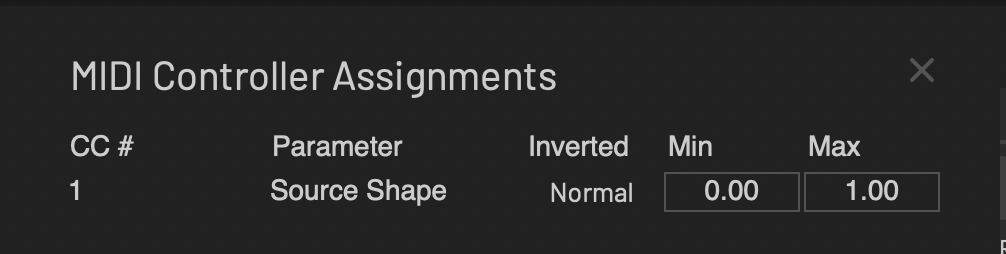
Type Min 0.5 RETURN to set the min value to half the range and it changes to 1%:
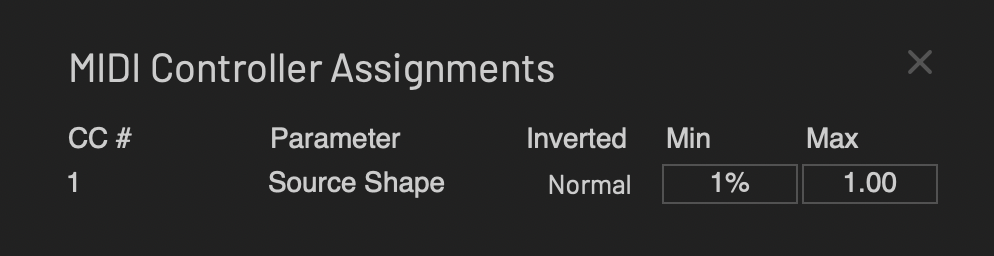
To actually change Min to half the range I have to type 50:
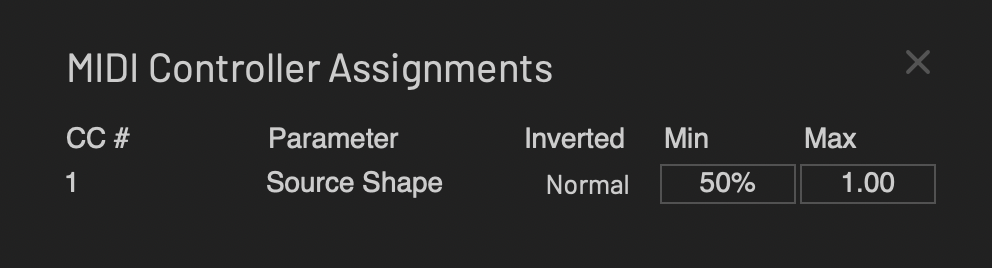
That now works as expected, but the Max still shows the normalised range. Confusing!
If I MIDI Learn two params, then open the MIDI Learn panel, the first one shows correctly, and the second one shows the correct number range but still omits the units:
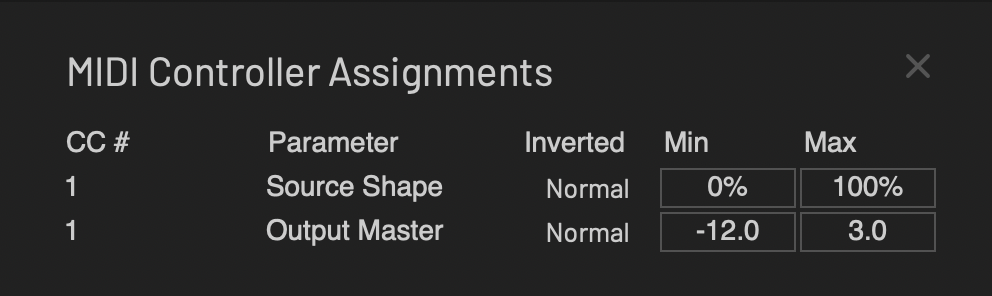
When I learn third param, the second one's units show and the third rows values are normalised:
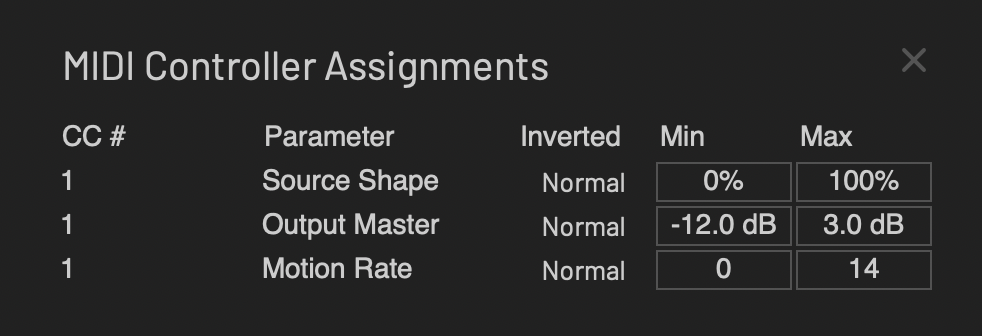
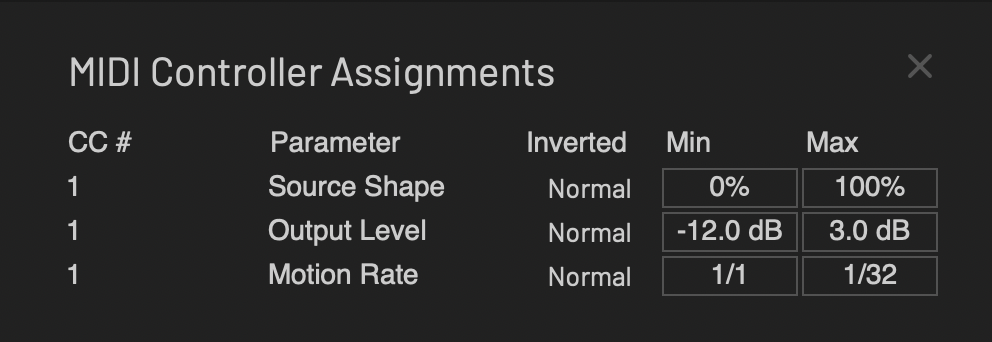
After the PR fix all rows show correct ranges and units:
HISE dev latest / herdr + Claude Code / Figma + Affinity
Meat Beats: https://meatbeats.com
Klippr Video: https://klippr.video -
@dannytaurus said in BUG (& FIX) in Midi Learn panel value displays:
MIDI learn a CC to knob then open the MIDI Learn panel. The values are normalised to 0.0-1.0, regardless of the knob's range:
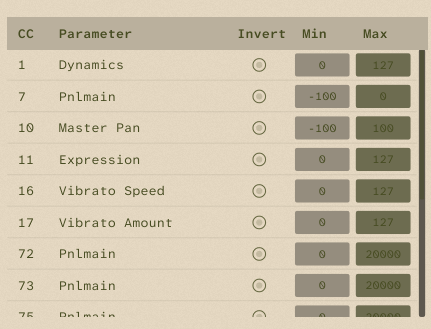
I don't see that (possibly I already fixed it in a PR but don't recall).
Free HISE Bootcamp Full Course for beginners.
YouTube Channel - HISE tutorials
My Patreon - More HISE tutorials -
@David-Healey Yeah, very possible you already hit this a long time ago and fixed it on your fork.
Yours doesn't seem to show any rows that would have units, or is the 0-20000 in ms?
HISE dev latest / herdr + Claude Code / Figma + Affinity
Meat Beats: https://meatbeats.com
Klippr Video: https://klippr.video -
@dannytaurus said in BUG (& FIX) in Midi Learn panel value displays:
is the 0-20000 in ms?
Correct. I'm styling it with laf so possibly I removed the units to make it fit better
Free HISE Bootcamp Full Course for beginners.
YouTube Channel - HISE tutorials
My Patreon - More HISE tutorials -
@David-Healey Makes sense


